

Country Block – Geo Blocker & IP Access Control
🚀 INSTANT, 100% FREE & PRECISE: The Essential Geo Blocker! Ban, block, or restrict countries with Guaranteed accuracy via Daily MaxMind Updates.
Plugin info
Maintenance & Compatibility
Maintenance score
Maintained • Last updated 148 days ago
Is Country Block – Geo Blocker & IP Access Control abandoned?
Likely maintained (last update 148 days ago).
Compatibility
Similar & Alternatives
Explore plugins with similar tags, and compare key metrics like downloads, ratings, updates, support, and WP/PHP compatibility.
Description
Country Block provides an exceptionally user-friendly, powerful, and modern IP geolocation blocking experience for WordPress. Our mission is to offer incredible value for free, helping you secure your website and control access with precision and ease.
Whether you want to block traffic from specific countries to reduce spam and malicious activity, or ensure your content is only accessible to visitors from designated regions, Country Block offers a flexible and robust solution.
Core Features:
- Effortless Country Blocking: Easily block or allow access from multiple countries or pre-defined groups like the European Union.
- Compatibility & Real IP Detection: Fully compatible with CDNs and reverse proxies like Cloudflare, Varnish, and Nginx. Includes an advanced setting to ensure the visitor’s real IP address is always detected, even behind proxy layers.
- Express Onboarding Setup: A guided wizard gets you up and running in minutes upon activation.
- Modern “2030 Era” UI: Enjoy an intuitive, clean, and responsive admin interface that’s a pleasure to use.
- Flexible Geolocation Source:
- Free Local Database (GeoLite2 by MaxMind): High-performance, reliable country-level blocking using a local MaxMind GeoLite2 database, updated automatically every day to ensure maximum accuracy. Requires a free MaxMind account for database updates.
- Whitelisting: Exempt specific IP addresses/CIDR ranges, user roles, or URL paths from blocking rules.
- Customizable Block Actions:
- Show a customizable message (supports basic HTML).
- Redirect blocked visitors to a specific WordPress page.
- Detailed Logging & Statistics (Opt-in):
- Keep track of blocked requests (IP, country, reason, timestamp).
- View statistics on blocked activity.
- Option to anonymize logged IPs for privacy.
Looking to block VPNs, Proxies, or TOR users? For an additional layer of security and anonymity control, check out our companion plugin: VPN Guard!
External Services
This plugin utilizes external services for its functionality.
When you use features that rely on these services, this plugin may send data, including the visitor’s IP address, to the respective third-party service.
- MaxMind (GeoLite2 Database)
- Purpose: Used to download the local geolocation database.
- Data Sent: Your MaxMind License Key is sent to download the database.
- Links: Terms of Use | Privacy Policy
Installation
- In your WordPress admin panel, go to Plugins > Add New.
- Search for “VPNDeals Country Block”.
- Click “Install Now” and then “Activate”.
- You’ll be guided through the Express Onboarding wizard!
Frequently Asked Questions
You need a free MaxMind GeoLite2 account.
1. Sign up at MaxMind’s GeoLite2 Sign Up Page.
2. Log in and navigate to “Manage License Keys”.
3. Generate a new license key.
4. Copy the key and paste it into the Country Block settings.
NOTE: If your key shows as invalid immediately after creation, please wait 5 minutes and try the database download again, as activation takes a moment to propagate on MaxMind’s side.
- Local Database (GeoLite2): Recommended for all users. It’s fast, free, and provides reliable country-level blocking.
Country Block hooks in early (wp_loaded). For wp_die actions, this usually occurs before a cached page is served.
However, aggressive caching setups may require testing. Whitelisting your caching service’s IP addresses may be necessary.
Review feed
Screenshots
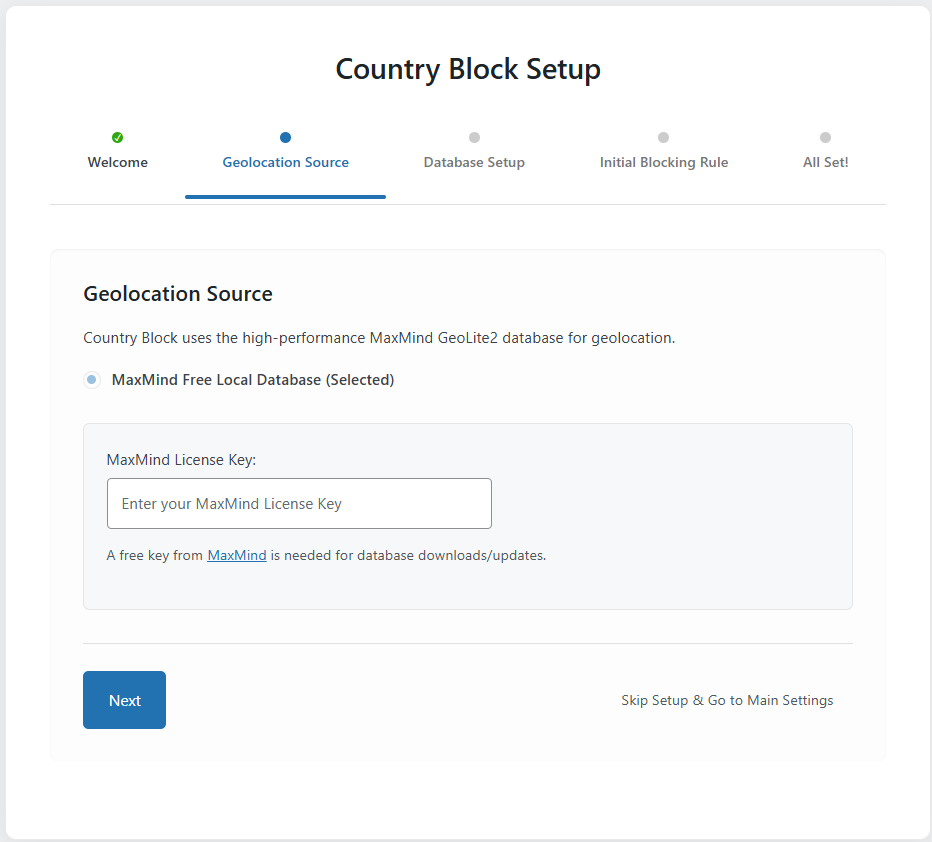
Onboarding Wizard - Geolocation Source Step
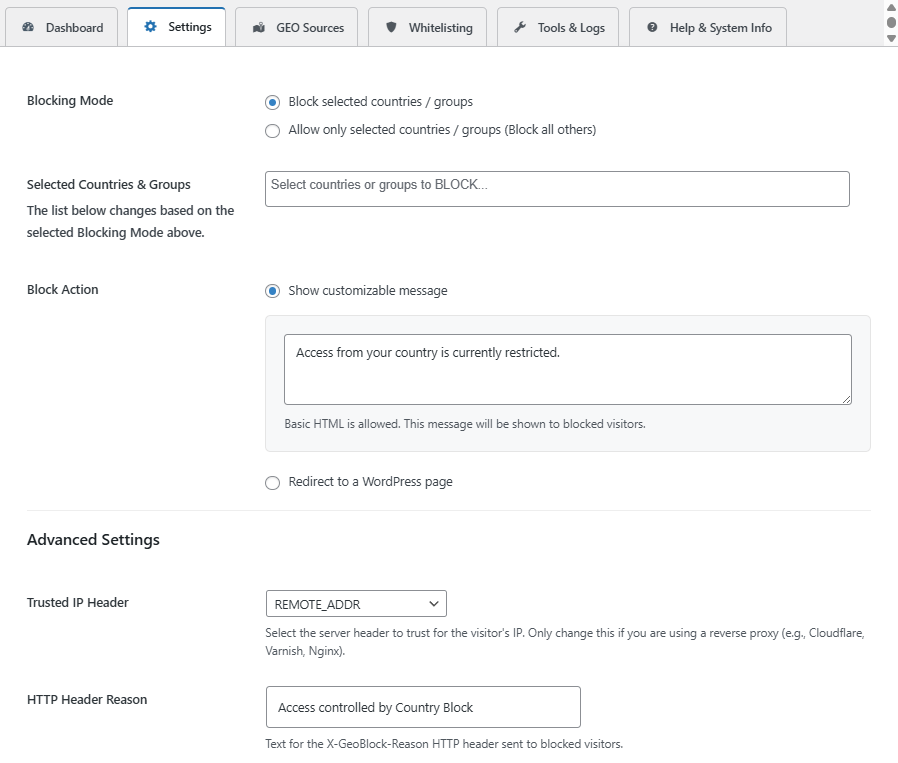
Main Settings Tab (Blocking Mode and Block Actions)
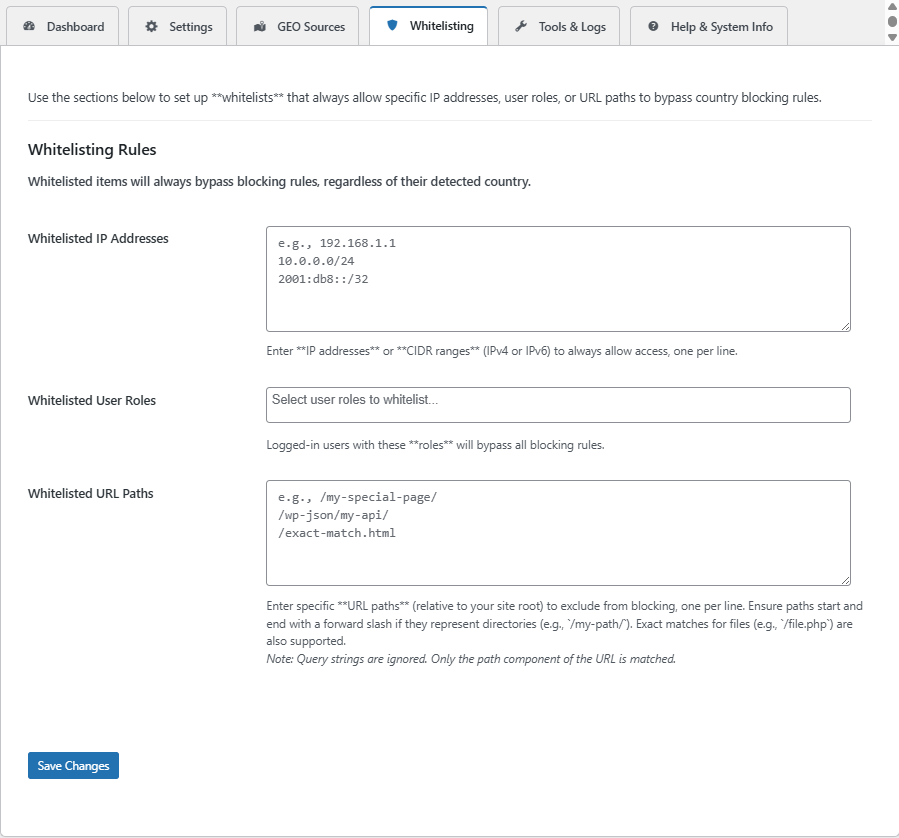
Whitelisting Rules Tab (IPs, Roles, and URL Path Exclusions)
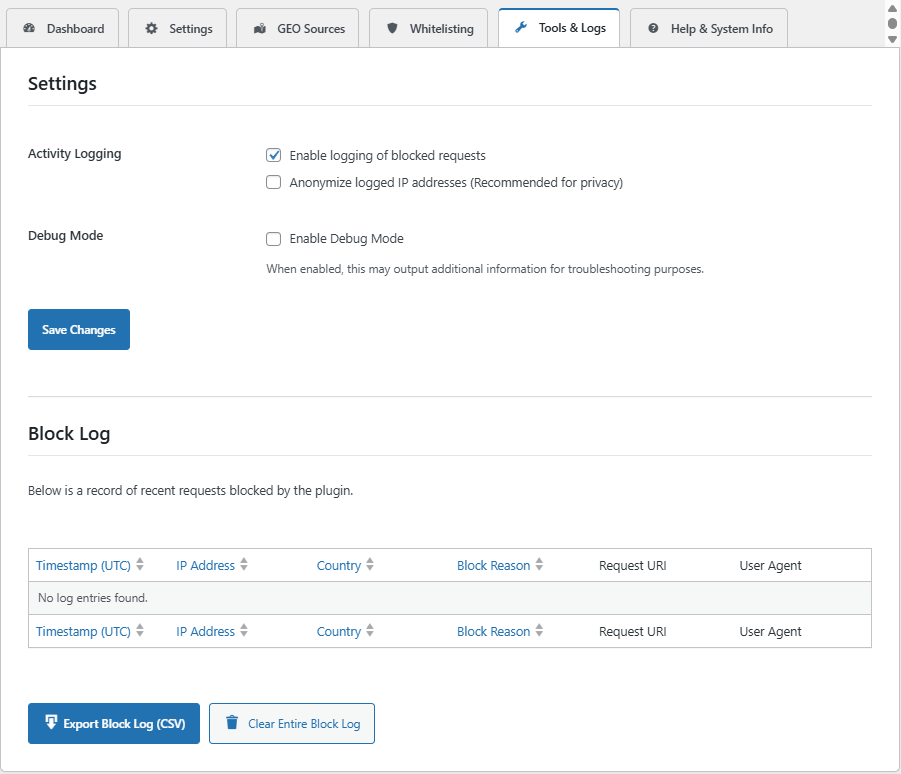
Tools & Logs Tab (Activity Logging and Block Log Table)
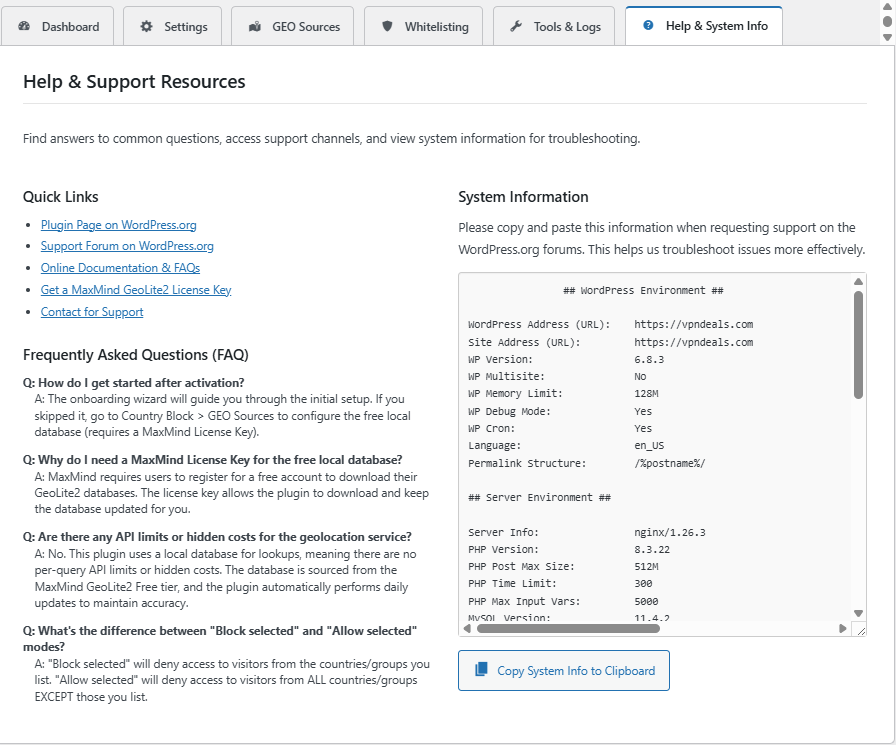
Help & System Info Tab (FAQ and System Diagnostics)
Changelog
1.0.1
- Redirect Loop Fix: Implemented a more robust method to prevent infinite redirect loops when blocking traffic and using the ‘Redirect to a WordPress page’ action. The redirect target is now automatically whitelisted by URL path.
1.0.0
- Initial public release.