

Custom Add to Cart labels for WooCommerce
This plugin lets you change the “add to cart” labels on all single product pages (per product type) and also on archive/shop page (per product type)
Maintenance 54/100142d since update
Active installs
6,000
Downloads
103,228
Reviews
14
Age
9.0y
Plugin info
Total downloads: 103,228
Active installs: 6,000
Total reviews: 14
Average rating: 3.9
Support threads opened: 0
Support threads resolved: 0 (0%)
Available in: 1 language(s)
Contributors: 5
Last updated: 11/12/2025 (142 days ago)
Added to WordPress: 4/24/2017 (8 years old)
Minimum WordPress version: 6.2
Tested up to WordPress version: 6.7.4
Minimum PHP version: f
Maintenance & Compatibility
Maintenance score
Maintained • Last updated 142 days ago • 14 reviews
54/100
Is Custom Add to Cart labels for WooCommerce abandoned?
Likely maintained (last update 142 days ago).
Compatibility
Requires WordPress: 6.2
Tested up to: 6.7.4
Requires PHP: f
Languages
Similar & Alternatives
Explore plugins with similar tags, and compare key metrics like downloads, ratings, updates, support, and WP/PHP compatibility.
NGD Custom Add to Cart Label for WooCommerce
Rating 5.0/5 (4 reviews) • Active installs 600
Add to Cart Text
Rating 0.0/5 (0 reviews) • Active installs 0
Description
This plugin lets you customize the “add to cart” button labels on single product pages (per product type) and also on archive/shop page (per product type)
Single products
- Simple products
- Variable products
- Grouped products
- External products
- Bookable products
- Subscription products
Archive pages
- Simple products
- Variable products
- Grouped products
- External products
- Bookable products
- Subscription products
Features
- Compatible with latest WooCommerce (3.0.0 and up)
- Supports ASCII special characters in labels
- Supports Unicode characters in labels
- Supports HTML5 characters in labels
- Supports Emojis in labels (http://getemoji.com/ and http://www.copypastecharacter.com/emojis)
Installation
- Download the plugin & install it to your
wp-content/pluginsfolder (or use the Plugins menu through the WordPress Administration section) - Activate the plugin
- Navigate to ** WooCommerce > Settings > Products > Change “add to cart” labels **.
- Customise your labels.
- Save and enjoy!
Frequently Asked Questions
A: Copy / paste them into the label field
A: See: Getemoji and Copypastecharacter
A: You can submit a issues / feature requests on the Public GitHub Repository.
Review feed
Rynald0s
Updated!
Updated for WooCommerce v4.2.0 and working! Added support for variable subscriptions, too.
Screenshots
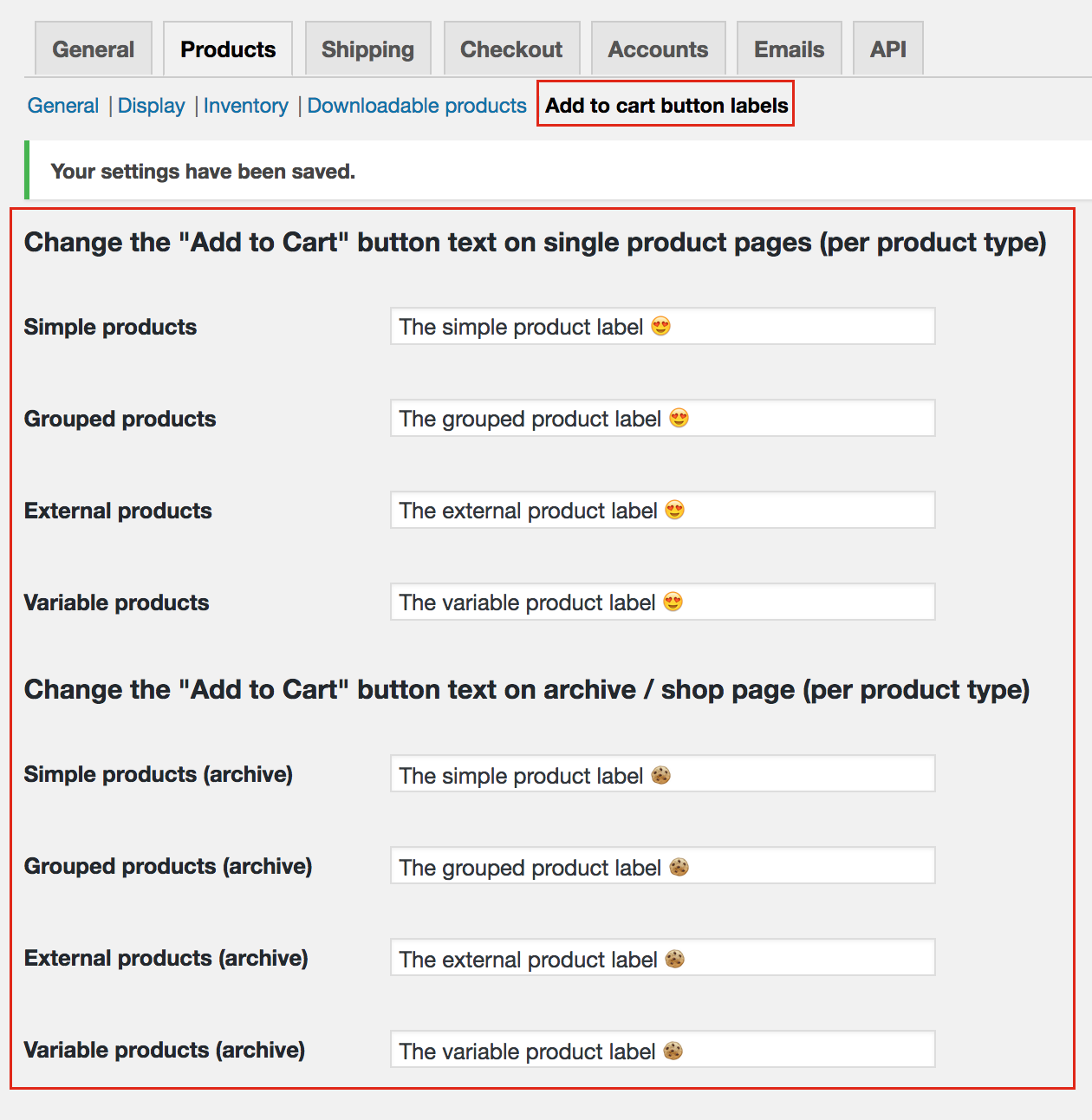
Settings
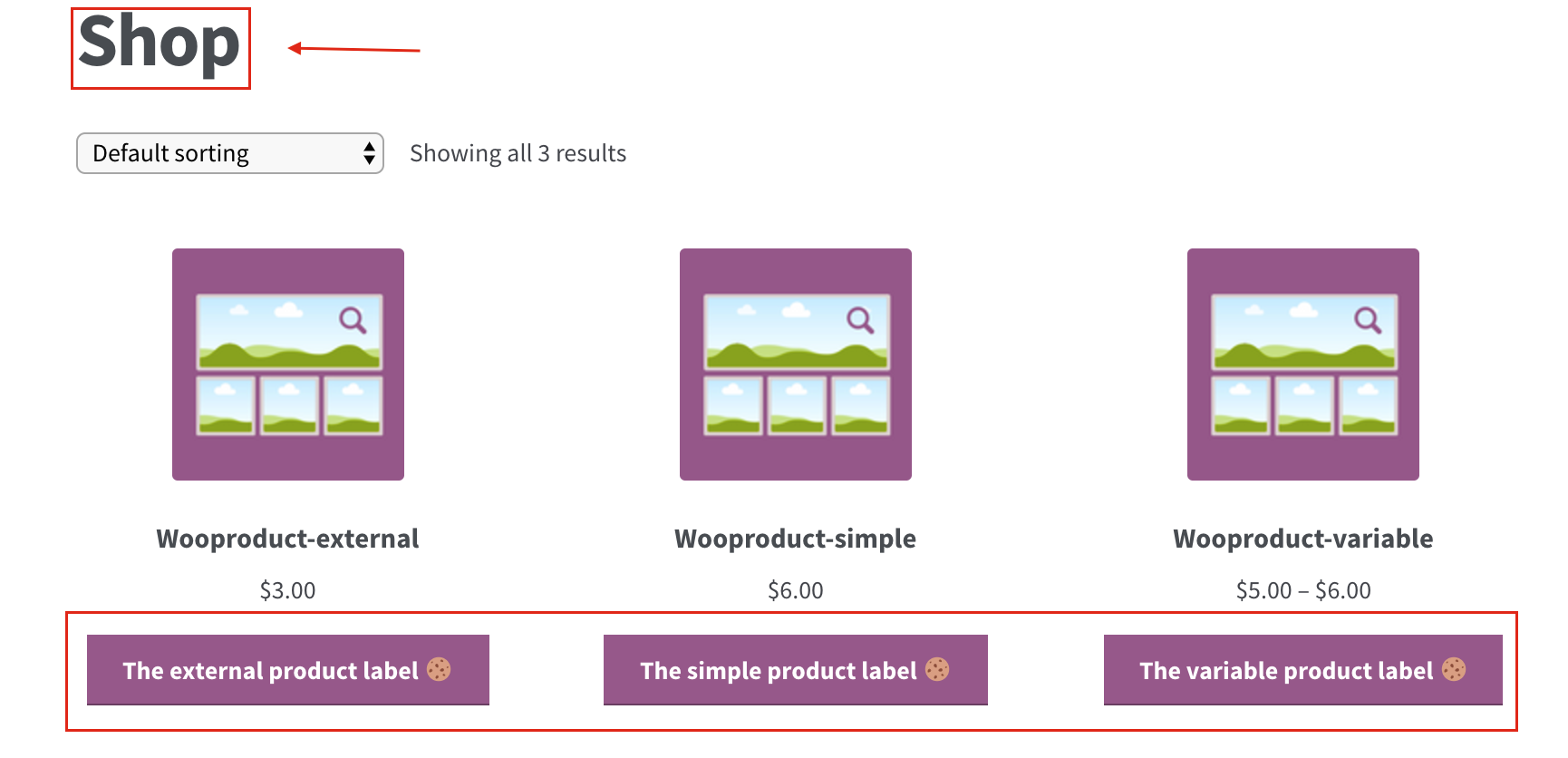
Shop page
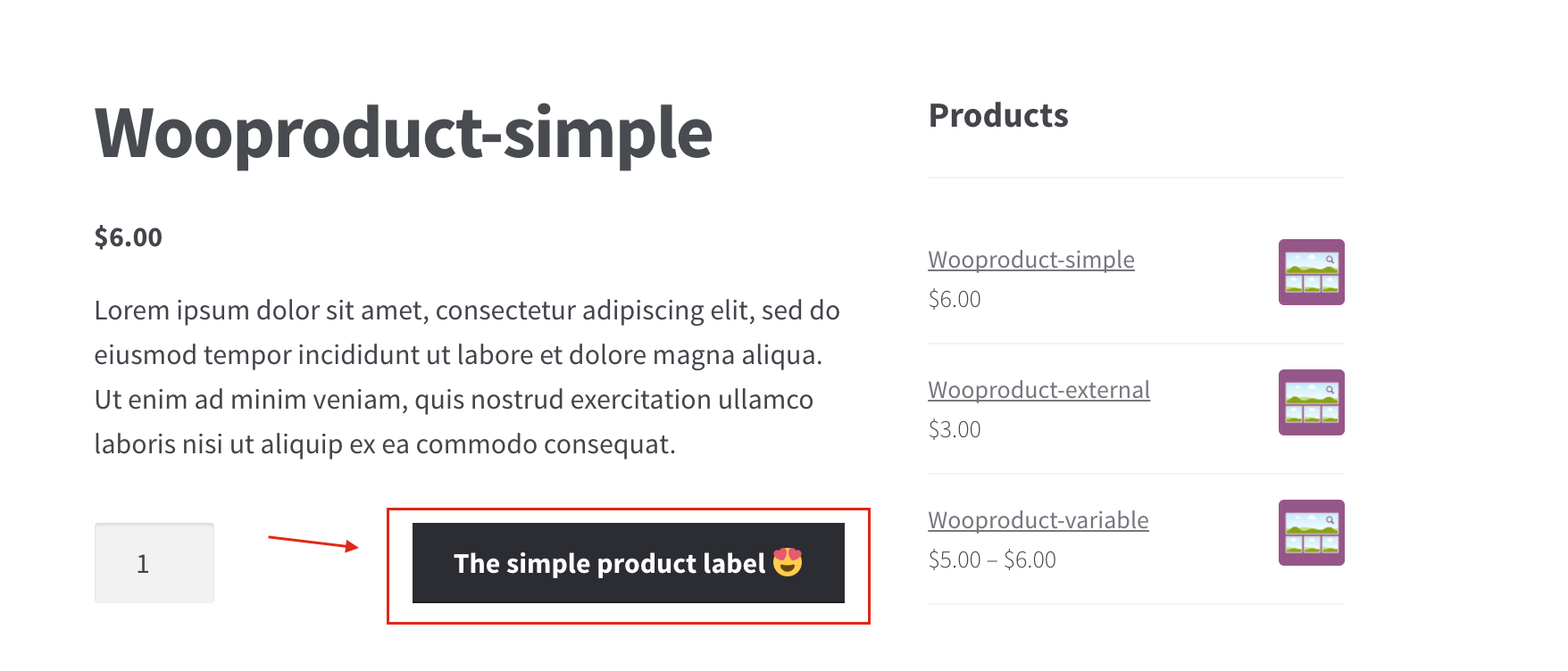
Single product page
Changelog
1.0
- first release
1.1
- added support for bookable products
1.3
- Added support for subscription and subscription variable products
- Fixed Call to a member function get_type() on null issue with Gutenberg
1.4.0
- Reverted back to prior working release.
- For product types that aren’t explicitly supported or don’t have custom settings defined, the plugin now falls back to the default WooCommerce add-to-cart text.
- Implemented distinct filters and callback functions for single product pages and archive/shop (loop) pages, ensuring that each context can have its own custom label configuration.
1.4.1
- Updated display name from WC Custom Add to Cart labels to Custom Add to Cart labels for WooCommerce to remove trademark implications.
- Bumped plugin version from 1.4.0 to 1.4.1 and added new header fields:
- Updated all internationalization calls to use the correct text domain wc-custom-add-to-cart-labels.
- Renamed callback functions for add-to-cart text from generic names (e.g., custom_woocommerce_product_single_add_to_cart_text) to unique prefixed names (wccatcl_product_single_add_to_cart_text and wccatcl_product_loop_add_to_cart_text) to avoid conflicts.
1.5.1
- Updated plugin name
1.5.2
- Changed plugin ownership
1.5.3
- Tested up to WordPress 6.8 and WooCommerce 10.0