

WooCommerce Customer Related Order
Helps to show related customer order in WooCommerce admin order details page.
Plugin info
Maintenance & Compatibility
Maintenance score
Possibly abandoned • Last updated 2835 days ago
Is WooCommerce Customer Related Order abandoned?
Possibly abandoned (last update 2835 days ago).
Compatibility
Similar & Alternatives
Explore plugins with similar tags, and compare key metrics like downloads, ratings, updates, support, and WP/PHP compatibility.
Description
Using this plugin Admin can see all the orders made by a customer from single order details page.
Sometimes Admin needs to check all the orders made by a customer. Todo that previously admin had to go back to order listing page, filter customer orders then see all the order made by a single customer. But with “WooCommerce customer related order” plugin admin can check all the order made by a single user from same order details page and can also quickly view and manage ( Change order status ) those orders with ease.
Contribute
This may have bugs and lack of many features. If you want to contribute on this project, you are more than welcome. Please fork the repository from Github
Author
Installation
From your WordPress Dashboard:
1. Visit ‘Plugins > Add New’
2. Search for ‘WooCommerce Customer Related Order’
3. Then click install and then activate your plugin and check your WooCommerce orders page
From WordPress.org
1. Download WooCommerce Customer Related Order
2. Upload the wc-customer-related-order directory to your ‘/wp-content/plugins/’ directory, using your favorite method (ftp, sftp, scp, etc…)
3. Then activate your plugin from your plugin page and check your WooCommerce orders page
Frequently Asked Questions
Installation Instructions
From your WordPress Dashboard:
1. Visit ‘Plugins > Add New’
2. Search for ‘WooCommerce Customer Related Order’
3. Then click install and then activate your plugin and check your WooCommerce orders page
From WordPress.org
1. Download WooCommerce Customer Related Order
2. Upload the wc-customer-related-order directory to your ‘/wp-content/plugins/’ directory, using your favorite method (ftp, sftp, scp, etc…)
3. Then activate your plugin from your plugin page and check your WooCommerce orders page
Q. Can I see order items as a quick view in?
A. Yes you can easily check order details in popup
Q. Can I change order status from quick view?
A. Yes you can.
Review feed
Screenshots

Admin Order Details Page
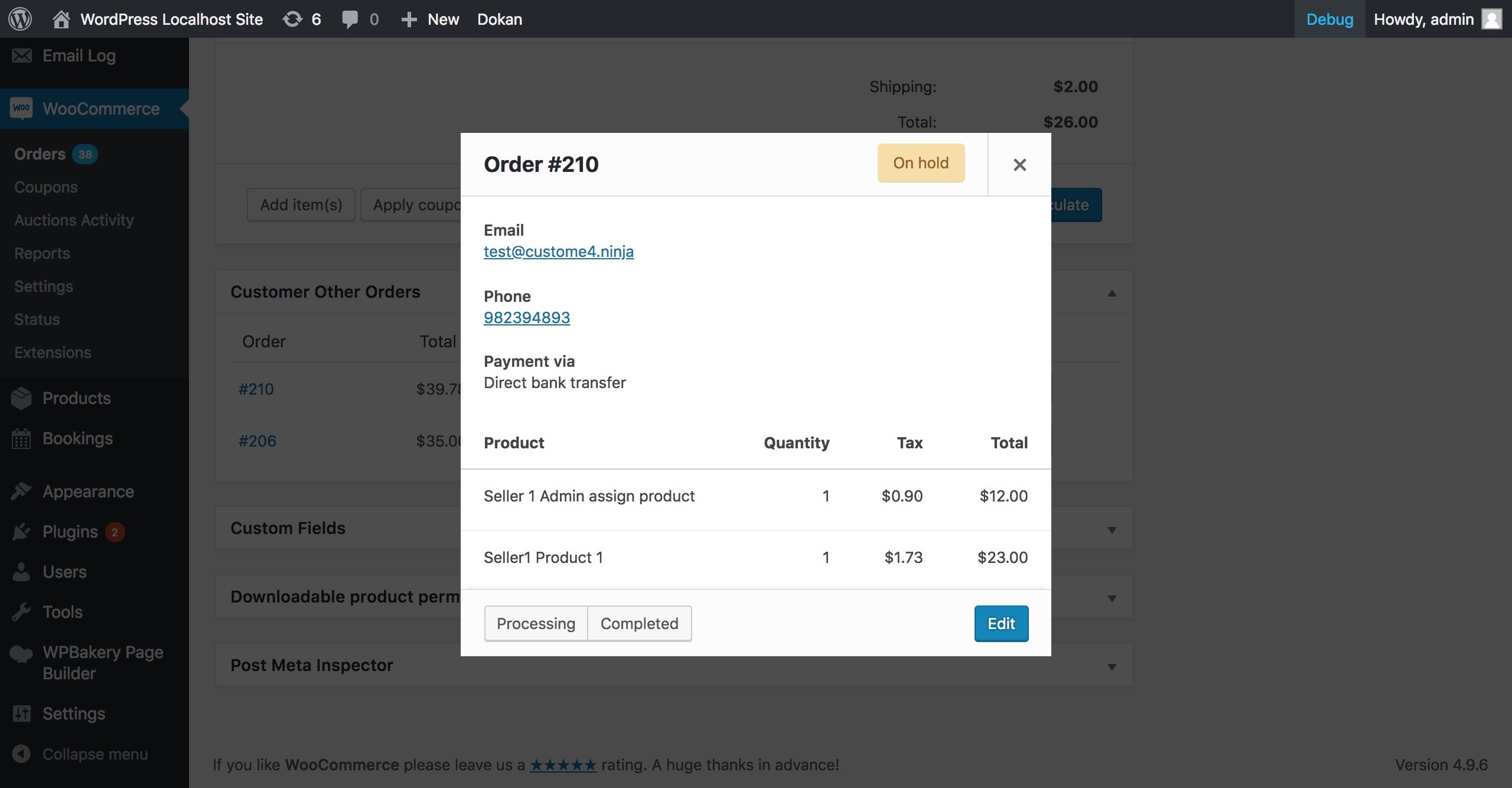
Popup view in order details page
Changelog
1.0.0
Initial version released