

Where Did You Hear About Us Checkout Field for WooCommerce
Adds a custom field in the checkout page to ask your customers where they've heard about your store.
Plugin info
Maintenance & Compatibility
Maintenance score
Possibly abandoned • Last updated 548 days ago • 8 reviews
Is Where Did You Hear About Us Checkout Field for WooCommerce abandoned?
Possibly abandoned (last update 548 days ago).
Compatibility
Similar & Alternatives
Explore plugins with similar tags, and compare key metrics like downloads, ratings, updates, support, and WP/PHP compatibility.
Description
This plugin adds a custom field in the checkout page to ask your customers where they heard about your store.
This plugin also offers an “Other” field where your customer can provide a specific answer in a separate textbox.
Features:
- Easily change the labels and choices for the custom field in the checkout page.
- View reports on the “Reports” section in WooCommerce.
- Enable/disable the custom field to be required on checkout.
- Enable/disable the “Other” field.
- Modify order statuses you want to include in the reports.
- Export Orders with Customer Source field
Installation
Install via the WordPress Dashboard:
- Login to your WordPress Dashboard.
- Navigate to Plugins, and select “Add New” to go to the “Add Plugins” page.
- In the right side, enter “Where Did You Hear About Us Checkout Field for WooCommerce” in the search input bar, and press Enter.
- Click install, and wait for the plugin to download. Once done, activate the plugin.
Install via FTP:
- Extract the zip file, login using your ftp client, and upload the storefront-site-logo folder to your
/wp-content/plugins/directory - Login to your WordPress Dashboard.
- Go to “Plugins” and activate “Where Did You Hear About Us Checkout Field for WooCommerce” plugin.
Frequently Asked Questions
You can find the report page by navigating to WooCommerce > Reports and click on the “Customer Source” tab.
You can find the settings page by navigating to WooCommerce > Reports and click on the “Customer Source” tab, and then click on the “Settings” link on the sub-navigation.
Review feed
Screenshots

The custom field in action on the checkout page.

The custom field value displayed on the order edit page.
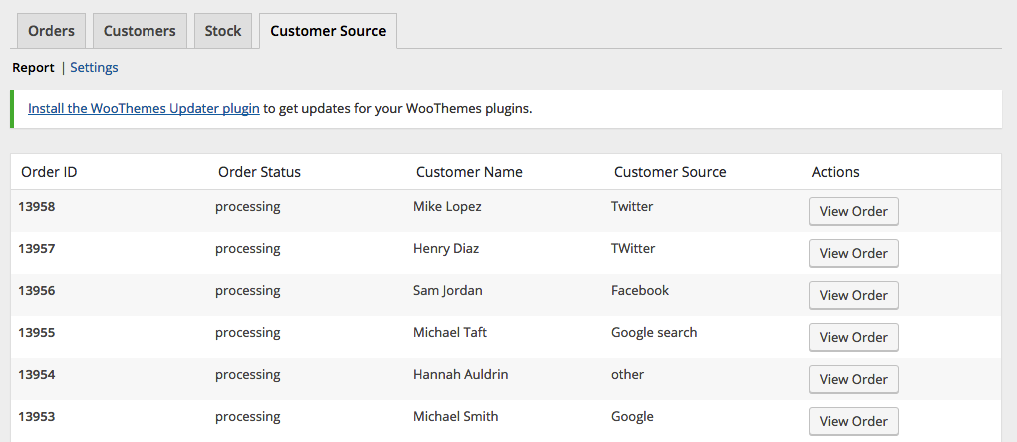
Report page.
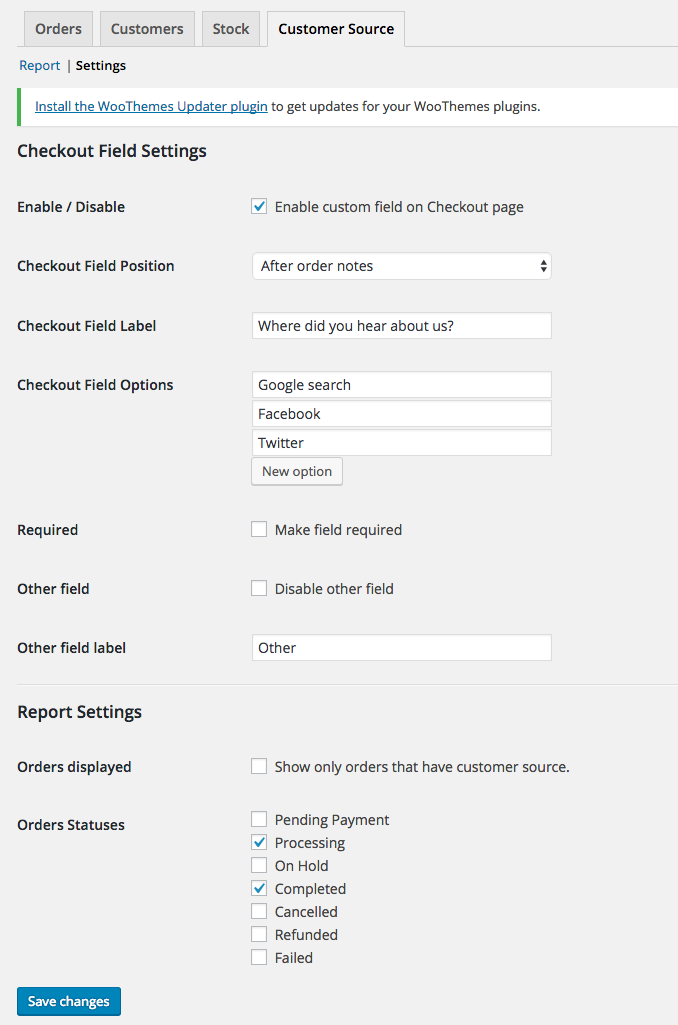
Settings page.
Changelog
1.0.0
- initial release
1.0.1
- Logged Out user can now see the form
- Tested with WordPress 4.9.2
- Tested with Storefront 2.2.7
- Tested with WooCommerce 3.2.6
1.1.0
- Added Order Export Feature
- Tested with WordPress 5.2.1
- Tested with Storefront 2.5.0
- Tested with WooCommerce 3.6.4
1.1.1
- Updated code as suggested by @d9media
1.1.2
- Updated code for tanslations
1.2.0
- moved menu location due to deprecation of Reports section
- updated codes for php8 compatibility
1.3.0
- fixed php 8 compatibility
- fixed export php notice
1.3.1
- patched XSS Vulnerability
1.3.2
- patched XSS Vulnerability (updated escaping code)
1.3.3
- fixed translation issue of ‘Other’ field