

WC Order Analytics Add-on Plugin
The WC Order Analytics Add-on plugin enables the addition of custom meta fields to the order analytics table.
Plugin info
Maintenance & Compatibility
Maintenance score
Possibly abandoned • Last updated 531 days ago • 2 reviews
Is WC Order Analytics Add-on Plugin abandoned?
Possibly abandoned (last update 531 days ago).
Compatibility
Similar & Alternatives
Explore plugins with similar tags, and compare key metrics like downloads, ratings, updates, support, and WP/PHP compatibility.
Description
Install the WC Order Analytics Add-on plugin to enhance your WooCommerce experience. This plugin allows you to include a personalized column within WooCommerce Analytics, offering advanced insights into your WordPress orders. By selecting the appropriate meta key, you can analyze details such as billing address and shipping address effortlessly. Simply install the plugin, choose the desired meta key, and save to access comprehensive order details.
Features
- Users allow to select multiple order meta key and able to add custom column label.
- User can show selected meta key into order analytics list table.
- User Able to download this table in csv formate with our selected meta valu in the custom column.
- User can manage column from analytics column setion option so no need to go to plugin setting page
Installation
Frequently Asked Questions
Follow these steps for a successful installation:
- Upload the WooCommerce folder to the /wp-content/plugins/ directory.
- Activate the plugin through the ‘Plugins’ menu in WordPress.
- Navigate to WooCommerce > Settings > Order Analytics tab.
Not at all. The installation is straightforward. Just follow the provided steps, and you’ll have the plugin activated on your WordPress site.
For more detailed information and updates, visit at brainfleck.com
The plugin enhances your WooCommerce experience by providing advanced analytics capabilities. It allows you to include a personalized column within WooCommerce Analytics, enabling you to analyze details such as billing address and shipping address.
Yes, the plugin allows you to analyze order data using custom meta keys. This feature provides insights into various details, including billing addresses, shipping addresses, and more.
Review feed
Screenshots
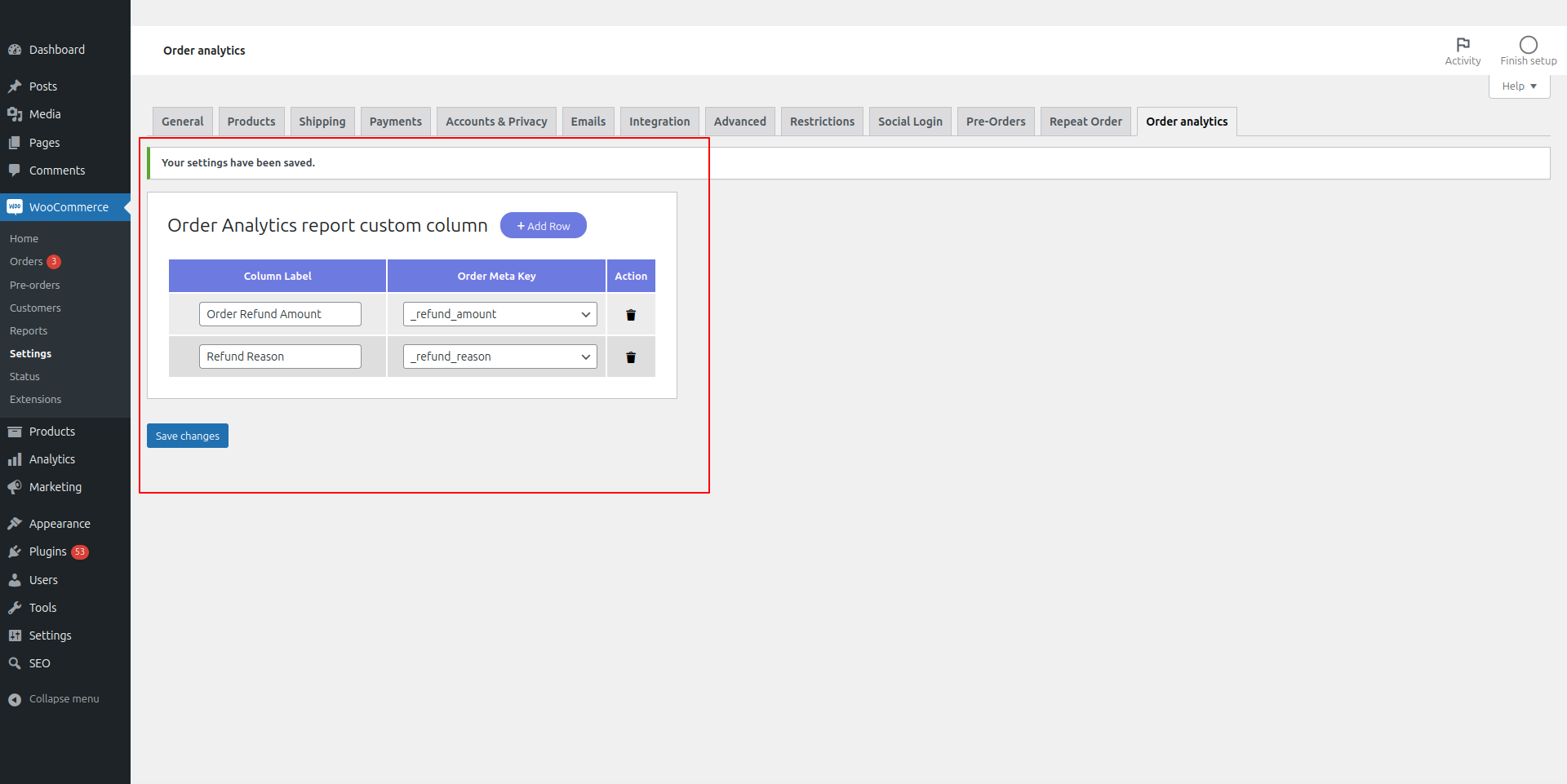
Plugin settings

WC Order Analytics CSV download option
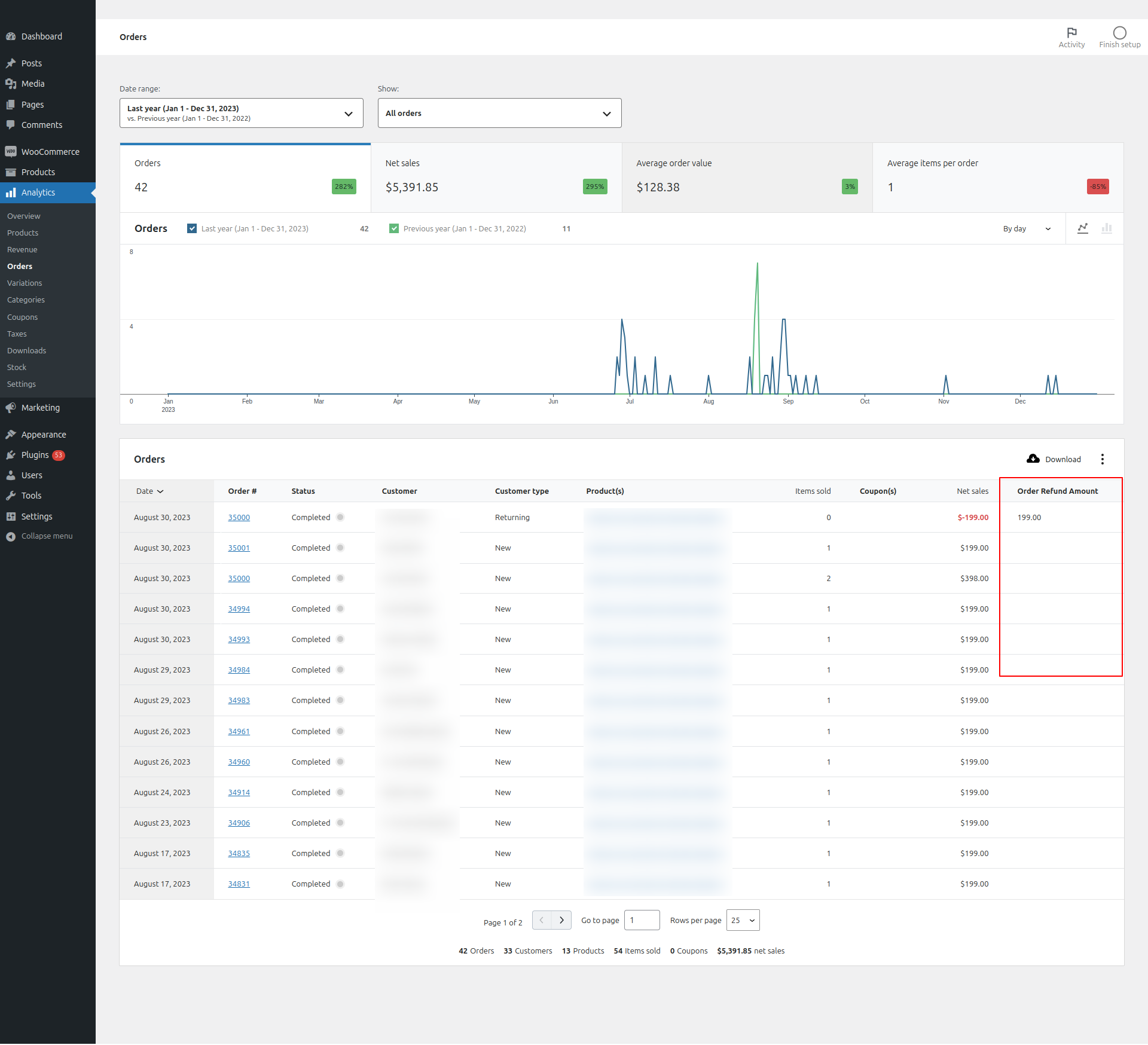
WC Order Analytics table