

Order Tracker for WooCommerce – Track Customer Order
A simple WooCommerce order tracker with Ajax updates. Use a page template or the [cbwct-order-tracker] shortcode.
Plugin info
Maintenance & Compatibility
Maintenance score
Maintained • Last updated 150 days ago • 6 reviews
Is Order Tracker for WooCommerce – Track Customer Order abandoned?
Likely maintained (last update 150 days ago).
Compatibility
Languages
Similar & Alternatives
Explore plugins with similar tags, and compare key metrics like downloads, ratings, updates, support, and WP/PHP compatibility.
Description
You can use this plugin to allow your customers to track their order status on your website. It’s a WooCommerce order tracking system with Ajax. You can use it very easily, either by creating a page template or by using the [cbwct-order-tracker] shortcode, anytime and anywhere. It also works seamlessly with Ajax.
See more details on See Details
Contributions are welcome on GitHub.
Plugin Ownership for Sale
This plugin is currently up for ownership transfer. If you’re interested in taking over and continuing its development, feel free to get in touch.
📩 Contact / Support / Query : Email
🔗 Visit bPlugins.com
Filter Hooks
- cbwct_pending_progress_percent
- cbwct_on_hold_progress_percent
- cbwct_processing_progress_percent
- cbwct_shipped_progress_percent
- cbwct_completed_progress_percent
Installation
Frequently Asked Questions
You can use the plugin either by creating a template or using a shortcode. To use the template, create a page and then select the “Order Tracker for WooCommerce” template from your page attribute options.
Yes, you can use the shortcode [cbwct-order-tracker] to display the search form and search results anywhere on your site.
Yes, there are several hooks available for developers:
- cbwct_pending_progress_percent
- cbwct_on_hold_progress_percent
- cbwct_processing_progress_percent
- cbwct_shipped_progress_percent
- cbwct_completed_progress_percent
Ensure that your customer has used the exact same phone number for tracking that they used when placing the order. For example, if your customer inputs their phone number with a country code when placing an order, they need to use the exact same number with the country code for tracking.
If your customer inputs their phone number in the format +88 (country code) 123456789 (mobile number) like +88123456789, they need to use the exact same format for tracking.
Alternatively, if they input the number without a country code like 123456789, they need to use the same format without the country code for tracking.
Review feed
Works Perfectly
Screenshots
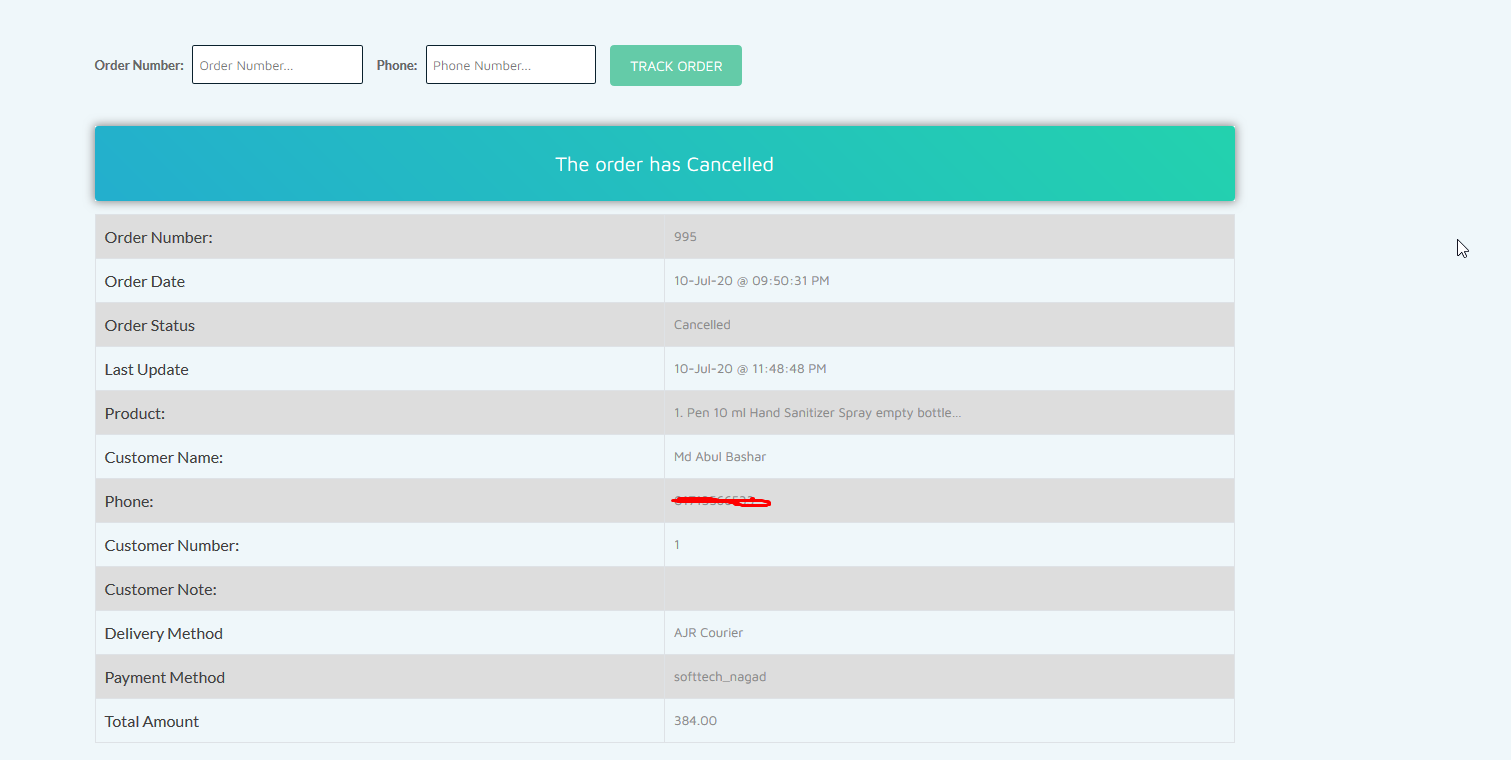
Cancelled order

Order shipped

Order processing

Order on hold
Changelog
1.2.7
- Textdomain Issue solved.
1.2.5
- Improved and fixed translation support.
1.2.4
- fix translation issues.
1.2.3
- Fixed order number searching issue
1.2.2
- Added text domain and updated security
1.1
- Fixed broken search form issue
- Added “Shipped” status
- Fixed shortcode error
- Made a few changes
1.0
- Initial release