

QR payment for WooCommerce
Generate QR codes for bank transfers in WooCommerce checkout to simplify payments for your customers.
Plugin info
Maintenance & Compatibility
Maintenance score
Maintained • Last updated 148 days ago • Support resolved 50% • 1 reviews
Is QR payment for WooCommerce abandoned?
Likely maintained (last update 148 days ago).
Compatibility
Similar & Alternatives
Explore plugins with similar tags, and compare key metrics like downloads, ratings, updates, support, and WP/PHP compatibility.
Description
Simplify payments by bank transfer with automatic QR code generation.
The QR Payment plugin for WooCommerce will generate a QR code according to the order total and the IBAN of the account you choose in the plugin settings. The order completion page then displays a section with the QR code, which can be supplemented with custom text. Depending on the settings, the QR code can also be automatically sent in an email along with the order. The customer can scan the QR code with any banking application and all payment details will be pre-populated.
For easier payment identification, the order number is automatically included as the variable symbol in the generated QR code. The plugin uses the get_order_number() function, ensuring full compatibility with sequential order number plugins such as Sequential Order Numbers for WooCommerce or WooCommerce Sequential Order Numbers Pro.
By default, QR codes are generated directly in the plugin without any third-party integration. Generation is free and works for an unlimited number of orders.
If your hosting environment does not support local QR code generation, you can enable Compatibility Mode — QR codes will be securely generated through an external API.
Currently supported countries: Slovakia (SK) and Czech Republic (CZ).
Technical Requirements
This plugin requires a Linux-based hosting environment to function properly. The QR code generation depends on the XZ binary which is available on Linux servers.
Please Note:
* Local QR generation requires the XZ binary, typically available by default on Linux servers.
* If your hosting does not support XZ, enable Compatibility Mode — QR codes will be generated via the external API instead.
* Local development on Windows or macOS may not function correctly
If you encounter any issues with QR code generation, please verify your hosting environment meets these requirements.
Installation
- Make sure you have WooCommerce installed and active.
- Go to WooCommerce Settings QR Payment (a new tab created by the plugin).
- Enter your IBAN and other QR settings.
- Optionally enable Compatibility Mode if your hosting does not support XZ binary.
- Save your settings and place a test order using Direct Bank Transfer (BACS) to verify QR code generation.
- The QR code will appear on the Thank You page and, if enabled, in customer order emails.
Important Note: This plugin requires a Linux-based hosting environment as it depends on the XZ binary for QR code generation. It will not function correctly on Windows servers or local development environments running Windows/macOS.
Frequently Asked Questions
Review feed
Screenshots
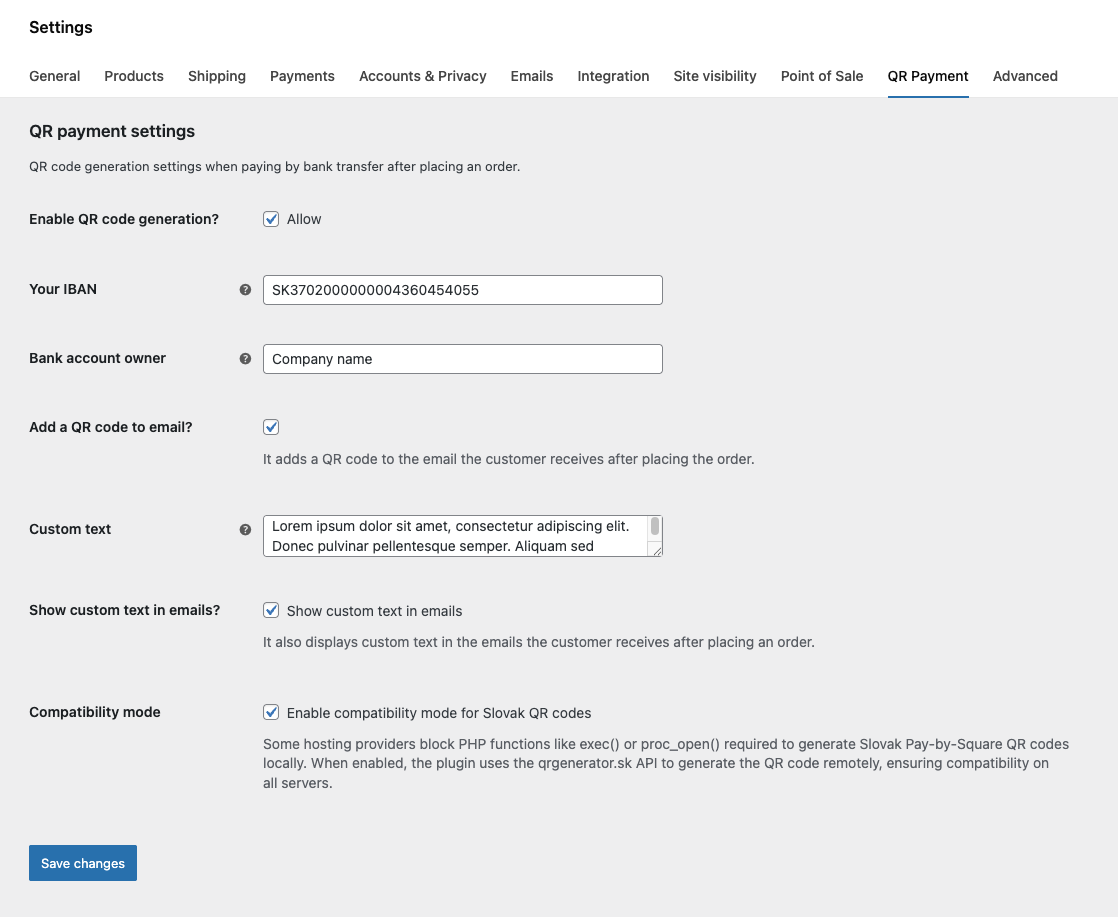
Plugin settings and QR code options.

Generated QR code after order completion on thank you page.

Generated QR code inserted into the customer's email.
Changelog
1.0.17
- Added compatibility mode for hosting environments where local QR generation is not supported.
- Compatibility mode uses a secure remote API (https://api.qrgenerator.sk) to generate QR codes when XZ binary is unavailable.
- Improved error handling and filesystem checks for saving generated QR images.
1.0.16
- Added input for “Bank account owner” name
1.0.15
- Added translation support for QR code comment/note and email section heading.
1.0.14
- Added support for sequential order plugins using get_order_number. Since variable symbol can only contain numeric values, order number is stripped from all non-numeric characters. Order number in payment note stays as-is.
1.0.13
- Settings page rewrite from BACS settings page to custom tab ensuring compatibility after WooCommerce Payments React update.
1.0.12
- Dependencies update
1.0.9
- CZ IBAN fix
1.0.8
- WP_Filesystem fix
1.0.0
- Release of the first version of the plugin
- QR code generation for Slovak republic and Czech republic
- Adding QR code to WooCommerce emails
- Option to add custom text