

Quantity Plus Minus Button for WooCommerce
Easily add plus, minus button for WooCommerce Quantity Input box in everywhere. Such: Single Page, In Loop Quantity input, Cart page , everywhere.
Plugin info
Maintenance & Compatibility
Maintenance score
Maintained • Last updated 155 days ago • Support resolved 100% • 29 reviews
Is Quantity Plus Minus Button for WooCommerce abandoned?
Likely maintained (last update 155 days ago).
Compatibility
Languages
Similar & Alternatives
Explore plugins with similar tags, and compare key metrics like downloads, ratings, updates, support, and WP/PHP compatibility.
Description
Quantity Plus/Minus Button for WooCommerce plugin add beautifully designed quantity buttons for WooCommerce quantity input box on the product page which also support for decimal quantity. Easily add plus, minus button for WooCommerce Quantity Input box in everywhere. Such: Single Page, In Loop Quantity input, Cart page etc with custom design. User able to get custom/own color for his plus or minus button.
Features
👉 Quantity step supported
👉 Decimal quantity supported
👉 Customizable button design
👉 You can customize button background color and hover
👉 You can customize button text color and hover
👉 You can customize border color and hover
👉 You can customize border width
👉 You can set custom border radius
👉 Live customer support for any Issue.
👉 Well documented
👉 Well commented
👉 Clean code
👉 Compatible with all themes
👉 Compatible with all plugins
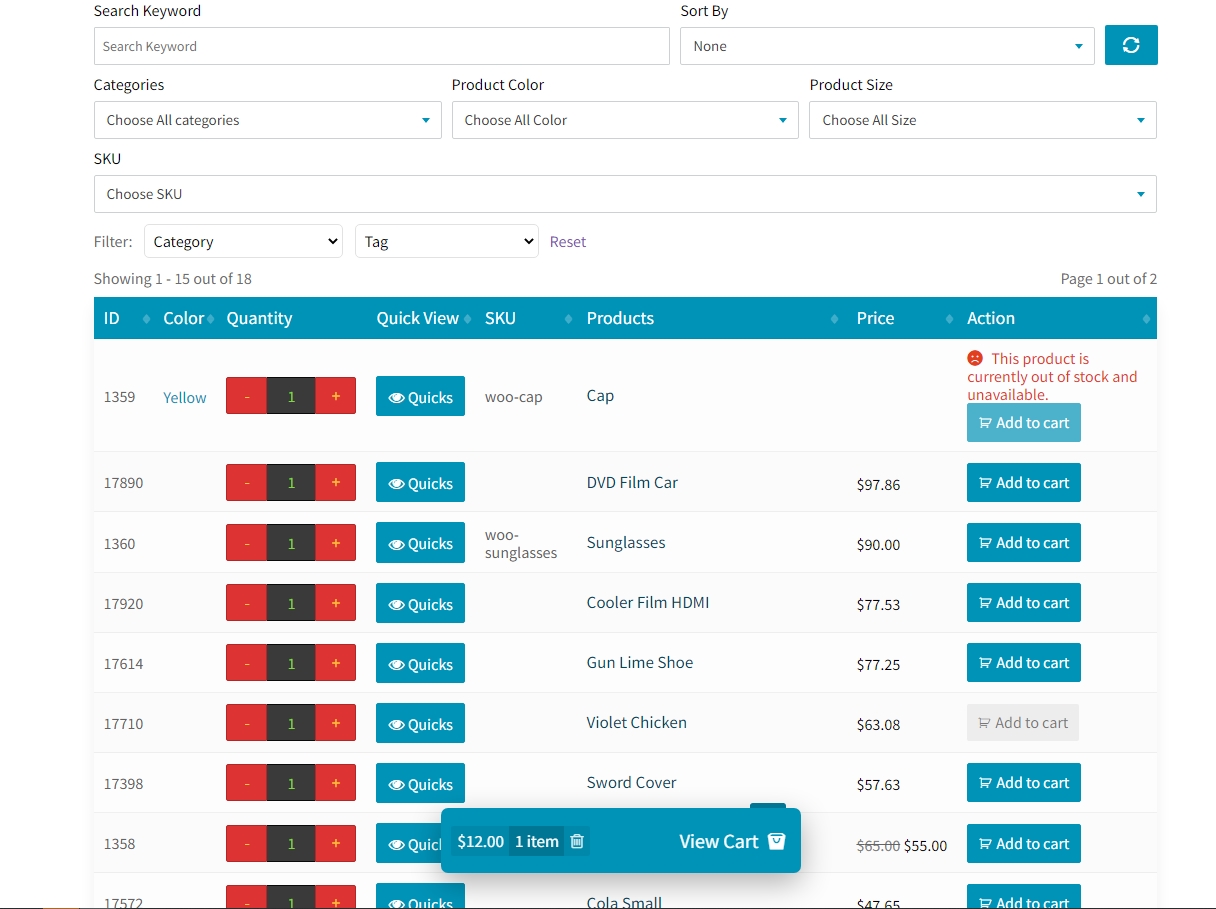
👉 Compatible with Woo Product Table
👉 Compatible with the latest version of WordPress
👉 Compatible with the latest version of WooCommerce
Filter
Enable Ajax add to cart for Single Product Page.
add_filter('wqpmn_ajax_cart_single_page', '__return_true' );
On off checkbox in admin page using filter
add_filter('wqpmb_checkbox_row_validation', '__return_true' );
CSS validation using filter
add_filter('wqpmb_css_row_validation', '__return_true' );
Use default WooCommerce template
add_filter('wqpmb_show_validation', '__return_true');
Hide on product page
add_filter('wqpmb_on_product_page', '__return_false');
Hide on cart page
add_filter('wqpmb_on_cart_page', '__return_false');
Hide on Mini Cart page
add_filter('wqpmb_on_mini_cart_page', '__return_false');
To Change Templae Base Directory, Use following Hook
In that directory, template files folder will be locate
add_filter(‘wqpmb_template_base_dir’, $template_base_dir);
👷 HONORABLE CONTRIBUTOR – GitHub 👷
- codersaiful (53 commits 1,965 ++ )
- unikforceit (1 commit 5 ++ )
- fazlebarisn (1 commit 11 ++ )
- autocircled (1 commit 110 ++ )
- mdibrahimk48 (3 commit 5++)
- 👉 You can join here
🥇 CONTRIBUTE 🥇
You are welcome to contribute to this project. Join with us Fork Github repository. If you contribute 1 commit, We will add your name to our plugin’s Contributor table/list of WordPress Plugin too.
Installation
- Upload ‘wc-quantity-plus-minus-button’ to the ‘/wp-content/plugins/’ directory
- Activate the plugin through the ‘Plugins’ menu in WordPress
Frequently Asked Questions
🔅 Dashboard -> WooCommerce -> (+-) Plus Minus Button
🔅 No Need, As it’s already provided by your theme.
🔅 Yes this plugin is supports all themes.
🔅 Yes, you can hide it by using our filter (wqpmb_on_cart_page). see following code:
add_filter(‘wqpmb_on_cart_page’,’__return_false’);
🔅 Yes, this plugin supports decimal value as product quantity.
🔅 There is no shortcode for this plugin.
🔅Go to Dashboard -> WooCommerce-> (+-) Plus Minus Button -> [And change/update your setting]
🔅 Yes. You can set the product limit to show in you able. Eg. You have 100 products in your site then you can easily show 50 of them.
🔅 Install and activate. Then go to ( Dashboard->WooCommerce->Plus Minus Button -> [And change/update your setting] ). And enjoy it.
That’s it. So easy, Right !!!
🔅 Yes, But if already available plus minus button on your theme, you should not use any plus minus button plugin.
🔅 Yes. Product Table for WooCommerce by CodeAstrology or Woo Product Table will adapt with your design.
Review feed
Complexity free plugin
WooCommerce Quantity Plus Minus Button
Boosting Shopping Convenience: Quantity Plus Minus Button for WooCommerce!
Screenshots
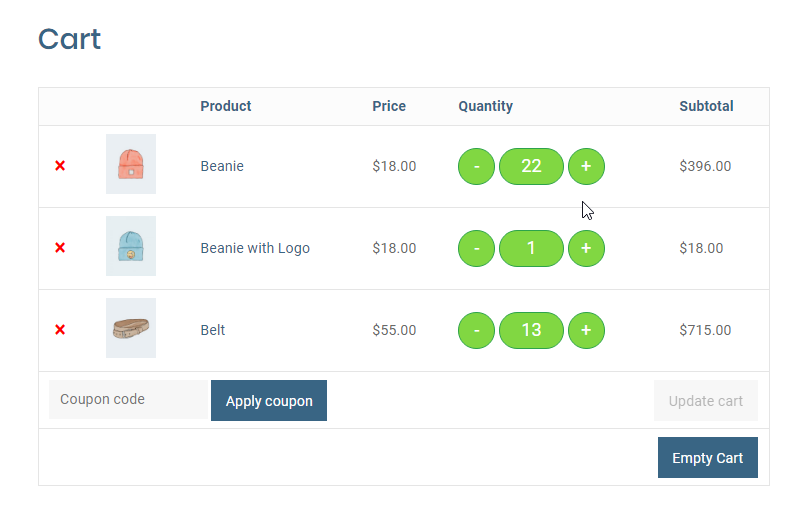
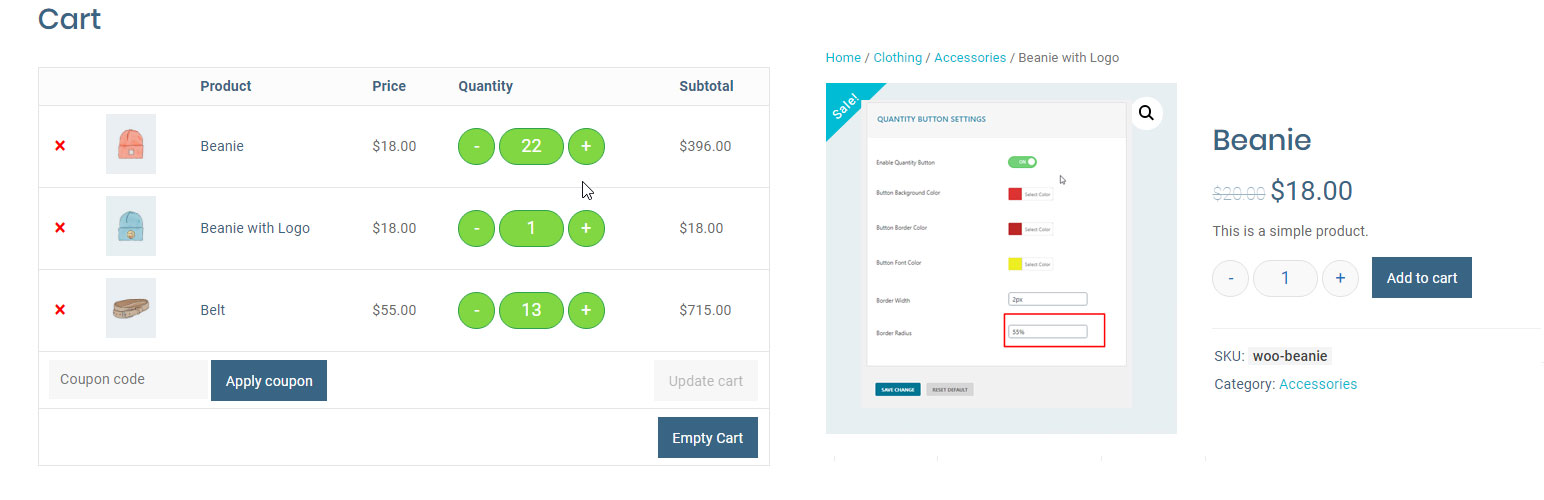
Quantity button in WooCommerce cart page
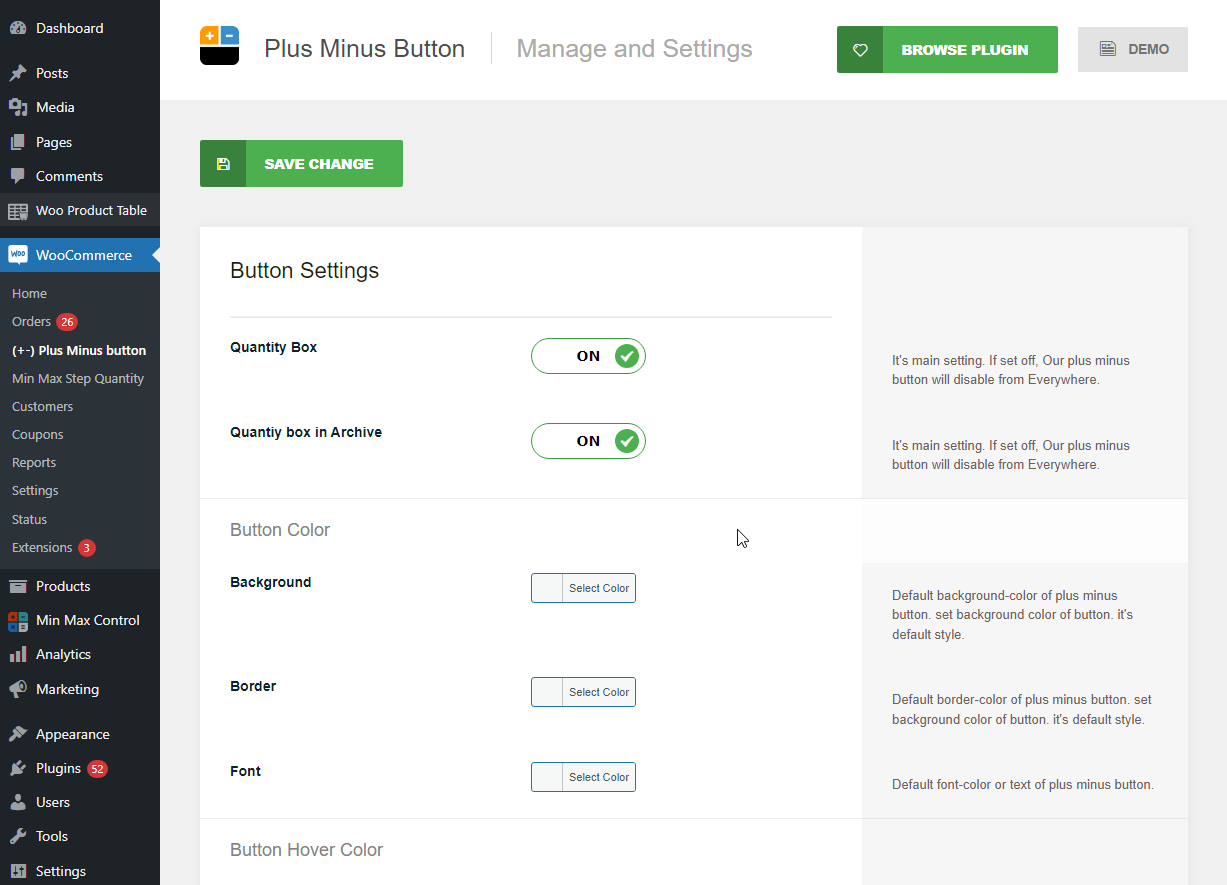
Quantity button setting page with custom color selection

Quantity button in single product page
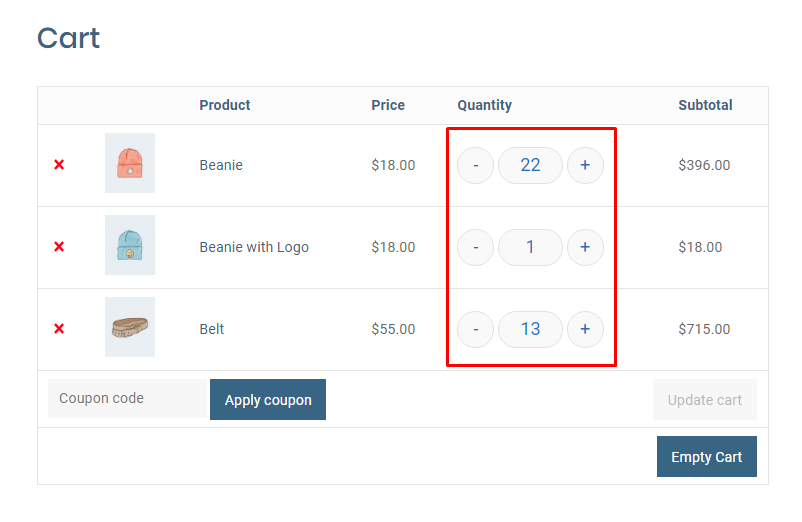
Quantity button in WooCommerce cart page
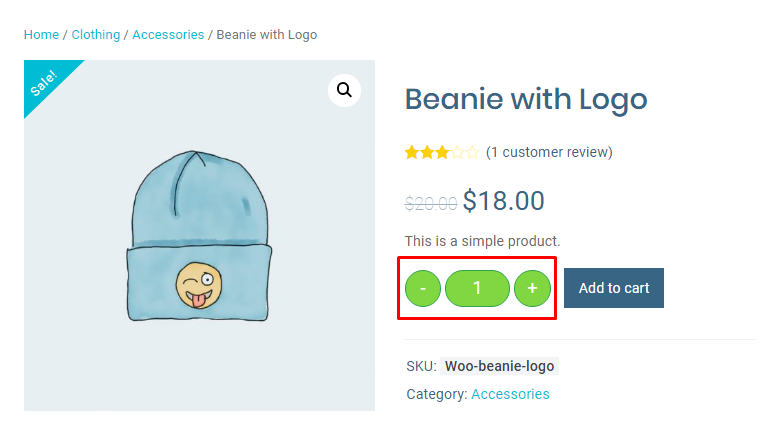
Quantity button in single product page
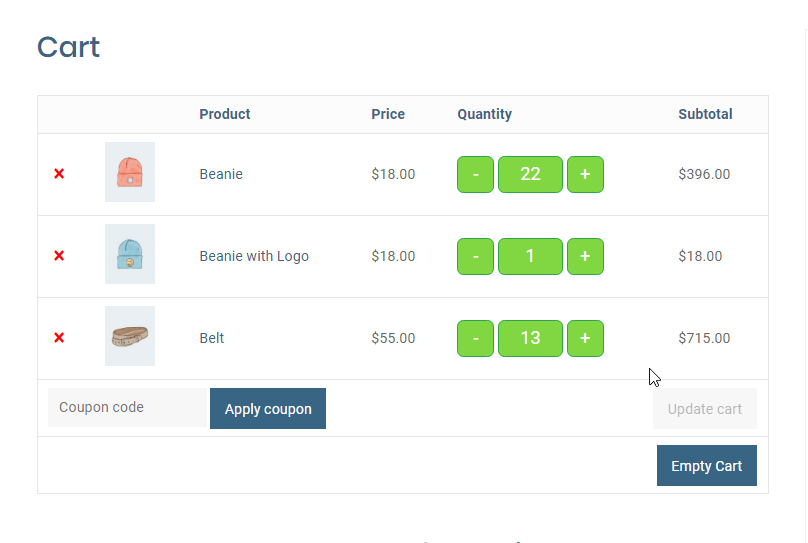
Quantity button in WooCommerce cart page

Quantity button in single product page
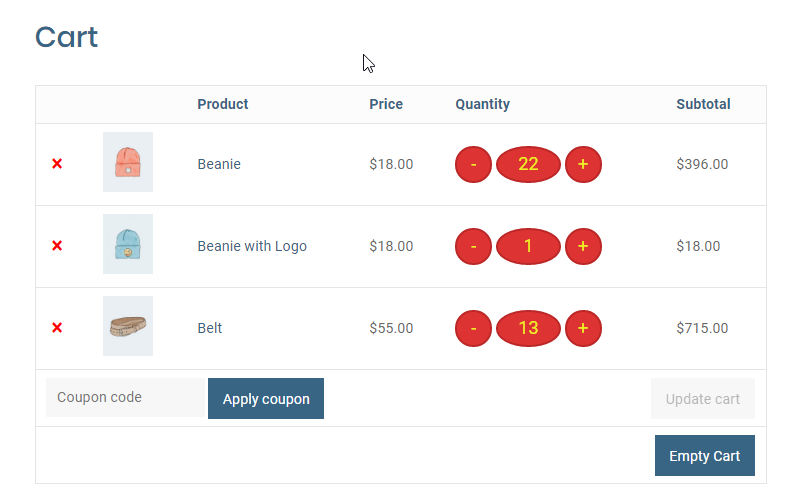
Quantity button in WooCommerce cart page
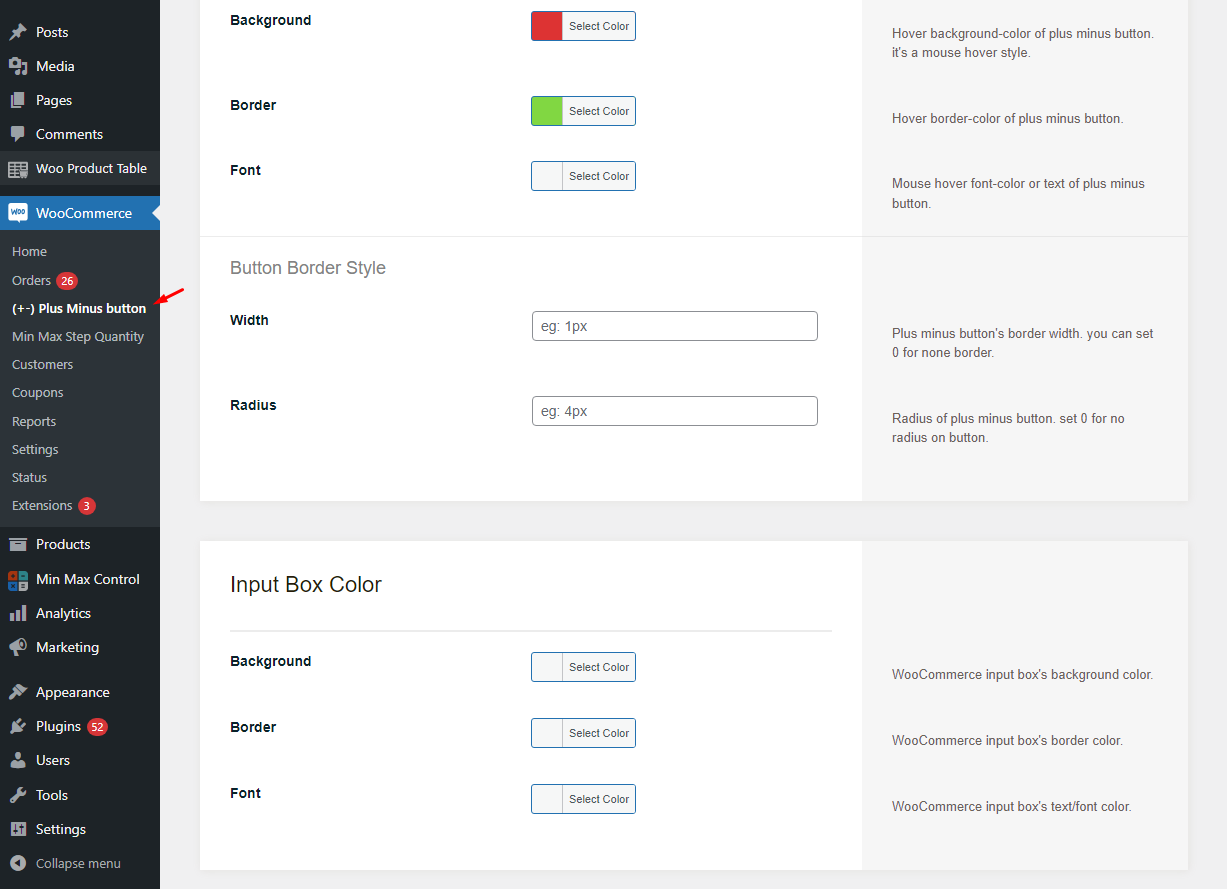
Quantity button setting page with custom color selection
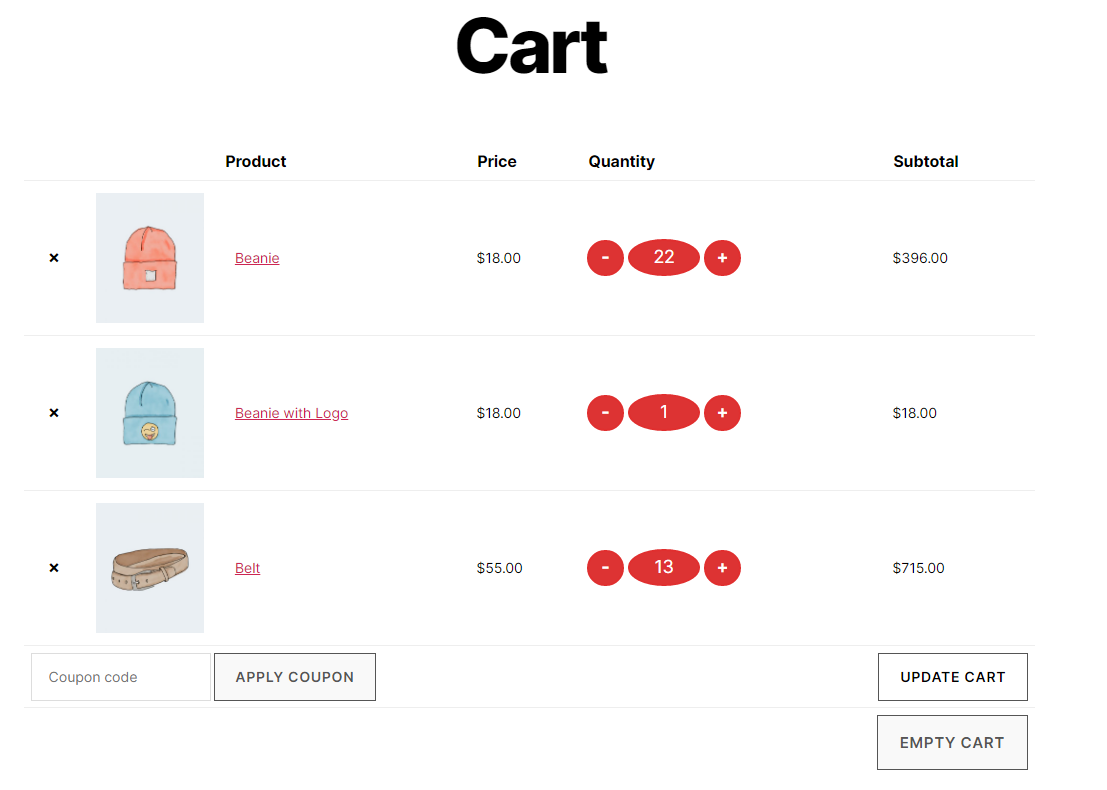
Quantity button in WooCommerce cart page
Changelog
2.0.0
- Fixed: fatal error issue has been fixed.
- Bug fixed.
1.2.4
- Escapping update.
- Sanitization update.
- Security updated.
- Code Optimized.
- Bug Fixed.
1.2.3
- Fixed: Cart update on change qty for cart page has been fixed.
- Bug fixed.
1.2.2
- Fixed: Ajax add to cart for shop/category/Taxonomy page issue fixed.
- Bug fixed.
1.2.0
- Cart Page auto Update on change qty at Cart Page.
- Compatibility Shoptimizer Theme added
- Compatibility Pricon Theme added
- Nonce update
1.1.9
- Nonce issue fixed.
- Added: new setting field added for input box height and width.
- Add input box width change option
- Add input box height change option
- Bug Fix
- Code Optimized
1.1.8
- Live support Disable Option
- Backend Design update
- Divi theme’s quantity box issue has been solved
- Bug Fix
- Code Optimized
1.1.7
- input box right margin issue has been solved.
1.1.6
- Added: Quantity box for Shop Page
- Added: Quantity box for All Archive/Tag/Category/Taxonomy Page
- Bug Fix
- Code Optimized
1.1.5
- Little CSS issue fixed for Cart page.
- Bug Fix
1.1.4
- More Setting added.
- Input box style added.
- Added Hover background color.
- Added Hover border color.
- Added Hover font color.
- Bug Fix
1.1.3
- Live support from CodeAstrology button Added
- Spelling fix on html markup
- Bug Fix
1.1.2
- Minor Error fixed
- Tested with Latest WordPress and Updated
- Tested with Latest WooCommerce and Updated
- Compatibility Check with More Theme And Plugin
- Compatible with Woo Product Table (Poduct Table Plugin for WooCommerce by CodeAstrology)
- Bug Fixed
1.0.6
- Change demo link
- Bug fixed
1.0.6
- Hide on Mini Cart page
- Bug fixed
1.0.5
- Setting link fixed
- name fixed
- Bug fixed
1.0
- Initial release