

WC Speed Repair
Make WooCommerce sites BLAZING fast by disabling unused scripts and styles with one click toggles.
Plugin info
Maintenance & Compatibility
Maintenance score
Stale • Last updated 270 days ago • 25 reviews
Is WC Speed Repair abandoned?
Likely maintained (last update 270 days ago).
Compatibility
Similar & Alternatives
Explore plugins with similar tags, and compare key metrics like downloads, ratings, updates, support, and WP/PHP compatibility.
Description
WooCommerce is powerful but it loads dozens of scripts and styles even when they are re not needed, which can slow your site down.
This plugin gives you an instant performance boost by letting you disable unnecessary WooCommerce frontend assets on non WooCommerce pages.
Features
– One-click toggles for each WooCommerce asset JS and CSS
– Grouped by functionality: Core Scripts, Cart, Block Styles, General Styles
– Savings Test Tool per URL
– Custom WooCommerce handle entry for global disable
– Front end WooCommerce Assets menu
– Per page list of script assets loading with disable option
– Per page list of style assets loading with disable option
– Meta box for custom handle input per page disable rules
– Select All and Deselect All buttons to quickly apply optimizations
By reducing what loads on non-commerce pages, your site becomes leaner and faster especially for blog, landing, or informational pages.
How It Works
Only WooCommerce pages (like shop, cart, checkout, and product pages) truly need WooCommerce assets.
So this plugin:
– Lets you turn off WooCommerce assets on non-WooCommerce pages
– Automatically preserves functionality where needed (e.g. checkout/cart)
– Saves bandwidth, server load, and improves core Web Vitals
There’s no need to write any code or modify theme files.
Installation
Install via WP Admin
- Go to Plugins > Add New
- Click Upload Plugin and select the
.zipfile - Click Install Now, then Activate
Install via FTP
- Upload the extracted plugin folder to
/wp-content/plugins/ - Activate it from your Plugins page
Frequently Asked Questions
Yes, It works with any theme that uses standard WooCommerce scripts and styles.
Yes, visit WooCommerce then Woo Speed Repair to turn off assets you don’t need.
Some assets are safe to disable if you’re not using that WooCommerce feature sitewide. For example, if you don’t use the mini cart, you can safely disable its styles and scripts on non WooCommerce pages.
Yes, just toggle the switch again to re-enable the asset.
Review feed
Screenshots
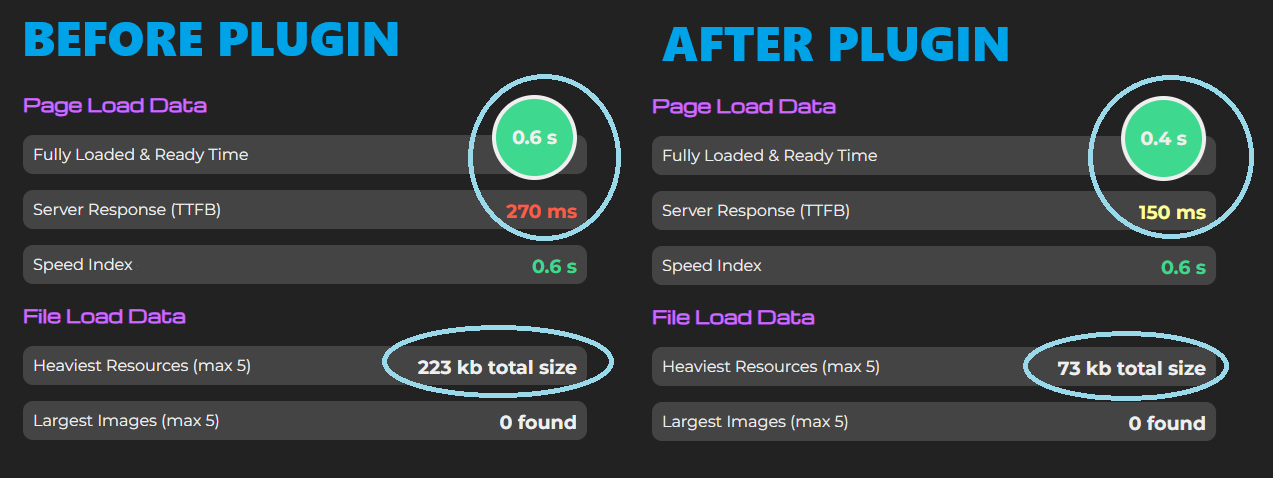
Performance gains shown with plugin use
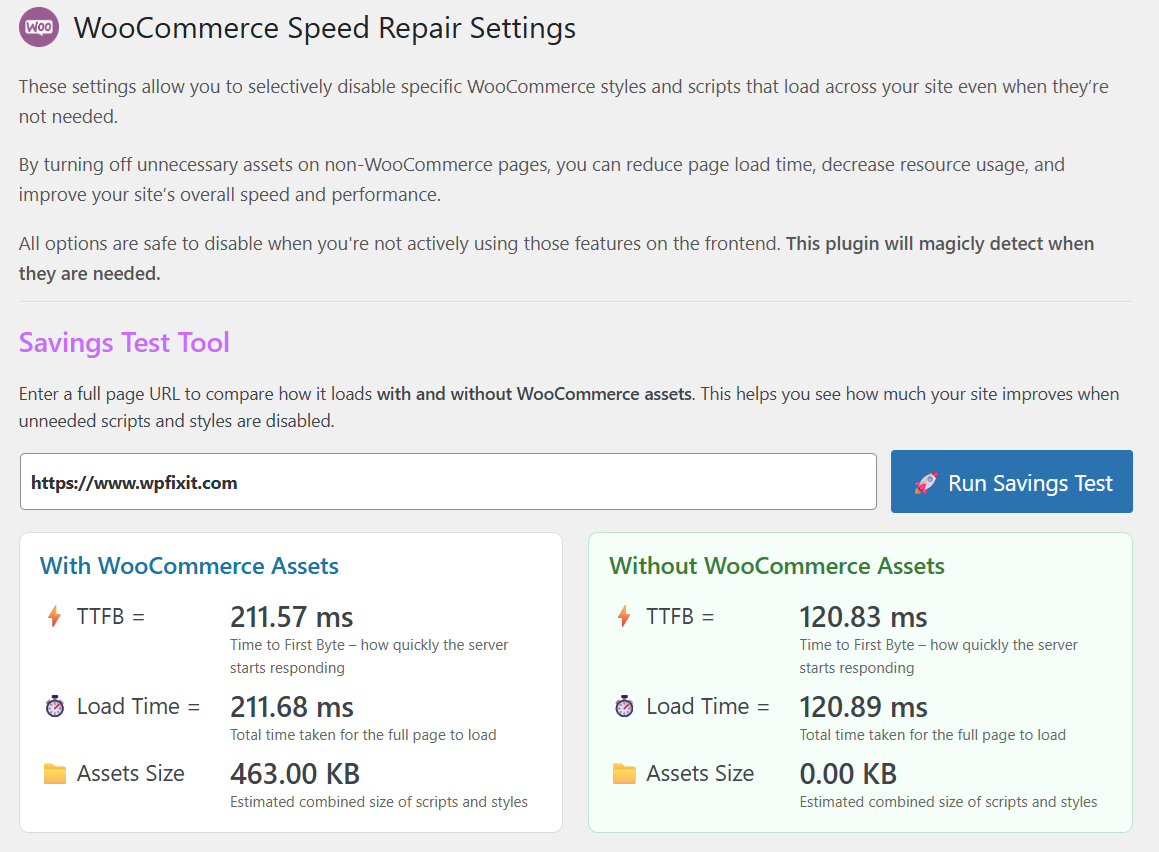
Savings Test Tool
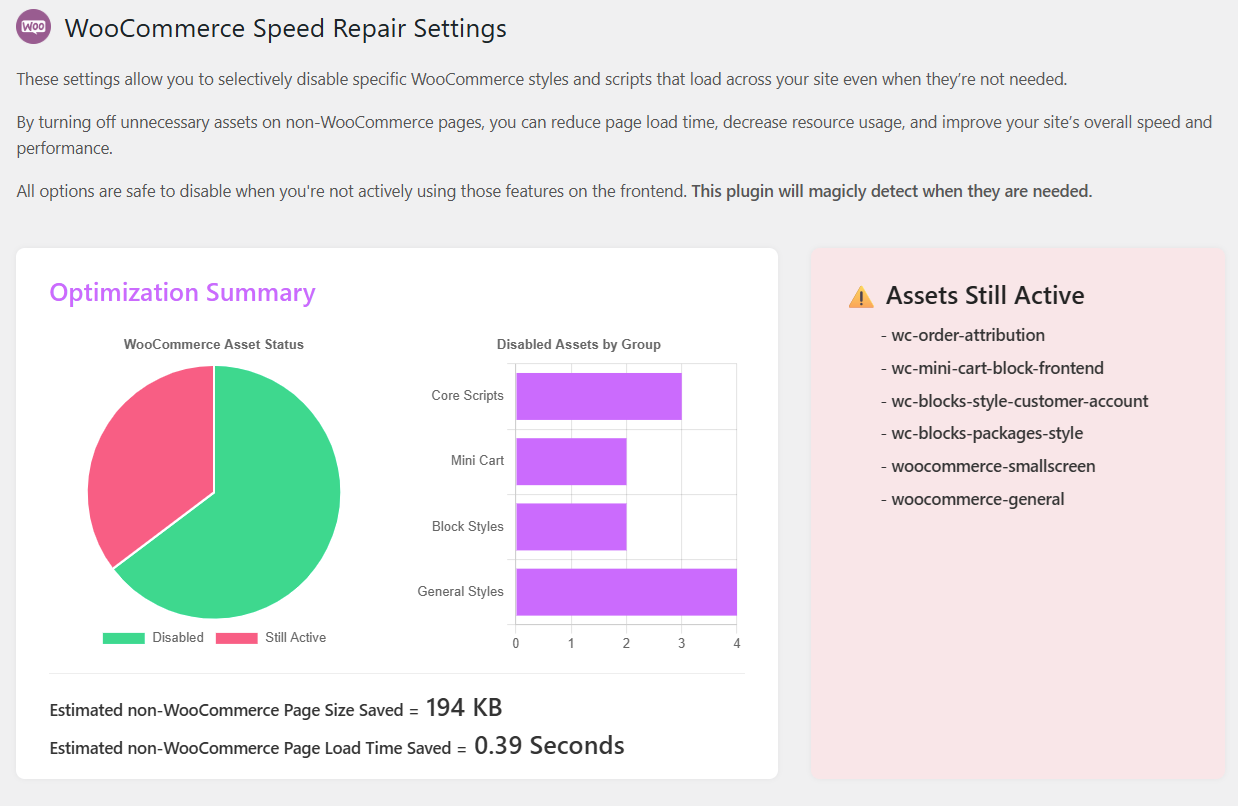
Optimization Summary and Estimated Savings snapshot
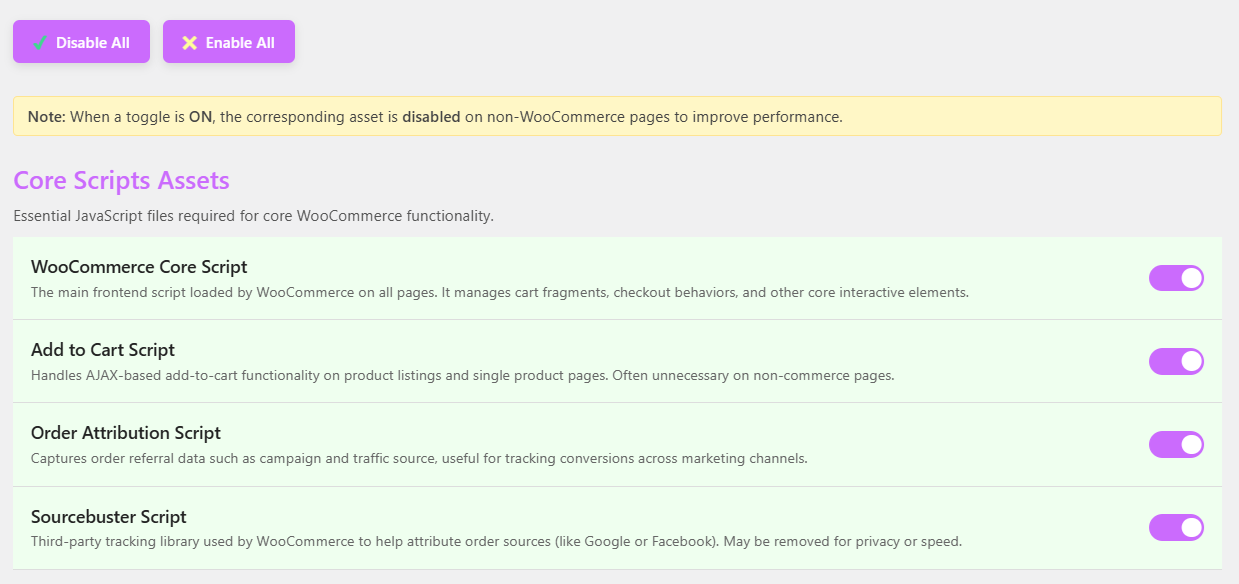
Admin UI with toggle switches
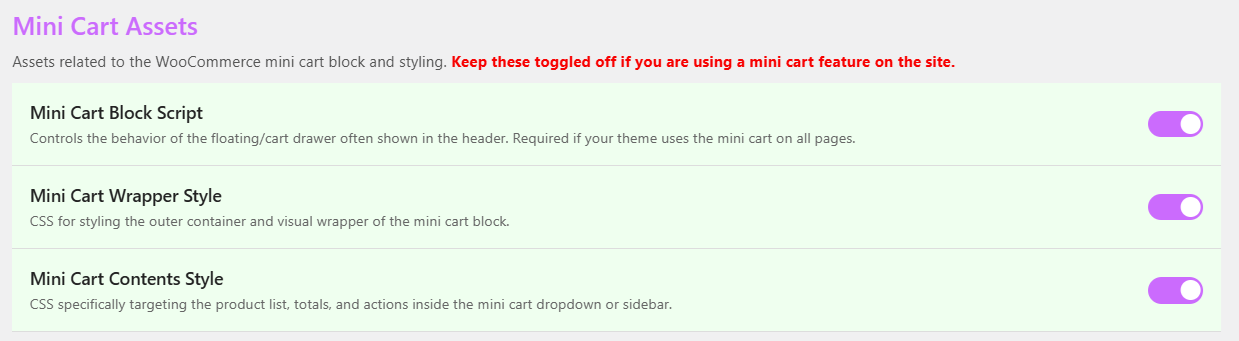
Admin UI with toggle switches
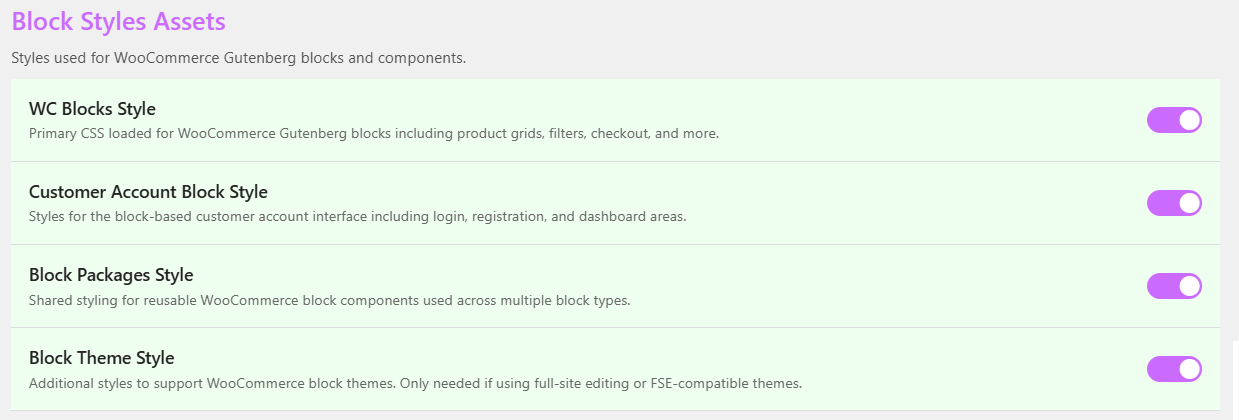
Admin UI with toggle switches
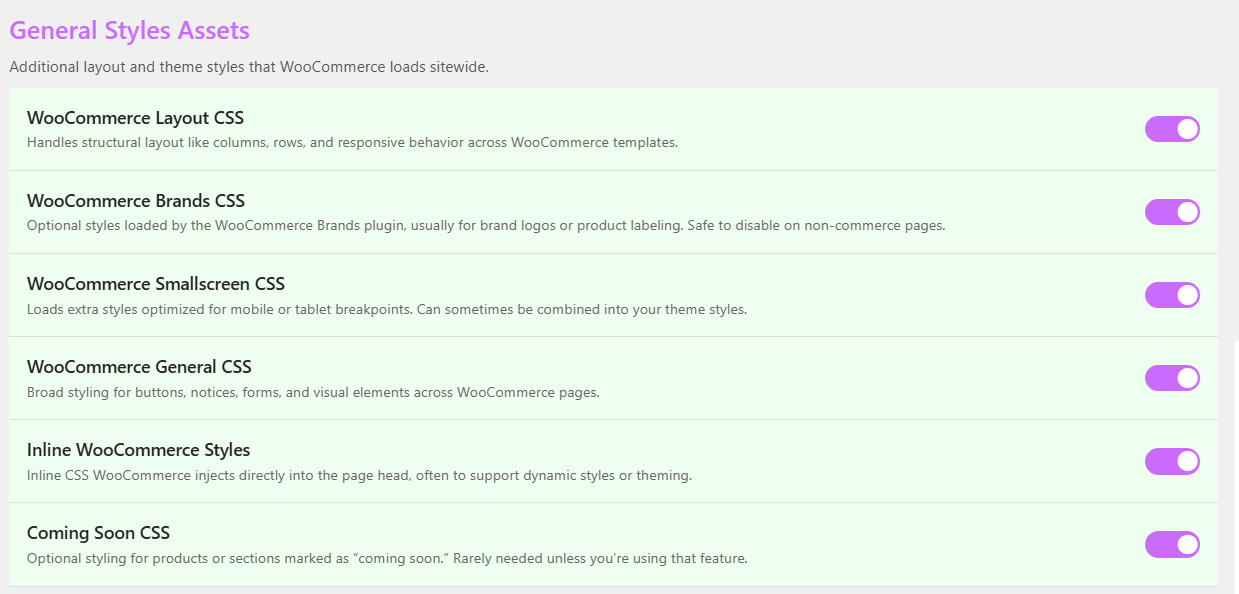
Admin UI with toggle switches
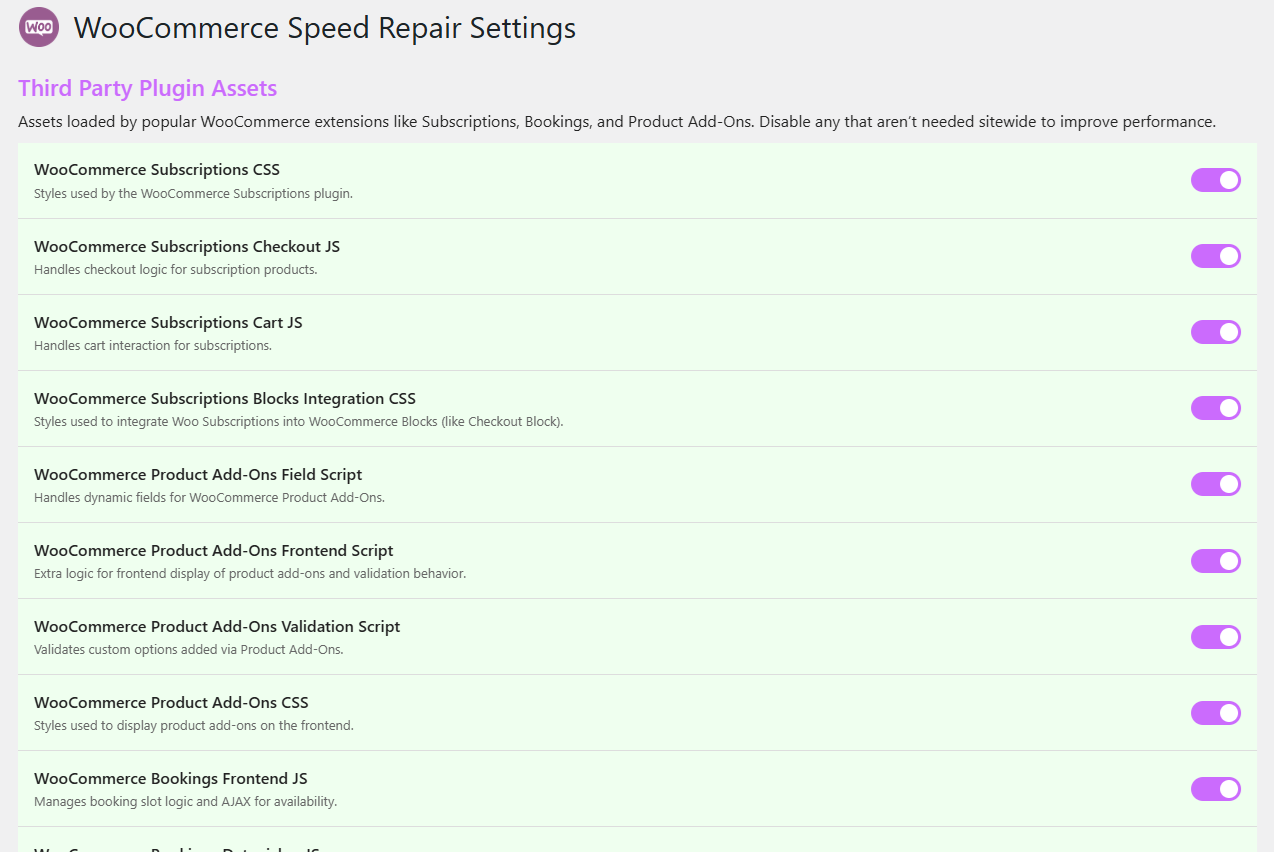
Admin UI with toggle switches
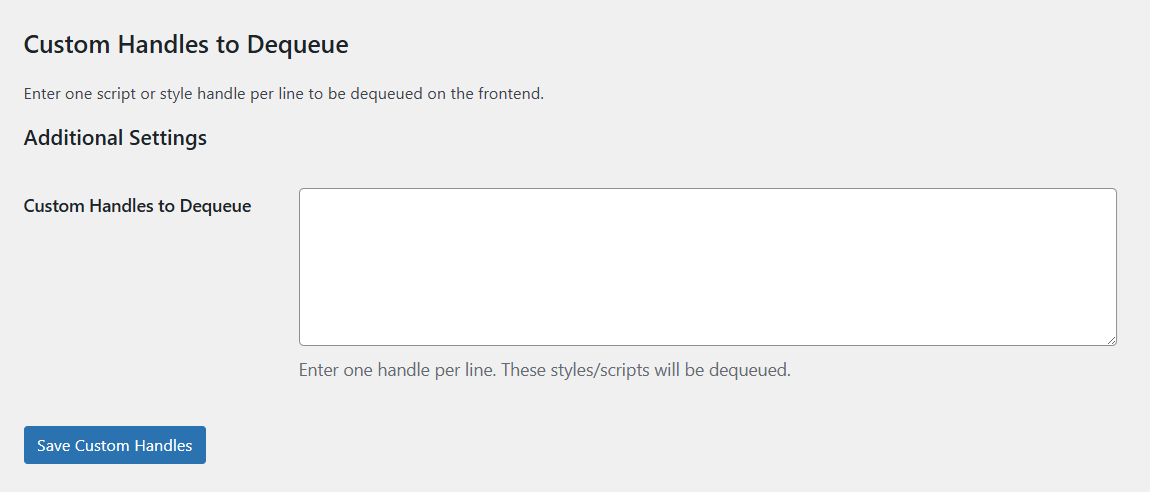
Custom WooCommerce handle entry for global disable
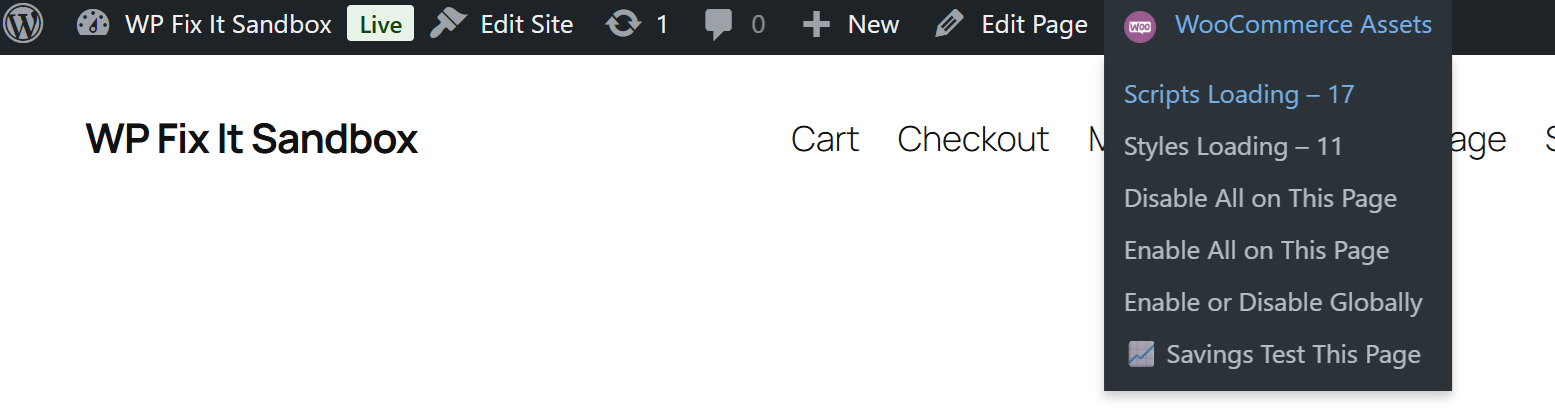
Front end WooCommerce Assets menu
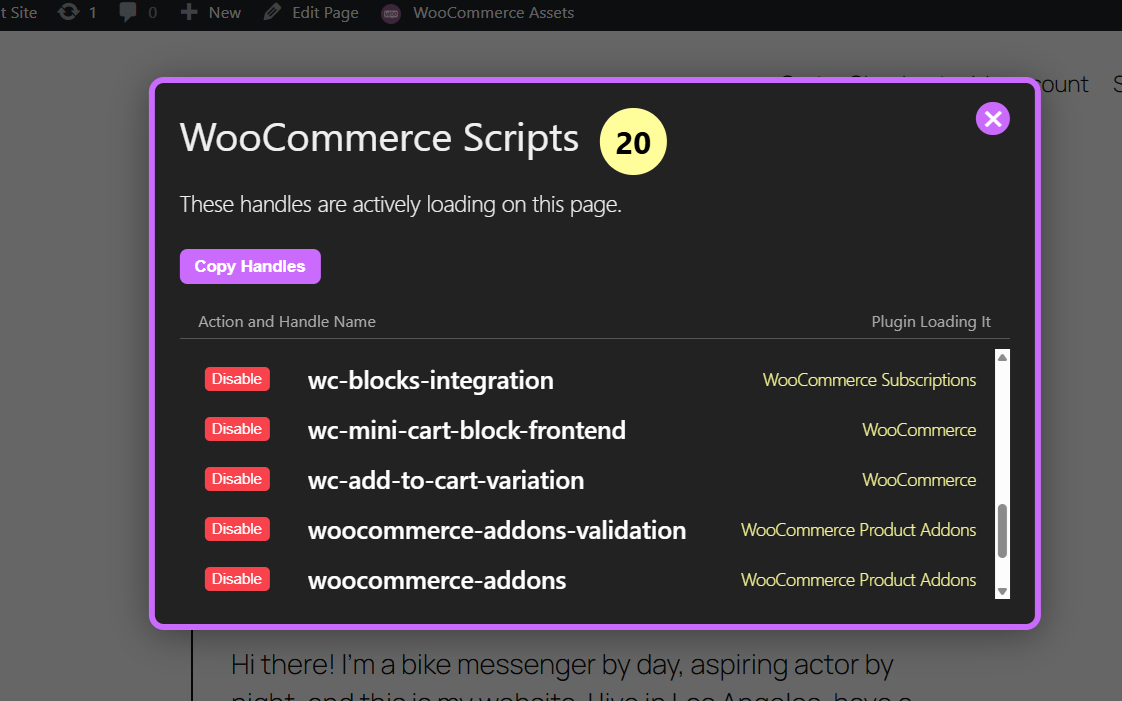
Per page list of script assets loading with disable option
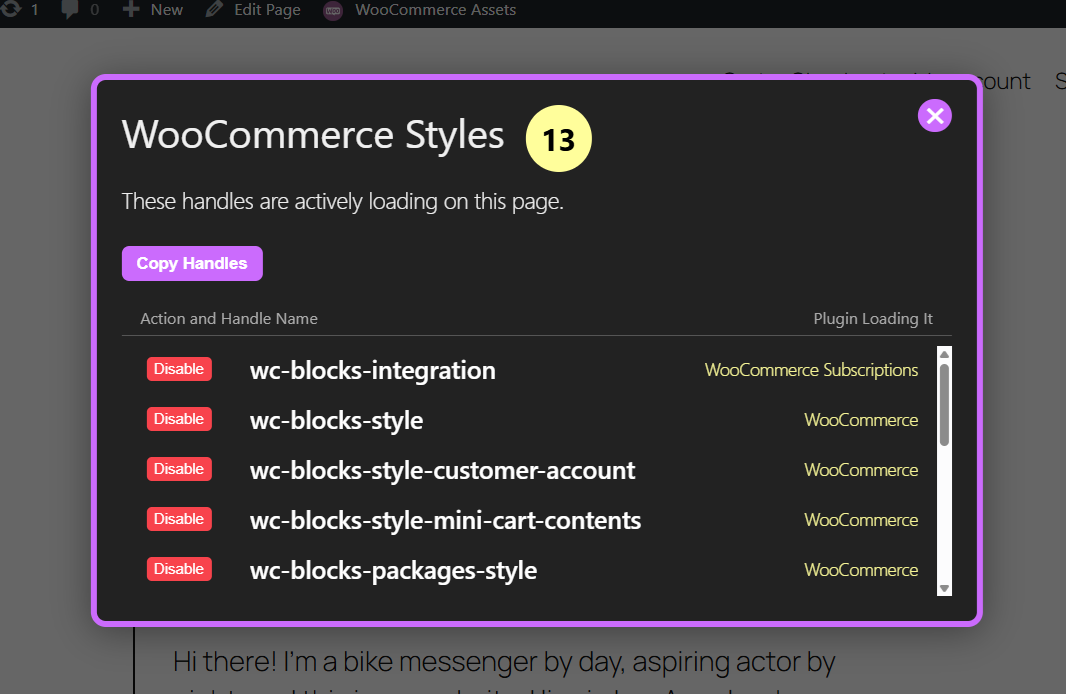
Per page list of style assets loading with disable option
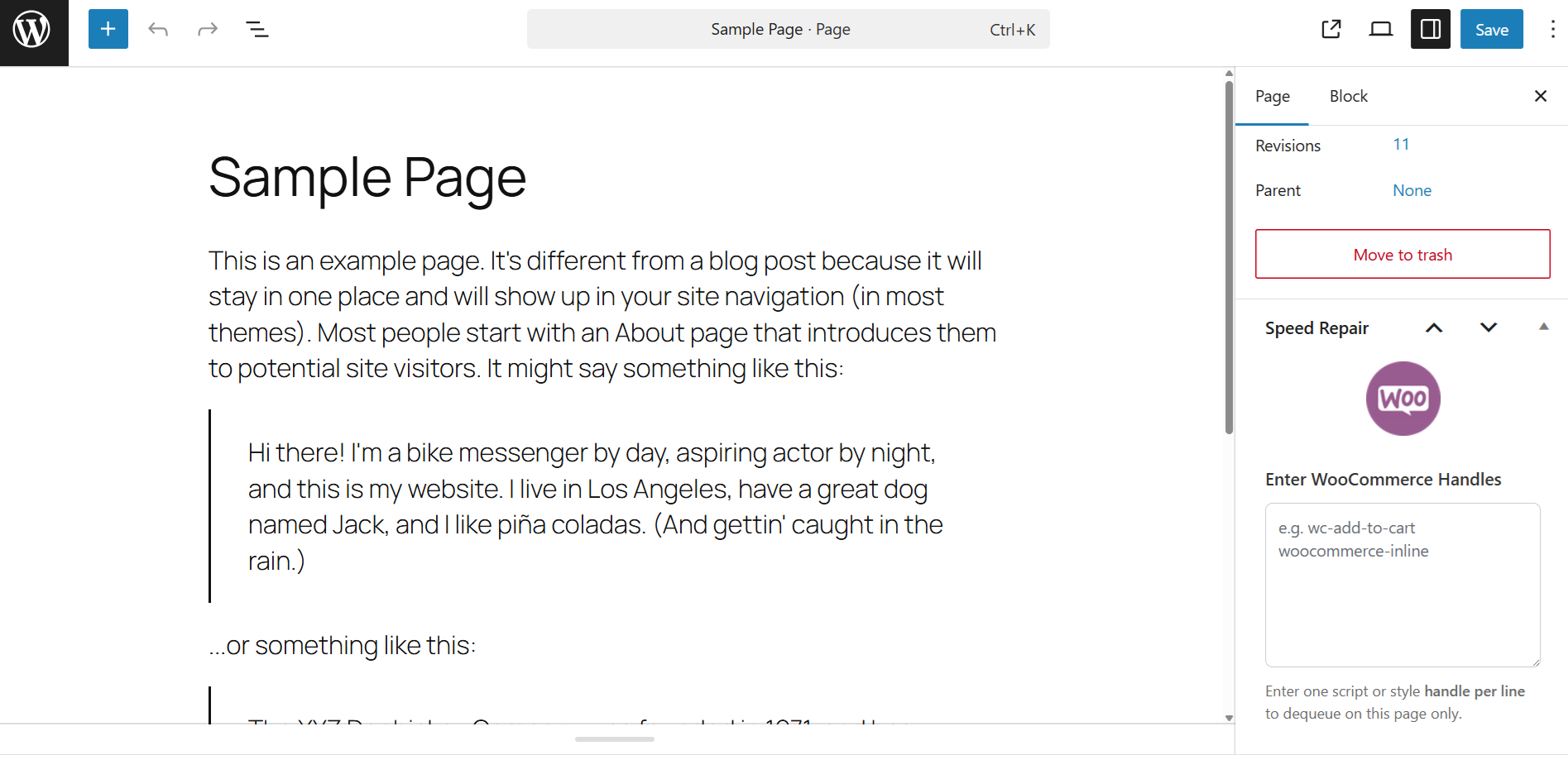
Meta box for custom handle input per page disable rules
Changelog
4.5
- Released: July 8, 2025
- Adjusted name
4.4
- Released: June 12, 2025
- Added Savings Test Tool
- Added inigration with WooCommerce Subscriptions, WooCommerce Bookings amd WooCommerce Product Add Ons extensions
- Added Custom WooCommerce handle entry for global disable
- Added Front end WooCommerce Assets menu
- Added Per page list of script assets loading with disable option
- Added Per page list of style assets loading with disable option
- Added Meta box for custom handle input per page disable rules
4.3
- Released: June 10, 2025
- Added Optimization Summary and Estimated Savings snapshot
4.2
- Released: June 10, 2025
- Added option to disable Brands CSS
4.1
- Released: June 10, 2025
- Corrected some UI elements
4.0
- Released: June 9, 2025
- Complete redesign with toggle-based UI
- AJAX saving and toast confirmations
- Added “Select All” / “Deselect All” controls
- Cleaned up legacy codebase
- Improved WooCommerce 6.8 compatibility
2.5
- Released: June 1, 2025
- Adjusted to work with WordPress 6.8 release
2.2
- Released: November 14, 2023
- Adjusted to work with WordPress 6.4 release
2.0
- Released: January 19, 2022
- Prepared plugin for WordPress 6.0
1.3
- Released: January 21, 2020
- Updated for newer WP core
1.2
- Released: November 21, 2017
- Maintenance update
1.0
- Released: September 30, 2015
- First release