

Payment Gateway with Stripe for WooCommerce
Collect payments from your customers using Stripe Checkout in WooCommerce. Supports various payment methods including credit cards, Apple Pay, Google …
Plugin info
Maintenance & Compatibility
Maintenance score
Possibly abandoned • Last updated 1406 days ago • 1 reviews
Is Payment Gateway with Stripe for WooCommerce abandoned?
Possibly abandoned (last update 1406 days ago).
Compatibility
Similar & Alternatives
Explore plugins with similar tags, and compare key metrics like downloads, ratings, updates, support, and WP/PHP compatibility.
Description
This is a payment gateway built for WooCommerce using Stripe Checkout. Your customers are redirected to a secure page hosted by Stripe to make payments for orders made via your WooCommerce store. It works across multiple devices and is designed to help increase conversion.
Main Features
-
Designed to remove friction—Real-time card validation with built-in error messaging
-
Mobile-ready—Fully responsive design with Apple Pay and Google Pay
-
International—Supports over 25 languages and multiple payment methods
-
Customization and branding—Customizable buttons and background color for the payments page
-
Fraud and compliance—Simplified PCI compliance, SCA-ready, and CAPTCHAs to mitigate card testing attacks
-
Additional features—Apply discounts, collect taxes, send email receipts, and more
Installation
Once the plugin is installed and activated, please do the following:
- Enable the payment gateway in WooCommerce
- Obtain your API keys from your Stripe account and set the publishable and secret keys
- Enable the callback functionality and set your webhook key if you wish to receive events from Stripe
Frequently Asked Questions
You must have a registered Stripe account before using this plugin. To register, please go to Stripe’s website and enter your personal or business registration details.
This plugin supports all major Credit Cards, Apple Pay, Google Pay, Afterpay / Clearpay, Alipay, SEPA Direct Debit, Bacs Direct Debit, BECS Direct Debit, iDEAL, Bancontact, Giropay, Sofort, EPS, Przelewy24, GrabPay, FPX.
This plugin supports payments in 135+ currencies, allowing you to charge customers in their native currency while receiving funds in yours. For a full list of supported currencies, please refer to this link.
This plugin does not store any credit card information or banking details (e.g. username, password) on your website. All payments are done via a secure, Stripe-hosted payment page. It has a built-in fraud prevention and is PCI compliant and SCA-ready.
This plugin only supports one-time payments and does not support subscriptions or recurring payments. We will probably include support for this feature in the future.
Yes, you can customize the page from your Stripe account. For more information, please refer to this link.
Yes, support is provided on a voluntary basis. You may report issues or send us your questions in the Support section of this plugin or contact us at https://cloudbase.my/contact
Review feed
Screenshots
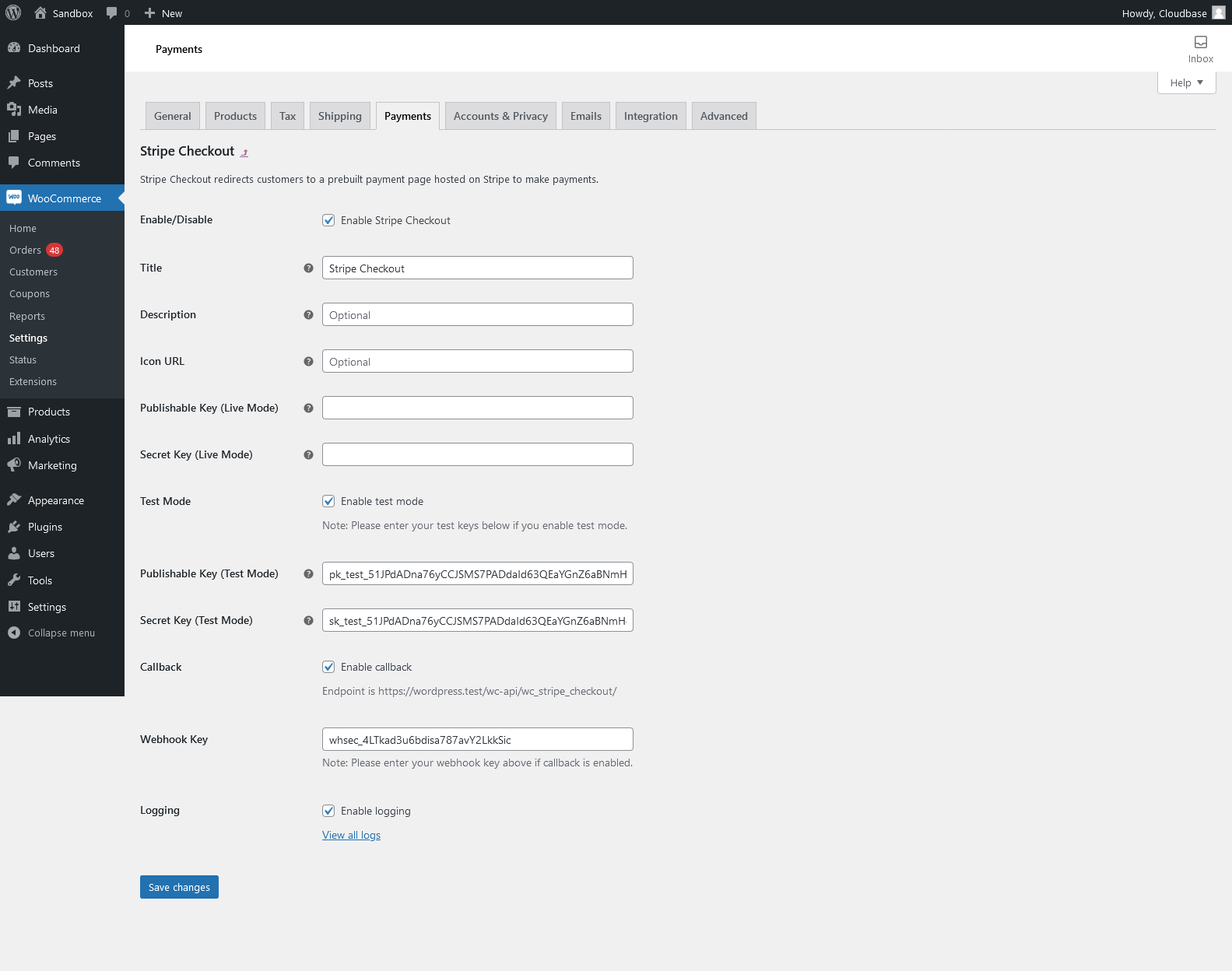
The Stripe Checkout settings page located at the WooCommerce backend
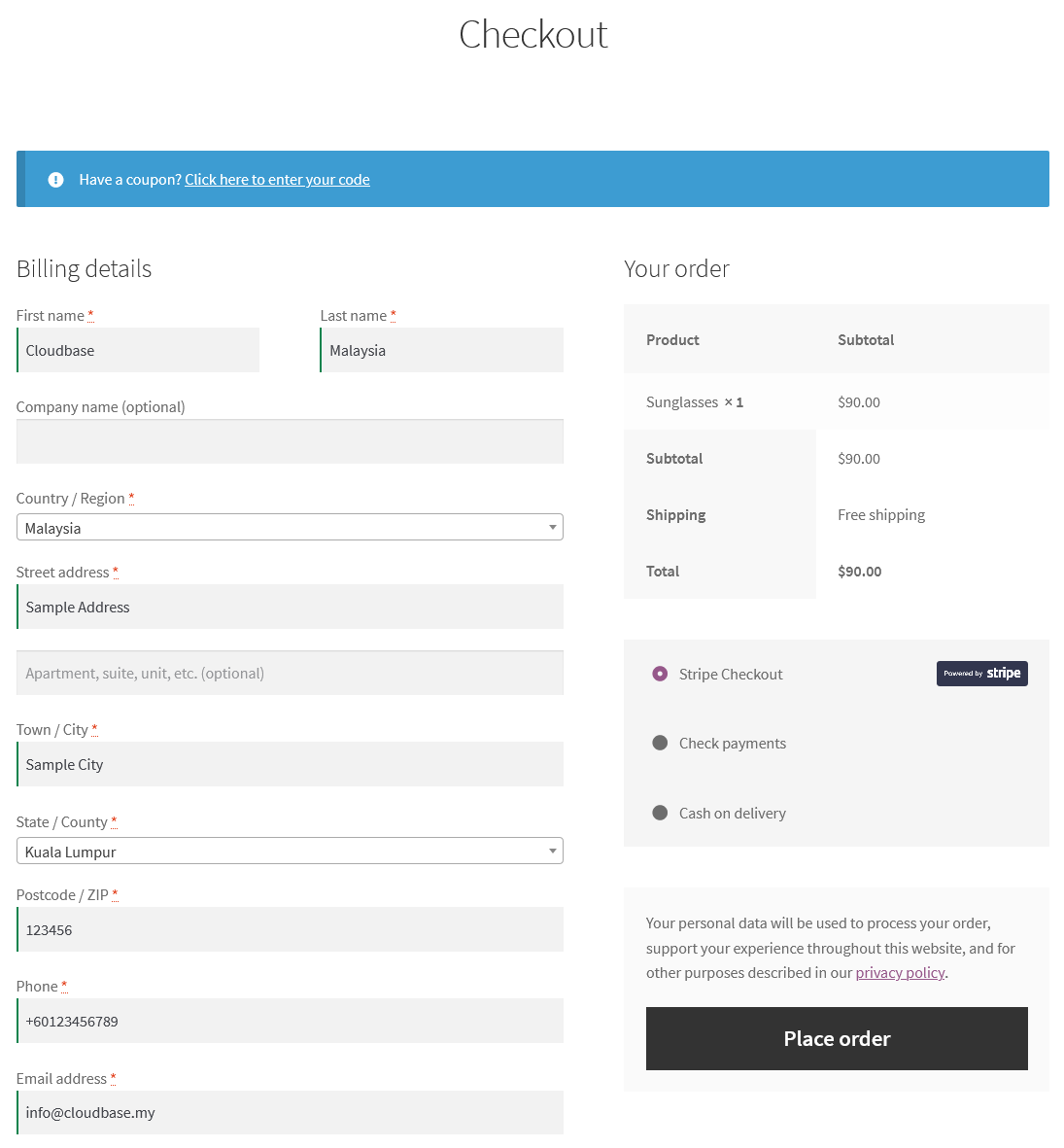
The Stripe Checkout payment method shown at the WooCommerce frontend once the plugin is enabled

Example of the Stripe Checkout payment page