

Product Variation Swatches for WooCommerce – Enhance Your Product Attributes with Elegant Color, Image, and Label Swatches
Replace dropdowns with color, image, and label swatches for WooCommerce variations. Improve user experience and drive more conversions.
Plugin info
Maintenance & Compatibility
Maintenance score
Maintained • Last updated 129 days ago • 5 reviews
Is Product Variation Swatches for WooCommerce – Enhance Your Product Attributes with Elegant Color, Image, and Label Swatches abandoned?
Likely maintained (last update 129 days ago).
Compatibility
Languages
Similar & Alternatives
Explore plugins with similar tags, and compare key metrics like downloads, ratings, updates, support, and WP/PHP compatibility.
Description
Product Variation Swatches for WooCommerce replaces the standard WooCommerce variation dropdowns with beautifully designed color, image, and label swatches, offering a more intuitive and engaging experience for your customers.
By transforming the boring dropdown into interactive visual swatches, this plugin helps shoppers quickly identify their desired product variations, ultimately reducing friction, enhancing store aesthetics, and boosting conversions.
Whether you’re selling apparel, electronics, cosmetics, or custom products, visual variation swatches give your store a modern edge and allow customers to make faster, more confident buying decisions.
View Demo & Upgrade to Pro for Product Variation Swatches for WooCommerce
💻 Demo | 🚀 Get The PRO Version | 🛠 Support | 📄 Documentation
✨ Key Features
Free Version
- Replace variation dropdowns with clickable color/image/label swatches
- Supports color, image, and text/label swatch types
- Add unlimited terms under each product attribute
- Choose among round, square, or rounded corner swatch styles
- Customize swatch width and height
- Enable/disable plugin’s default stylesheets
- Configure tooltip options (font size, text color, background color)
- Toggle visibility of tooltips for each attribute
- Apply custom border styles for swatches
- Set the border width to control thickness.
- Choose a border type: Solid, Dashed, Dotted, or Double.
- Pick a border color to match your style
- Disable, cross out, or blur unavailable variation options.
- Set the position where you want to show the variation label.
PRO Version
- Swatches on archive/shop pages globally or per product
- Show or hide variation labels on shop/catalog pages
- Show or hide attribute names on single product pages, and shop/catalog pages
- Choose swatch label position: inline, stacked (left), or stacked (center)
- Catalog swatches position: after product title and price
- Tooltip image previews and hover effects
- Premium support and frequent updates
Upgrade to PRO: https://pluginever.com/plugins/wc-variation-swatches-pro/
Coming Soon
- Limit Attribute number in shop/catalog pages
- Swatches in quick view and popups
- Accessibility enhancements
- Support for popular page builders (Elementor, Divi)
Benefits
- Deliver a visually appealing shopping experience
- Help customers make faster, more confident decisions
- Reduce cart abandonment caused by confusing dropdowns
- Manage variation styles easily without coding
- Increase conversions and build customer trust
How It Works
- Go to Products > Attributes and create a new attribute
- Choose swatch type: Color, Image, or Label
- Add terms with color codes, images, or text labels
- Assign attributes to a variable product and create variations
- Save the product and view swatches on the product page
Compatibility
- Requires WooCommerce 6.0.0 or later
- Compatible with most WooCommerce-compatible themes
- Tested with Storefront, Astra, OceanWP, Flatsome, and more
Installation
Automatic Installation
- Go to Plugins > Add New in your WordPress dashboard
- Search for “Product Variation Swatches by PluginEver”
- Click Install Now, then Activate
Manual Installation
- Download the plugin ZIP file
- Go to Plugins > Add New > Upload Plugin
- Choose the ZIP file, click Install Now, then Activate
FTP Installation
- Unzip the downloaded plugin ZIP file
- Upload the folder to /wp-content/plugins/
- Go to WordPress dashboard Plugins Activate
Frequently Asked Questions
It provides a visually intuitive and clickable interface that improves user experience and boosts conversions.
Yes. You can mix and match swatch types on any product.
Yes, it works with most builders as long as you use standard WooCommerce product templates.
No. It is lightweight and performance-optimized.
Yes, we welcome all suggestions via our support form: https://pluginever.com/support/
Review feed
Screenshots

Frontend: Select variations using swatches

Crossed-out swatches for out-of-stock items

Disabled attributes appear blurred

Settings: General options panel

Settings: Shape customization (Round/Square/Rounded Corners )

Settings: Tooltip configuration

Settings: Border Settings

Settings: Catalog Settings (Pro)

Frontend: Color swatches
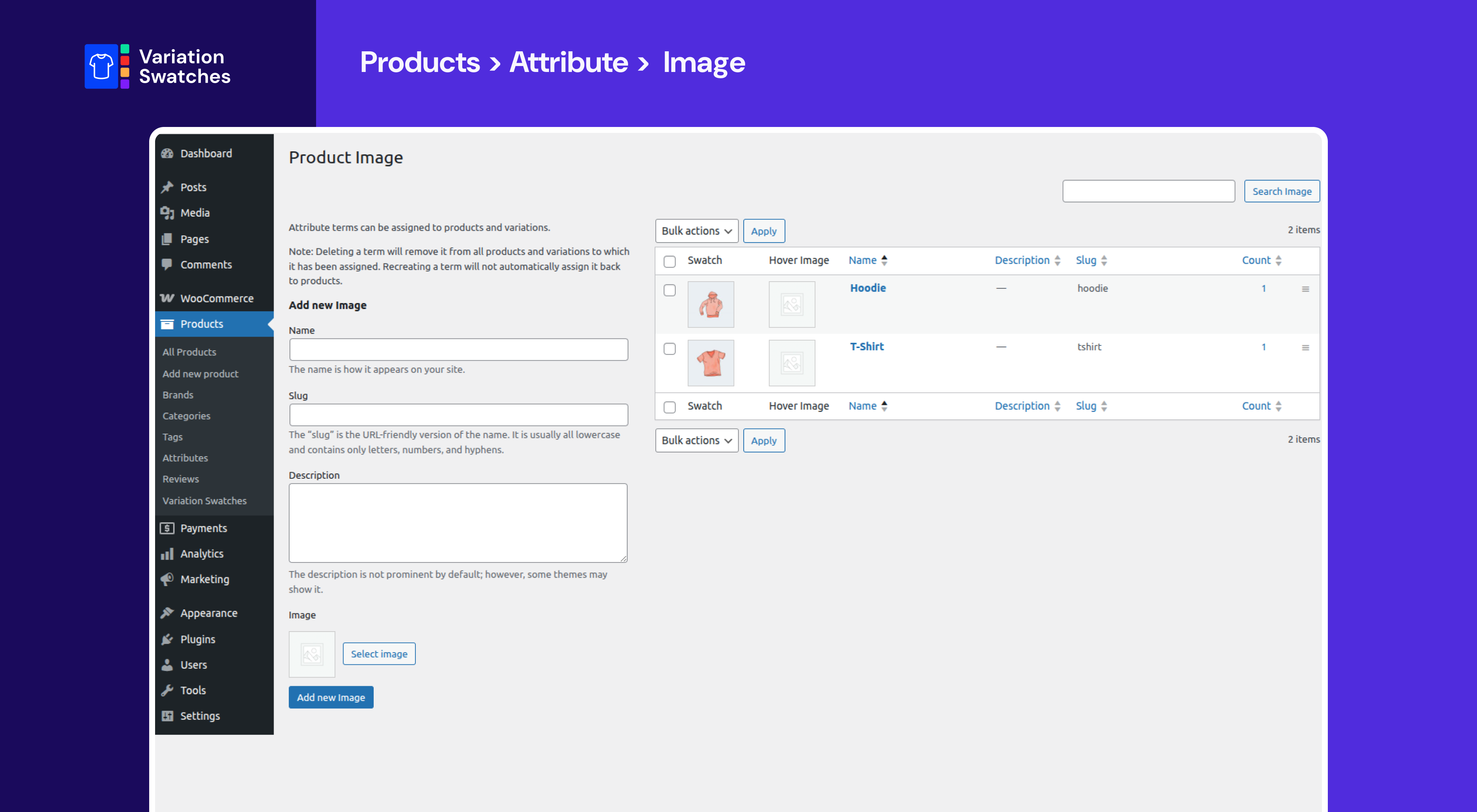
Frontend: Image swatches

Frontend: Label/text swatches

Admin: Attribute setup interface
Changelog
2.0.8 (24th November 2025)
- Enhance: Update the plugin notices.
- Fix: Minor bug fixes.
2.0.7 (23rd October 2025)
- Enhance: Update the plugin notices.
2.0.6 (06th October 2025)
- Compatibility: Check compatibility with the latest version of WordPress and WooCommerce.
2.0.5 (21st July 2025)
- New: Update plugin framework.
- New: Update plugin directory structure.
- New: Add new settings for swatch styles.
- Enhance: Improve code quality and performance.
- Security: Enhance security.
- Fix: Few minor bugs.
2.0.4 (20th May 2025)
- Compatibility: Check compatibility with the latest version of WordPress and WooCommerce.
2.0.3 (27th March 2025)
- Compatibility: Compatible with the latest version of WooCommerce.
2.0.2 (26th January 2025)
- Fix: Deprecated function issue
2.0.1 (23rd January 2025)
- Fix: jQuery is not defined issue
2.0.0 (22nd January 2025)
- New: Update Framework
- New: Refactor Code Structure to improve performance
- Security: Fix Known Security issues
- Compatibility: Compatible with the latest version of WooCommerce and WordPress
1.1.2 (28th November 2024)
- Enhance: Framework update
- Compatible with WC New Version
- Compatible with WP New Version
1.1.1 (23rd October 2024)
- Fix: Known Security issues
- Compatible with WC New Version
- Compatible with WP New Version
1.1.0 (22th Aug, 2024)
- Update Framework
- Fix: Known Security issues
- Fix: Compatibility with WC Latest Version
1.0.5 (27th Jul, 2024)
- Fix: Woocommerce HPOS issue.
- Fix: Compatibility with WP v6.6.1
- Fix: Compatibility with WC v9.1.4
1.0.4 (20th Nov, 2022)
- Fix: Compatibility with WP v6.1
- Fix: Compatibility with WC v7.1
1.0.3 (28th Sept, 2022)
- Fix: Compatibility with WP v6.0.2
- Fix: Compatibility with WC v6.9.4
1.0.2 (27th May, 2021)
- Fix: Compatibility with WP v5.7.2
- Fix: Compatibility with WC v5.3.0
1.0.1 (24th October, 2019)
Fix: WC compatibility with 3.7.1
Fix: WP compatibility with 5.2.4
Fix: Preview image in product attribute
1.0.0 (1st September, 2019)
Initial release