

Weather Map
Display weather data for multiple coordinates using OpenWeatherMap, with caching and shortcode support.
Plugin info
Maintenance & Compatibility
Maintenance score
Stale • Last updated 244 days ago
Is Weather Map abandoned?
Likely maintained (last update 244 days ago).
Compatibility
Similar & Alternatives
Explore plugins with similar tags, and compare key metrics like downloads, ratings, updates, support, and WP/PHP compatibility.
Description
Weather Map allows you to display real-time weather information for multiple coordinates using OpenWeatherMap API. Each location’s weather is fetched and displayed on an interactive map (Leaflet.js based). The plugin includes a 15-minute caching mechanism to reduce API usage.
Features:
– Enter up to 6 coordinates to keep the map readable.
– Built-in API key validator before saving.
– 15-minute transient cache for weather data.
– Fully shortcode-based integration: [weather_map].
– Admin-friendly settings interface.
External Services
This plugin connects to the OpenWeatherMap API to retrieve real-time weather information for the locations configured in the plugin settings.
Data Sent:
– Latitude and longitude values entered by the site admin
– The API key provided by the site admin in the plugin settings
Data is sent only when:
– The front-end map loads to fetch and display weather data for a specific location
Service Provider:
– OpenWeatherMap
– Terms of Service
– Privacy Policy
Installation
- Upload the plugin to the
/wp-content/plugins/weather-map/directory. - Activate the plugin via the “Plugins” menu in WordPress.
- Go to “Weather Map” in the admin menu.
- Enter your OpenWeatherMap API key and up to 6 coordinate pairs.
- Use the
[weathermap]shortcode on any page or post.
Frequently Asked Questions
You can register for a free or paid API key at https://openweathermap.org/api. Choose a plan based on your expected usage.
Each coordinate results in one API call. So if you have 4 coordinates and load the page, that’s 4 API requests. Caching prevents duplicate calls within a 15-minute window.
To keep the map clean, a maximum of 6 coordinates is recommended.
Simply use the shortcode [weather_map] in your content editor or page builder.
Review feed
Screenshots
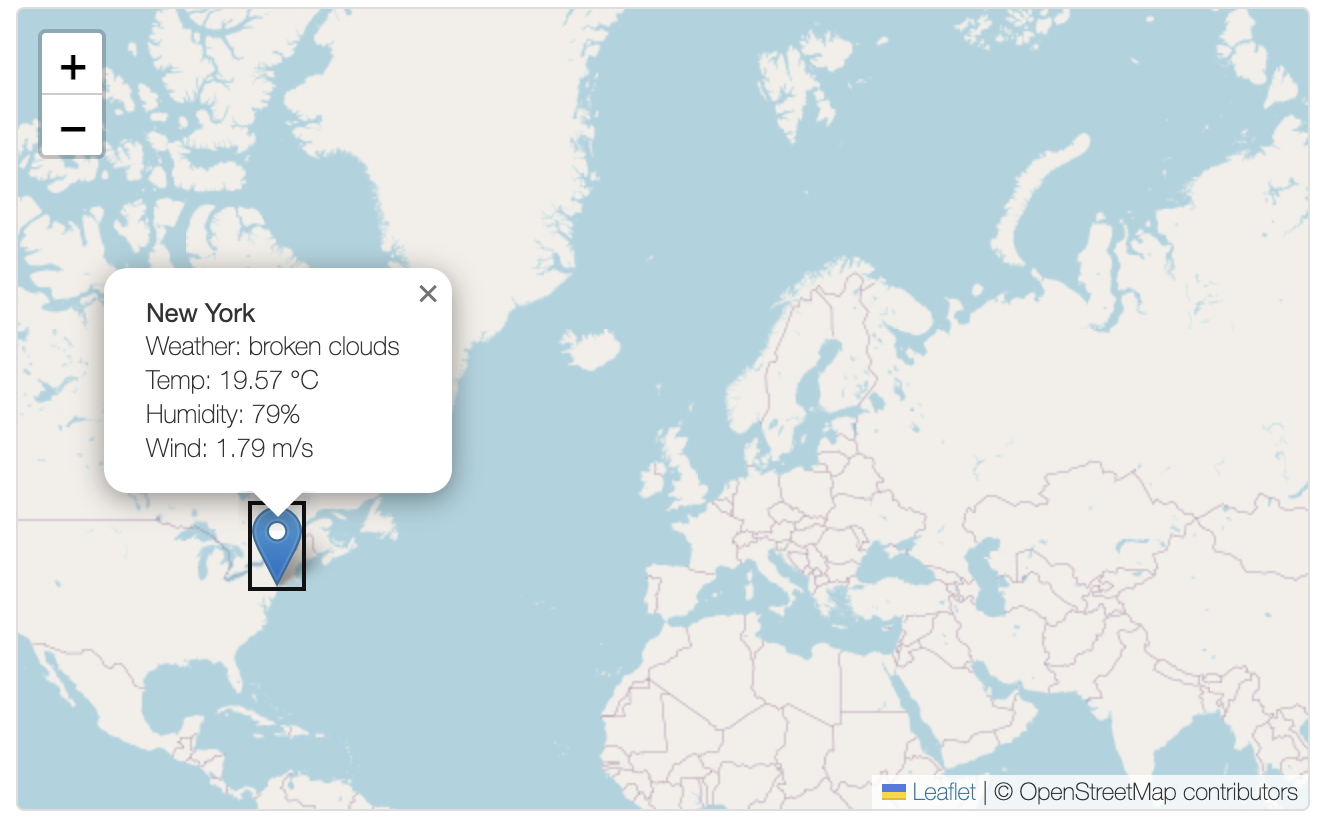
Frontend display: Click the weather icon to show current weather information.

Plugin settings page: Enter your API key and location coordinates in the admin panel.
Changelog
1.0
- Initial release of the Weather Map plugin with Leaflet.js, OpenWeatherMap integration, admin settings, validation, and caching.