

Web Testimonials
Web Testimonials is a plugin for managing testimonials placed on your WordPress site.
Plugin info
Maintenance & Compatibility
Maintenance score
Possibly abandoned • Last updated 4980 days ago
Is Web Testimonials abandoned?
Possibly abandoned (last update 4980 days ago).
Compatibility
Similar & Alternatives
Explore plugins with similar tags, and compare key metrics like downloads, ratings, updates, support, and WP/PHP compatibility.
Description
Testimonials is a plugin for managing testimonials placed on your WordPress site. It has full features and shortcode ability for display in posts, widgets, pages, and other areas of your site. The plugin also has several features that allow for customization of the display.
Shortcode Usage
- To add testimonials to your posts, pages, or widgets use the following code:
[plumwd-testimonials] - To add the testimonials plugin to your WordPress theme use the following code inside your template:
echo do_shortcode('[plumwd-testimonials]');
The plugin also supports several attributes for the shortcode, below is a listing of the attributes and what their purpose is:
-
size -> this allows you to limit the number of characters returned using the plugin. It will display the first nth number that you specify. Usage:
[plumwd-testimonials size=”100″] -
ending -> this allows you to specify an ending for your testimonial. This comes in handy when limiting the number of characters returned. Usage:
[plumwd-testimonials ending=”…”] -
num -> this allows you to limit the number of testimonials returned, leave blank to retrieve them all. Usage:
[plumwd-testimonials num=”3″] -
type -> allows you to specify how you want the list to be displayed. The available options are: list, para, span, div. By default testimonials will display as an unordered list. Usage:
[plumwd-testimonials type=”list”] -
class -> this allows you to apply a class to the item container so that you can apply custom styles. Usage:
[plumwd-testimonials class=”test”] -
id -> this allows you to apply an id to the item container. Usage:
[plumwd-testimonials id=”testimonials”] -
childclass -> this applies only to the list item. Setting childclass will place a class on the li element. Usage:
[plumwd-testimonials childclass=”slides”]
Installation
- Download and unzip the file.
- Place the entire contents of the directory into your
/wp-content/plugins/directory - Activate the plugin through the ‘Plugins’ menu in WordPress
Frequently Asked Questions
For help please visit http://www.plumeriawebdesign.com
Review feed
Screenshots
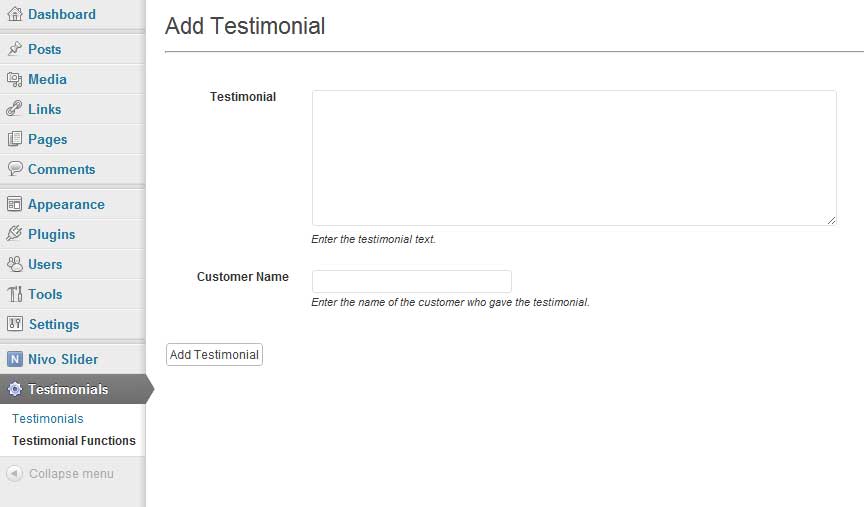
Add a testimonial screenshot-1.jpg

Edit a testimonial screenshot-2.jpg

Example Usage 1 - Full page listing screenshot-3.jpg

Example Usage 2 - Single testimonial in a rotating box screenshot-4.jpg