

Plugin info
Maintenance & Compatibility
Maintenance score
Possibly abandoned • Last updated 2973 days ago • 1 reviews
Is Web To Print Shop : uDraw – Widescreen UI abandoned?
Possibly abandoned (last update 2973 days ago).
Compatibility
Similar & Alternatives
Explore plugins with similar tags, and compare key metrics like downloads, ratings, updates, support, and WP/PHP compatibility.
Description
The uDraw Designer Widescreen UI plugin is an extension plugin of Web To Print Shop: uDraw. This plugin allows the user to customize and use a different Designer skin of their own design, than the standard ones bundled in the main plugin. A PDF file is also included for those interested in making their own custom UI. For an online version, please visit https://racadtech.atlassian.net/wiki/display/UDUI/uDraw+Designer+UI. We will update as we add more features to the uDraw Designer. The uDRAW HTML 5 canvas designer and product personalizer can be obtained via Web to Print Solutions, WebtoPrintShop.com, uDRAW.net and OnlineSignStudio.com
Installation
Requires
Plugin: Web To Print Shop: uDraw
- Unzip and upload contents of the plugin to your /wp-content/plugins/ directory.
- Activate the plugin through the ‘Plugins’ menu in WordPress
- Set this UI as your default UI by selecting it in W2P:uDraw > Settings > Designer UI.
Frequently Asked Questions
Installation Instructions
Requires
Plugin: Web To Print Shop: uDraw
- Unzip and upload contents of the plugin to your /wp-content/plugins/ directory.
- Activate the plugin through the ‘Plugins’ menu in WordPress
- Set this UI as your default UI by selecting it in W2P:uDraw > Settings > Designer UI.
Review feed
Screenshots
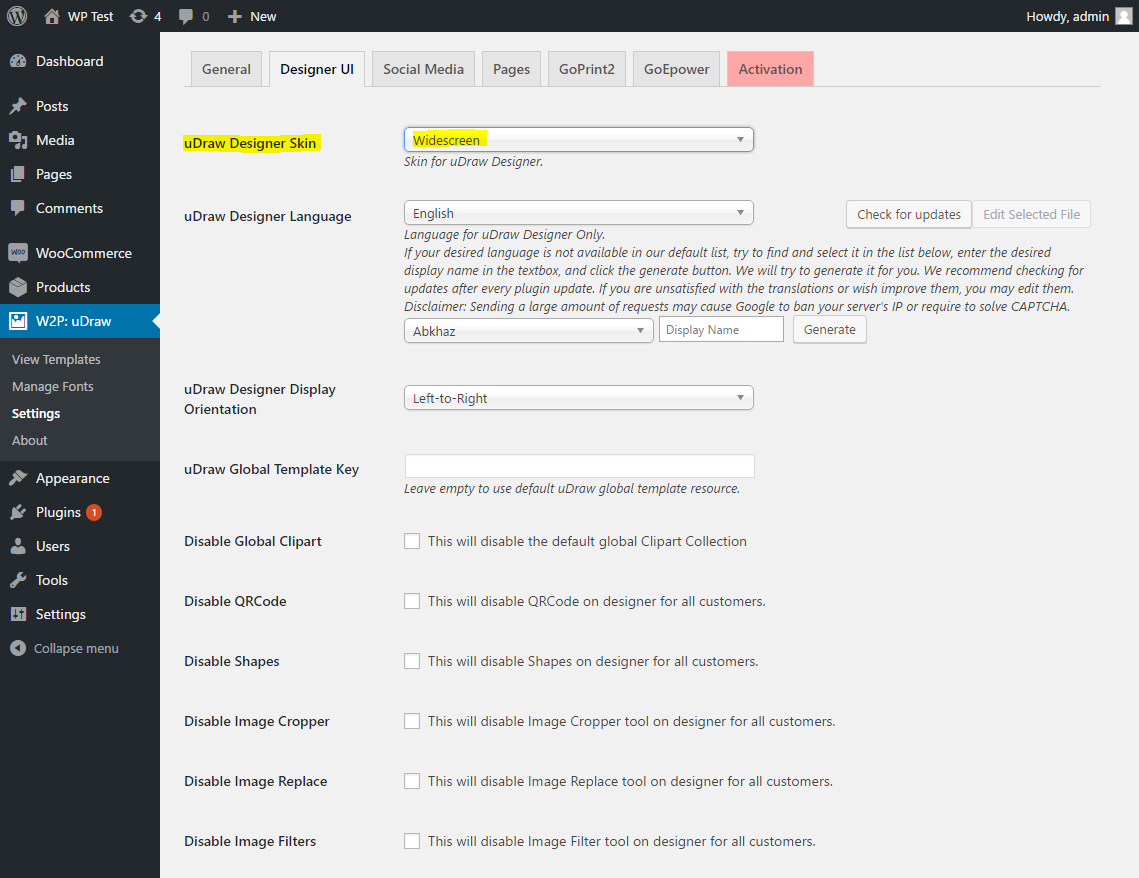
uDraw Designer Skin : Widescreen

Customer View of uDraw Widescreen UI Skin
Changelog
1.3.0
- Fixed bug when sending object forward / backwards
- Added colour wheel icon for colour picker
- Fixed woocommerce warnings
1.2.0
- Added missing buttons for uDraw
- Updated UI
1.1.0
- Updated number of parameters needed in the filter “udraw_designer_ui_override”, and added the missing parameter in the linked function
- Fixed up UI
- Calling include_once on multi-udraw-templates.php
- Updated PDF with new changes
1.0.0
- Initial Release to WordPress