
Maintenance 20/1001777d since update
Active installs
0
Downloads
827
Reviews
0
Age
4.9y
Plugin info
Total downloads: 827
Active installs: 0
Total reviews: 0
Average rating: 0
Support threads opened: 0
Support threads resolved: 0 (0%)
Available in: 1 language(s)
Contributors: 1
Last updated: 5/21/2021 (1777 days ago)
Added to WordPress: 5/21/2021 (4 years old)
Minimum WordPress version: 4.6
Tested up to WordPress version: 5.7.14
Minimum PHP version: 5.6
Maintenance & Compatibility
Maintenance score
Possibly abandoned • Last updated 1777 days ago
20/100
Is WEBD Woo Event Bookings abandoned?
Possibly abandoned (last update 1777 days ago).
Compatibility
Requires WordPress: 4.6
Tested up to: 5.7.14
Requires PHP: 5.6
Similar & Alternatives
Explore plugins with similar tags, and compare key metrics like downloads, ratings, updates, support, and WP/PHP compatibility.
Eventin – Event Manager, Event Booking, Calendar, Tickets and Registration Plugin (AI Powered)
Rating 4.6/5 (331 reviews) • Active installs 10,000
EventPrime – Events Calendar, Bookings and Tickets
Rating 4.5/5 (69 reviews) • Active installs 7,000
Quick Event Manager
Rating 4.9/5 (67 reviews) • Active installs 2,000
Event Tickets Manager for WooCommerce – Event Creation & management (single / recurring), Sell Tickets And List Your Events On The Events Calendar
Rating 4.7/5 (29 reviews) • Active installs 1,000
Booking Calendar
Rating 4.7/5 (642 reviews) • Active installs 50,000
Event Booking Manager for WooCommerce
Rating 4.6/5 (146 reviews) • Active installs 8,000
Description
An eCommerce event booking toolkit that helps you sell anything with set cost, discount etc by day wise (such as monday discout 5%, tuesday : 7% ….sunday : 10 %, You can do this setting with indivisual product wise).
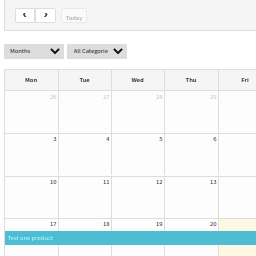
Full width events calendar with events list.
Grid view with multiple styles and event registration for WooCommerce payments for event registrations.
Features
- You can set cost and discount by day wise during Event Bookings such as Monday discout : $5, Tuesday discout : $7…..it is optional feature.
- Diffrent types of users to booking events
- Custom Style for Woocommerce
- Recurring events – day, week, month, special day or custom date
- Using WooCommerce to create event and sell tickets
- Multiple Payment mode
- Users Submit Events
- Email Notification
- Email to user when booking or booking success or cancel
- User History booking
- Events grid shortcode
- Lists Countdown
- Listing upcoming or past event
- Ical import and Google Calendar support
- Ical sync google calendar support
- Google event schema support
- Limit the number of bookings in an event
- Custom ticket types
- Free ticket support
- Event status (number tickets, status tickets)
- Calendar Shortcode
- Table Shortcode
- Timeline Shortcode
- Support category, tag
- Visual Comporser Support
- Custom thumbsize
- Supper easy configuration
- Barcode and PDF invoice support
- Export to CSV attendees info
- Delete all events has passed in one click
Installation
- Login to your wordpress dashboard.
- Go to ‘Plugins’, ‘Add New’ then search for ‘WEBD Woo Event Bookings’.
- Select the plugin then ‘Install Now’.
- Activate the plugin.
Frequently Asked Questions
No FAQ available
Review feed
No reviews available
Screenshots


Changelog
No changelog available