

WordPress TinyMCE Thai Webfonts Plugin(ปลั๊กอินเว็บฟอนต์ไทยสำหรับเวิร์ดเพลส)
Do you want to use Thai webfonts? Wordpress TinyMCE Thai Webfonts plugins is a Thai fonts/webfonts from many free/opensource Thai creator[1000+ fonts] …
Plugin info
Maintenance & Compatibility
Maintenance score
Possibly abandoned • Last updated 3178 days ago
Is WordPress TinyMCE Thai Webfonts Plugin(ปลั๊กอินเว็บฟอนต์ไทยสำหรับเวิร์ดเพลส) abandoned?
Possibly abandoned (last update 3178 days ago).
Compatibility
Similar & Alternatives
Explore plugins with similar tags, and compare key metrics like downloads, ratings, updates, support, and WP/PHP compatibility.
Description
WordPress TinyMCE Thai Webfonts plugins is a Thai fonts/webfonts from many free/opensource Thai creator[1000+ fonts] distributed by Phuphansoft ITSolution. ปลั๊กอินเว็บฟอนต์ไทยสำหรับเวิร์ดเพลสใช้ฟอนต์ฟรี/โอเพนซอร์สต่างๆ จากผู้จัดทำของไทยมากมายนับพัน[1000+ ฟอนต์]เผยแพร่โดยภูพานซอฟต์ไอทีโซลูชั่นส์
Installation
- Download it or Install it from WordPress online plugins.
- Extract/Unzip it.
- Upload it to /wp-content/plugins in wordpress server
- Enable it in plugins section
- Edit theme stylesheet in plugins section Appearance -> Editor
- Add @import url(http://webfonts.2psoft.com/api/gencssall.php); to first line(Overwrite theme ‘s font)
- Select font from font lists(Waiting for download a thousan[1,000] of fonts list…)
PS:
– Disable other font plugins.
– It’s don’t have a font size option.
Support:
[email protected]
Frequently Asked Questions
Installation Instructions
- Download it or Install it from WordPress online plugins.
- Extract/Unzip it.
- Upload it to /wp-content/plugins in wordpress server
- Enable it in plugins section
- Edit theme stylesheet in plugins section Appearance -> Editor
- Add @import url(http://webfonts.2psoft.com/api/gencssall.php); to first line(Overwrite theme ‘s font)
- Select font from font lists(Waiting for download a thousan[1,000] of fonts list…)
PS:
– Disable other font plugins.
– It’s don’t have a font size option.
Support:
[email protected]
Review feed
Screenshots
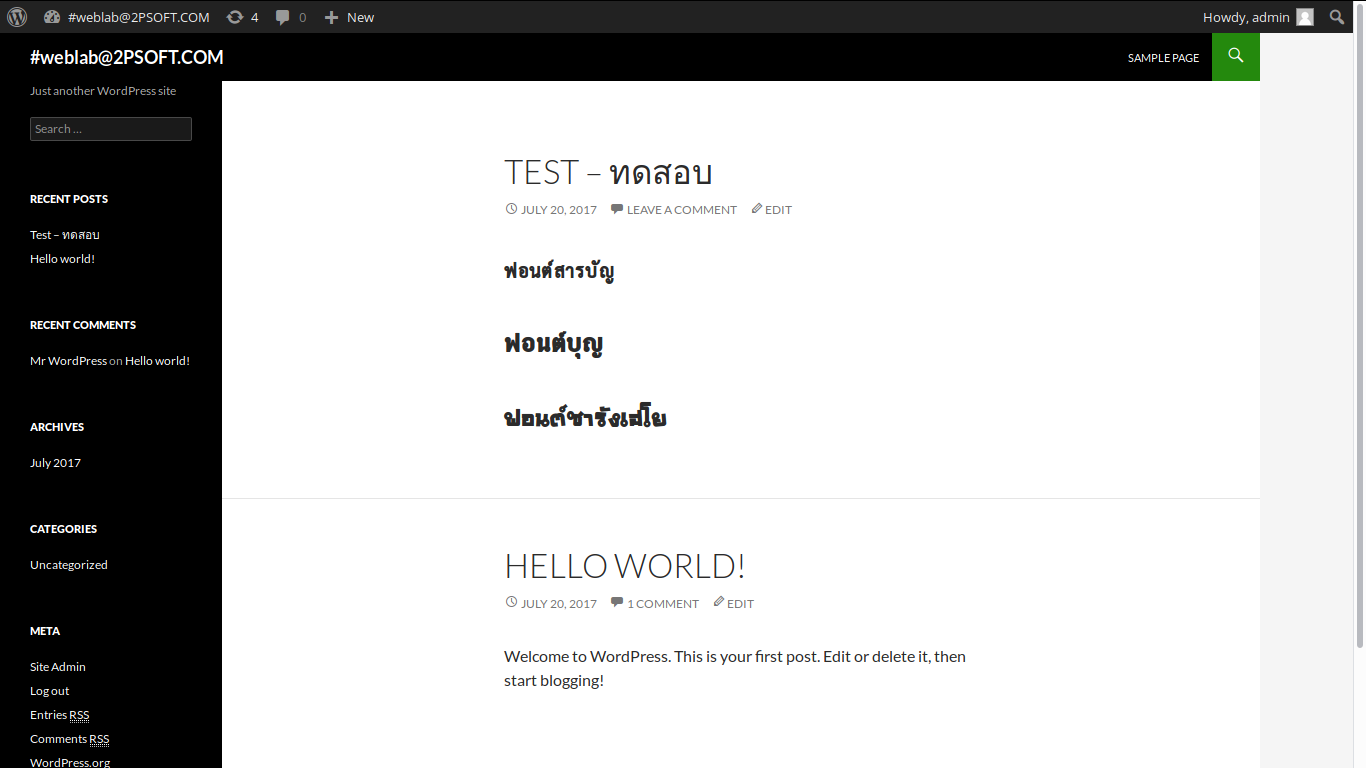
This is the Post or Page that use Wordpress TinyMCE Thai Webfonts plugins to display Thai Webfonts.

This is the Post or Page editor in Admin section. You can see added font section at the end of TinyMCE options.