

Website Update Viewer
Easily monitor and copy update details for WordPress core, plugins, and themes — streamline your website maintenance workflow.
Plugin info
Maintenance & Compatibility
Maintenance score
Stale • Last updated 318 days ago
Is Website Update Viewer abandoned?
Likely maintained (last update 318 days ago).
Compatibility
Similar & Alternatives
Explore plugins with similar tags, and compare key metrics like downloads, ratings, updates, support, and WP/PHP compatibility.
Description
Website Update Viewer – A Simplified Way to Track WordPress Updates
Website Update Viewer is a lightweight utility plugin designed to make site maintenance easier by providing a centralized view of all available updates. Many web developers and site maintainers spend unnecessary time manually copying and tracking plugin, theme, and WordPress updates.
Key Features:
– A structured admin page displaying available updates for WordPress core, plugins, and themes.
– A Copy to Clipboard feature, allowing users to copy update details instantly in a formatted structure.
– No data is stored — updates are fetched dynamically in real-time.
– A simple and efficient way to track versions without manually listing them.
Important Notes
- The plugin displays version details of installed plugins, themes, and WordPress core.
- If a plugin or theme requires a license or manual steps for updating, you may need to adjust the copied output accordingly.
- This plugin does not perform updates automatically — it only lists them for review and manual action.
- The main goal of creating this plugin is to reduce the time taken by manual work of listing things which is a tedious and time consuming.
This plugin is a must-have for anyone managing multiple sites, ensuring efficient maintenance with minimal effort and time.
Installation
- Upload the
website-update-viewerfolder to the/wp-content/plugins/directory. - Activate the plugin through the ‘Plugins’ menu in WordPress.
- Navigate to “Website Update Viewer” in the WordPress admin panel to view update details.
Frequently Asked Questions
No. The plugin retrieves update information dynamically and does not store any data in the database.
Yes. The built-in “Copy to Clipboard” feature allows you to copy all update information in a clean, readable format.
No. This plugin only displays update information within the admin dashboard.
Review feed
Screenshots
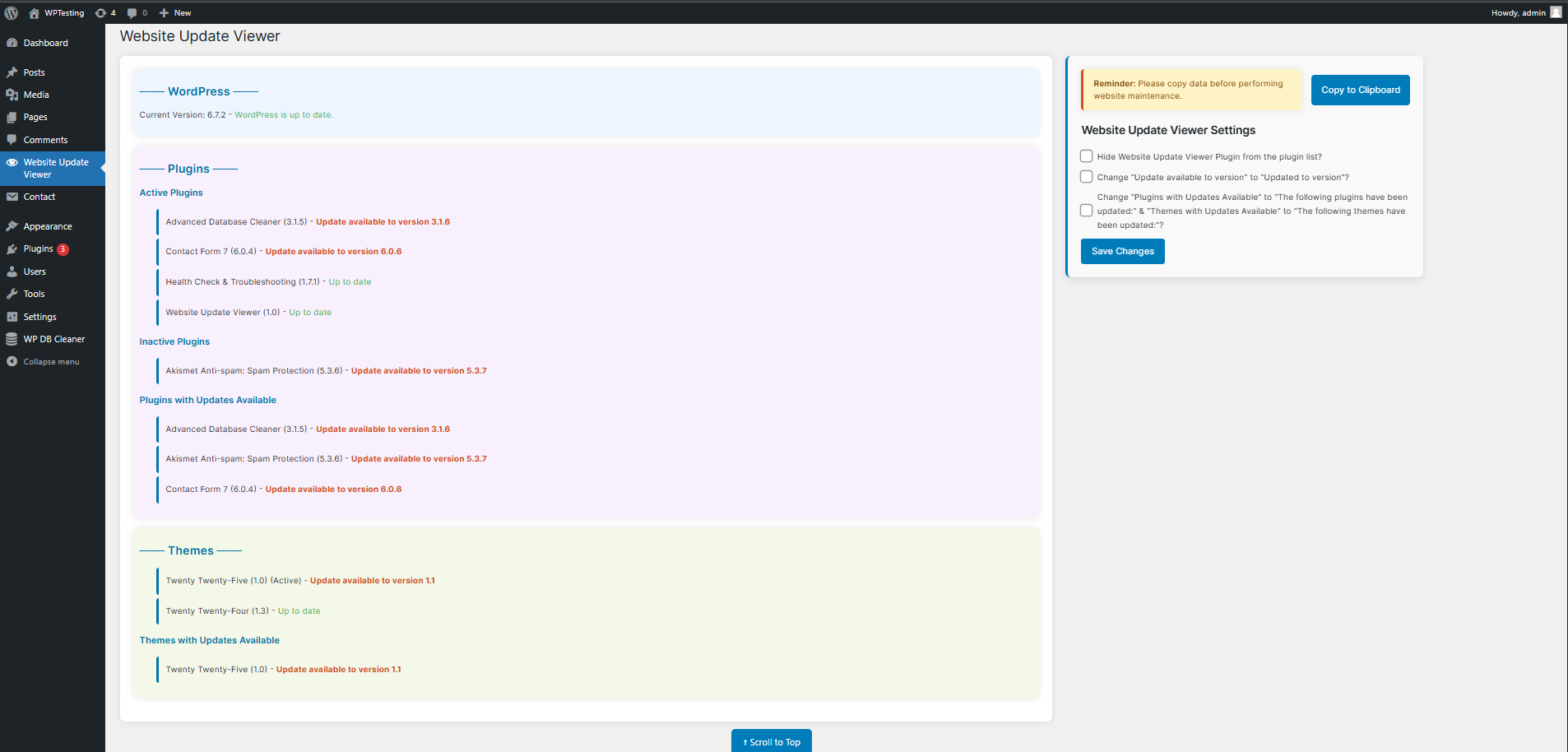
Admin page displaying WordPress, plugin, and theme updates.
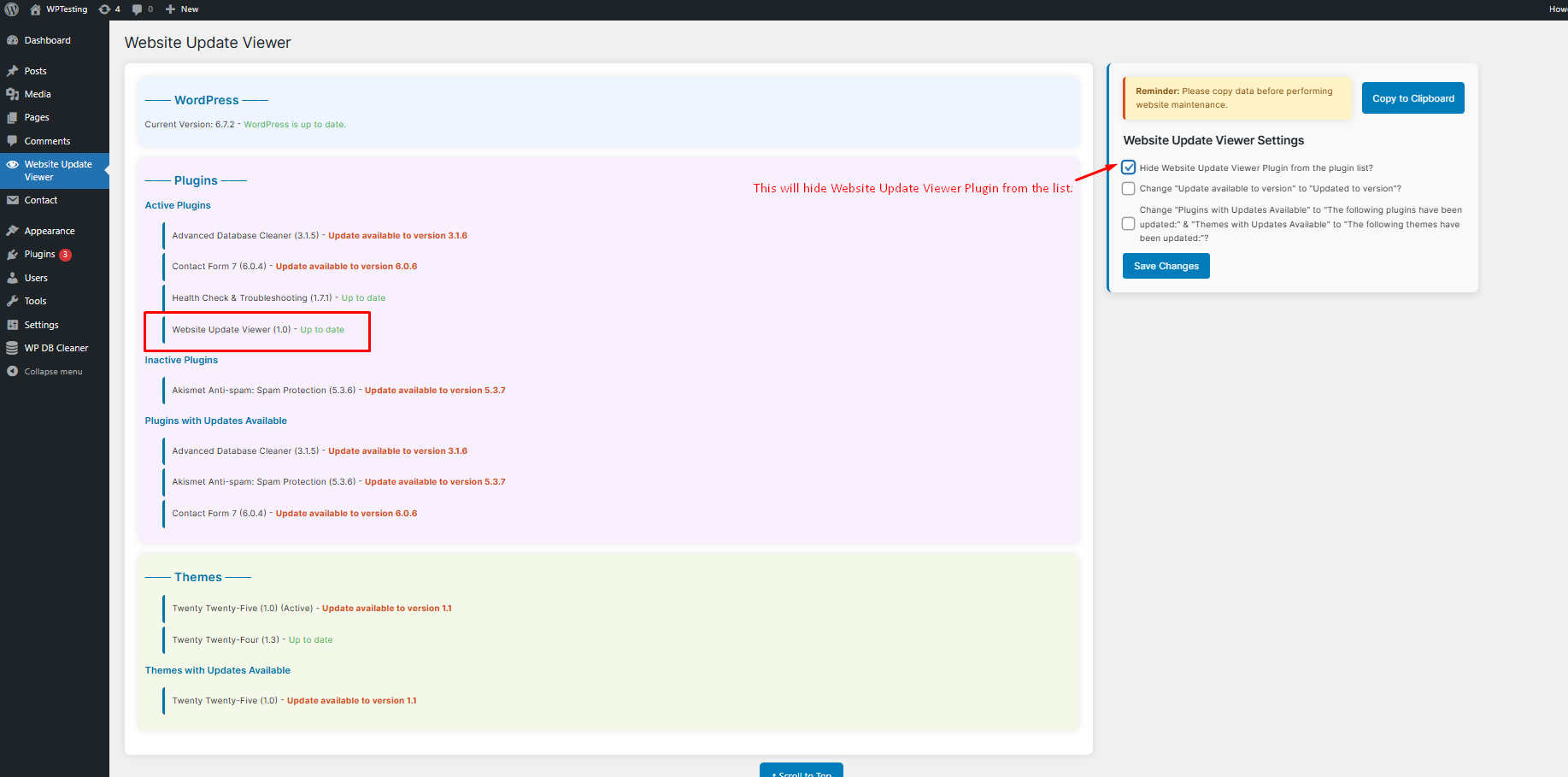
Website Update Viewer Settings - Hide Website Update Viewer Plugin from the plugin list.
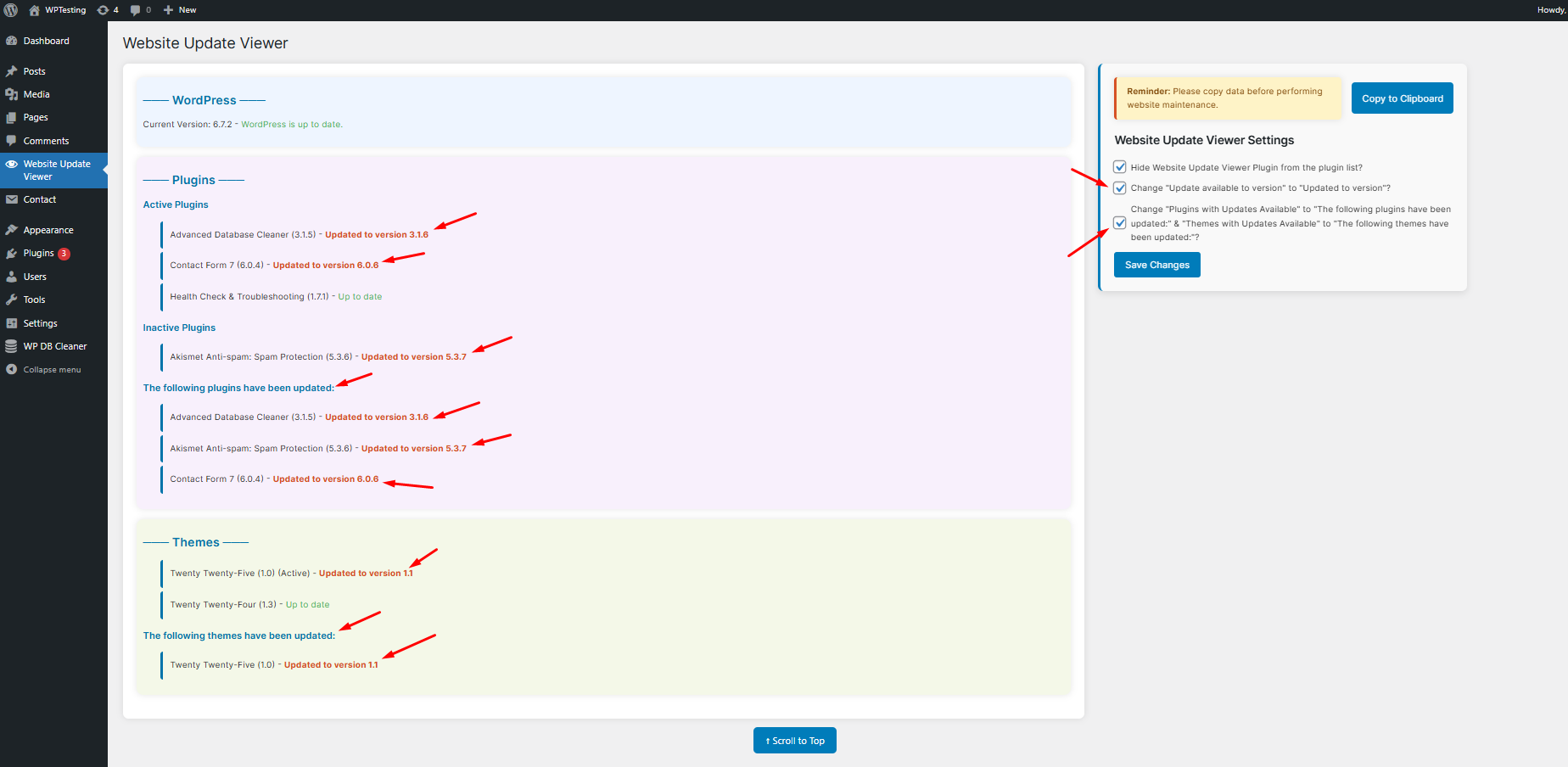
Website Update Viewer Settings - Text changes using the Copy to Clipboard feature in action.
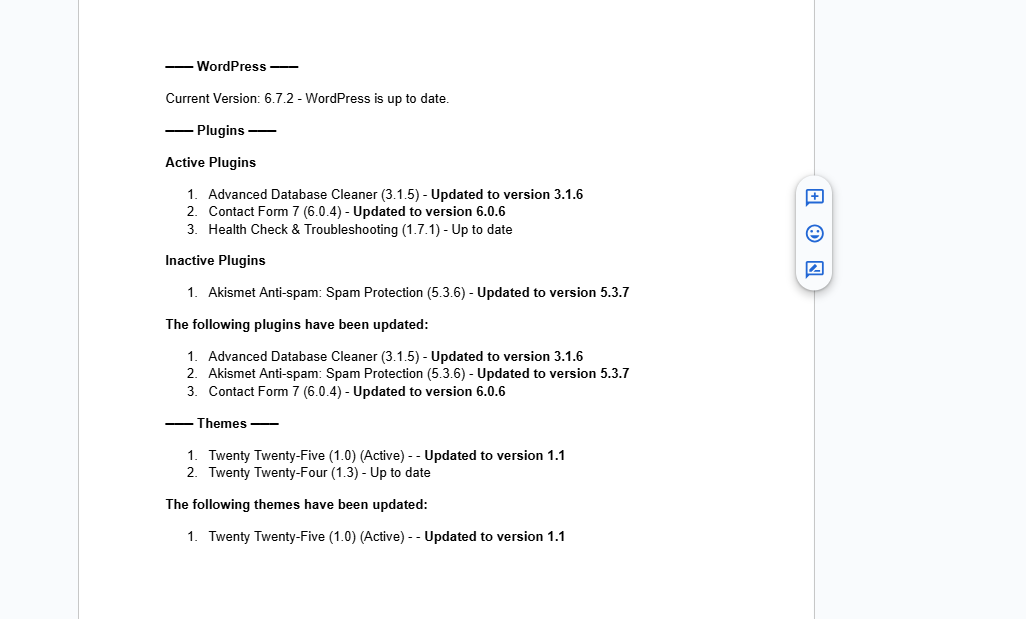
Copy to Clipboard feature in action.
Changelog
1.0
- Initial release.