

WG Responsive Slider
Build responsive sliders quickly and easily with WG Responsive Slider. We use Owl Carousel v2 and CSS3 animations to meet your needs.
Plugin info
Maintenance & Compatibility
Maintenance score
Stale • Last updated 357 days ago • 1 reviews
Is WG Responsive Slider abandoned?
Likely maintained (last update 357 days ago).
Compatibility
Similar & Alternatives
Explore plugins with similar tags, and compare key metrics like downloads, ratings, updates, support, and WP/PHP compatibility.
Description
Overview
WG Responsive Slider is built using WordPress best practices for both frontend and backend development. This results in an efficient, robust, and intuitive plugin that works with any theme, including WordPress Default Themes. The plugin is fully customizable and suitable for both technical and non-technical users.
Usage
- Install and activate the plugin
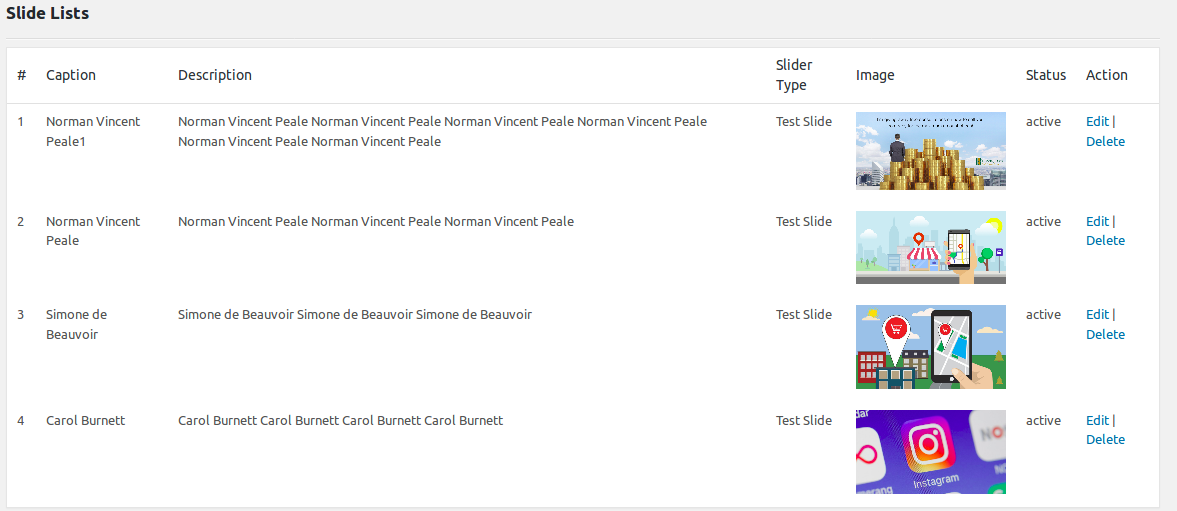
- Go to “Manage Sliders” under WG Slider
- Click “Add New Slider”
- Add slides with titles, images, and content
- Copy the shortcode and place it in a post, page, or template
- Done!
Installation
Minimum Requirements
- WordPress 5.5 or greater
- PHP version 7.4 or greater
- MySQL version 5.6 or greater
Features
• The most SEO-friendly slider plugin in the market!
• Easy-to-use interface
• Create fully responsive and device-optimized sliders
• Cross-browser compatibility – works well on all popular browsers
• Lightweight output compared to other plugins
• HTML5-valid and clean markup
• Touch swipe navigation
• Manage slideshows with various options:
– Caption show/hide
– Caption alignment
– Slides per page
– Autoplay
– Navigation
– Bullets
– Multiple effects
– Loop functionality
• 24/7 expert support
• User-friendly admin panel
• CSS3 transitions with jQuery fallback
• Hardware-accelerated CSS3 3D transforms
• Optimized for all screen sizes and touch devices
• Smart asset loading
• Mouse wheel navigation
• Customizable arrows
• Exclusive shortcodes & custom functions for template files
• Scroll handle slide indicator
• Admin-only slider management
• Built-in cache boosting
• Multi-site compatible
Compatible Browsers
- Chrome
- Firefox
- Opera
- Edge
- Safari
- IE11
- iPad, iPhone
- Android devices
Documentation
If you have any questions about working with “WG Responsive Slider”, you can reach us on Twitter WG
Automatic Installation (Recommended)
- Log in to your WordPress dashboard
- Navigate to the Plugins menu
- Click “Add New”
- Search for “WG Responsive Slider”
- Click “Install Now”
Manual Installation
Via WordPress Dashboard
- Download
wg-responsive-slider.zip - Navigate to “Add New” in the Plugins dashboard
- Click the “Upload” button
- Select
wg-responsive-slider.zip - Click “Install Now”
- Activate the plugin
Via FTP
- Download
wg-responsive-slider.zip - Extract the folder
- Upload it to
/wp-content/plugins/ - Activate the plugin
For more details, see the WordPress Codex.
Frequently Asked Questions
Yes, it is 100% free.
Yes, it is fully compatible with WordPress 6.8 and PHP 7.4 to 8.3.
Yes, it is tested across all major desktop and mobile browsers.
Review feed
Screenshots



Changelog
1.2
- Tested up to WordPress 6.8
- Added compatibility for PHP 8.0, 8.1, 8.2, and 8.3
- Refactored core codebase to follow modern PHP best practices
- Reorganized and cleaned up asset files
- Improved enqueue logic and admin UI experience
- Minor bug fixes and performance enhancements
1.1
- Reduced minimum slide caption length to 3 characters
- Fixed README typos
1.0
- Initial release