

Product Warranty and Guarantee for WooCommerce
Add and manage product warranties and guarantees with expiry dates, badges, and tooltips for WooCommerce.
Plugin info
Maintenance & Compatibility
Maintenance score
Maintained • Last updated 125 days ago • 1 reviews
Is Product Warranty and Guarantee for WooCommerce abandoned?
Likely maintained (last update 125 days ago).
Compatibility
Similar & Alternatives
Explore plugins with similar tags, and compare key metrics like downloads, ratings, updates, support, and WP/PHP compatibility.
Description
Product Warranty and Guarantee for WooCommerce lets WooCommerce store owners add professional warranty or guarantee info to their products. It is simple, lightweight, and provides clear warranty details to customers, improving trust and reducing support queries.
Key Features:
- Warranty/Guarantee Expiry Date – Add expiry date to each warranty or guarantee. Expired warranties are automatically hidden on the frontend.
- Multiple Warranty Options per Product – Add multiple warranty or guarantee options for a single product.
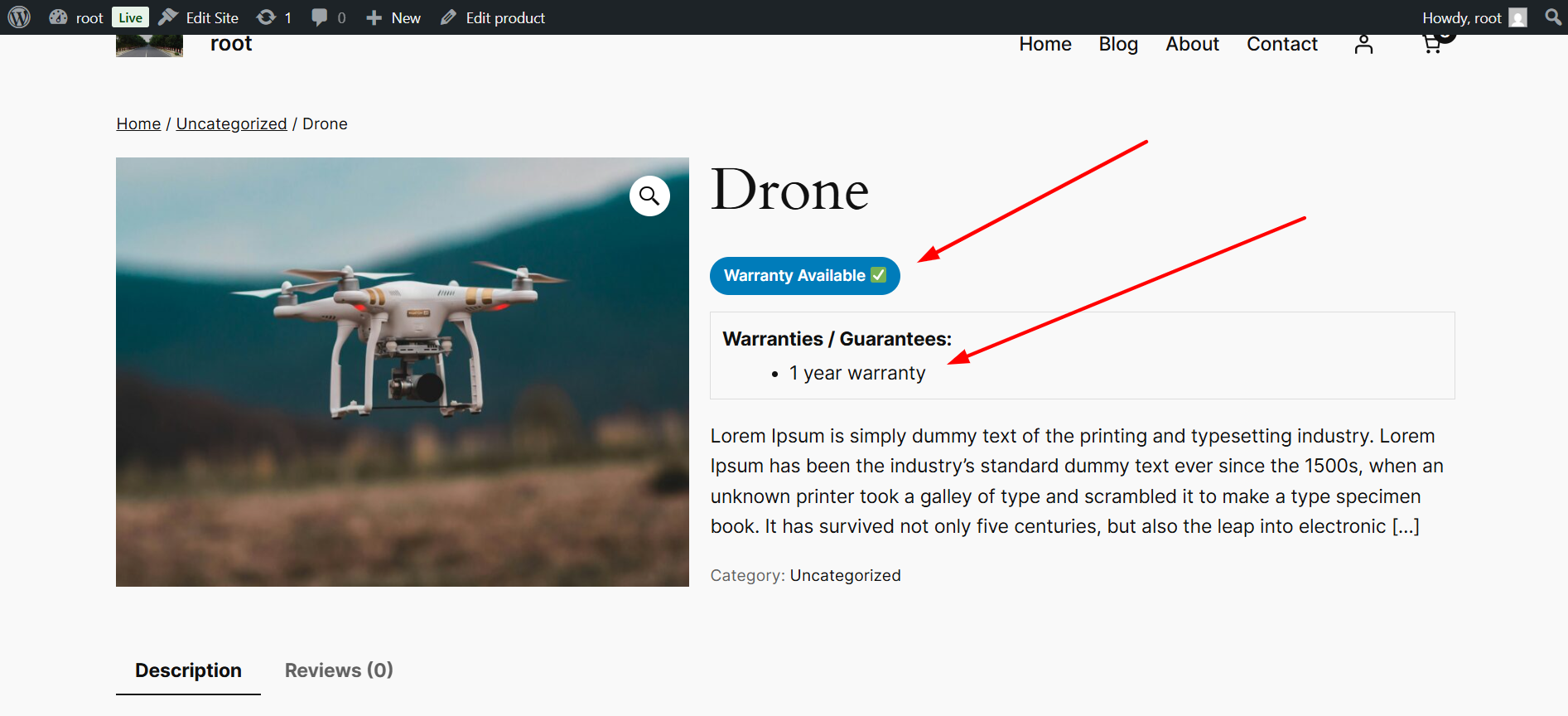
- Frontend Tooltip/Popup – Display extra info when hovering over the warranty or guarantee.
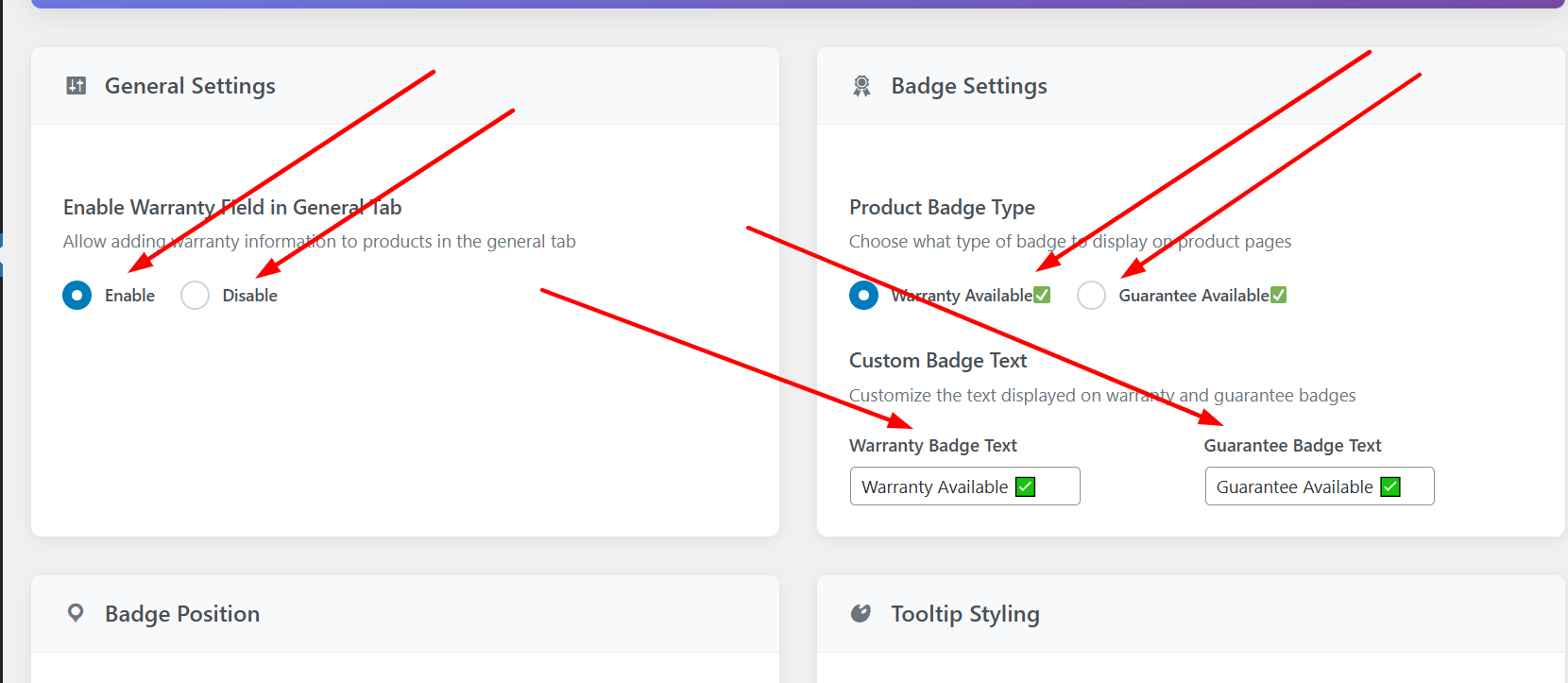
- Product Badge Type – Choose whether the badge shows “Warranty Available” or “Guarantee Available”.
- Custom Badge Text – Admin can customize badge text to match branding.
- Badge Position – Choose where the badge appears on the product page (Product Title, Price, or Product Meta Section).
Why use this plugin?
- Build customer trust: Display clear and accurate warranty/guarantee info.
- Professional appearance: Badges, tooltips, and expiry dates make your product pages look polished.
- Upsell opportunities: Multiple warranty options allow flexible offers for your customers.
- Easy admin control: Badge type, text, and position are fully manageable from the WordPress admin panel.
- Reduce support queries: Tooltip information and automatic expiry hiding inform customers clearly.
Support
For support, please visit https://wordpress.org/support/plugin/wcpw-product-warranty/ or contact us at [email protected].
Installation
- Upload the plugin folder to the
/wp-content/plugins/directory, or install the plugin through the WordPress plugins screen directly. - Activate the plugin through the ‘Plugins’ screen in WordPress.
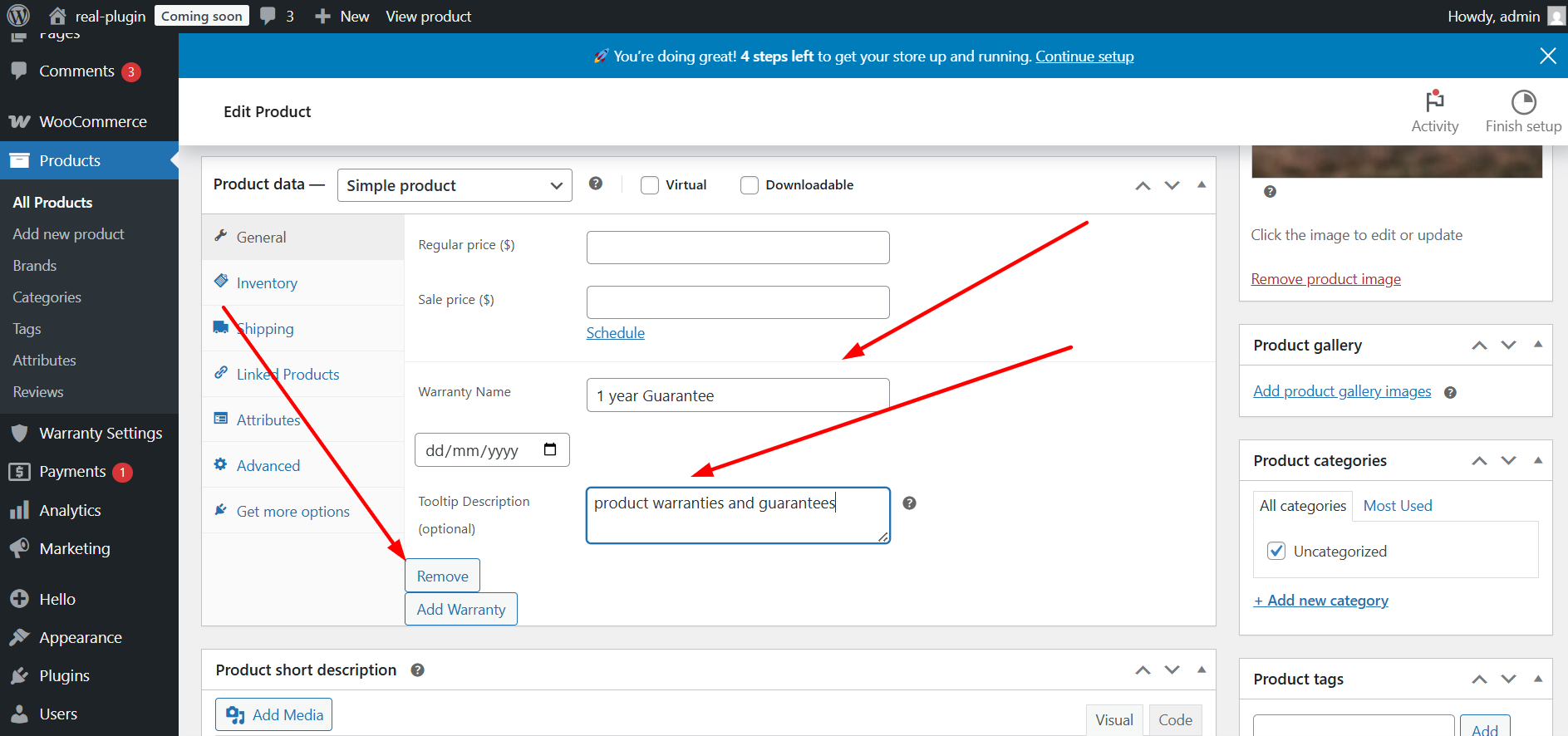
- Go to WooCommerce Products Edit Product to add warranties or guarantees.
- Use the plugin settings page to configure badge type, text, and position.
Frequently Asked Questions
Yes, you can add as many warranty or guarantee options as needed per product.
Yes, you can change the text via the plugin settings page.
No, expired warranties are automatically hidden from the product page.
Yes, you can choose the position: Product Title, Price, or Product Meta Section.
Yes, it is fully compatible with WooCommerce.
Review feed
Great Plugin for products gurantee or warranty!
Screenshots

Product page with warranty badge and tooltip.
Admin settings page with badge type, text, and position options.
Product edit page showing multiple warranty options.
Expiry date field for each warranty/guarantee.

Changelog
1.0.0
- Initial release
- Added Warranty/Guarantee Expiry Date
- Multiple Warranty Options per Product
- Frontend Tooltip/Popup
- Product Badge Type selection
- Custom Badge Text
- Badge Position control