

What Singular Template
Displays name of template assigned to a post, page or public custom post type in admin posts list table.
Plugin info
Maintenance & Compatibility
Maintenance score
Possibly abandoned • Last updated 495 days ago
Is What Singular Template abandoned?
Possibly abandoned (last update 495 days ago).
Compatibility
Languages
Similar & Alternatives
Explore plugins with similar tags, and compare key metrics like downloads, ratings, updates, support, and WP/PHP compatibility.
Description
Helpful tool displaying name of a (theme) template assigned to a post, page or public custom post type in admin posts list table.
Installation
- Unzip the plugin download file and upload
what-singular-templatefolder into the/wp-content/plugins/directory. - Activate the plugin through the “Plugins” menu in WordPress.
- Plugin works immediately after activation by adding additional column to page/post/custom post type list table in WordPress admin.
Frequently Asked Questions
Once you enable the plugin, it adds new “Template” column in posts list table in WordPress admin area. Simply navigate to “Posts” or “Pages” admin screen to preview.
Review feed
Screenshots
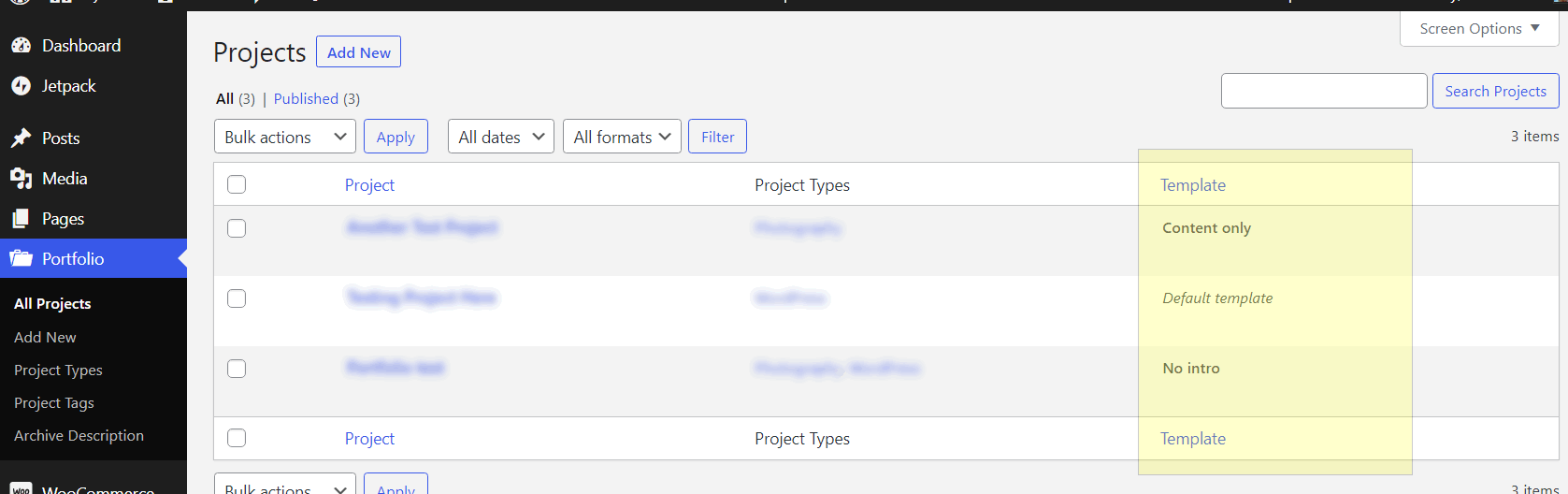
Posts list table with "Template" column.

Assigning a (theme) template to a page or post.
Changelog
Please see the changelog.md file for details.