

Where I Was, Where I Will Be
A Plugin that use Google Maps to show where you was and where you will be! Although you can use it to show anything in a map!
Plugin info
Maintenance & Compatibility
Maintenance score
Possibly abandoned • Last updated 3370 days ago • 3 reviews
Is Where I Was, Where I Will Be abandoned?
Possibly abandoned (last update 3370 days ago).
Compatibility
Similar & Alternatives
Explore plugins with similar tags, and compare key metrics like downloads, ratings, updates, support, and WP/PHP compatibility.
Description
With this plugin you have freedom to show places using Google Maps Api.
You have a lot of place registered, but just one to show one? It is easy!
You want to show more than one map in a page? No Problem!
You want to use custom pin to show your places? Just upload it!
You can show place for time (when you arrived at the place and when you left ). You can plan you travel ahead, but show only up to the current day.
Installation
- Upload all files to the
/wp-content/plugins/directory - Activate the Where I Was, Where I Will be plugin through the ‘Plugins’ menu in WordPress
- Insert new locals
- Have fun
Frequently Asked Questions
Review feed
Screenshots

Inserting a New Local

Select the right place. The pin is draggable

How it will show in your site (each color is a different type)

Insert a picture at the local
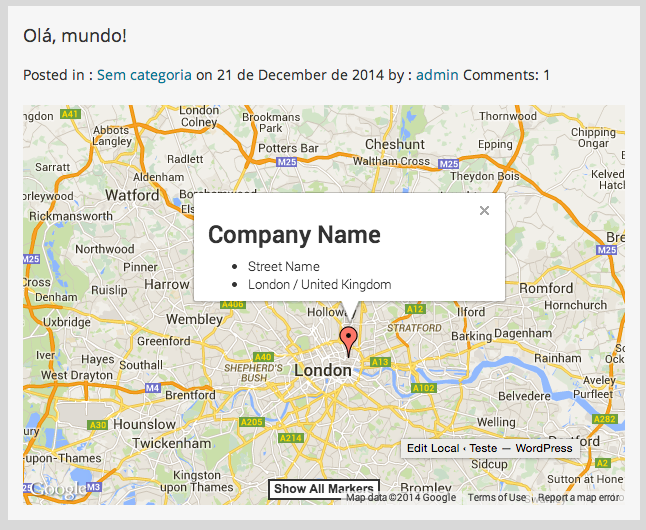
Use this plugin to insert a single place on the map

It's fully customizable, and easy to create the shortcode

You also can change how the map will be displayed

Function Cluster Markers
Changelog
1.1.1
- Fixed bug when initial coordinates was not set on shortcode
1.1.0
- Fixed bug on add/edit places (Thanks to Marc)
1.0.9
- Fixed bug with Title field
1.0.8
- Included Text on Types (Now you can change all texts at once)
- Included option to show text from Type or from Local
- Fixed conflict when there is a single quote (‘) on text
- Solved some minor issues
1.0.7
- Included option to include a title on a local
1.0.6
- Added option to disable wheel scroll on map
- Option to choose the coordinate where map will start
1.0.5
- Add option to cluster markers (Using: https://github.com/googlemaps/js-marker-clusterer)
- Adjust minor issue when loading map
- Removed not used javascript files
1.0.4
- Adjust loading info from Google Maps (Admin page)
1.0.3
- Adjust error when loading Flag (Admin page)
- Adjust var when transfer info from Map to Form (Admin page)
1.0.2
- Adjust error at loading map on user side
1.0.1
- Change name of some variable to avoid conflict with themes and other plugins
1.0
- First Release