

Plugin info
Maintenance & Compatibility
Maintenance score
Possibly abandoned • Last updated 2836 days ago • 21 reviews
Is Widgets in Menu for WordPress abandoned?
Possibly abandoned (last update 2836 days ago).
Compatibility
Similar & Alternatives
Explore plugins with similar tags, and compare key metrics like downloads, ratings, updates, support, and WP/PHP compatibility.
Description
Allows you to add Widgets in WordPress Navigation Menus via a custom widget area and an extra box in menu edit screen.
Warning
You will need to have some CSS skills for the widgets to display properly in nav menus.
Usage
View the screenshots for usage instructions.
Source code and Contributions
Contributions are always welcome
Documentation
- Most documentation is inline.
- The hooks (actions and filters) are documented in the Other Notes.
- Some useful stuff is in the FAQ section.
Hooks
Actions
yawp_wim_pre_callback
Fires before a widget’s display callback is called. Similar to ‘dynamic_sidebar’ action.
Parameters
- $yawp_wim_widget array An associative array of widget arguments.
- string $name Name of the widget.
- string $id Widget ID.
- array|callback $callback When the hook is fired on the front-end, $callback is an array containing the widget object. Fired on the back-end, $callback is ‘wp_widget_control’, see $_callback.
- array $params An associative array of multi-widget arguments.
- string $classname CSS class applied to the widget container.
- string $description The widget description.
- array $_callback When the hook is fired on the back-end, $_callback is populated with an array containing the widget object, see $callback.
Filters
yawp_wim_attribute_prefix
Filters the prefix used in class/id attributes in html display.
Parameters
- $default_prefix string The default prefix: ‘yawp_wim’
yawp_wim_widget_params
Filter the parameters passed to the widget’s display callback. Similar to ‘dynamic_sidebar_params’ filter
Parameters
- $params array
- array $args An array of widget display arguments.
- string $name Name of the sidebar the widget is assigned to.
- string $id ID of the sidebar the widget is assigned to.
- string $description The sidebar description.
- string $class CSS class applied to the sidebar container.
- string $before_widget HTML markup to prepend to each widget in the sidebar.
- string $after_widget HTML markup to append to each widget in the sidebar.
- string $before_title HTML markup to prepend to the widget title when displayed.
- string $after_title HTML markup to append to the widget title when displayed.
- string $widget_id ID of the widget.
- string $widget_name Name of the widget. }
- array $widget_args An array of multi-widget arguments.
- int $number Number increment used for multiples of the same widget.
- array $args An array of widget display arguments.
yawp_wim_no_widgets_message
Filters the html displayed if no widgets are present in the sidebar.
Parameters
- $no_widgets_output array The default output
Installation
- Install the plugin from the ‘Plugins’ section in your dashboard (Go to Plugins > Add New > Search and search for Widgets in Menu for WordPress).
- Alternatively, you can download the plugin from the repository. Unzip it and upload it to the plugins folder of your WordPress installation (wp-content/plugins/ directory of your WordPress installation).
- Activate it through the ‘Plugins’ section.
Frequently Asked Questions
The widgets show up, but the display is all messed up.
That’s because the css for the nav menu was never meant to take care of widgets.
For example, if the widget contains a link, you might have to redo it. If it’s a calendar:
.yawp_wim_wrap a {
width: auto !important;
padding: 0 !important;
}
How does one style the widgets?
Inspect element is your friend. Otherwise, the menu item will have the classes menu-item-type-yawp_wim, menu-item-object-yawp_wim.
Additionally, the widget will be wrapped in a div with the class yawp_wim_wrap.
Using these selectors, one can style the widgets.
Also, using various filters (see: Other Notes), especially yawp_wim_attribute_prefix, you can change this yawp_wim prefix to something of your own:
add_filter('yawp_wim_attribute_prefix','my_prefix');

function my_prefix($default_prefix){
    return 'my_prefix';
}
The wrapper class will now be my_prefix_wrap and so on.
How does one use the plugin?
View the screenshots for usage instructions.
Installation Instructions
- Install the plugin from the ‘Plugins’ section in your dashboard (Go to Plugins > Add New > Search and search for Widgets in Menu for WordPress).
- Alternatively, you can download the plugin from the repository. Unzip it and upload it to the plugins folder of your WordPress installation (wp-content/plugins/ directory of your WordPress installation).
- Activate it through the ‘Plugins’ section.
Review feed
Screenshots
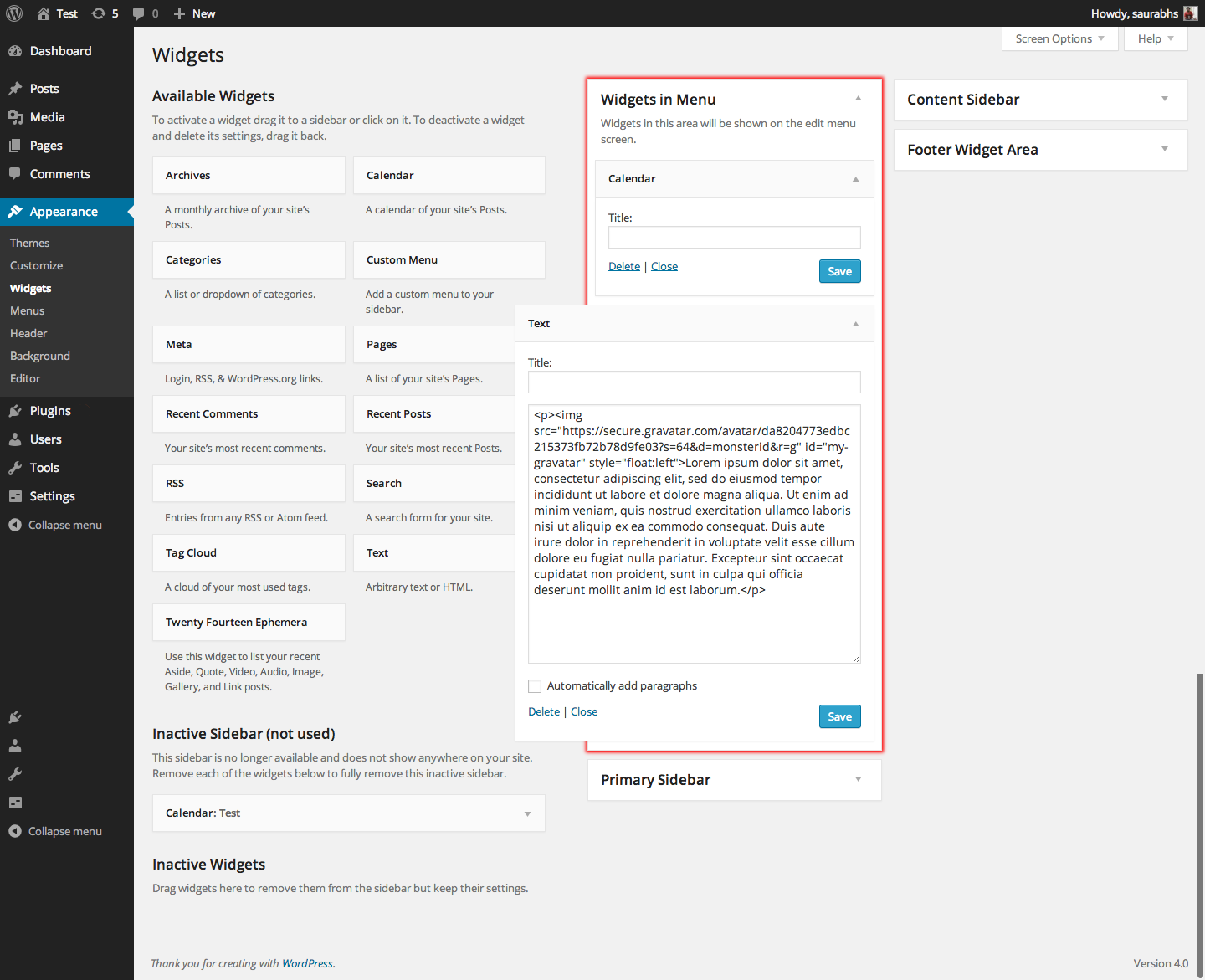
Add any widget to the 'Widgets in Menu' widget area.
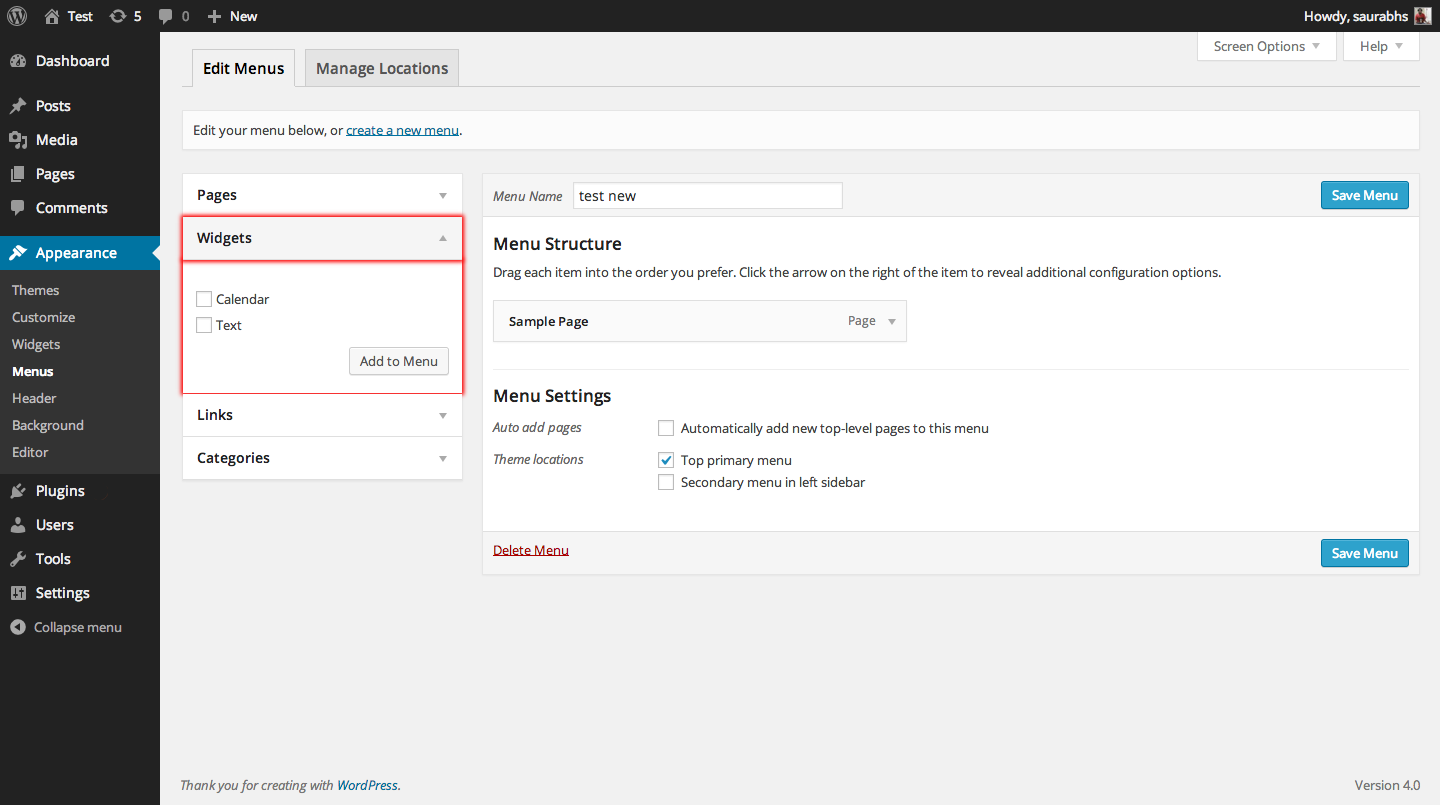
Your widgets appear in an new metabox on the Edit Menus screen.

Add your widget to any menu, just like you add pages or posts.

Your widget starts appearing in the navigation menu.
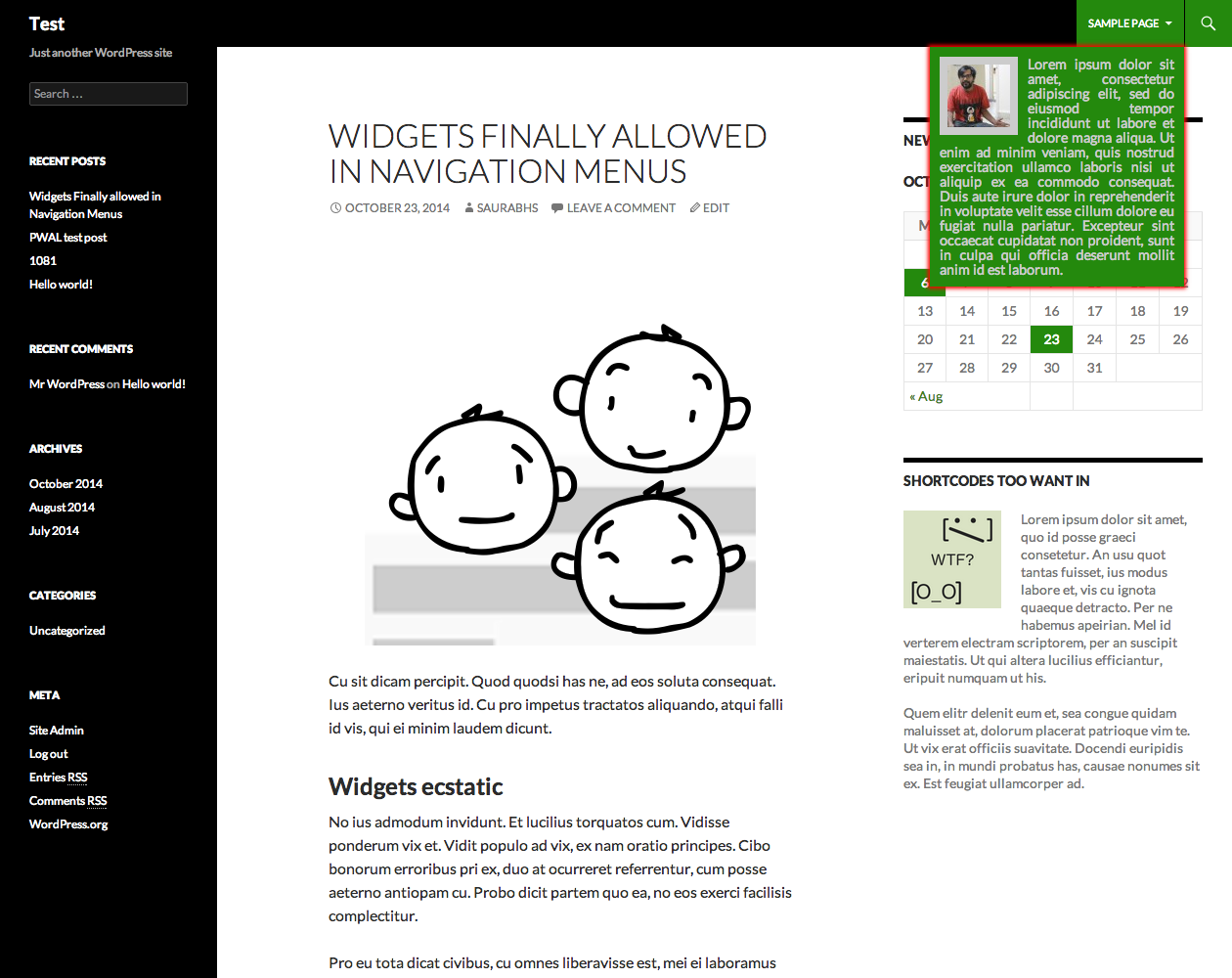
Add css as per taste to finalise the look.
Changelog
1.0.0
- Fixed i18n issues.
- Added Composer support
- Fix issues with empty widget titles thanks to Niklas Rosenqvist
0.2.1
- Fixed notice.
- Moved attribute prefix to main file.
0.2.0
- Refactored code completely in line with WP standards.
- Fixed notices by overriding WP’s default add menu item function.
0.1.0
- Added translation support.
- Added label for single menu item.
- Added Widget type + Set title just like widget areas.
- Improved js.
- Added minified js.
- Better filter for html element attribute.
- Better inline documentation.
- Improved readme and help.
- Added screenshots.
0.0.1
- Initial Plugin uploaded.