

Wine Club Connection
An easy to set up Woocommerce plugin to give your store recurring club functionality. Ideal for Wine Club Connection, subscription boxes, or any busin …
Plugin info
Maintenance & Compatibility
Maintenance score
Possibly abandoned • Last updated 1085 days ago • 1 reviews
Is Wine Club Connection abandoned?
Possibly abandoned (last update 1085 days ago).
Compatibility
Similar & Alternatives
Explore plugins with similar tags, and compare key metrics like downloads, ratings, updates, support, and WP/PHP compatibility.
Description
Wine Club Connection is an easy to use Woocommerce plugin to give your store recurring club functionality. Ideal for Wine Club Connection, subscription boxes, or any business based on recurring product memberships.
Key features:
Membership system creation
Membership discounts
Shipping Discounts for Members
Use WooCommerce Products for Automated Member Enrollment
Restrict Products based on membership levels
Pro add on:
Batch & Automated Billing
Square POS 2-way
Repeat purchases drive brand loyalty – a customer loyal to a brand becomes an advocate who will refer future customers month over month.
Installation
Minimum Requirements
- PHP 7.2 or greater is recommended
- MySQL 5.6 or greater is recommended
Automatic installation
Automatic installation is the easiest option — WordPress will handles the file transfer, and you won’t need to leave your web browser. To do an automatic install of Club Connection, log in to your WordPress dashboard, navigate to the Plugins menu, and click “Add New.”
In the search field type “Wine Club Connection,” then click “Search Plugins.” Once you’ve found us, you can view details about it such as the point release, rating, and description. Most importantly of course, you can install it by! Click “Install Now,” and WordPress will take it from there.
Manual installation
Manual installation method requires downloading the Wine Club Connection plugin and uploading it to your web server via your favorite FTP application. The WordPress codex contains instructions on how to do this here.
e.g.
- Download “Wine Club Connection” plugin
- Upload ‘wine-club-connection’ to the ‘/wp-content/plugins/’ directory
- Activate the plugin through the ‘Plugins’ menu in WordPress
Frequently Asked Questions
Review feed
Superb Plugin
Screenshots
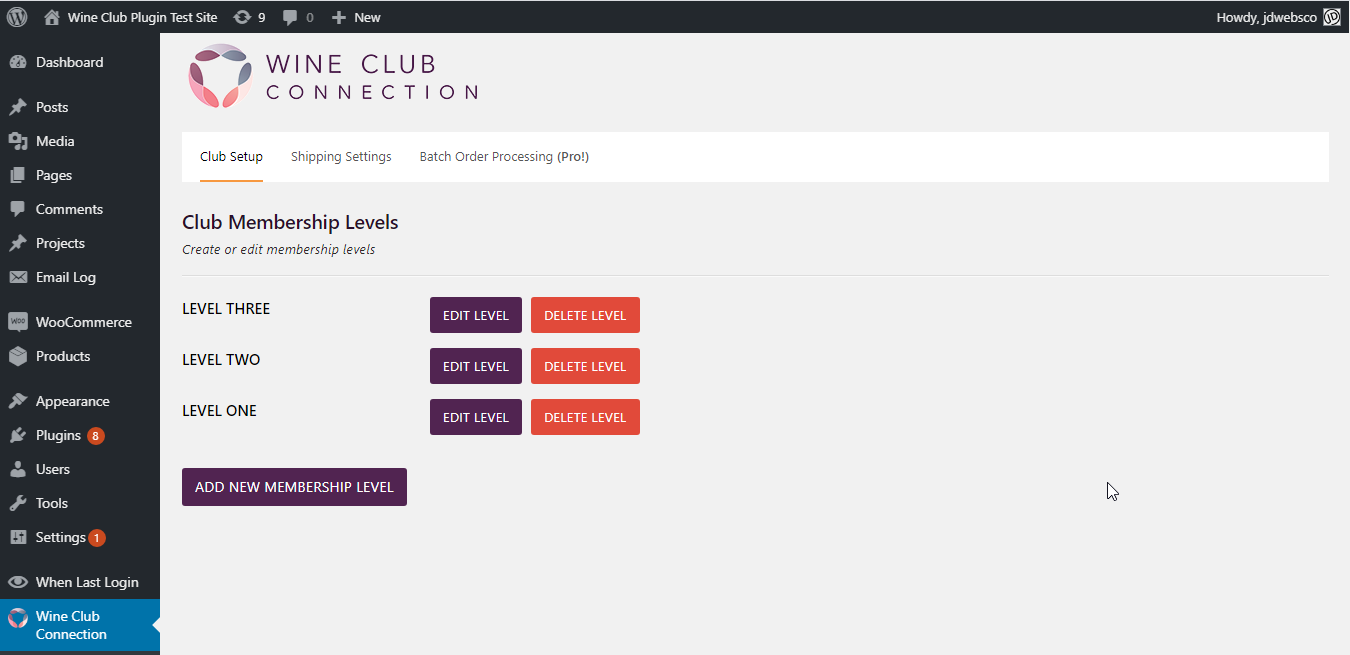
/assets/screenshot-1.png

/assets/screenshot-2.png

/assets/screenshot-3.png

/assets/screenshot-4.png
Changelog
1.0.1
Some small bug fixes
V 1.0.2
Added support for square credit card processing
V 1.0.5
Club Connection icon change and description
V 1.0.6
improvements to UI language
small bug fixes
V 1.0.7
Name Changes : From Wine Club to Club Connection
V 1.0.8
Name Changes : From Club Connection to Wine Club Connection
V 1.0.9
update file locations, sanitization, remove error reporting
V 1.1.0
update file locations, solving some issues,latest wp version test
V 1.1.1
Latest wp version test
V 1.1.2
Latest wp version test
V 1.1.3
Latest wp version test