

Wisly
Feature-rich wishlist plugin with AJAX functionality, guest wishlists, and social sharing for WooCommerce stores.
Plugin info
Maintenance & Compatibility
Maintenance score
Maintained • Last updated 150 days ago
Is Wisly abandoned?
Likely maintained (last update 150 days ago).
Compatibility
Similar & Alternatives
Explore plugins with similar tags, and compare key metrics like downloads, ratings, updates, support, and WP/PHP compatibility.
Description
Wisly is a comprehensive wishlist solution that enhances your WooCommerce store with powerful wishlist functionality. This plugin provides a seamless shopping experience for your customers with features designed to increase engagement and sales.
Key Features
- AJAX Wishlist Management – Add/remove products instantly without page reload
- Guest Wishlist Support – Allow non-registered users to create wishlists
- Multiple Wishlists – Users can create and manage multiple wishlists
- Social Sharing – Share wishlists on social media platforms
- Price Drop Notifications – Get notified when wishlist items go on sale
- Flexible Button Placement – Customize wishlist button positions
- Email Notifications – Stay updated with wishlist activities
- Responsive Design – Works perfectly on all devices
- WooCommerce Compatible – Fully compatible with WooCommerce 3.0+
Button Placement Options
- After Add to Cart button
- Before Add to Cart button
- On product image (overlay)
- Custom shortcode placement
Shortcodes
[wisly_wishlist]– Display user’s wishlist[wisly_wishlist_count]– Display wishlist count
Features for Store Owners
- Guest Wishlist Management – Track and manage guest wishlists
- Analytics Dashboard – Monitor wishlist performance
- Email Marketing Integration – Convert wishlist users to customers
- Bulk Operations – Manage multiple wishlists efficiently
- Export/Import – Backup and restore wishlist data
Features for Customers
- Easy Wishlist Creation – One-click add to wishlist
- Multiple Lists – Organize products in different wishlists
- Price Tracking – Get notified of price drops
- Social Sharing – Share wishlists with friends and family
- Email Notifications – Stay updated on wishlist items
- Mobile Friendly – Perfect experience on mobile devices
Perfect For
- E-commerce stores looking to increase customer engagement
- Stores with seasonal or limited-time products
- Businesses wanting to track customer interest
- Stores with gift-giving customers
- Any WooCommerce store wanting to improve user experience
Support
For support, feature requests, or bug reports, please visit our support forum or contact us at [email protected].
License
This plugin is licensed under the GPL v2 or later.
Privacy
This plugin collects and stores wishlist data for registered users and guest sessions. No personal data is shared with third parties. Guest wishlist data is stored in browser sessions and is not permanently stored on the server.
Installation
- Upload the
wislyfolder to the/wp-content/plugins/directory - Activate the plugin through the ‘Plugins’ menu in WordPress
- Ensure WooCommerce is installed and activated
- Configure the plugin settings in WooCommerce > Settings > Wishlist
- The wishlist page will be automatically created at
/wishlist/
Requirements
- WordPress 5.0 or higher
- WooCommerce 3.0 or higher
- PHP 7.4 or higher
Frequently Asked Questions
Yes! The plugin supports guest wishlists. Guests can add products to their wishlist and the data is stored in their browser session.
By default, users can create up to 10 wishlists. This can be configured in the plugin settings.
Yes! You can customize button text, colors, and position through the plugin settings.
The plugin is designed to work with most WooCommerce-compatible themes.
Yes, the plugin includes export functionality for wishlist data in the admin area.
Yes, the plugin automatically checks for price drops and sends notifications based on your configured settings.
Yes, you can disable guest wishlist functionality in the plugin settings.
Yes, the plugin is fully translation-ready and includes .pot files for translation.
Review feed
Screenshots

Wishlist button on product page

Wishlist page with products

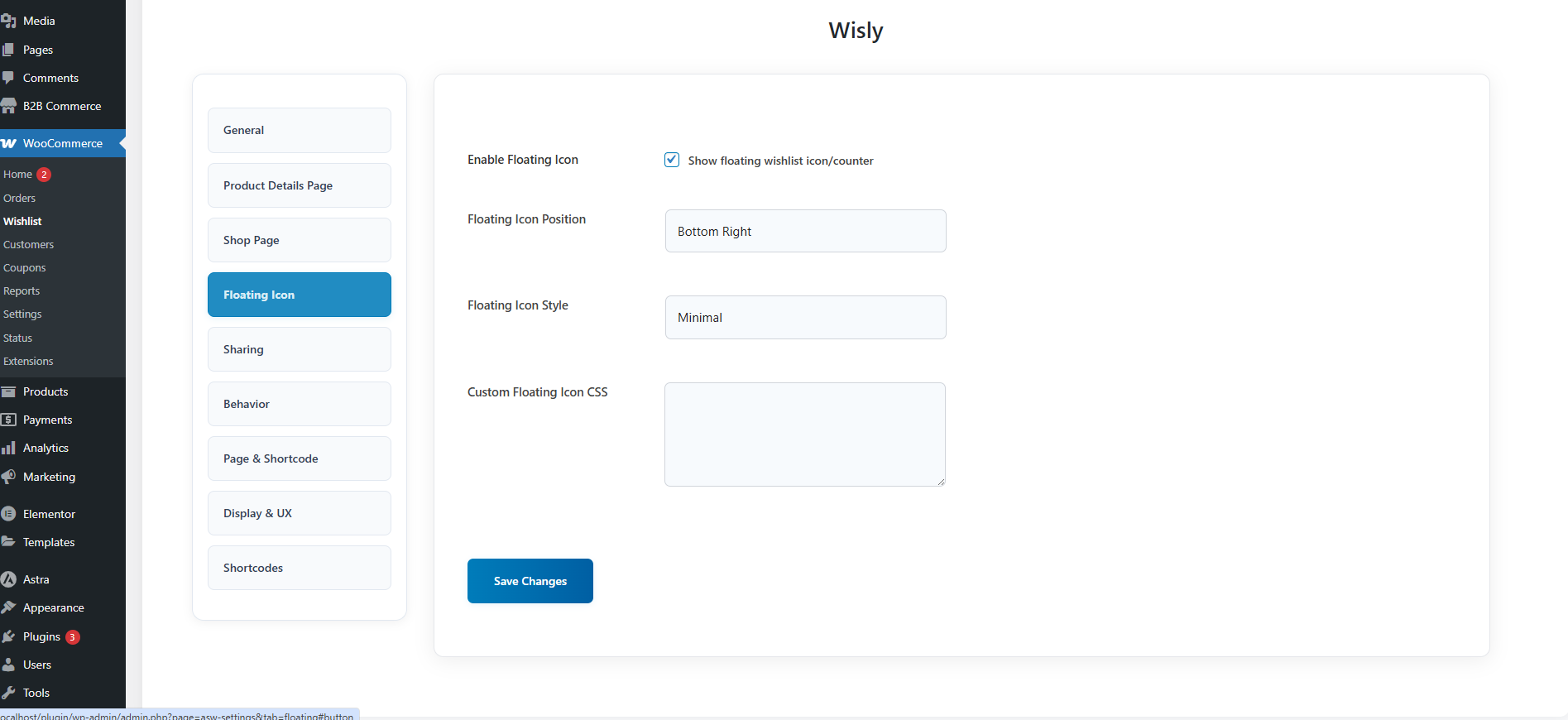
Admin settings panel
Multiple wishlists interface

Social sharing options

Price drop notification settings


Changelog
1.0.0
- Initial release
- AJAX wishlist functionality
- Guest wishlist support
- Multiple wishlists feature
- Social sharing integration
- Price drop notifications
- Email notifications
- Responsive design
- WooCommerce compatibility
- Shortcode support
- Admin dashboard
- Export/import functionality