

Cart Additional Fee For WooCommerce
Add Additional Fee to your Customer Cart Based on Some Filters.
Plugin info
Maintenance & Compatibility
Maintenance score
Maintained • Last updated 170 days ago • Support resolved 100% • 4 reviews
Is Cart Additional Fee For WooCommerce abandoned?
Likely maintained (last update 170 days ago).
Compatibility
Similar & Alternatives
Explore plugins with similar tags, and compare key metrics like downloads, ratings, updates, support, and WP/PHP compatibility.
Description
This plugins helps admin to add an additional fee to the WooCommerce cart. Admin can add additional fee label and fee amount both fixed & percentage fee type are available. Also can filter fee to specific product. Admin can also apply fee based on cart amount like minimum amount or maximum amount or both min max amount. Admin can also enable fee for specific customer country.
Features:
- Add Additional Fees: Easily apply extra fees to the WooCommerce shopping cart.
- Custom Fee Label: Set a custom label for the additional fee displayed to customers.
- Enable/Disable Fees: Toggle the additional fee functionality on or off as needed.
- Cart Amount Range: Define minimum and maximum cart totals to apply the fee.
- Product-Based Fees: Restrict fees to specific products only.
- Country-Based Fees: Apply fees based on the customer’s billing or shipping country.
Installation
To add a WordPress Plugin using the built-in plugin installer:
Go to Plugins > Add New.
- Type in the name “Cart Additional Fee For WooCommerce” in Search Plugins box
- Find the “Cart Additional Fee For WooCommerce” Plugin to install.
- Click Install Now to begin the plugin installation.
- The resulting installation screen will list the installation as successful or note any problems during the install.
If successful, click Activate Plugin to activate it, or Return to Plugin Installer for further actions.
Frequently Asked Questions
Just after installing Cart Additional Fee For WooCommerce plugin, Go to WooCommerce > Settings > Cart Additional Fee tab.
Update inputs according to your requirement and you are good to go.
Review feed
Screenshots
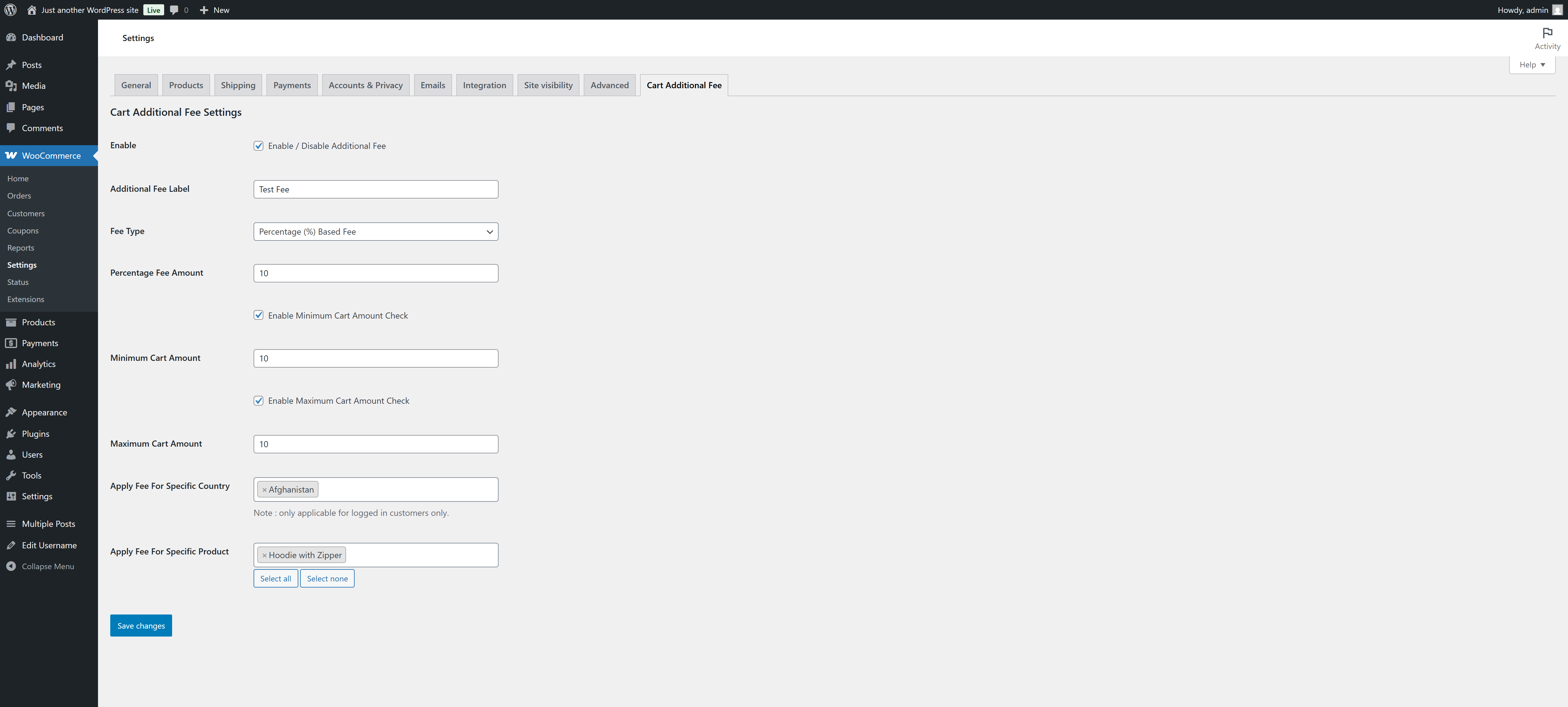
Settings panel for Cart Additional Fee For WooCommerce Plugin.
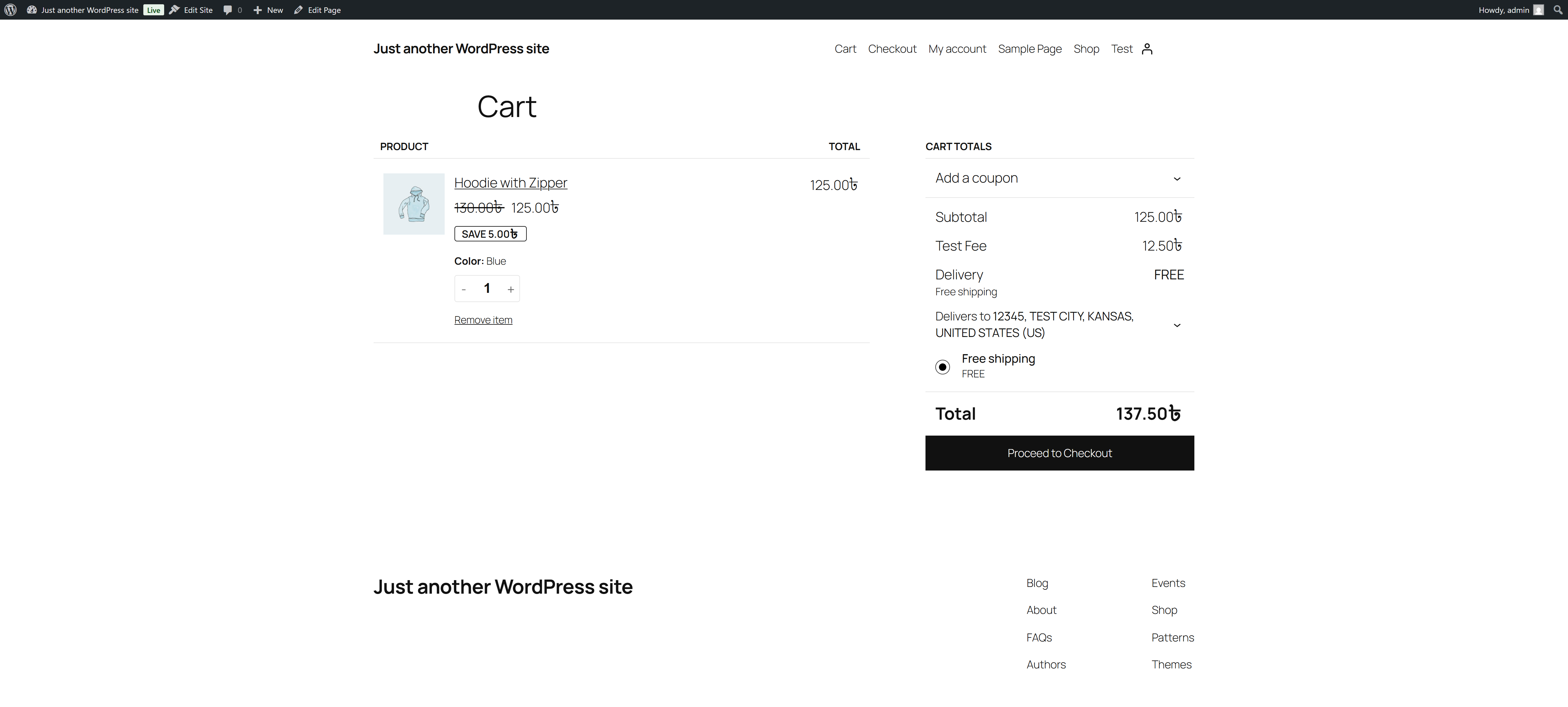
Additional Fee displayed in cart using Cart Additional Fee For WooCommerce plugin.
Changelog
2.0.6
- added support for wc HPOS
2.0.5
- Changed plugin name for complying with the trademark
2.0.4
- Changed plugin name for complying with the trademark
2.0.3
- Added applicable for field to filter where to apply the fee, ex: subtotal or subtotal + shipping
2.0.2
- Checked for latest wp version 6.8
2.0.1
- Minor changes in codebase only.
2.0.0
- Checked for compatibility for wp 6.7
1.0.4
- Checked for compatibility for wp 6.6
1.0.3
- Checked for compatibility for wp 6.3
1.0.2
- Improved Coding Style & Checked for compatibility for wp 6.0
1.0.1
- Added ‘Enable Fee For Customer Country’ Filter…
- Improved Coding Style & Added lot’s of comments..
1.0.0
- Initial release.