

Popup For WooCommerce Checkout (FREE)
This plugin enables instant woocommerce checkout through popup. Seamlessly integrate into product details page with full admin control settings.
Plugin info
Maintenance & Compatibility
Maintenance score
Stale • Last updated 191 days ago • 4 reviews
Is Popup For WooCommerce Checkout (FREE) abandoned?
Likely maintained (last update 191 days ago).
Compatibility
Similar & Alternatives
Explore plugins with similar tags, and compare key metrics like downloads, ratings, updates, support, and WP/PHP compatibility.
Description
Popup For WooCommerce Checkout formerly known as Woocommerce checkout on popup plugin, enables instant woocommerce checkout through popup. Woocommerce checkout on popup plugin sets fast woocommerce checkout through cart popup and checkout popup from shop page, product details page with full admin control settings.
This tool provides instant checkout within popup on that same page.
Popup For WooCommerce Checkout plugin giving you Three Tools within One Plugin, 1st is Checkout Popup, and 2nd is Instant Checkout and the 3rd is Global Cart Icon.
Woocommerce checkout popup, Woocommerce cart popup, Woocommerce global cart icon, Woocommerce skip cart, these are the main features of Popup For WooCommerce Checkout plugin.
This plugin gives store admin full freedom to choose various options based on your requirement from woocommerce settings.
STEPS:
Admin –> WooCommerce –> Settings –> Checkout Popup
KEY FEATURES
- Global Cart Icon.
- Fully Responsive Popup
- Shortcode '[WPS_WCP_OPEN]'  to open the popup from any link.
- Check Popup Display Conditions.
    -- Immediately after product added to cart.
    -- After click on Cart page link.
- Steps of Checkout.
    -- Cart and Checkout, the default WooCommerce way.
    -- Skip Cart page, Fast Checkout process.
- Global Icon, On Footer
    -- Enable.
    -- Disable.
- Global Icon Visibility.
    -- All Pages.
    -- Only Home Page.
    -- Only WooCommerce functional pages.
- Global icon Background and Hover Color.
- Popup Header Text, Footer Text.
- Popup Footer Buttons.
- Popup Background Color.
- Popup Custom CSS.
Do you need some more features Or any query?
Mail us at [email protected]
This popup design not going well with your store’s activated theme?
Don’t worry, we are here to fix, just email us with the screenshot at [email protected]
*** Keep In Mind, Before you activate Premium version, please deactivate Free Version and vice-versa. ***
Installation
- Upload the plugin files to the
/wp-content/plugins/directory, or install the plugin through the WordPress plugins screen directly. - Activate the plugin through the ‘Plugins’ screen in WordPress.
- Click on ‘Settings’ link under WooCommerce Checkout On Popup on plugins screen.
- Admin –> WooCommerce –> Settings –> Checkout Popup
Frequently Asked Questions
Please write to us on [email protected]
Go here, WooCommerce Checkout On Popup @ 19 USD
Send you requirements to [email protected]
Please write to us on [email protected]
Please write to us on [email protected]
Do you need more features on this plugins? feel free to connect with us, we are WPSuperiors(http://www.wpsuperiors.com/).
Review feed
Screenshots

screenshot-2, Checkout screen.

screenshot-3, Global Icon.
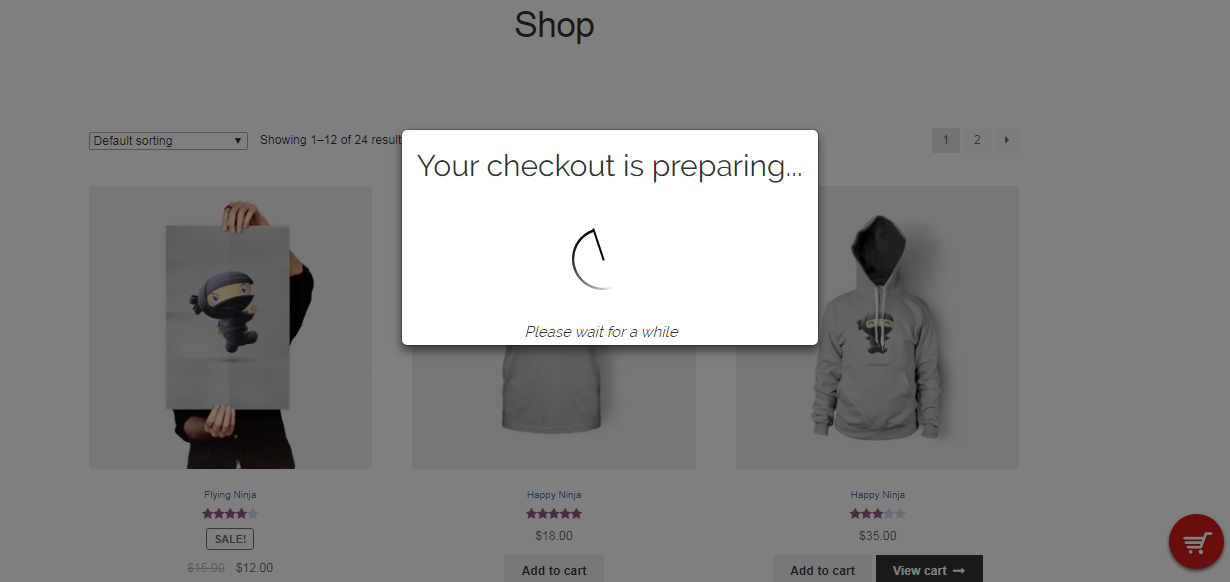
screenshot-4, Loader screen.

screenshot-5, Admin Settings Area.

screenshot-6, Admin Settings Area.

screenshot-7, Admin Settings Area.
Changelog
1.2.4 – 24th Sept, 2025
WooCommerce compatibility update
Name update
1.2.2 – 31st Jan, 2025
WooCommerce compatibility update
Minor fixing
1.2.1 – 20th Nov, 2024
WooCommerce 8.4.1 compatibility update
1.2.0 – 08th Dec, 2022
WooCommerce 8.4.1 compatibility update
1.1.9 – 13th Dec, 2022
WooCommerce 7.1.1 compatibility update
1.1.8 – 27th May, 2022
WooCommerce 6.5.1 compatibility update
1.1.7 – 22nd August, 2021
WooCommerce 5.6.0 compatibility update
1.1.6 – 24th July, 2021
WooCommerce 5.5.2 compatibility update
1.1.5 – 30th May, 2021
WooCommerce compatibility update with minor fixation
1.1.4 – 17th March, 2021
WooCommerce compatibility update
1.1.3 – 28th Feb, 2021
WooCommerce 5.6.2 compatibility
WordPress compatibility update
1.1.2 – 12th Sept, 2020
WooCommerce 4.5.1 compatibility
1.1.1 – 06th Sept, 2020
WooCommerce 4.4.1 compatibility
1.1.0 – 12th July, 2020
WooCommerce 4.3.0 compatibility
1.0.9 – 9th May, 2020
WooCommerce 4.1.0 compatibility
1.0.8 – 1st Dec, 2019
Demo link update
Minor bug fixed
1.0.7 – 13th Oct, 2019
WooCommerce 3.7.1 compatibility
1.0.6 – 11th May, 2019
WordPress 5.2 update
1.0.5 – 20th April, 2019
Latest WooCommerce compatibility
1.0.4 – 21st March, 2019
Latest WooCommerce compatibility
Minor bug fixed
1.0.3 – 10th March, 2019
Tested and updated with WooCommerce 3.5.6
1.0.2 – 23rd January, 2019
Minor update
Tested update WooCommerce 3.5.4
1.0.1 – 27th May, 2018
Latest compatibility with WordPress and WooCommerce 3.4.0
1.0.0 – 28th April, 2018
First, initial update