

Custom Add to Cart Button Label and Link for WooCommerce
Custom Add to Cart Button Label and Link for WooCommerce is the ultimate plugin to personalize your WooCommerce store's add to cart experience.
Plugin info
Maintenance & Compatibility
Maintenance score
Stale • Last updated 219 days ago • 27 reviews
Is Custom Add to Cart Button Label and Link for WooCommerce abandoned?
Likely maintained (last update 219 days ago).
Compatibility
Similar & Alternatives
Explore plugins with similar tags, and compare key metrics like downloads, ratings, updates, support, and WP/PHP compatibility.
Description
Custom Add to Cart Button Label and Link for WooCommerce is the ultimate plugin to personalize your WooCommerce store’s add to cart experience. Easily change the “Add to Cart” button text, style, and destination URL for each product or globally. Ideal for affiliate marketing, external product links, and boosting conversions with custom call-to-action buttons.
Why use this plugin?
– Improve your WooCommerce SEO by using keyword-rich, action-oriented button labels.
– Drive sales to external platforms like Amazon, PayPal, eBay, or any affiliate site.
– Enhance user experience with visually appealing, branded cart buttons.
– Increase conversions with targeted messages like “Buy Now”, “Get Offer”, or “Shop on Amazon”.
Key Features:
- Change the default WooCommerce add to cart button text and link on single product pages.
- Customize add to cart button text and link on the Shop (archive) page.
- Set unique button labels and URLs for each product (great for affiliate or external products).
- Style the add to cart button: text color, background, hover, border, and icon.
- Choose button shapes: square, rounded, or custom border radius.
- Add icons before or after the button label for better visual cues.
- Enable CSS3 transitions and hover effects for modern UI.
- Restrict customizations to shop or single product pages as needed.
- Multilingual support: English, Hindi, Spanish, French, Chinese (Simplified & Traditional), Russian, Japanese, German, Italian.
- Create multiple custom buttons per product, each with its own link.
- Option to open links in a new tab (great for affiliate links).
- Shortcode and widget support for flexible placement.
- Compatible with all WooCommerce product types.
- Ready-to-use button templates and styles.
- Show special messages per product (e.g., “Deal of the Day”, “Black Friday Offer”).
- SEO-friendly and optimized for fast performance.
Who is this plugin for?
– WooCommerce store owners who want more control over their add to cart buttons.
– Affiliate marketers and dropshippers linking to external products.
– Shop owners running special promotions or custom call-to-action campaigns.
– Anyone wanting to improve WooCommerce UX and SEO.
See the plugin in action:
– Version 2.0 Updates
https://www.youtube.com/watch?v=sBKx6Els5ss
Short Description
Boost your WooCommerce store with a fully customizable “Add to Cart” button. Change button text, style, and link for each product. Perfect for affiliate, external, and custom product buttons.
Pro Version Features
Advanced Layout & Styling
* Unique ID and class for each product’s custom button
* Google Fonts integration
* Custom font-weight, font-size, font-case
* Separate margins, padding, and alignment for shop and product pages
* Custom border radius for all corners
* Icon picker, icon size, icon position, and icon spacing
* Button spinner for loading state
* Consistent button sizing
* Default WooCommerce button styling
* Category-based custom buttons
* Sold Out/Out of Stock button automation
* Per-button style and global label/URL
* Shortcode generator
* Import/export button styles
* Compatible with all major themes (Lambda, Avada, Astra, Divi, The7, etc.)
* Premium support
For help and support:
* Pro Version Demo
* FAQ
* Documentation
* YouTube Videos
* Reviews
Pro Version Demo Video
Installation
- Download woo-custom-cart-button.2.0.zip
- Unzip
- Upload the
woo-custom-cart-buttondirectory to your/wp-content/pluginsdirectory - Go to the Plugins menu page and activate the plugin.
Frequently Asked Questions
- Activate the plugin through the Plugins menu in WordPress.
- Go to the settings menu and select the Custom Cart Button submenu.
- Choose your options for the shop page or single product page.
- When adding or editing a product, use the “Product Custom Button Settings” section.
- Fill in the fields and save. Done!
- Easily change the WooCommerce add to cart button’s label and link.
- Sell products using third-party platforms (Amazon, PayPal, eBay, etc.) or affiliate links.
- Improve SEO and conversion rates with custom call-to-action buttons.
Review feed
Screenshots
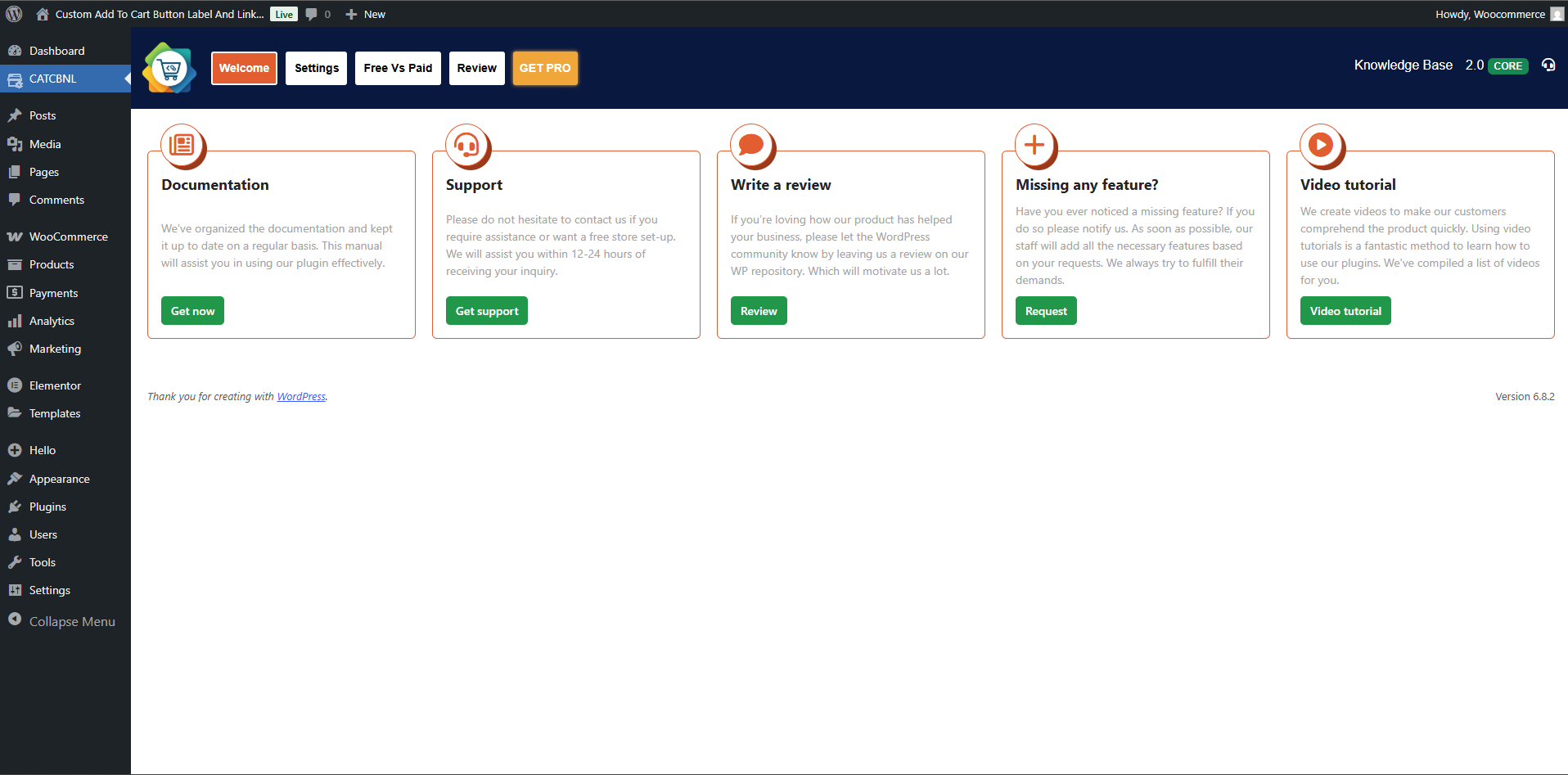
Welcome Tab under dashboard
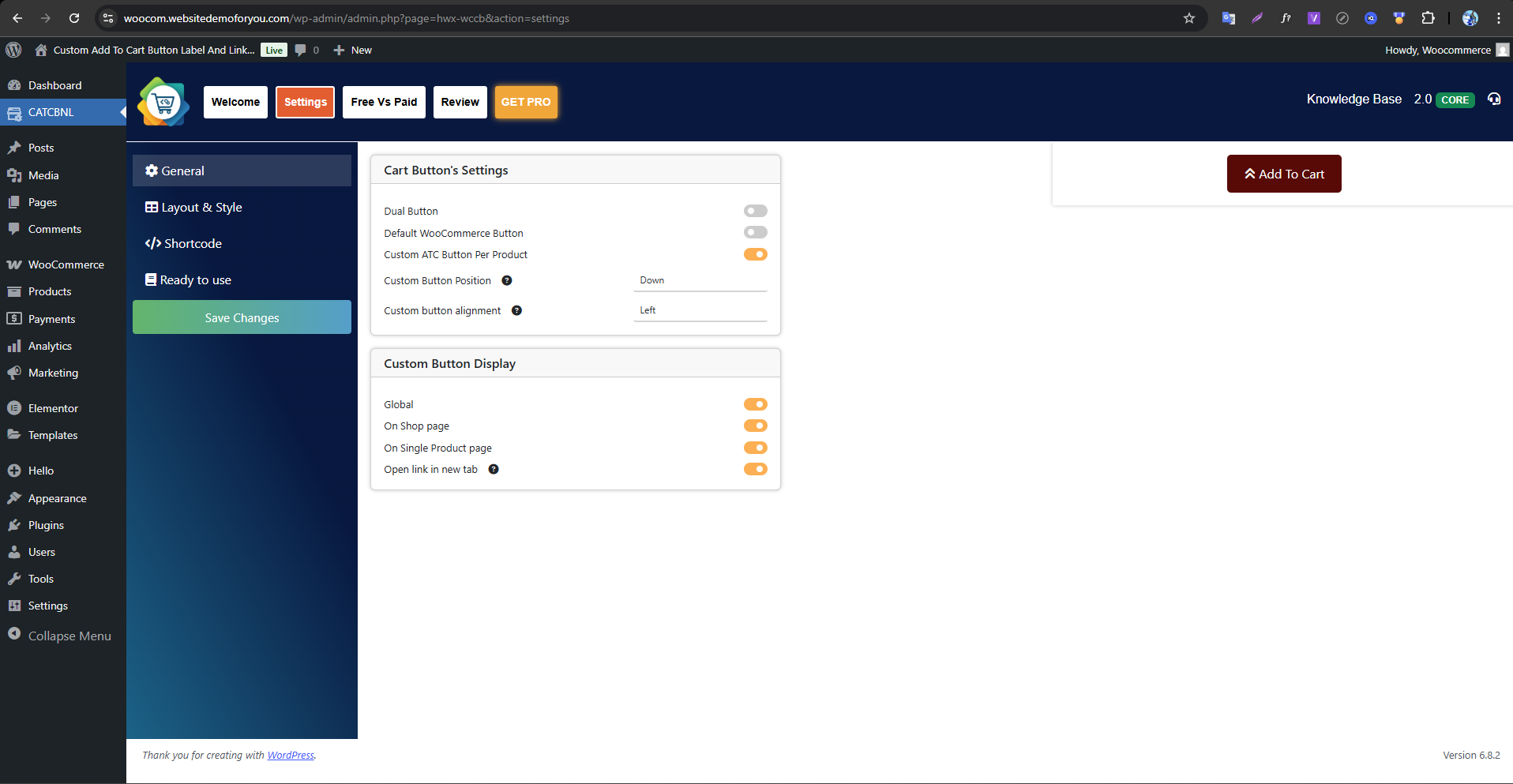
Settings Tab
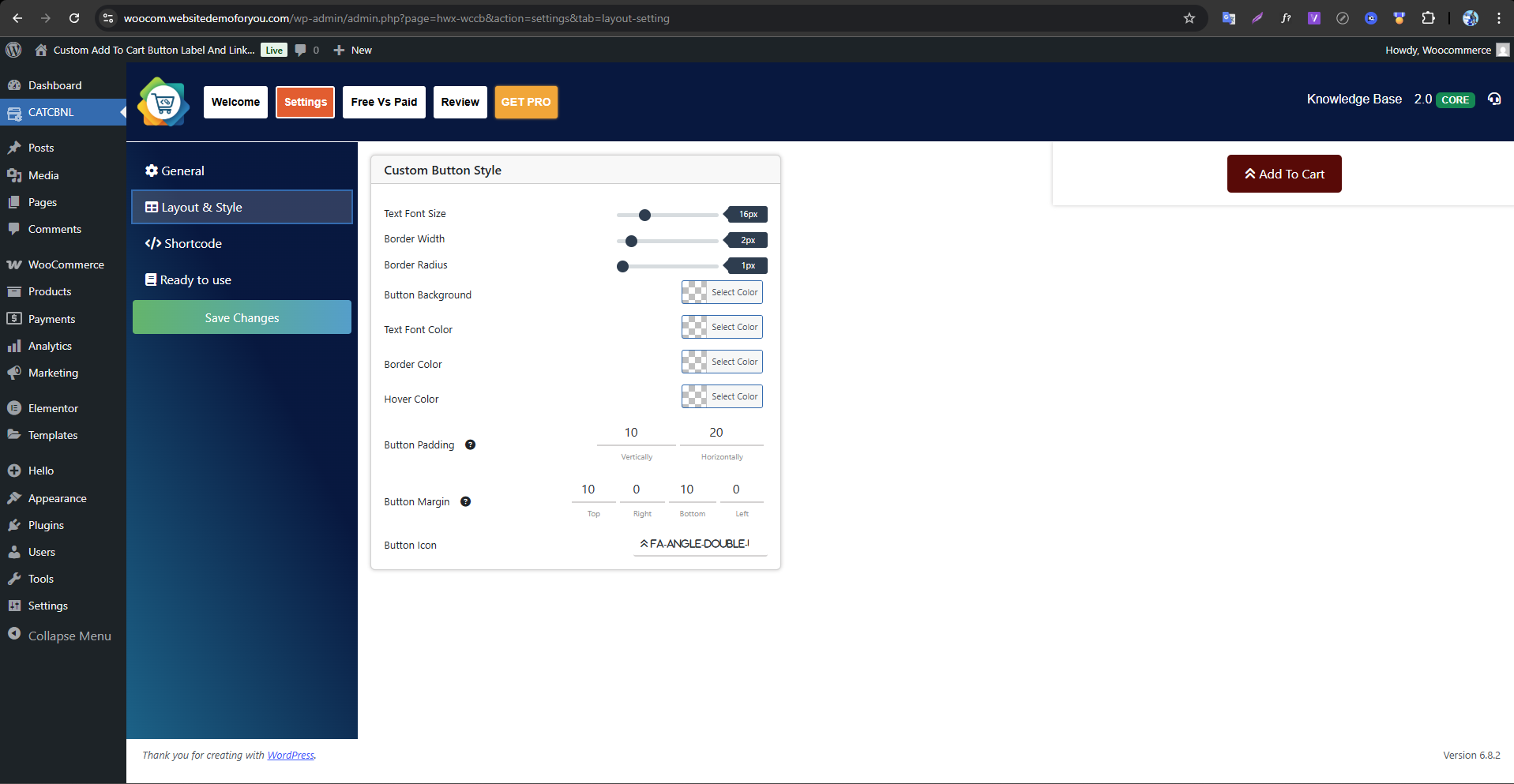
Plugin settings Layout & Style
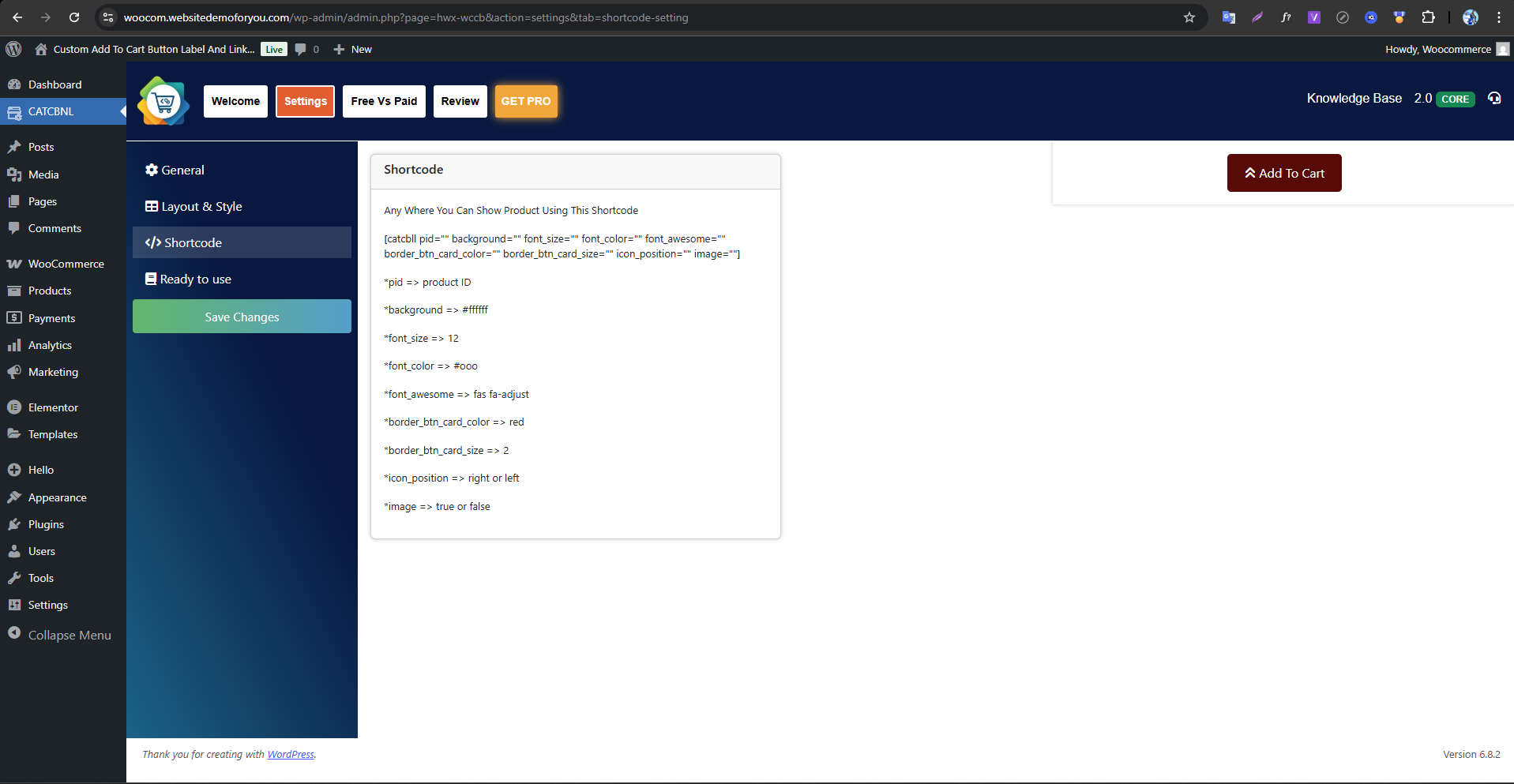
Shortcode settings
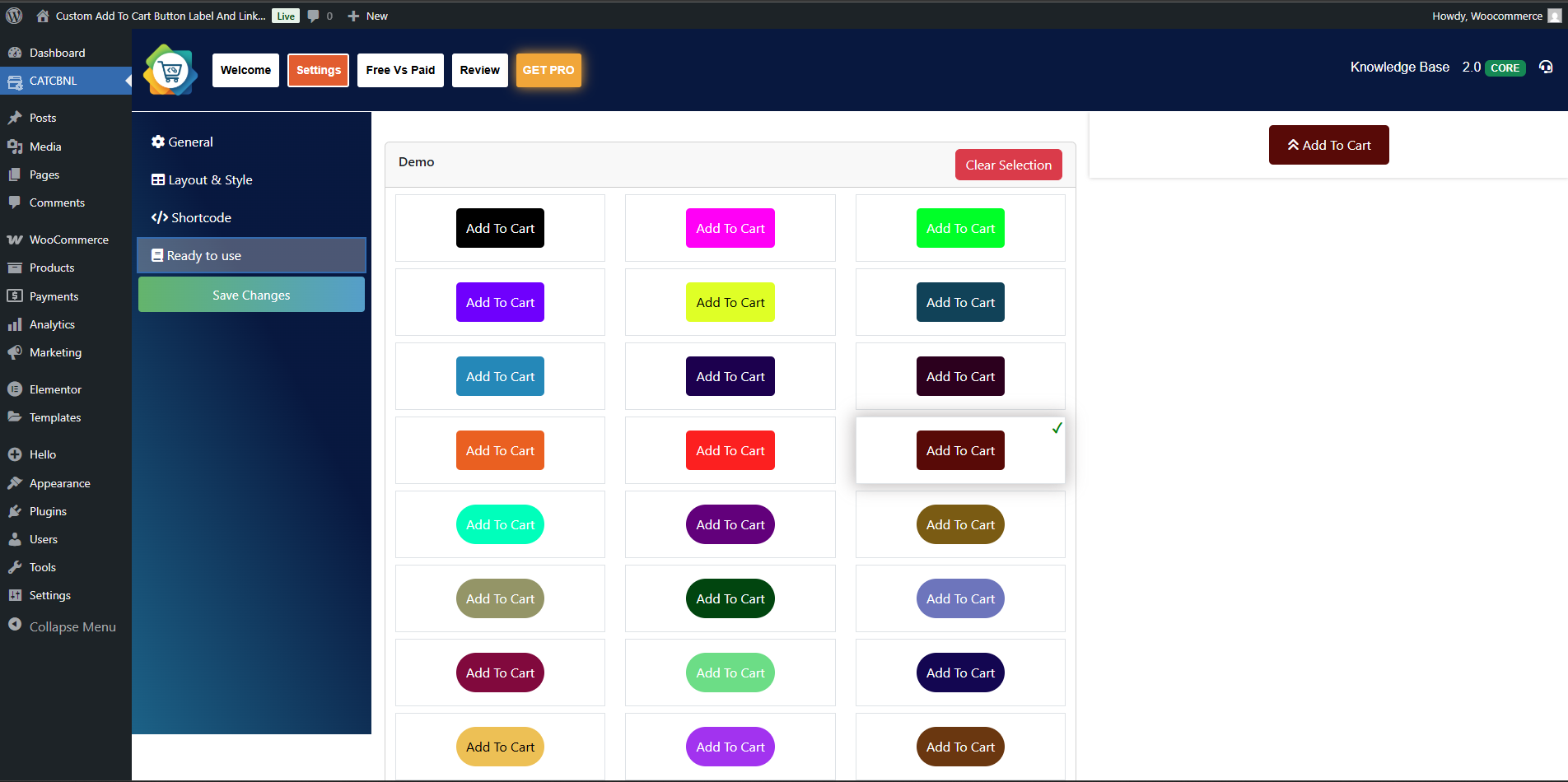
Ready to use Buttons
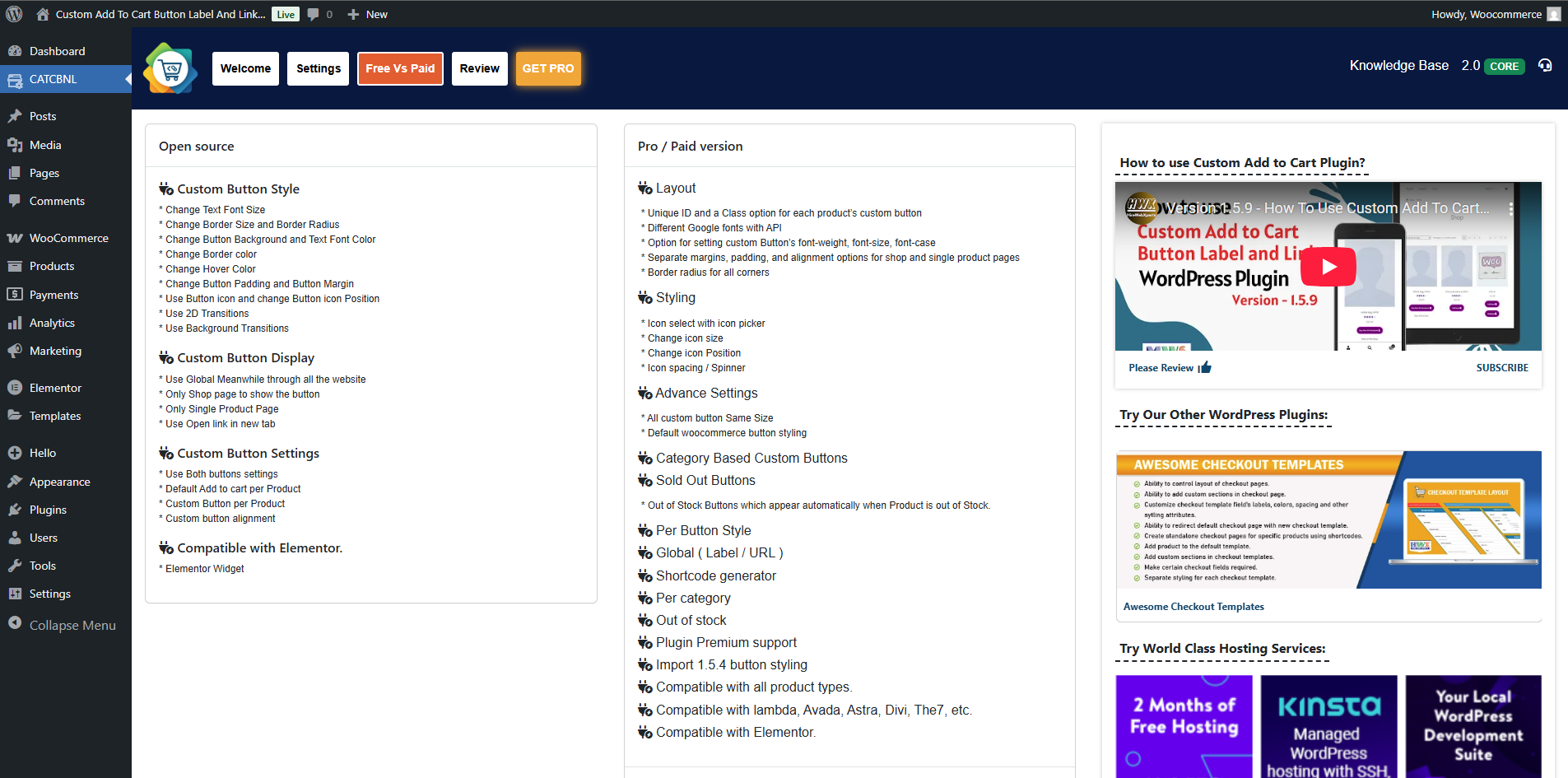
Free Vs Paid Comparision
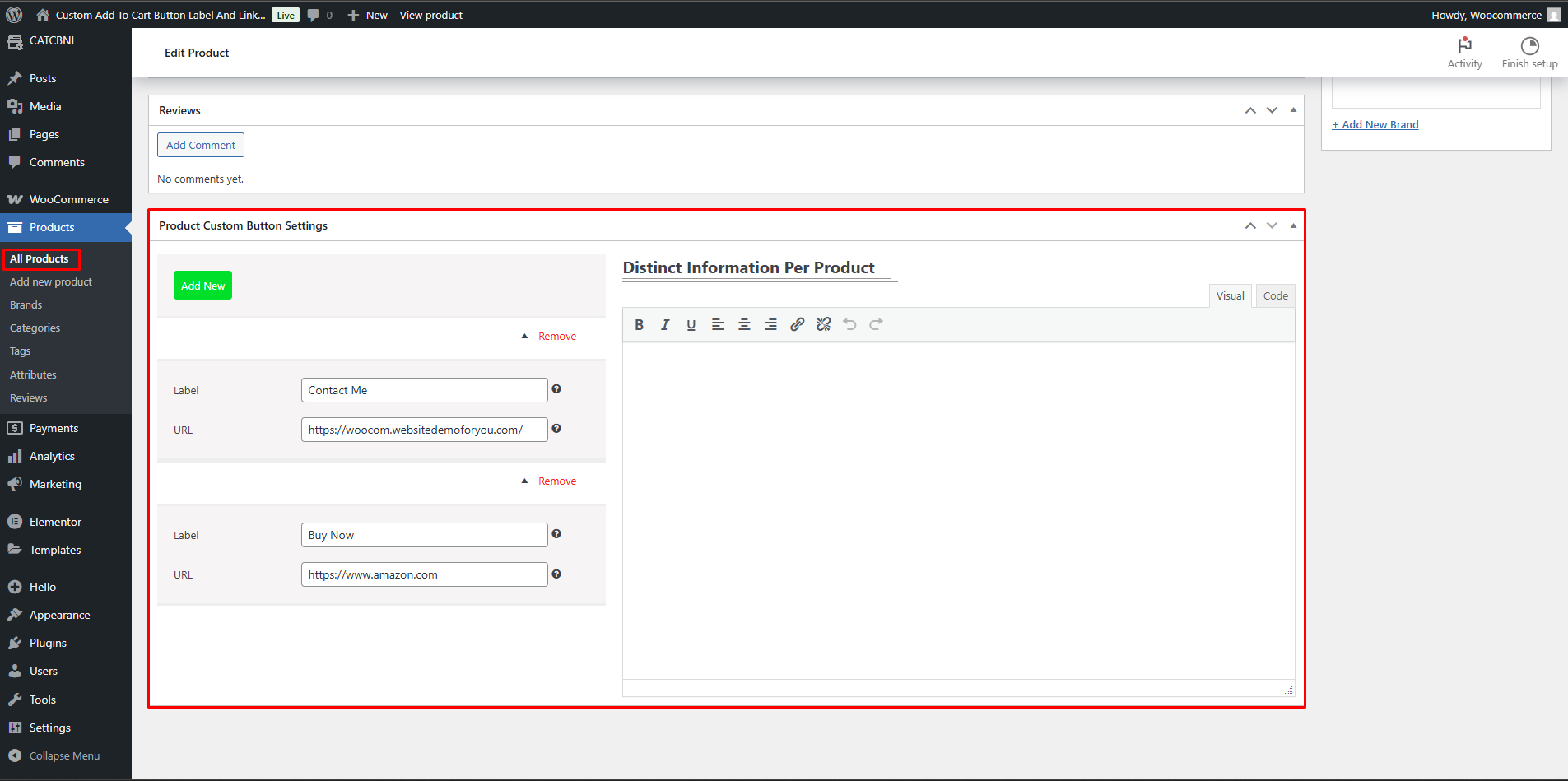
Product page
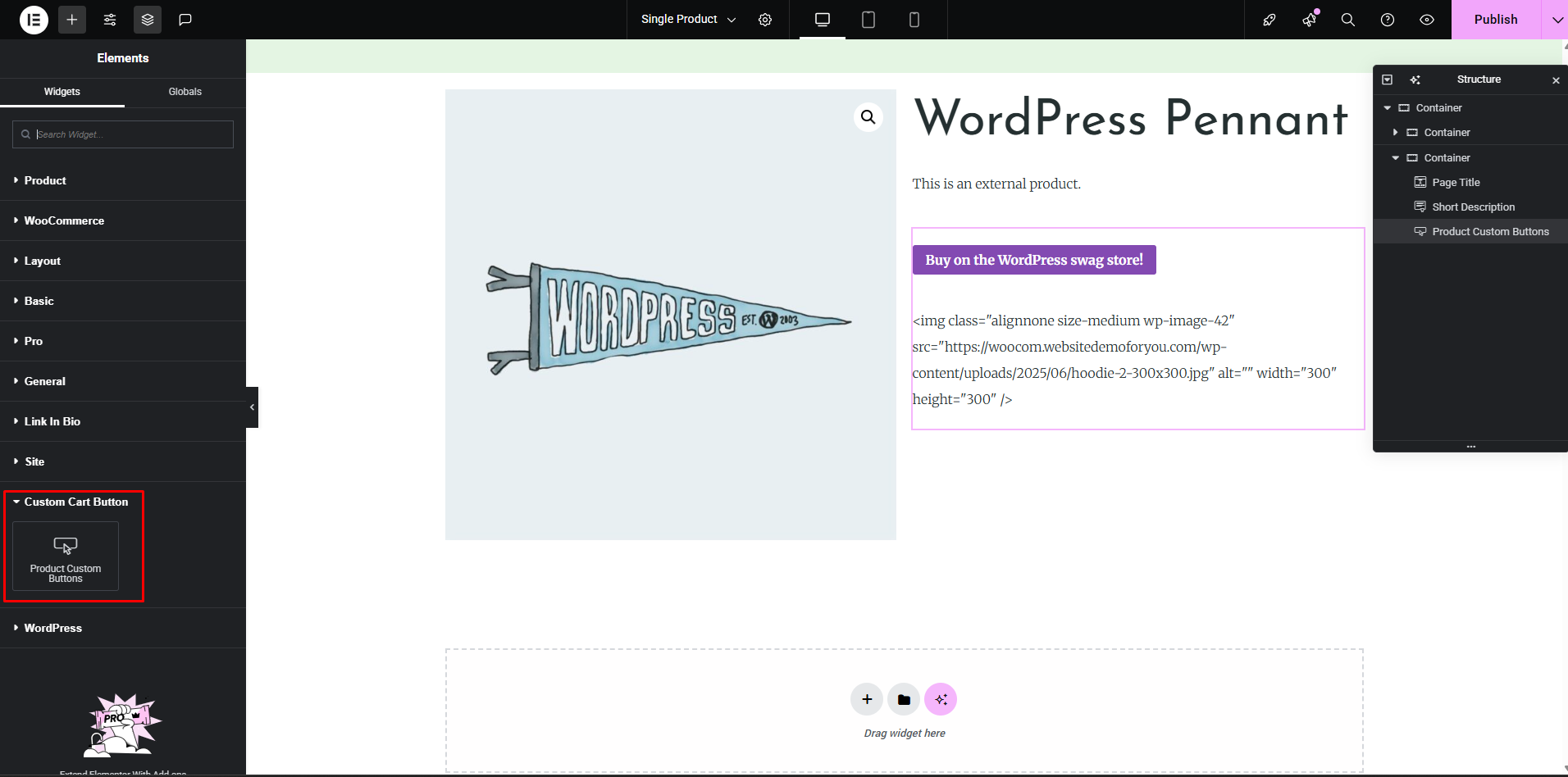
Elementor Widget
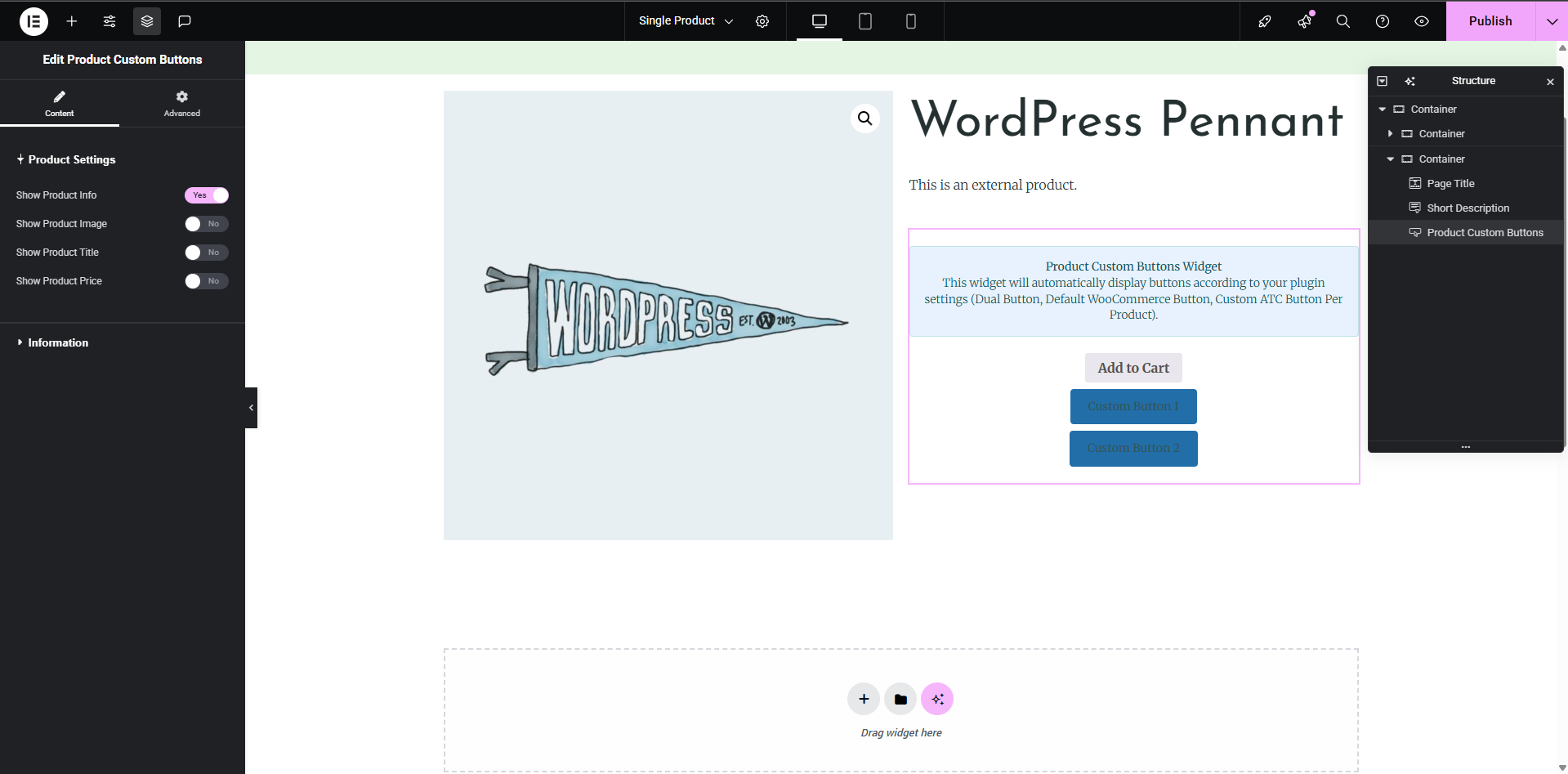
Elementor widget settings
Changelog
2.0 – 06/Aug/2025
- Code Clean up
- Plugin Dashboard Updates
- Bootstrap Library Updates
- Testes with PHP 8.3
- Compatibile with Elementor
1.6.2 – 28/Oct/2024
- Bug Fixes for Security
1.6.1 – 03/Jan/2024
- High-performance order storage (Compatibility with WooCommerce)
1.6 – 17/Nov/2023
- Settings Page UI Updated
- UI Library Updated for Bootstrap
- Test with PHP 8.2
1.5.9 – 29/July/2021
- Settings Page UI Updated
- Library Updated i.e. Bootstrap
- New Feature added for Distinct Information
1.5.8 – 29/July/2021
- Bug Fixed for new version of WooCommerce
1.5.7 – 27/July/2021
- Compatible with Ocean Theme
1.5.6 – 01/July/2021
- Added new feature Ready To Use Custom Buttons
- Added new language for Italian
- Optimized Code
1.5.5 – 07/Apr/2021
- Bug fixed for admin CSS
1.5.4 – 11/Feb/2021
- Added plugin support for Avada Theme and fixed UI issues. Paid Version of this plugin is also launched.
- Bug fixed
1.5.3 – 14/DEC/2020
- Added new feature button alignment
- Added new feature button position (Left,Right)
1.5.2 – 18/SEPT/2020
- Variation product bug fixed
- Multisite bug fixed
1.5.1 – 04/SEPT/2020
- Bug fixed
1.5 – 11/July/2020
- Translations updated
- New translations added for Russian, Japanese, German
- Optimized code
- Compatible with WooCommerce 4.3
1.4.8 – 07/July/2020
- Bug resolved for variable products
1.4.7 – 06/July/2020
- Minor bug resolved
1.4.6 – 04/July/2020
- Minor bug resolved
1.4.5 – 04/July/2020
- Multisite support
- Margin option added for Buttons
- Improved plugin layout
- Added feature for border radius
1.4.4 – 09/June/2020
- Minor Bugs Fixed
- Compatible with latest WooCommerce
- Improved UI for the settings page
- Padding option added for Buttons
1.4.3 – 04/May/2020
- Translation updated for new options
- Bug fixed for product category
1.4.2 – 03/May/2020
- Correct shipping page issue
- Added image option in the shortcode to show or not
- Added Default add to cart button control in the settings page
1.4.1 – 22/APR/2020
- Fixed issue for variable products
1.4 – 20/APR/2020
- Added shortcode support
- Improved UI for a plugin
- Added option for the new tab for buttons
- Compatible with variable and bundle products
- New button in the classic editor for shortcode insertion
- Added widget to show random products
1.3 – 31/JAN/2020
- Added Multi Buttons support for each Product
- Added Multi-Language support
- Fixed issue with Elementor builder
1.2
- 11/12/19
Minor Updates for latest version
1.1
- 09/17/19
Added new features to customize Button
1.0
- 09/10/19
Initial release