

Advanced Custom Stock Status
Write the custom stock status with different colors for each woocommerce product, to show in product details and listing pages.
Plugin info
Maintenance & Compatibility
Maintenance score
Maintained • Last updated 122 days ago • Support resolved 0% • 37 reviews
Is Advanced Custom Stock Status abandoned?
Likely maintained (last update 122 days ago).
Compatibility
Developers
Similar & Alternatives
Explore plugins with similar tags, and compare key metrics like downloads, ratings, updates, support, and WP/PHP compatibility.
Description
This plugin is used to write the custom stock status with different colors for each woocommerce product or globally, let users to know exact stock status names in product details page.
You can change the following default stock status and diferent colors for status text
- In stock
- Only %s left in stock
- (can be backordered)
- %s in stock
- Available on backorder
- Out of stock
Additional Feature
➜ Added Backorder status in Order confirmation
➜ Compatible with woocommerce-product-bundles plugin
➜ Compatible with “WPC Composite Products for WooCommerce”
➜ woo_custom_stock_status shortcode feature added
➜ Added stock message font size option
➜ Relocate the stock status below add to cart button in single product page
➜ Hide sad face in out of stock
➜ Shortcode to add learn more URL after stock status [wcss_learn_more url=”https://example.com” text=”Learn more”]
➜ Shortcode to add delivery date after stock status [wcss_delivery_date days=”4″ excluded_days=”sat,sun”]
➜ Compatibility with AutomateWoo
➜ Text field created in setting page and checked matching variation status. The matched status will be displayed in category page
➜ Added custom stock status message option for grouped products listed in shop page and other listings
➜ Compatibility with Block based cart and checkout page
➜ Added option to show/hide “Stock Status” tag before custom stock status text in Order Email
➜ Compatible with OceanWP theme
➜ Compatible with YITH WooCommerce Wishlist plugin
➜ Compatible with Wp All Import plugin
➜ Compatible with Yoast SEO plugin
➜ Compatible with Polylang plugin
➜ Compatible with PDF Invoices & Packing Slips for WooCommerce Plugin.
➜ Added a new option in the custom stock settings to disable Yoast SEO compatibility.
➜ Displayed custom stock status on woocommerce product collection block
➜ Compatible with Force Sell by BeRocket
PRO Feature
➜ Compatible with WPML [PRO]
➜ Bulk edit stock status [PRO]
➜ Stock status for category level [PRO]
➜ Bulk edit status for variables type products [PRO]
➜ Hide variable product stock status in category page [PRO]
➜ Show stock status based on quantity [PRO]
➜ Create and use your own stock status [PRO]
Click here for live demo
Username: demo
Password: demo
If you need any additional features, please post them in support forum, we will analyse and implement in next version. and please Write your review.
How it works ?
Installation
- Upload the plugin files to the
/wp-content/plugins/woo-custom-stock-statusdirectory, or install the plugin through the WordPress plugins screen directly. - Activate the plugin through the ‘Plugins’ screen in WordPress
- Use the WooCommerce->Settings->Custom Stock(tab) screen to configure the stock status
- You can see list of default stock status and text box to put your custom names
- You can see the custom status text boxes in Simple and Variation product type screens
Frequently Asked Questions
Review feed
Screenshots
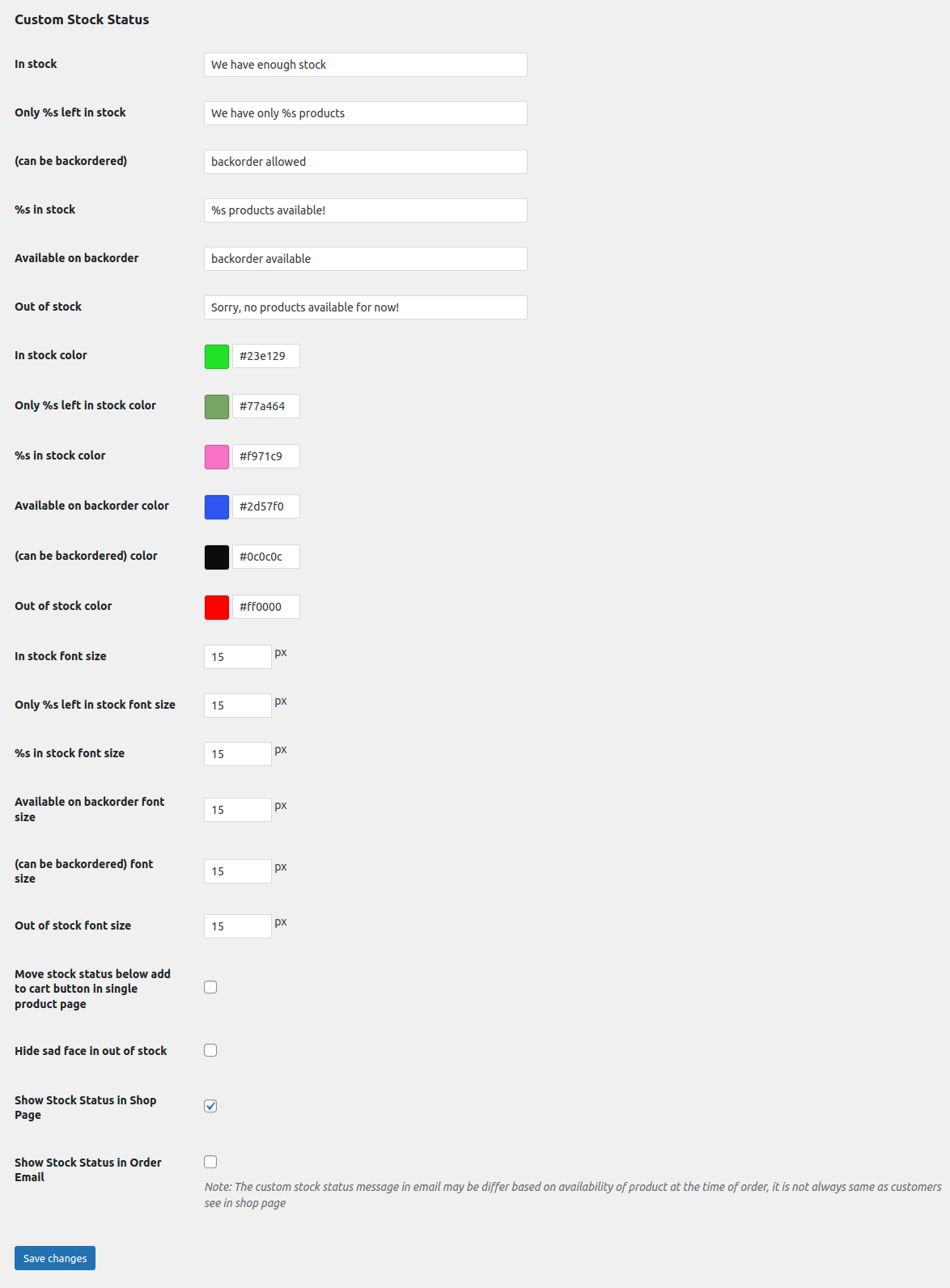
Custom stock status settings page
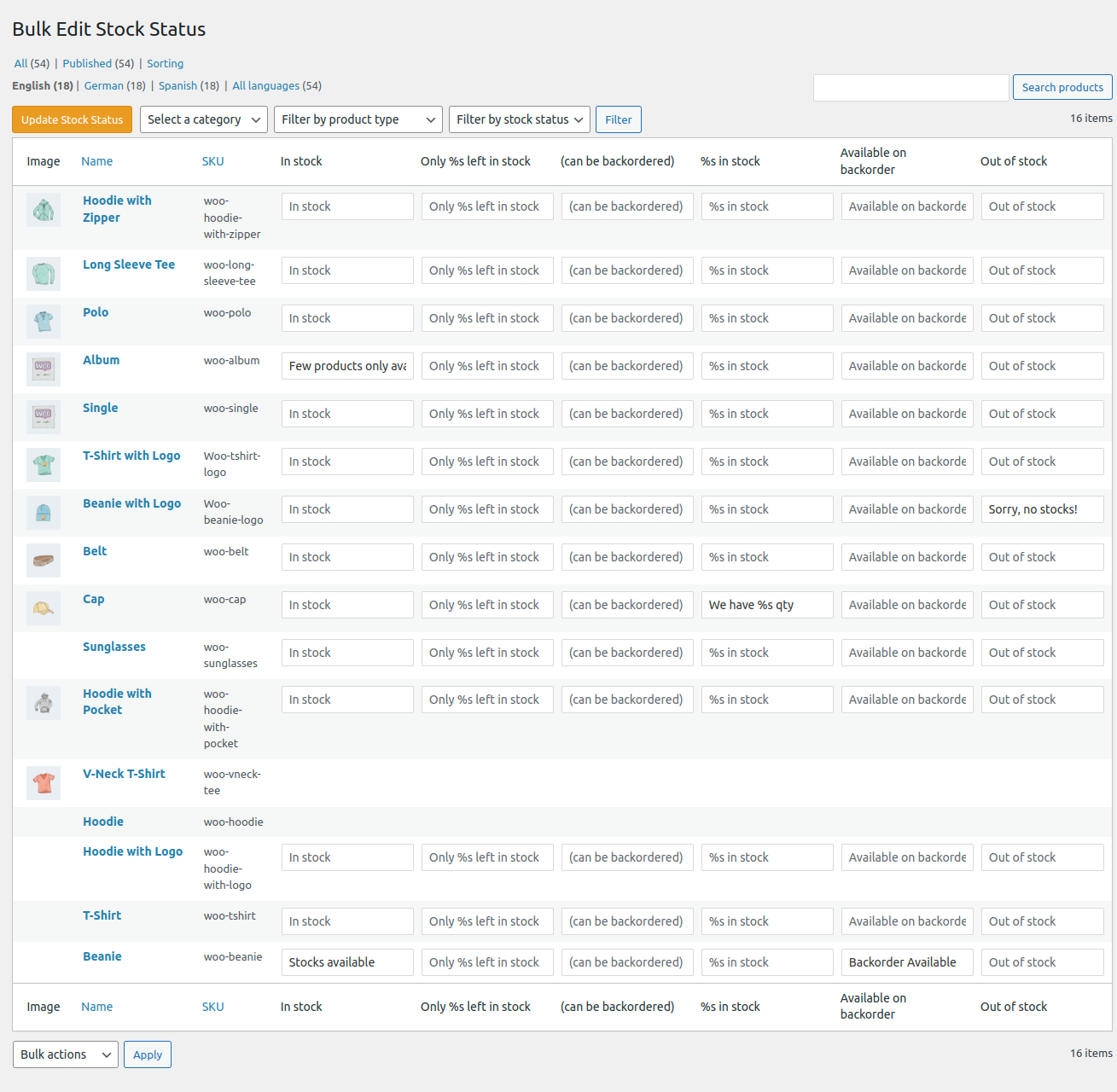
Bulk edit stock status page
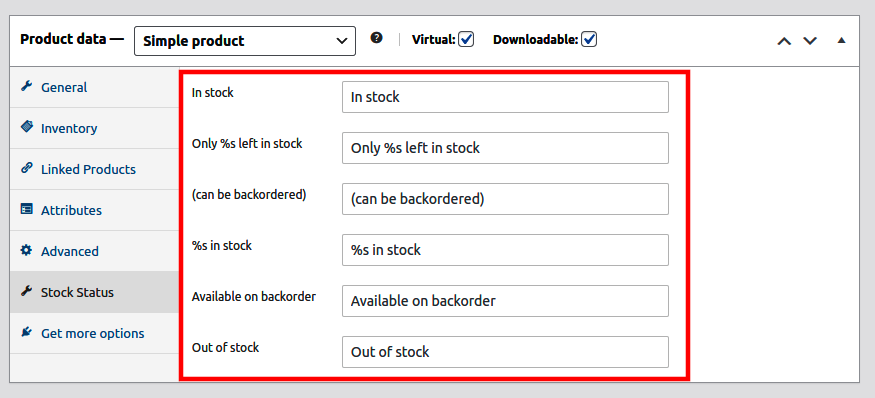
Edit simple product
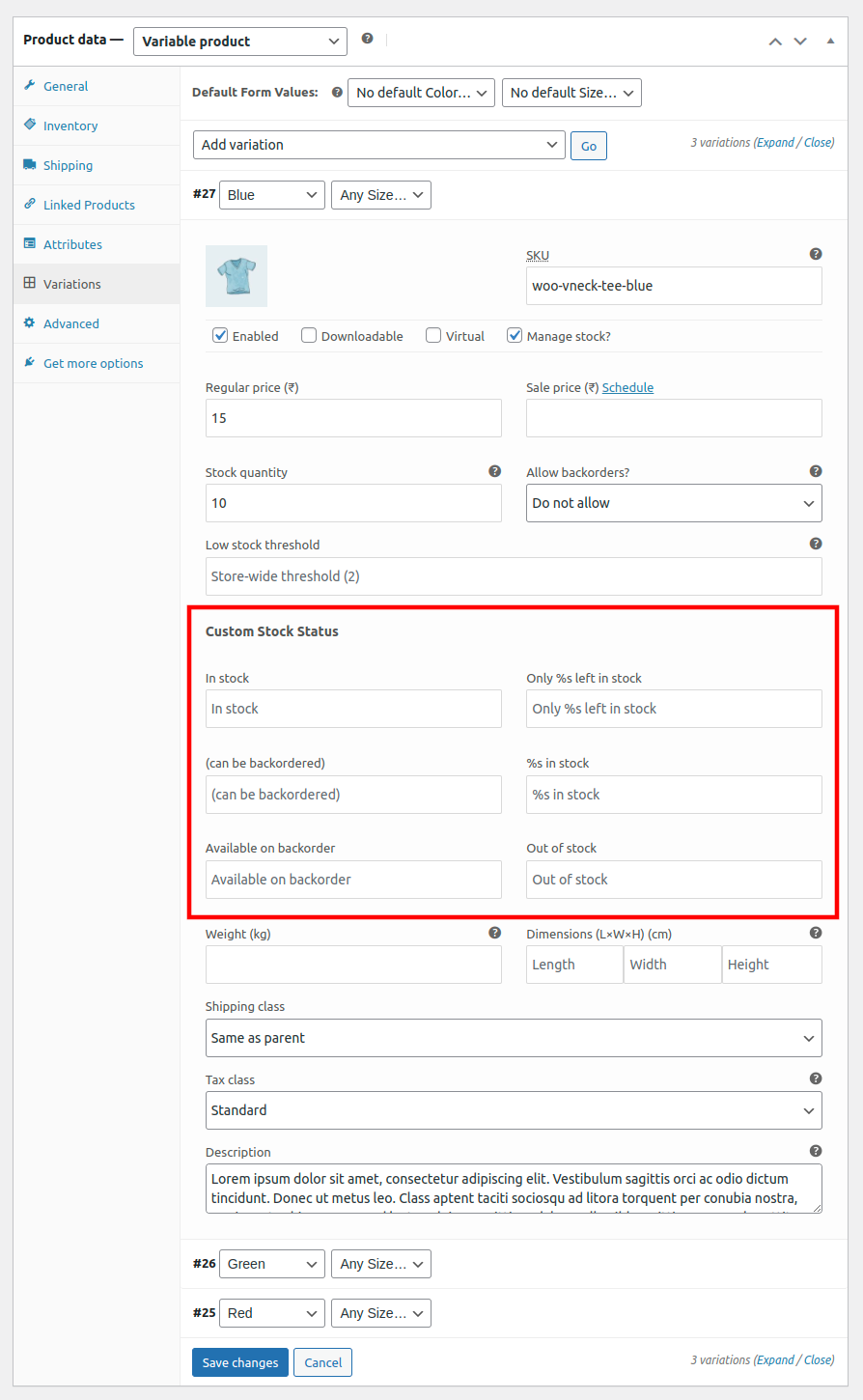
Edit variation product
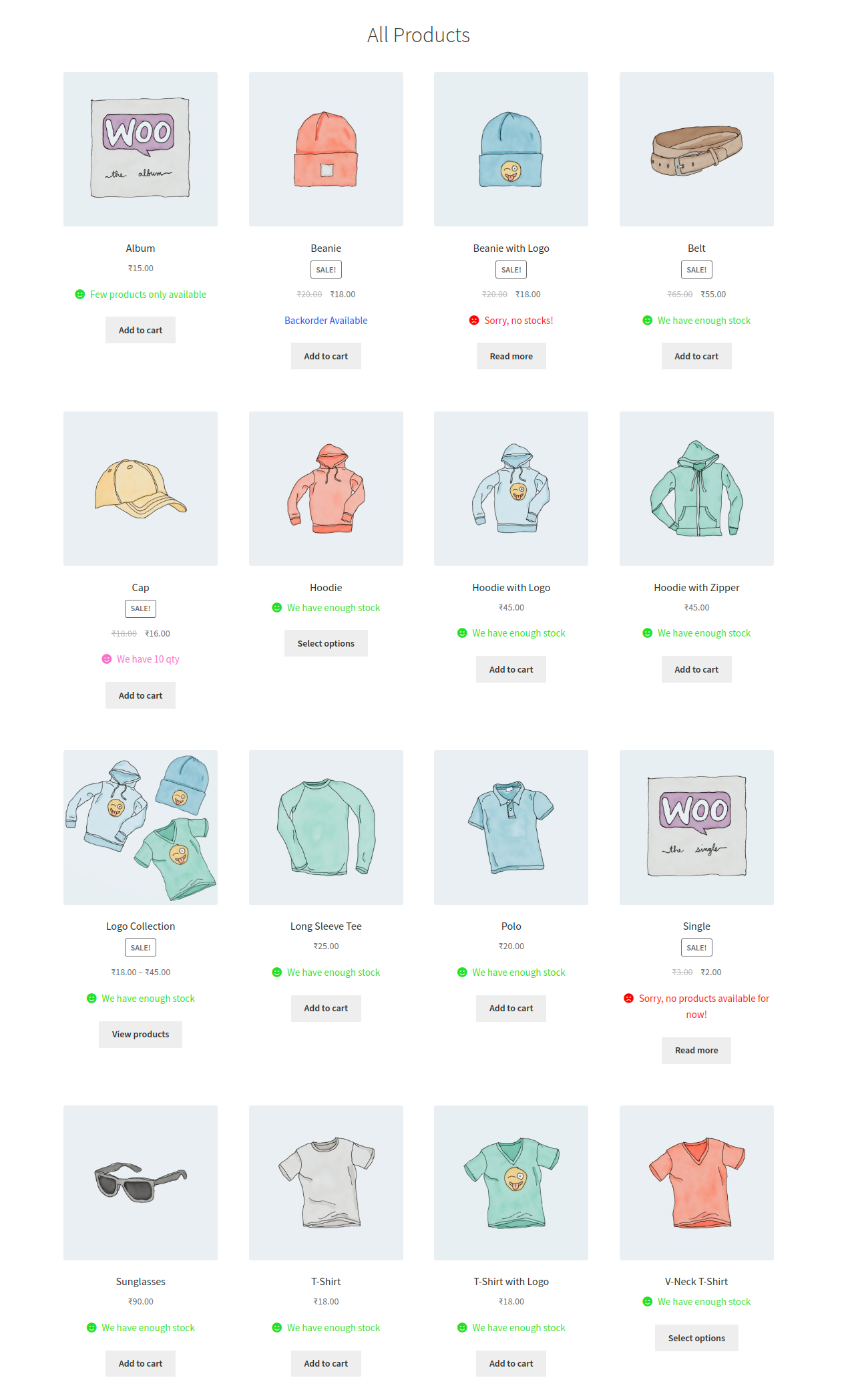
Products list page with different status
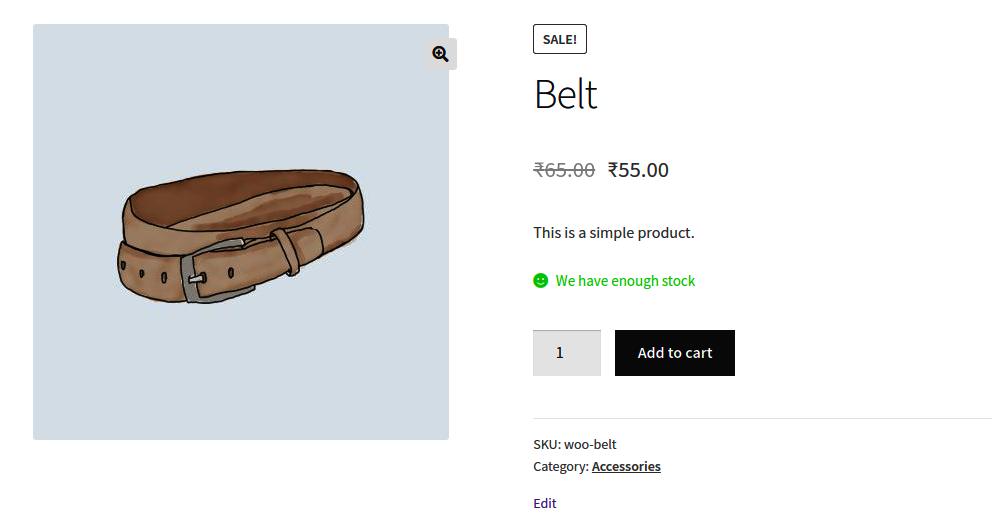
Custom stock status single product view
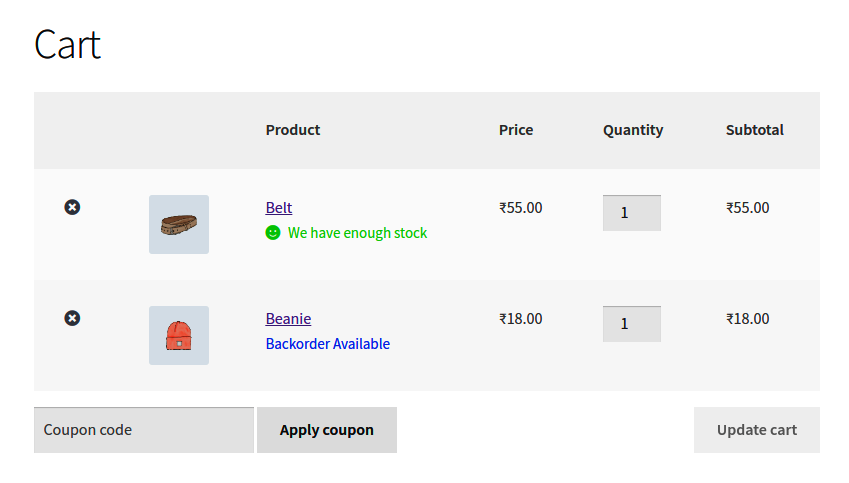
Custom stock status in cart page
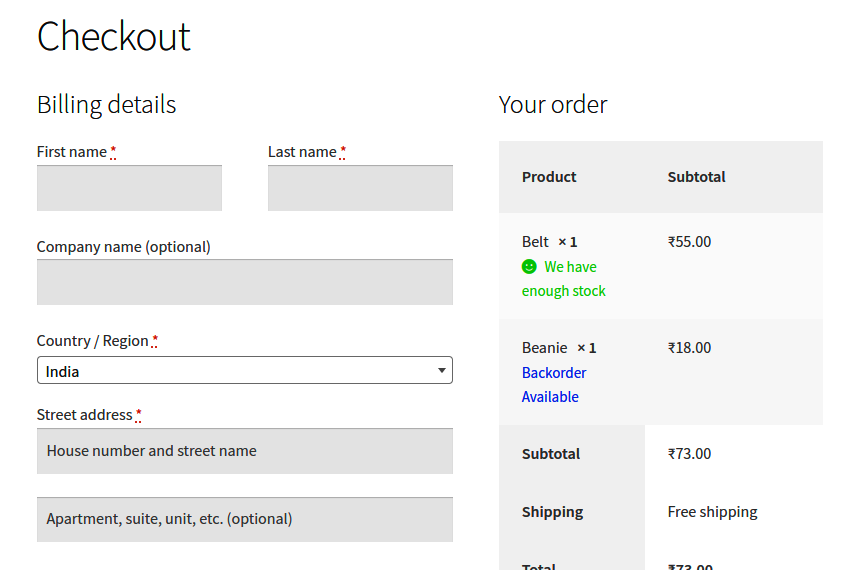
Custom stock status in checkout page
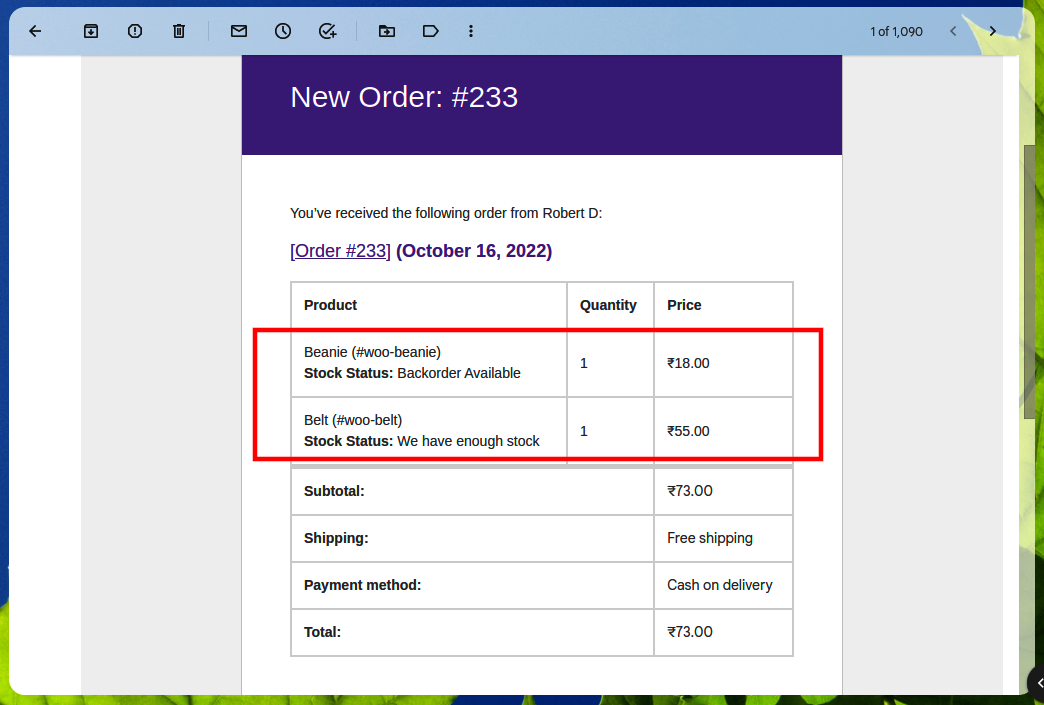
Custom stock status in order email
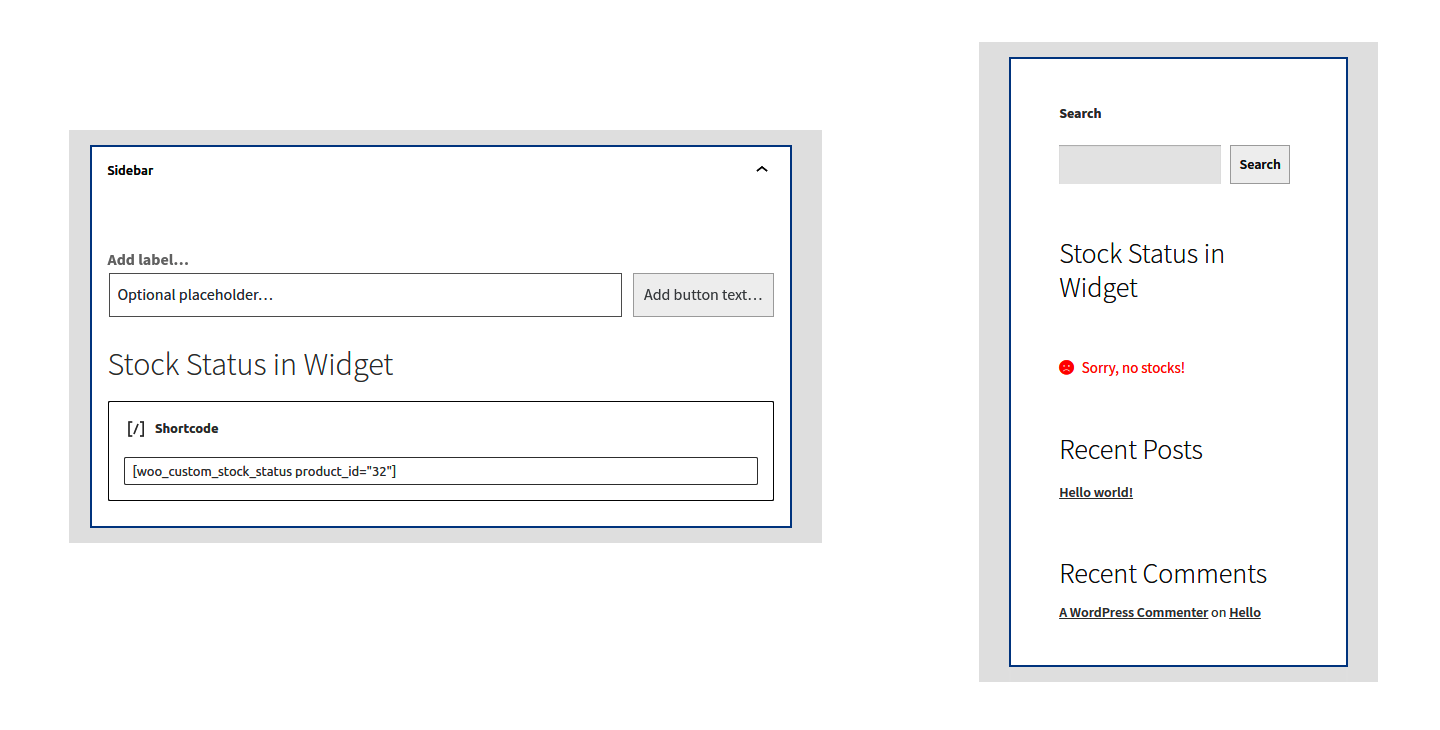
Custom stock status shortcode in widget
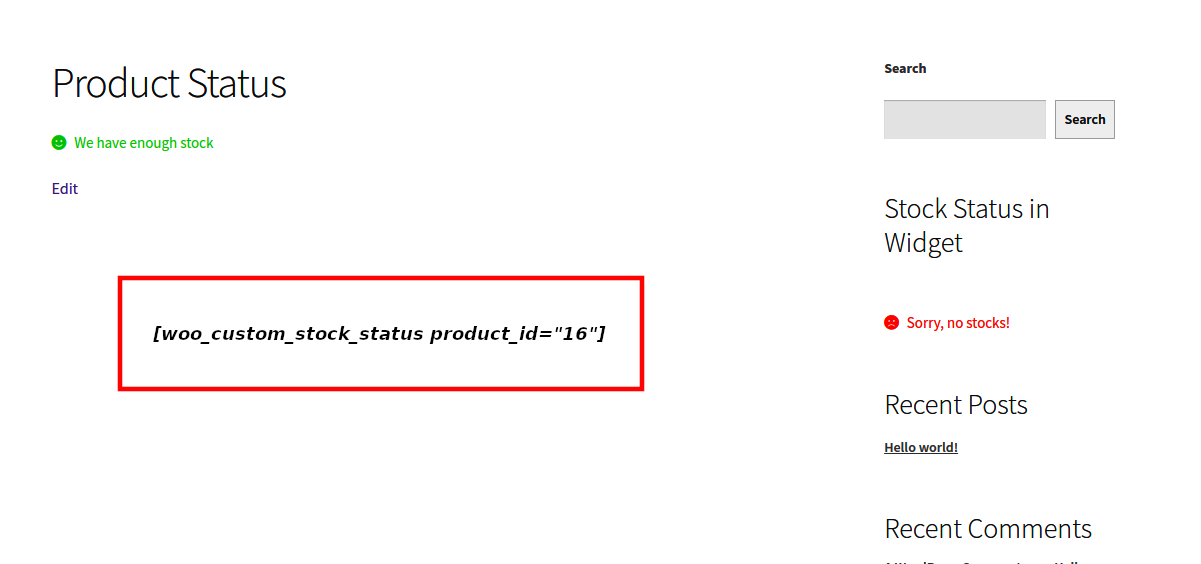
Custom stock status shortcode in pages / posts
Changelog
1.0.0
- Initial release.
1.1.0 – 23/10/16
- Feature – Added option to change stock status for individual products
- Feature – Added option to apply different color for each stock status text
1.1.1 – 16/07/17
- Feature – Added option to show/hide the stock status in catalog page
- Fix – WooCommerce compatibility issues
1.2.0 – 08/04/20
- Feature – Added Backorder status in Order confirmation
- Fix – WooCommerce compatibility issues
1.2.1 – 09/04/20
- Fix – Compatibility issues
1.2.2 – 14/05/20
- Fix – Added Unmanaged stock status and added language translation support for custom stock status
1.2.3 – 17/06/20
- Feature – Compatible with woocommerce-product-bundles plugin
1.2.4 – 09/05/21
- Fix – Tested with latest version
1.2.5 – 19/05/21
- Feature – Added an option to show/hide custom stock status message in order email
1.2.6 – 21/06/21
- Fix – stock status issue in order email and missing stock status for variation products
1.2.7 – 21/06/21
- Fix – formatted backorder stock status in order details page
1.2.8 – 08/07/21
- Fix – show stock status in cart and checkout page
- Fix – include actual stock status in email at the time of purchase
1.2.9 – 31/08/21
- Feature – Compatible with “WPC Composite Products for WooCommerce”
1.3.0 – 27/09/21
- Fix – Bug
1.3.1 – 03/11/22
- Feature – font size option, short code feature and other global settings
- Fix – Bug
1.3.2 – 06/11/22
- Fix – Bug
1.3.3 – 08/11/22
- Fix – WooCommerce Blocks Bug
1.3.4 – 09/11/22
- Fix – Issue in theme hook
1.3.5 – 26/11/22
- Fix – Issue while saving bundle products
- Fix – Prioritizes product low stock quantity first instead of Global Low Stock Quantity (if Stock Display Format is set to ‘Only show stock when low – “Only 2 left in stock” vs. “In stock”’)
1.3.6 – 20/03/23
- Fix – Font color issue
1.3.7 – 30/05/23
- Feature – Option to show/hide stock status in cart page
- Fix – woocommerce_add_order_item_meta deprecate error
- Fix – font color issues
1.3.8 – 12/08/23
- Fix – Duplicate stock message in cart page
1.3.9 – 02/12/23
- Feature – added learn more link short code
1.4.0 – 16/12/23
- Feature – Hide variable product stock status in category page
- Feature – Shortcode to add delivery date
- Feature – Text field created in setting page and checked matching variation status. The matched status will be displayed in category page
- Fix – Compatibility with AutomateWoo
1.4.1 – 28/12/23
- Feature – Added “excluded_days” attribute in “wcss_delivery_date” shortcode
- Feature – Added stock status for grouped products in proructs listing
- Fix – learnmore shortcode issues
- Fix – Compatibility with AutomateWoo
1.4.2 – 29/12/23
- Fix – Backend appearance issue
1.4.3 – 06/01/24
- Fix – Delivery date shortcode issue fixed
1.4.4 – 01/02/24
- Fix – Stock status on cart/Checkout issue fixed
- Feature – Added option to show/hide “Stock Status” tag before custom stock status text in Order Email
- Feature – Compatibility with Block based cart and checkout page
1.4.5 – 07/02/24
- Fix – Custom stock status text position issue on Oceanwp theme
- Feature – Compatibility with yith-woocommerce-wishlist plugin
1.4.6 – 17/02/24
- Fix – Backend Order detail page stock status issue
- Fix – cart item meta template with wc_get_template issue fixed
- Fix – Delivery date shortcode issue fixed
- Feature – Update’s custom stock status when products imported via Wp All Import
1.4.7 – 07/03/24
- Feature – Compatible with Yoast SEO plugin
- Fix – Renamed “_woo_custom_stock_status_email_txt” to “Stock Status” in woocommerce invoice
- Fix – Added “woo custom stock status” prefix to stock status related meta key in wp all import csv file.
1.4.8 – 22/03/24
- Feature – Compatible with Polylang plugin.For mode details visit this link
- Feature – Compatible with PDF Invoices & Packing Slips for WooCommerce Plugin. Created new option to show/hide stock status on invoice.
- Fix – Yoast seo:Uncaught Argument count error fixed in “remove_availability_presenter_meta_tag” function
1.4.9 – 18/04/24
- Feature – Added a new option in the custom stock settings to disable Yoast SEO compatibility.
- Fix – Yoast seo: Undefined method get_key() in “remove_availability_presenter_meta_tag” function
1.5.0 – 15/05/24
- Feature – Added a drag-and-drop option to update the WooCommerce custom stock status text when products are imported via WP All Import.
- Fix – Fixed the translation issue for the ‘Stock Status’ text on the cart page.
1.5.1 – 05/06/24
- Feature – Displayed custom stock status on woocommerce product collection block
1.5.2 – 14/06/24
- Feature – Compatible with Force Sell by BeRocket
- Feature – Added option on settings to move stock status before price
- Fix – Php deprecation messages issue fixed
1.5.3 – 05/07/24
- Feature – Added options on settings to hide/show stock status on cart & checkout page
- Fix – Fixed stock status text color issue in cart and checkout page
1.5.4 – 18/07/24
- Fix – Modified the custom stock status settings UI
- Fix – Bug fixed
1.5.5 – 01/08/24
- Fix – B2BKing Plugin Bug fixed
1.5.6 – 14/09/24
- Fix – Invoices for WooCommerce:Uncaught Argument count error fixed in “rename_order_meta_key_on_invoice” function
- Fix – B2BKing Pro Plugin stock status Bug fixed
- Fix – Added option to show or hide instock status for backordered product
1.5.7 – 17/09/24
- Fix – Fixed Woodmart theme compatibility issue
1.5.8 – 19/09/24
- Fix – Stock status duplication and css issue fixed
1.5.9 – 14/10/24
- Fix – Product shortcode stock status issue fixed
1.6.0 – 14/11/24
- Fix – Duplicate stock status issue in single product page
1.6.1 – 30/11/24
- Fix – Resolved the “Learn more” shortcode display issue for the Custom Stock Status text option on the settings page.
- Fix – Fixed Duplicate stock status issue in Variation product detail page.
1.6.2 – 03/12/24
- Fix – Resolved the “Learn more” shortcode display issue on Porto theme.
1.6.3 – 04/02/25
- Fix – Show/Hide stock status on cart page option issue fixed
- Fix – Show stock status on frontend when product is out of stock.
- Feature – Added new option to show “Available on Backorder” status for variation products on the listing page
1.6.4 – 10/02/24
- Fix – SVN bug fixed
1.6.5 – 11/02/24
- Fix – Woo custom stock status Pro feature “stock status based on qty” changes
- Fix – WoodMart theme compatibility issue fixed
1.6.6 – 01/12/25
- Updated plugin display name to comply with WordPress.org and WooCommerce trademark guidelines.
- Replaced banners/icons to remove any WooCommerce-branded assets.
- Updated readme header and descriptions to use compliant naming.
- No functional changes made to plugin core.