

Order on Mobile for WooCommerce
Order on Mobile for WooCommerce allows your customers to submit their orders through WhatsApp, directly from the Woocommerce product page.
Plugin info
Maintenance & Compatibility
Maintenance score
Possibly abandoned • Last updated 452 days ago • 4 reviews
Is Order on Mobile for WooCommerce abandoned?
Possibly abandoned (last update 452 days ago).
Compatibility
Developers
Similar & Alternatives
Explore plugins with similar tags, and compare key metrics like downloads, ratings, updates, support, and WP/PHP compatibility.
Description
The plugin integrates seamlessly with WooCommerce, adding a WhatsApp button to your product and cart pages. This allows customers to submit their orders quickly, sending personalized messages with product details, prices, and links and much more.
Free Version Features
- WhatsApp Button on Product Page: Add a button to send product details to WhatsApp.
- WhatsApp Button on Cart Page: Let customers send their cart details, including all items, to WhatsApp.
- Variable Product Price Support: Ensure accurate pricing for variable products in the message.
- Customizable Button Message: Add a personalized text to accompany product details in the WhatsApp message.
- Hide Price on Product Page: Option to hide the product price from the product page.
- Hide Add to Cart Button: Remove the “Add to Cart” button from the product page.
Unlock More with the PRO Version 🚀
Get access to advanced features that take your WooCommerce store to the next level!
PRO Features:
- Auto-Redirect After Checkout: Automatically redirect customers to WhatsApp after checkout with their complete order details.
- Fully Customizable Message Templates: Create personalized message templates with tokens for dynamic data like order ID, total, and items.
- Elementor Widget Support: Add WhatsApp buttons anywhere on your site with Elementor and choose specific products for redirection.
- Hide Button on Desktop: Control button visibility by hiding it on desktop devices.
- More Features and Customization Options!
More Plugins by Us
Discover other plugins to enhance your WordPress experience:: WordPress Plugins
Learn WordPress Tips
Visit our blog for expert WordPress insights: WordPress Tips
Plugins Suggestions?
We’d love to hear from you! [email protected]
Installation
-
Upload the plugin files to the WordPress
-
Activate the plugin in WordPress
-
Go to “Order on Mobile for WooCommerce” admin panel
-
Enter your phone number and other informations
Frequently Asked Questions
Review feed
Screenshots
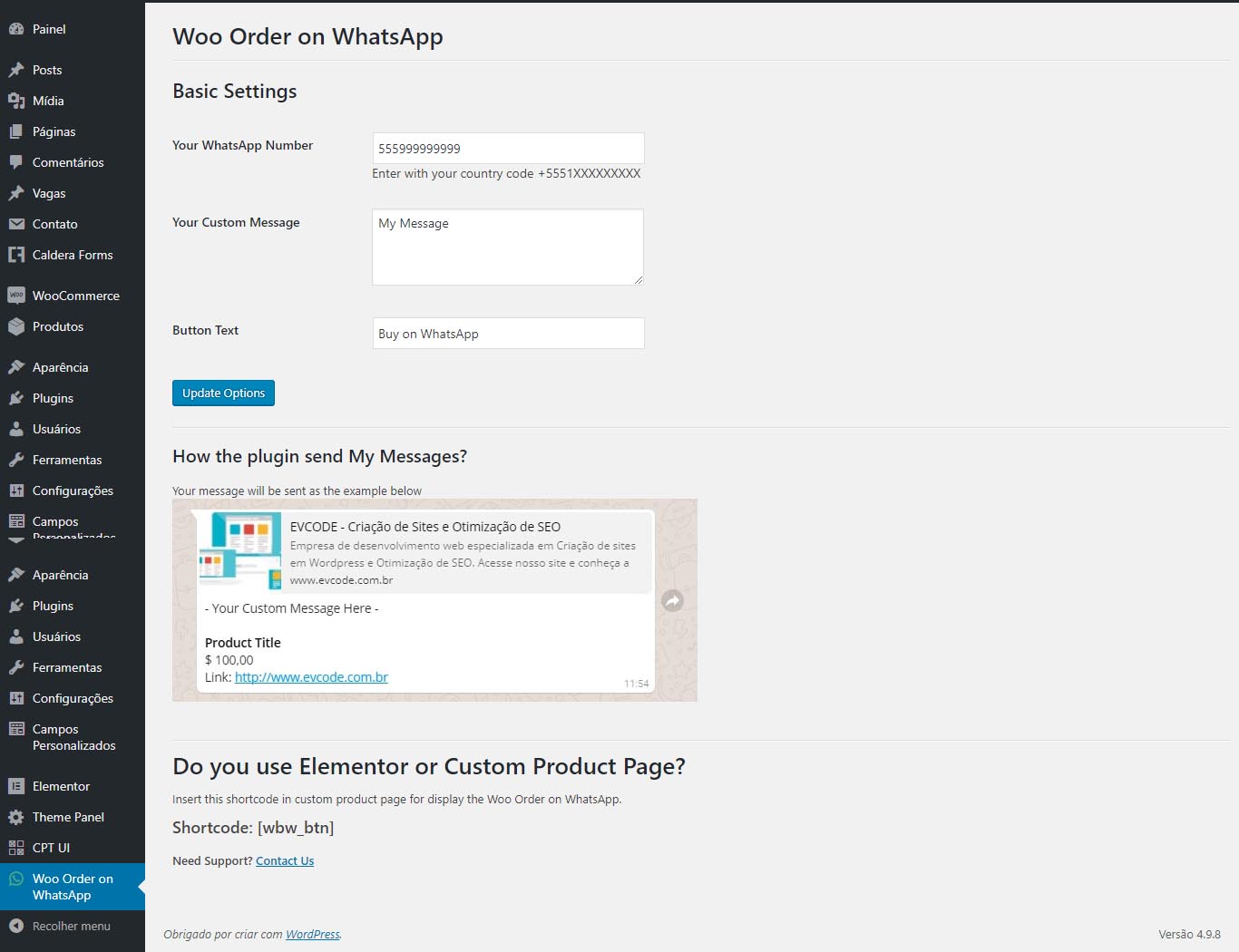
Order on Mobile for WooCommerce admin panel

Button in Woocommerce Product Page
Changelog
2.4.1
Changed: code improvements.
2.4
Changed: PHP minimum version required change to 7.4.
Changed: code improvements.
Changed: settings UI/UX improvements.
Changed: optimize build version of assets.
Changed: improve development experience with code standards and other settings.
2.3.4
Changed: compatibility with WordPress 6.7.
Changed: code improvements.
2.3.3
Changed: compatibility with WordPress 6.5.
Changed: code improvements.
2.3.2
Changed: compatibility with WordPress 6.3.
2.3.1
Fix: error on cart page when edit with Elementor editor.
2.3
Changed: compatibility with WordPress 6.2.
2.2
Changed: compatibility with WordPress 6.1.
2.1
Changed: compatibility with WordPress 6.0.
2.0
- Change: code improvements to support pro version.
- Added: new options template.