

Payment Gateway for PayPal Pro on WooCommerce
🚀 The best payment gateway for PayPal Pro on WooCommerce – accept credit cards securely!
Plugin info
Maintenance & Compatibility
Maintenance score
Maintained • Last updated 126 days ago • 6 reviews
Is Payment Gateway for PayPal Pro on WooCommerce abandoned?
Likely maintained (last update 126 days ago).
Compatibility
Similar & Alternatives
Explore plugins with similar tags, and compare key metrics like downloads, ratings, updates, support, and WP/PHP compatibility.
Description
🚀 The best payment gateway for PayPal Pro on WooCommerce – accept credit cards securely!
Seamlessly integrate PayPal Pro into your WooCommerce store and accept secure credit card payments directly on your website. Developed by an official PayPal partner, this plugin provides a seamless one-page checkout experience to boost conversions.
Why choose this plugin?
This payment gateway for PayPal Pro on WooCommerce is the ultimate solution to accept secure online payments without redirecting customers away from your site. Designed for fast transactions and a seamless checkout, this plugin ensures a smooth user experience with PayPal Pro API integration.
Key features
- Accept Visa, MasterCard, Amex, and Discover directly on your WooCommerce store.
- Seamless and fast checkout experience with PayPal Pro API.
- No redirection – customers stay on your site during checkout.
- Supports PayPal sandbox mode for testing.
- Send item details with transactions.
- Enable PayPal instant payment notifications (IPN).
- Compatible with the latest WooCommerce and WordPress versions.
How it works
- Install and activate the plugin.
- Navigate to WooCommerce Settings Payments PayPal Pro.
- Enter your PayPal API credentials.
- Enable sandbox mode for testing if needed.
- Start accepting payments with a professional and secure checkout experience.
Installation
Automatic installation
- Log in to your WordPress dashboard.
- Navigate to Plugins Add New.
- In the search field, type “WooCommerce PayPal Pro Payment Gateway”.
- Locate the plugin and click Install Now.
- Once installed, click Activate.
- Go to WooCommerce Settings Payments PayPal Pro to configure your PayPal API details.
Manual installation
- Download the plugin ZIP file.
- Unzip the file and upload the
paypal-pro-for-woofolder to/wp-content/plugins/. - Go to your WordPress dashboard Plugins and activate the plugin.
- Navigate to WooCommerce Settings Payments PayPal Pro and enter your PayPal credentials.
Frequently Asked Questions
PayPal Pro is a premium PayPal service that allows merchants to accept credit card payments directly on their website without redirecting customers to PayPal.
Yes, you must have a PayPal Pro business account to use this plugin.
Yes, the plugin supports PayPal sandbox mode for testing transactions.
No, this version of the plugin does not support subscriptions or recurring billing.
Review feed
Screenshots
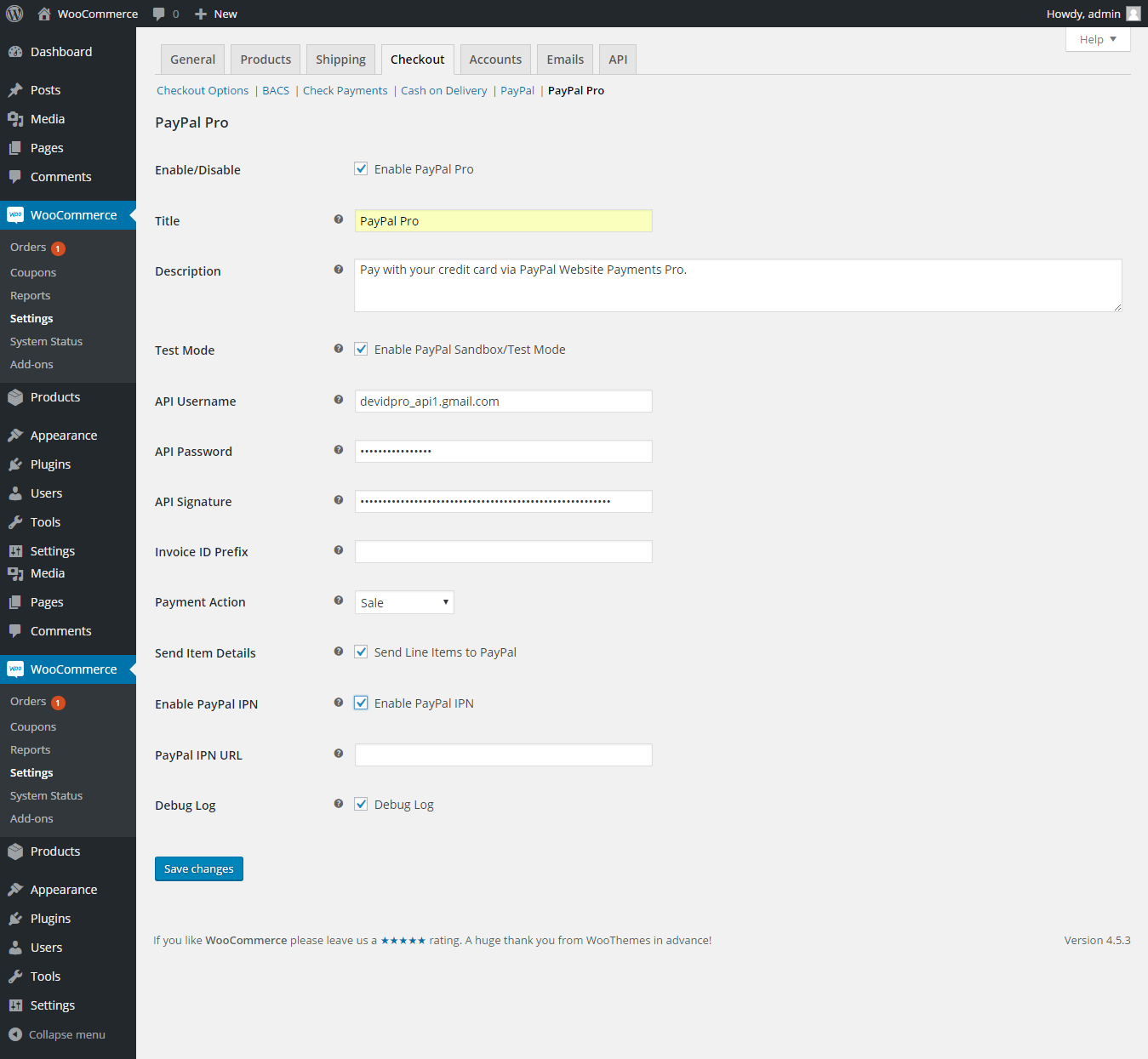
PayPal Pro settings page - easily configure PayPal Pro for WooCommerce.
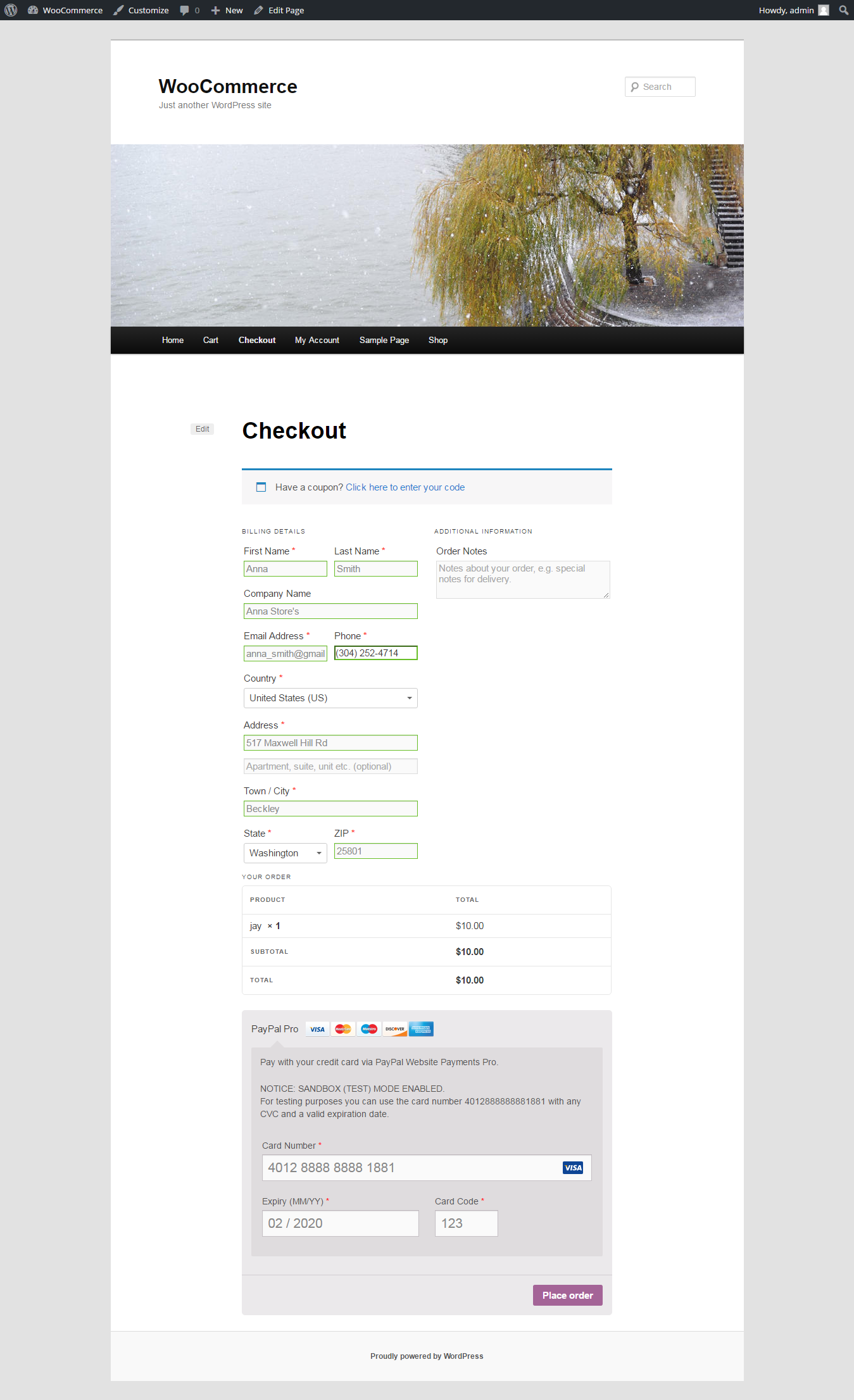
Checkout page - PayPal Pro payment button displayed on checkout.
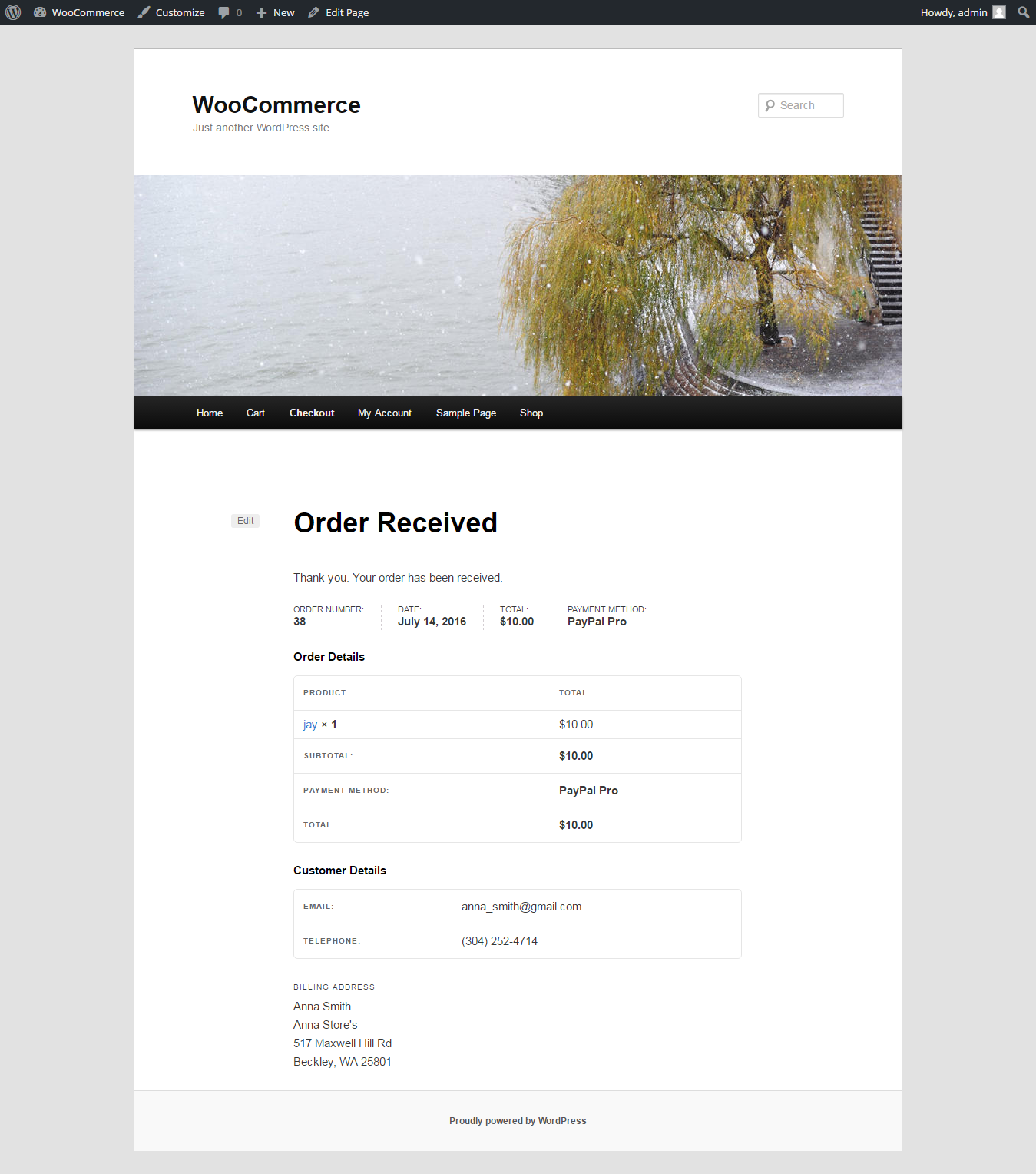
Order confirmation page - secure transaction success page.
Changelog
7.0.2 – 08.27.2025
- Verified compatibility with WC 10.1.1.
7.0.1 – 06.04.2025
- Verified compatibility with WordPress 6.8.1.
7.0.0 – 02.12.2025
- Added compatibility with HOPS.
- Enhanced support for WooCommerce checkout blocks.
6.0.0
- Verified compatibility with WordPress 6.8.2.
5.0.2 – 02.24.2022
- Verified compatibility with WordPress 6.2.1.
5.0.1 – 01.28.2022
- Fixed calculation issue during checkout.
1.0.1
- Initial compatibility testing with WordPress 4.6.
1.0.0
- Release date: 17 July, 2016
- First version released.