

Woocommerce Watchlist Notifications
A watchlist notification plugin to manage watchlist keywords. Donate link: http://cisin.com/ Tags: woocommerce, email notifications, watchlist, new …
Plugin info
Maintenance & Compatibility
Maintenance score
Possibly abandoned • Last updated 2977 days ago • 1 reviews
Is Woocommerce Watchlist Notifications abandoned?
Possibly abandoned (last update 2977 days ago).
Compatibility
Similar & Alternatives
Explore plugins with similar tags, and compare key metrics like downloads, ratings, updates, support, and WP/PHP compatibility.
Description
Woocommerce watchlist notification is an addon of woocommerce . Allow to add products to the watchlist. Once product will be added to the watchlist user will be able to get notification emails whenever any new similar product will be added to the system.
This plugin focused on ease of integration, ease of use, and extensibility. It is deliberately powerful yet unbelievably simple.
Users can customize button, styling, email description from the setting page.
Users can manage all the keywords on my-account page. They can search, add, delete keyword according to the need.
Suggestions
You are excited from the “WooCommerce Watchlist Notifications” plugin and want to contribute? Get involved at our GitHub repository
Installation
- Upload the entire woocommerce-watchlist-notification folder to the /wp-content/plugins/ directory.
- Activate the plugin through the Plugins menu in WordPress admin.
- Go to the watchlist notifications settings page and do the settings according to the need.
Frequently Asked Questions
Installation Instructions
- Upload the entire woocommerce-watchlist-notification folder to the /wp-content/plugins/ directory.
- Activate the plugin through the Plugins menu in WordPress admin.
- Go to the watchlist notifications settings page and do the settings according to the need.
How to customize email notification template?
You can overwrite email template on the theme’s folder and then can do necessary updates on email template.
Review feed
Screenshots

This screenshot refers the back-end functionality of this plugin. You just need to do some settings for button and styling.
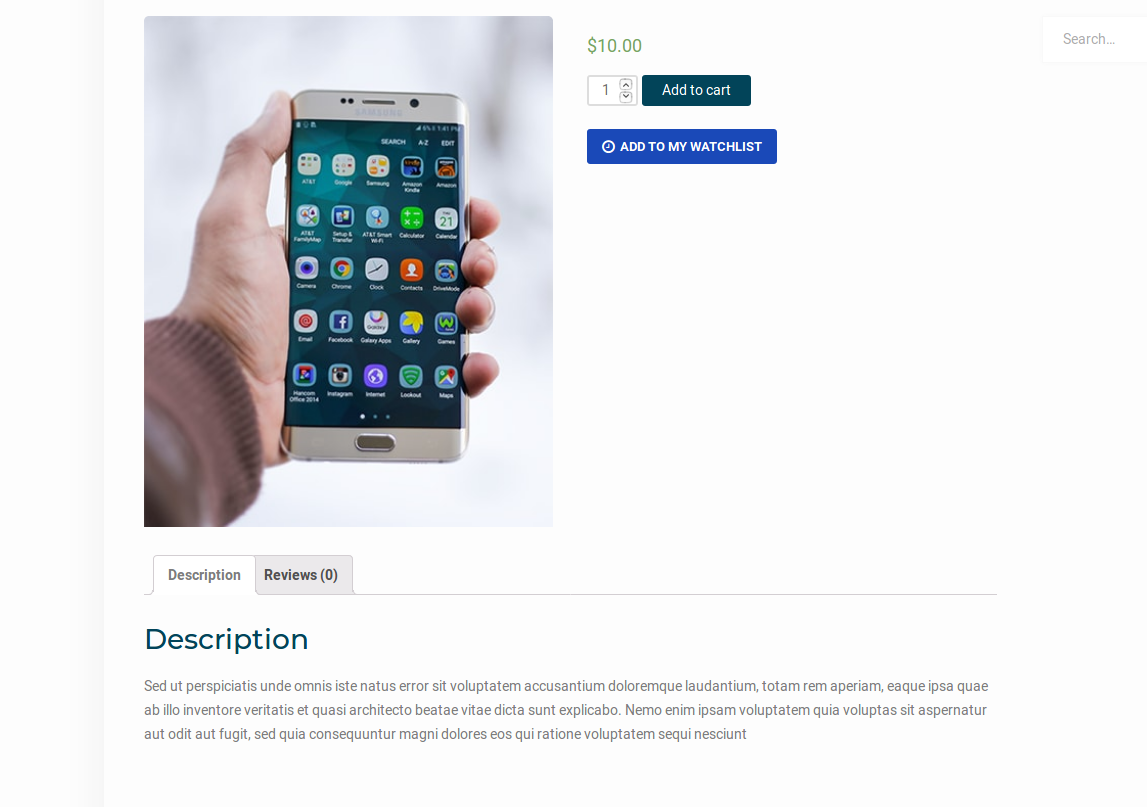
This is how it will apprear on the front end.

This is how your keyword will be appear after adding them on the my-account page.
Changelog
0.1 Version 16/12/2017
- New: Add to my watchlist
- New: Display watchlist
- New: email notifications
We Need Your Support
It is really hard to continue development and support for this free plugin without contributions from users like you. If you are enjoying using our woocommerce watchlist notification plugin and find it useful, then please consider Making a Donation. Your donation will help us to encourage and support the plugin’s continued development and better user support.