

WooCommerce Gateway Affirm
Affirm Payments for WooCommerce: Buy now, pay later for your business—but smarter. Increase conversions and AOV by offering shoppers flexible payment …
Plugin info
Maintenance & Compatibility
Maintenance score
Stale • Last updated 190 days ago
Is WooCommerce Gateway Affirm abandoned?
Likely maintained (last update 190 days ago).
Compatibility
Similar & Alternatives
Explore plugins with similar tags, and compare key metrics like downloads, ratings, updates, support, and WP/PHP compatibility.
Description
How to get started
- Download and install the Affirm Payments extension for WooCommerce.
- Submit your application for an Affirm merchant account.
- US merchants: Head to your WooCommerce payment settings to apply.
- UK merchants: Apply at info.affirm.com/woocommerce/uk
- Canada merchants: Apply at info.affirm.com/woocommerce/ca.
- Once your application is approved, you’ll receive a confirmation email from Affirm and your API keys will go live.
Fast-track your revenue goals and capture every possible sale by offering customers a smarter way to pay over time, with no hidden fees or surprises.
Business benefits
Customized solutions
Choose what’s best for your business. Allow customers to pay for their purchase interest-free in 30 days, in 4 interest-free payments every 2 weeks, or in longer installments up to 36 months. Affirm supports cart values up to $30,000.
Seamless transactions
Affirm pays you for each purchase up front, and provides a seamless experience for shoppers to manage their payments through the Affirm app.
Accelerate customer acquisition
Affirm provides access to a powerful network of high-LTV shoppers who have the purchasing power to transact with your business.
Shopper benefits
Personalized terms
Affirm’s BNPL terms are tailored to each purchase and provide customers with the flexibility to choose the payment plan that best suits their individual needs and budget.
Complete transparency
From no late fees to clear payment plans, Affirm’s commitment to transparency can help boost customer satisfaction to keep them coming back for more.
The power to say yes
Affirm’s pay-over-time solutions remove price as a barrier, giving your eligible customers more spending power and a convenient way to say yes to the things they love—without giving up financial peace of mind.
Subscription includes
- Free updates
- Free customer support: Our Support Service includes assistance with product installations, configuration, and use. See support policy
Extension Information
- PHP version required: 7.4
- Tested with WordPress: 6.4.1
- Tested with WooCommerce: 8.5.0
Compatibility
- Cart & checkout blocks: Manage your WooCommerce cart and checkout pages with the block editor.
- High performance order storage (HPOS): Store your WooCommerce orders in their own database tables, to increase your store’s performance.
Support
Documentation
Feature requests
Get support
Available Countries
- United States
- United Kingdom
- Canada
Quality Checks
Known vulnerability check passed
Dependent packages vulnerability check passed
Follows Marketplace best practices
Requirements
- Affirm works for merchants selling in the United States, United Kingdom, and Canada.
- You will need an Affirm merchant account to implement financing.
- SSL certificate
Installation
Automatic installation
Automatic installation is the easiest option as WordPress handles the file transfers itself and you don’t need to leave your web browser. To
automatically install WooCommerce Gateway Affirm, log in to your WordPress dashboard, navigate to the Plugins menu, and click Add New.
In the search field type “WooCommerce Gateway Affirm” and click Search Plugins. Once you’ve found our plugin you can install it by clicking Install Now, as well as view details about it such as the point release, rating, and description.
Manual installation
The manual installation method involves downloading our plugin and uploading it to your web server via your favorite FTP application. The WordPress codex contains instructions on how to do this here.
Updating
Automatic updates should work like a charm; as always though, ensure you backup your site just in case.
Frequently Asked Questions
Confirm that:
- Your site’s currency is set to USD. Go to: WooCommerce > Settings > General > Currency.
- Customers have a U.S.-based billing address to use Affirm.
- SSL is enabled.
- Your site is in Live (not Test) mode.
This error may be caused by non-standard/poorly coded themes and JavaScript (JS) issues. Common issues include:
- JavaScript errors on checkout page – To view the error, open your browser error console (in Chrome: View > developer > JavaScript console) and look for red errors. This should indicate where the error is located and lead you to the problem, e.g., Loading jQuery incorrectly
- Failing to load scripts – Affirm loads JavaScript which it needs to function. If these are not loaded, you will see errors. Most common reasons are:
- Theme is missing wp_head() or wp_footer() calls.
- Old overridden template files from WooCommerce inside your theme.
- Loading headers/footers in a non-standard way. WooCommerce uses get_header()’s get_header action to init the checkout and load scripts. If you are not using get_header() you either need to do so, or you need to trigger the get_header action manually using: do_action( ‘get_header ); in your custom header loader.
No. These are fixed/static pages from Affirm.
At this time the feature is inactive on stores. The information can only be accessed by an Affirm representative.
Review feed
Screenshots
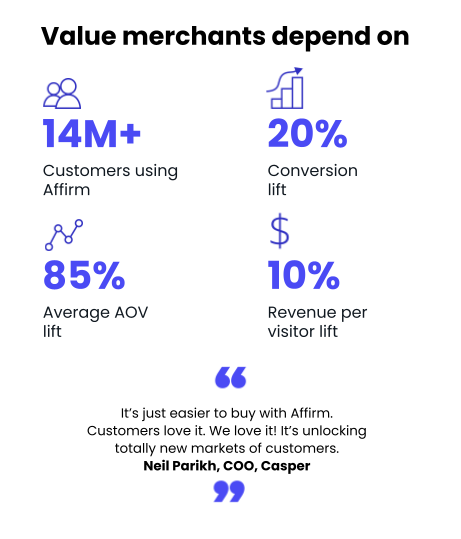
WooCommerce-Banner
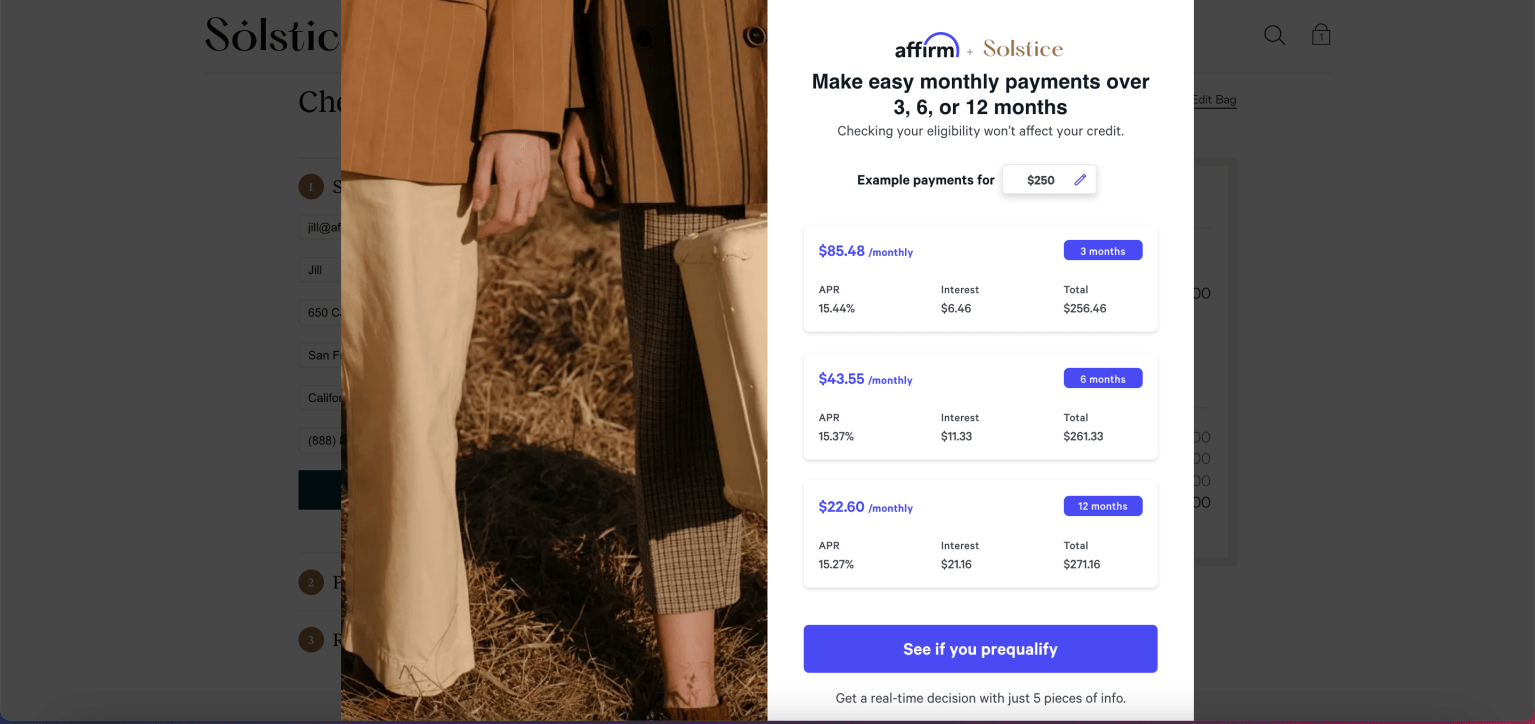
Capture more conversions with the right terms that will perform well for your particular business

Here’s how it works
Changelog
2.4.7 – 2025-02-06
- Fix – Fixed sandbox key polling
2.4.6 – 2025-01-09
- Fix – Support for Affirm Onboarding with Connect OAuth
2.4.1 – 2024-06-27
- Tweak – Use admin theme color in selectors.
- Dev – Remove Woo plugin header.