

WooCommerce Product Details Customiser
Customise the appearance of the product details pages in WooCommerce.
Plugin info
Maintenance & Compatibility
Maintenance score
Possibly abandoned • Last updated 3046 days ago • 7 reviews
Is WooCommerce Product Details Customiser abandoned?
Possibly abandoned (last update 3046 days ago).
Compatibility
Developers
Languages
Similar & Alternatives
Explore plugins with similar tags, and compare key metrics like downloads, ratings, updates, support, and WP/PHP compatibility.
Description
Allows you to customise WooCommerce product details pages. Show / Hide core components like product imagery, tabs, upsells and related products.
Please feel free to contribute on github.
Installation
- Upload
woocommerce-product-details-customiserto the/wp-content/plugins/directory - Activate the plugin through the ‘Plugins’ menu in WordPress
- Configure the options on the Catalog tab of the WooCommerce settings screen.
- Done!
Frequently Asked Questions
Installation Instructions
- Upload
woocommerce-product-details-customiserto the/wp-content/plugins/directory - Activate the plugin through the ‘Plugins’ menu in WordPress
- Configure the options on the Catalog tab of the WooCommerce settings screen.
- Done!
One / Some of the options don’t work. What gives?
If your theme has been integrated with WooCommerce it is possibly already adding or removing some of the compontents. If so the plugin options may be overwritten by the theme regardless of the settings you choose.
Review feed
Screenshots
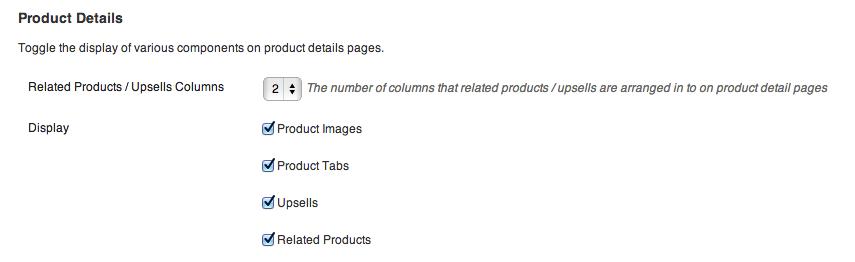
The Product Details Customiser Settings.
Changelog
0.2.0
WooCommerce 2.1 compatibility.
0.1
Initial release.