

Price Based on Country for WooCommerce
Add multicurrency support to WooCommerce, allowing you set product's prices in multiple currencies based on country of your site's visitor.
Plugin info
Maintenance & Compatibility
Maintenance score
Maintained • Last updated 119 days ago • Support resolved 100% • 261 reviews
Is Price Based on Country for WooCommerce abandoned?
Likely maintained (last update 119 days ago).
Compatibility
Developers
Similar & Alternatives
Explore plugins with similar tags, and compare key metrics like downloads, ratings, updates, support, and WP/PHP compatibility.
Description
Price Based on Country for WooCommerce allows you to sell the same product in multiple currencies based on the country of the customer.
How it works
The plugin detects automatically the country of the website visitor throught the geolocation feature included in WooCommerce (2.3.0 or later) and display the currency and price you have defined previously for this country.
You have two ways to set product’s price for each country:
- Calculate price by applying the exchange rate.
- Set price manually.
When country changes on checkout page, the cart, the order preview and all shop are updated to display the correct currency and pricing.
Multicurrency
Sell and receive payments in different currencies, reducing the costs of currency conversions.
Country Switcher
The extension include a country switcher widget to allow your customer change the country from the frontend of your website.
Shipping currency conversion
Apply currency conversion to Flat and International Flat Rate Shipping.
Compatible with WPML
WooCommerce Product Price Based on Countries is officially compatible with WPML.
Upgrade to Pro
This plugin offers a Pro addon which adds the following features:
- Guaranteed support by private ticket system.
- Automatic updates of exchange rates.
- Add an exchange rate fee.
- Round to nearest.
- Display the currency code next to price.
- Compatible with the WooCommerce built-in CSV importer and exporter.
- Thousand separator, decimal separator and number of decimals by pricing zone.
- Currency switcher widget.
- Support to WooCommerce Subscriptions by Prospress .
- Support to WooCommerce Product Bundles by SomewhereWarm .
- Support to WooCommerce Product Add-ons by WooCommerce .
- Support to WooCommerce Bookings by WooCommerce .
- Support to WooCommerce Composite Product by SomewhereWarm.
- Support to WooCommerce Name Your Price by Kathy Darling.
- Bulk editing of variations princing.
- Support for manual orders.
- More features and integrations is coming.
Requirements
- WooCommerce 3.4 or later.
- If you want to receive payments in more of one currency, a payment gateway that supports them.
Installation
- Download, install and activate the plugin.
- Go to WooCommerce -> Settings -> Product Price Based on Country and configure as required.
- Go to the product page and sets the price for the countries you have configured avobe.
Adding a country selector to the front-end
Once you’ve added support for multiple country and their currencies, you could display a country selector in the theme. You can display the country selector with a shortcode or as a hook.
Shortcode
[wcpbc_country_selector other_countries_text=”Other countries”]
PHP Code
do_action(‘wcpbc_manual_country_selector’, ‘Other countries’);
Customize country selector (only for developers)
- Add action “wcpbc_manual_country_selector” to your theme.
- To customize the country selector:
- Create a directory named “woocommerce-product-price-based-on-countries” in your theme directory.
- Copy to the directory created avobe the file “country-selector.php” included in the plugin.
- Work with this file.
Frequently Asked Questions
If you are in a test environment, you can configure the test mode in the setting page.
In a production environment you can use a privacy VPN tools like TunnelBear or ZenMate
You should do the test in a private browsing window to prevent data stored in the session. Open a private window on Firefox or on Chrome
Review feed
Excellent
Very straight-forward
Wonderful plugin. Fast support.
Great plugin and support
Best multi-currency plugin around
Screenshots
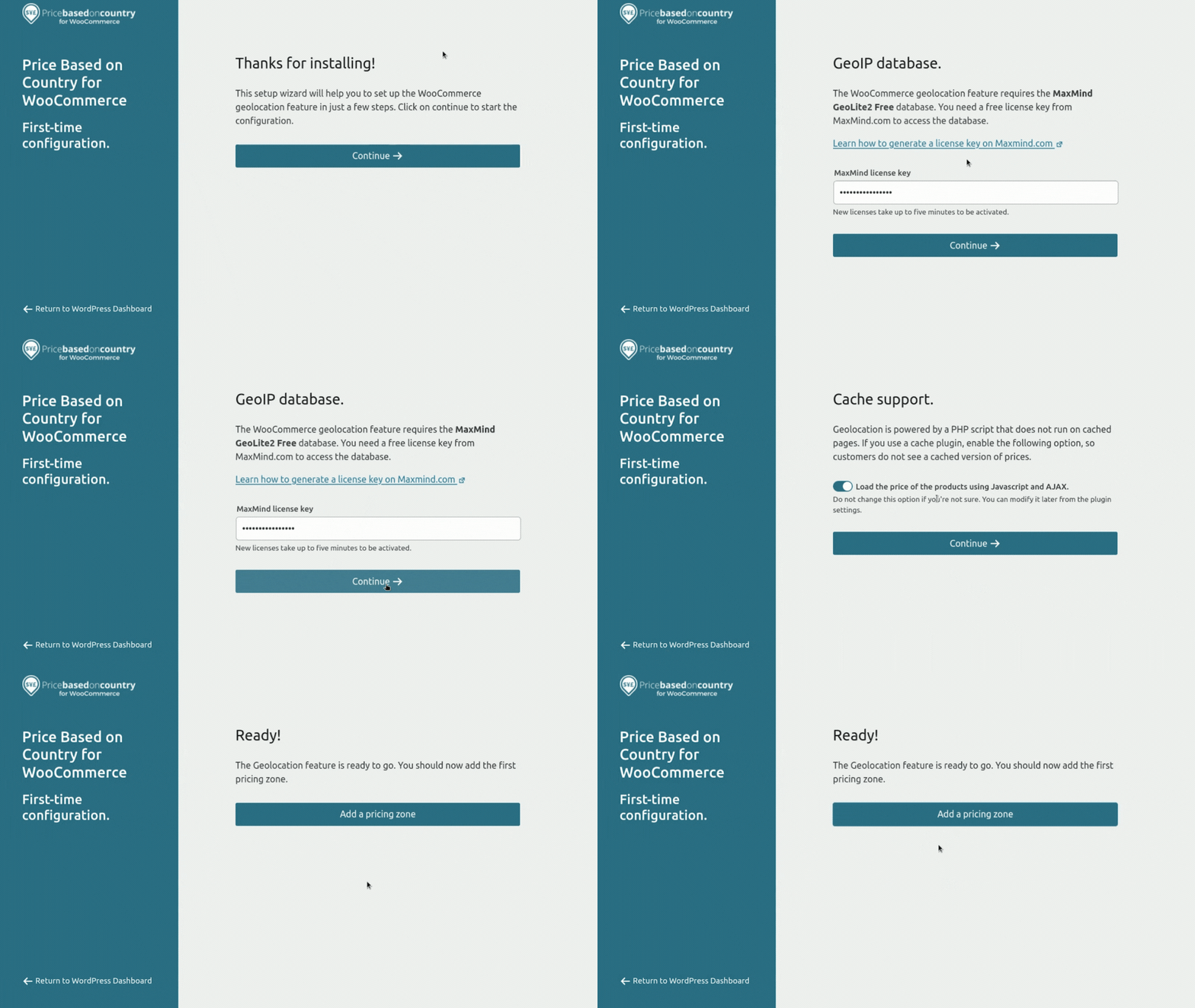
Simple to get started with the Geolocation setup wizard.
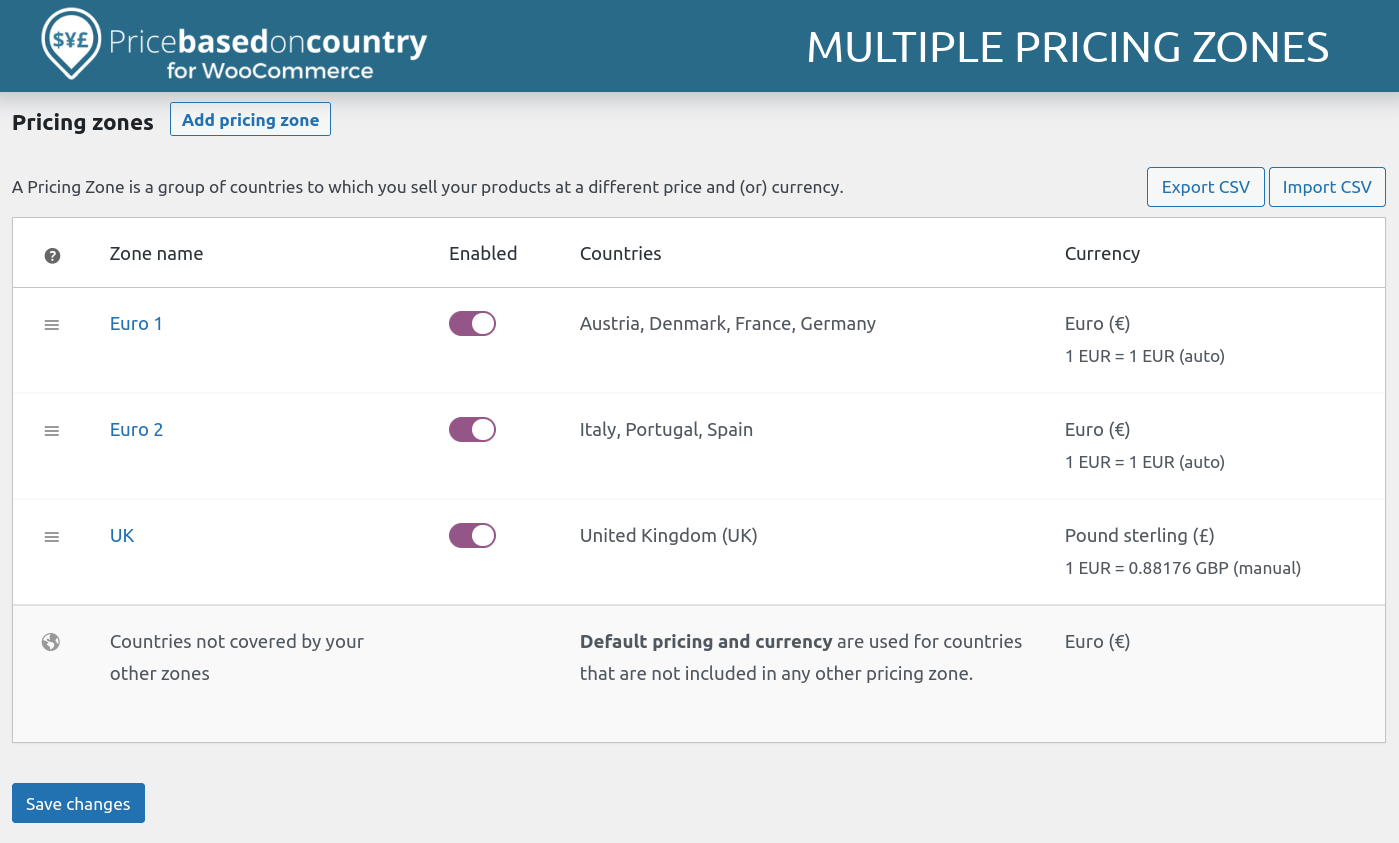
Unlimited price zones.
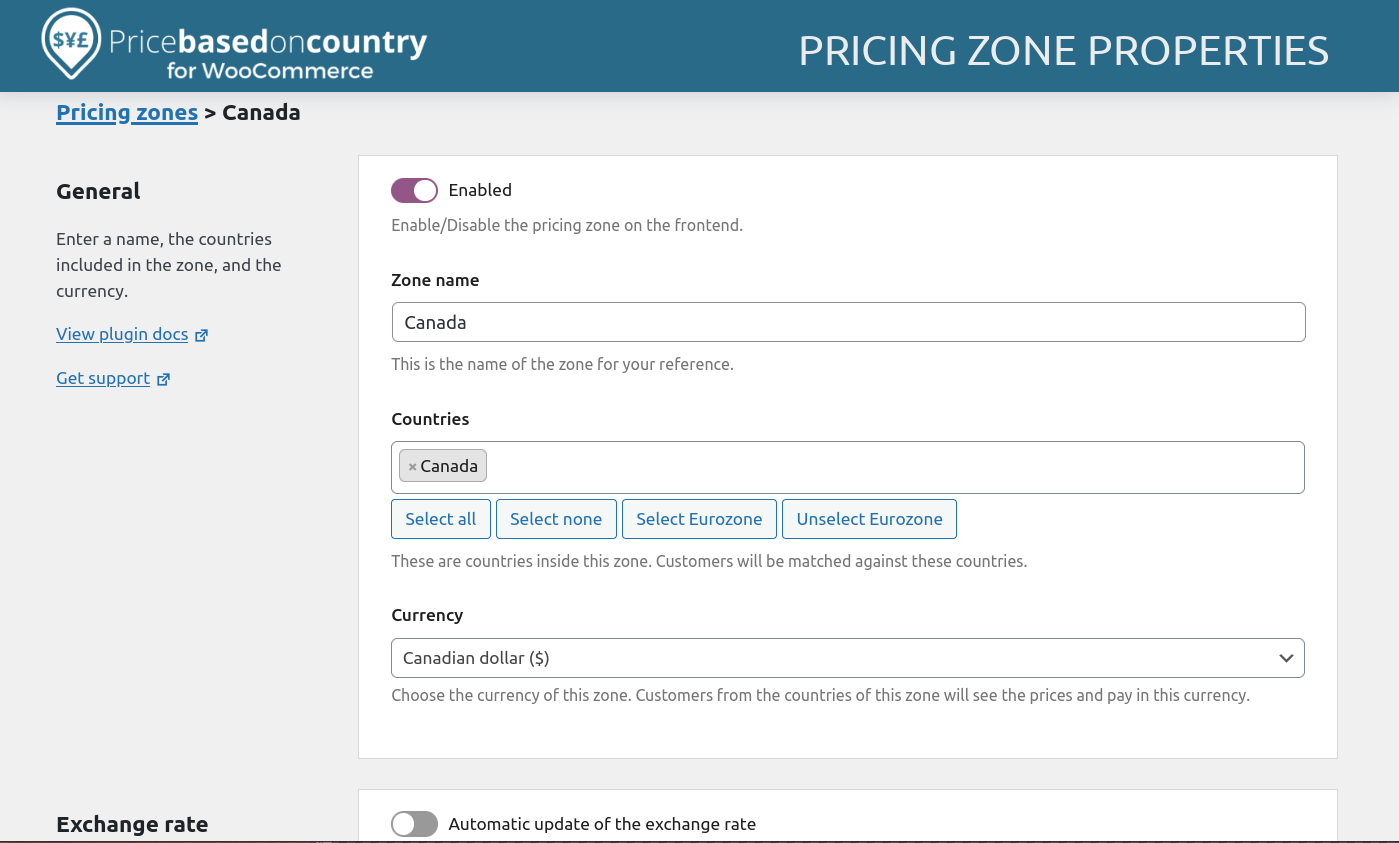
Pricing zone properties.
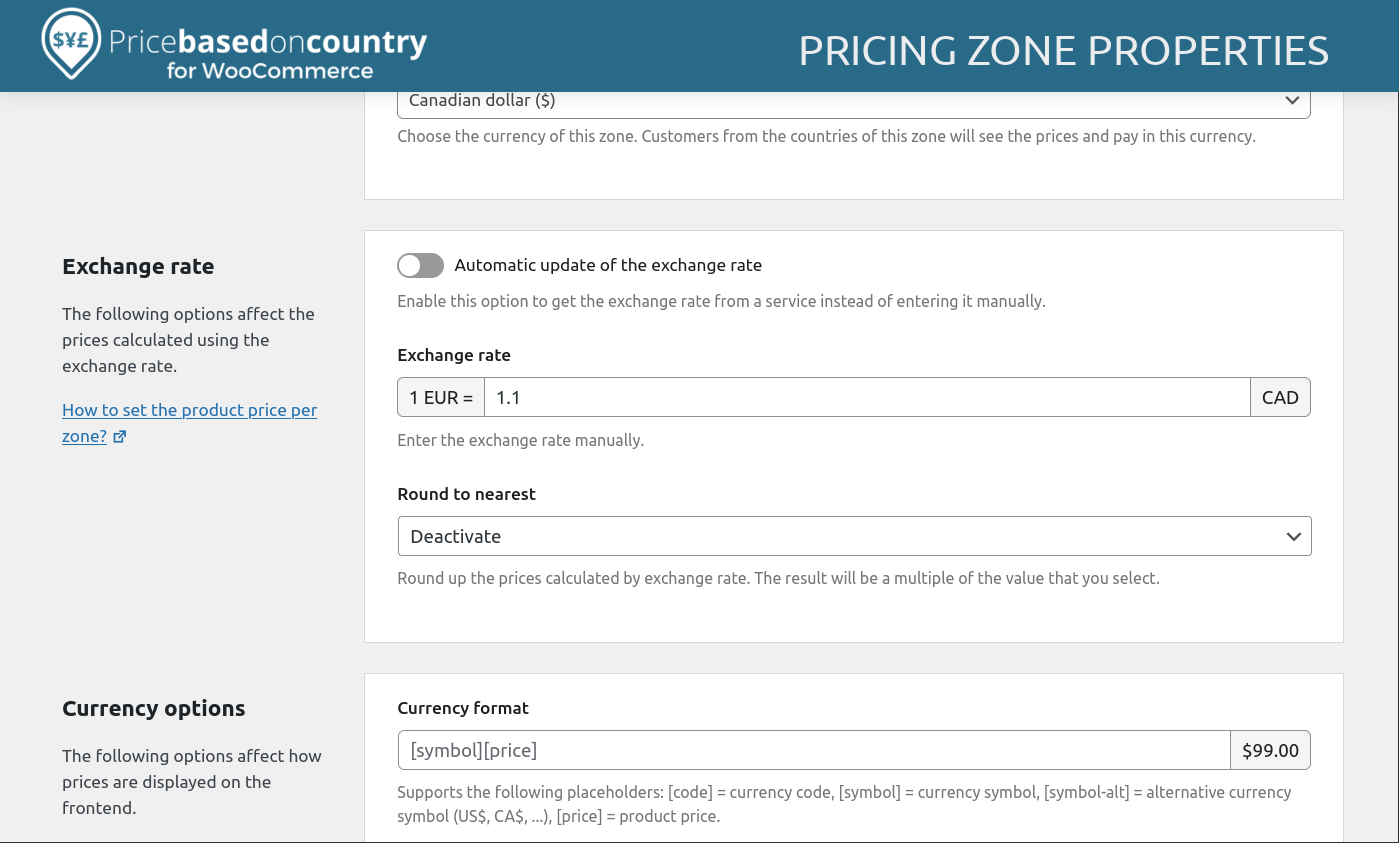
Pricing zone properties (2).
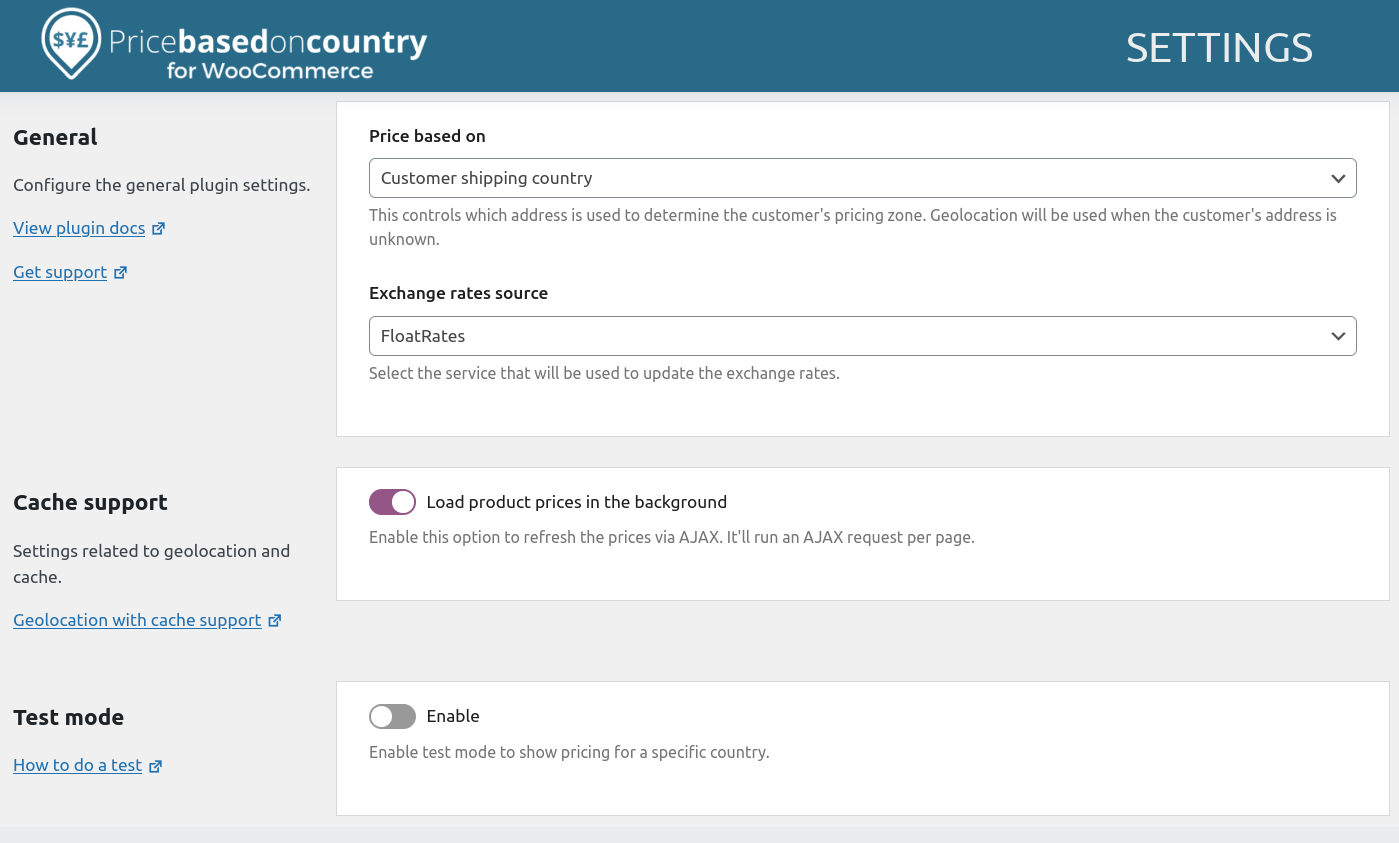
Plugin settings.
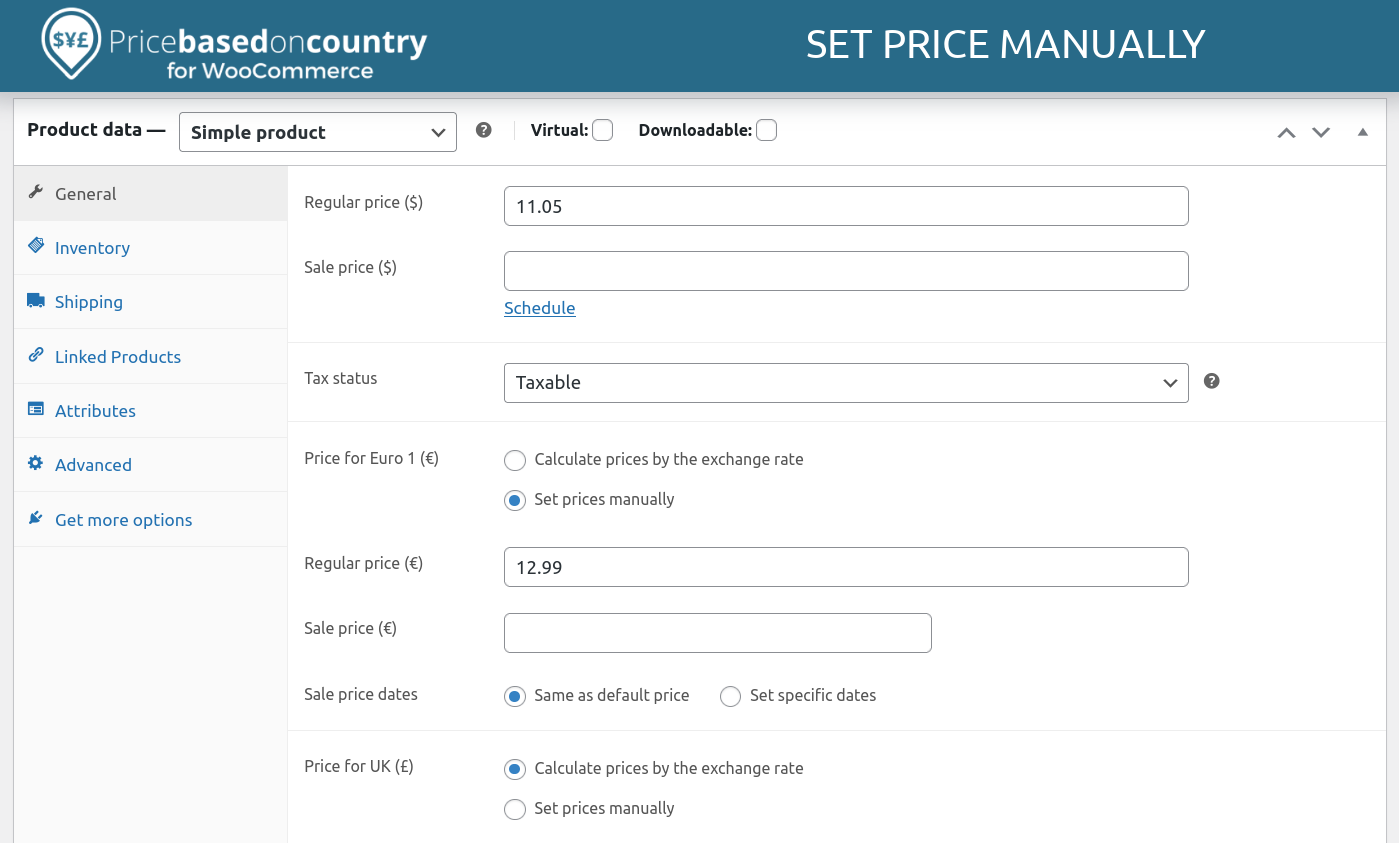
Set the price manually or calculate by the exchange rate.
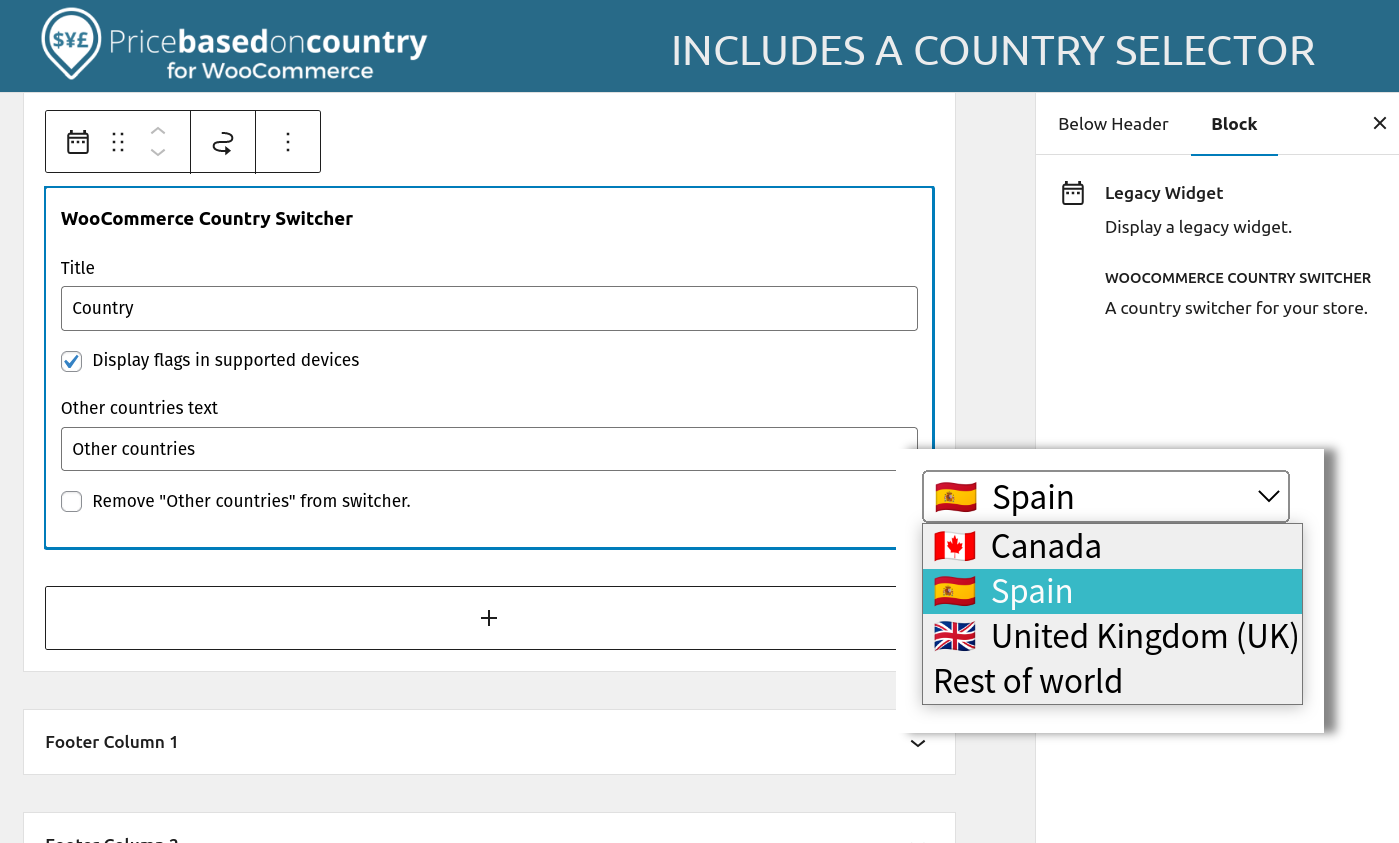
Includes a country selector widget.
Changelog
4.1.0 (2025-12-04)
- Added: Tested up WordPress 6.9+.
- Added: Tested up WooCommerce 10.4+.
- Fixed: Deprecated wc_enqueue_js on WooCommerce 10.4
- Fixed: PHP Notice: Function _load_textdomain_just_in_time was called incorrectly when “WooCommerce PayPal Payments” plugin is active.