

WP 2-step verification
Adds an extra layer of security to your Wordpress Account. Same as Google 2-step verification.
Plugin info
Maintenance & Compatibility
Maintenance score
Maintained • Last updated 174 days ago • 27 reviews
Is WP 2-step verification abandoned?
Likely maintained (last update 174 days ago).
Compatibility
Similar & Alternatives
Explore plugins with similar tags, and compare key metrics like downloads, ratings, updates, support, and WP/PHP compatibility.
Description
WordPress 2-Step Verification (Wp2sv) adds an extra layer of security to your WordPress Account.
In addition to your username and password, you’ll enter a code that generated by Android/iPhone/Blackberry app or Plugin will send you via email upon signing in.
Features
- Easy setup
- Multisite supported
- Option to use application or email
- Backup codes
- Protect XML-RPC with app password
- App passwords for apps that don’t support 2-Step Verification
- Easy recovery(via ftp) if lost phone
- Setup 2-Step at front page for Woocommerce
Installation
- Download the plugin and extract its content
- Upload the extracted folder to the
/wp-content/plugins/directory - Activate the plugin through the ‘Plugins’ menu in WordPress
- Set up 2-step verification through the ‘Users->2-Step Verification’ menu
Frequently Asked Questions
Codes are time-dependent. Make sure your phone is set to the correct local time. If your server time is incorrect, click Sync now at top right of overview page
The plugin uses wordpress built-in function to send email. If email function not work you can try some plugin to help sending email over SMTP like WP Mail Bank,WP Mail SMTP, WP SMTP,…
Yes, it does. You can network active it, it work with all users no matter if your site is multisite or not
If an user turn it ON that mean he will be asked for code once login on all sites whole the network.
Please check if wp cron disabled then please enable it. You also can manually run upgrade in cli using command wp cron event run wp2sv_upgrade
Review feed
Best Security Plugin I ever Used
Screenshots
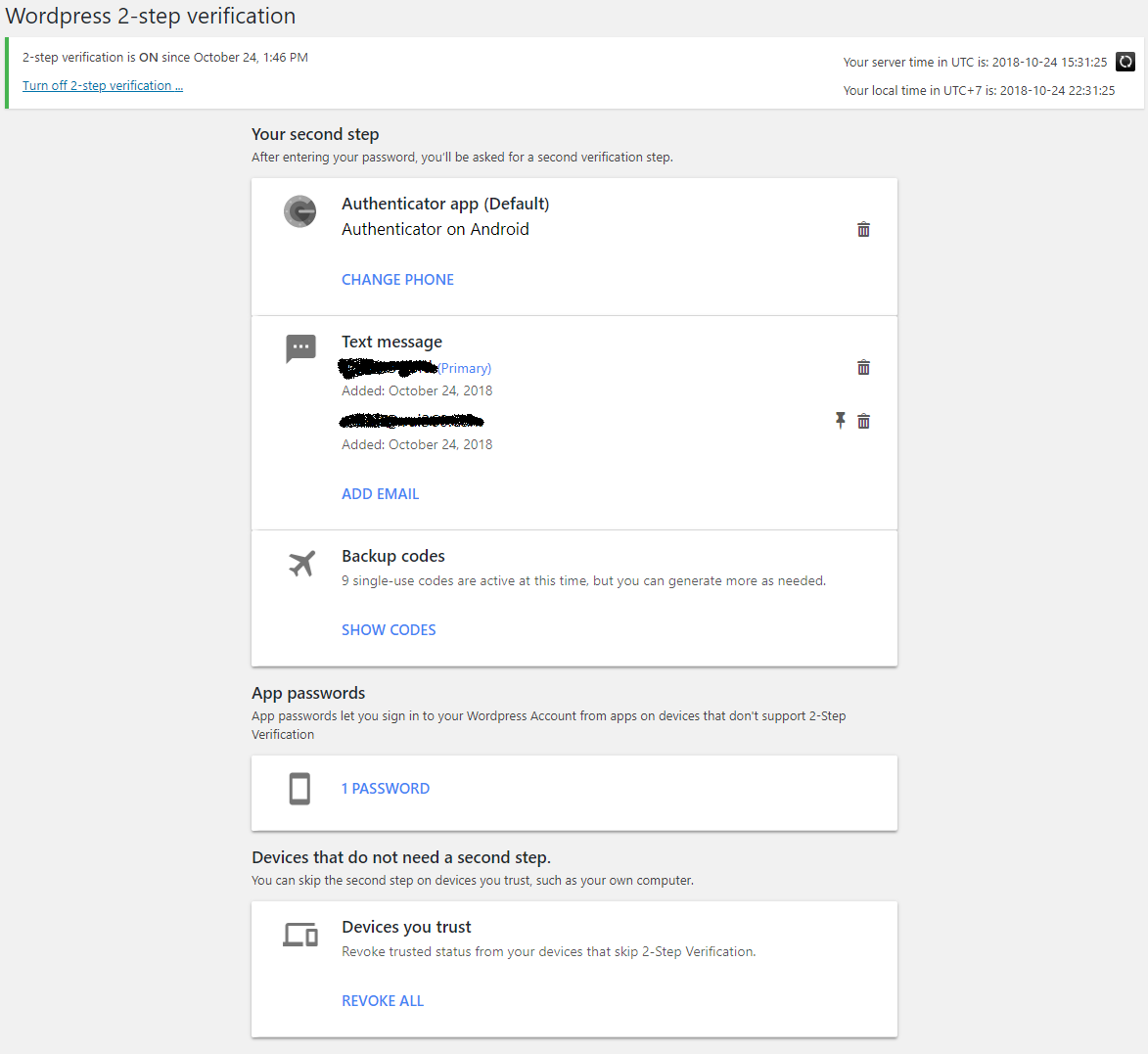
Overview page
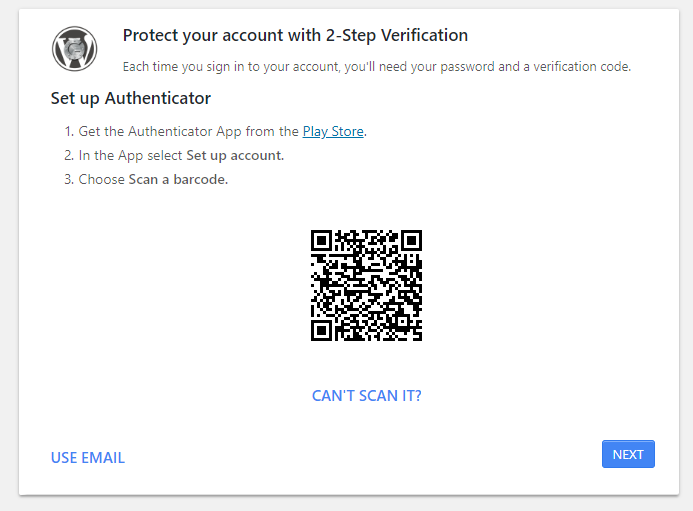
Set up instruction
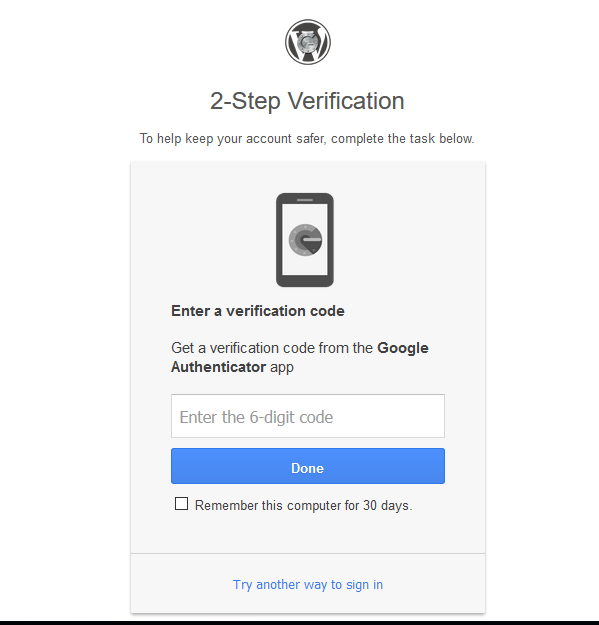
Enter code after login
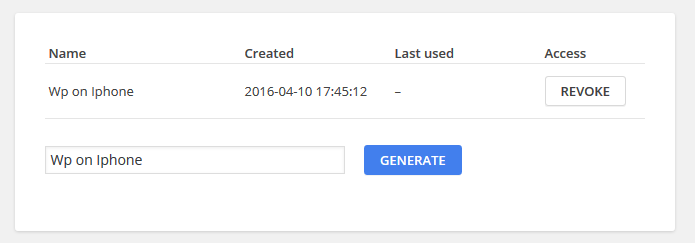
App passwords list

New App password
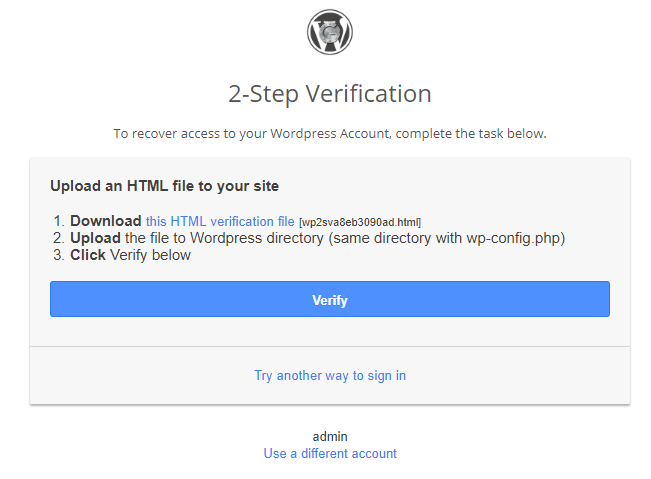
Recovery
Changelog
2.6.4
- Remove unused qrcode url
- Use https for time sync
2.6.2
- Fix QR code not showing
2.6.1
- Fix is_ajax not defined
2.6.0
- Fix email code expired too soon
- Add setting for expiration when send code via email
- Add force enable option
- Email subject and content can be via filters: wp2sv_email_subject, wp2sv_email_content
2.5.6
- Update vue to 2.7.14
- Fix issue with translation
2.5.4
- Fix cannot use same email again after turn off by admin
2.5.2
- Tested WordPress 5.9.3
2.5.1
- Fix php warning message
- Only show 4.x compatibility warning when language is not english
2.5
- Full Vue for setup page
- Use wp-i18n js https://make.wordpress.org/core/2018/11/09/new-javascript-i18n-support-in-wordpress/
- Attempts limit for verify code and send email
2.4.2
- Fix jetpack connection issue
2.4.1
- Fix issue xml-rpc not working even with app password
- Fix compatibility with contact form
2.4
- Woocommerce account page integration
- Fix bugs
2.3.1
- Fix some issues
- Added hooks: wp2sv_init, wp2sv_setup, wp2sv_handle, wp2sv_handled
2.3.0
- Template refactored, new location for template {theme}/wp2sv/
- Revoke trusted device
- Fix some bugs
2.2.0
- Add woocommerce support
- Fix rest api is blocked by wp2sv
2.1.2
- Fix recovery method not working
2.1.1
- Improve performance, may fix possibility 403 issue
2.1
- Improve compatibility with other plugins/services
- Strict mode (use WP2SV_STRICT_MODE constance) for more security but may not compatible with others
2.0.2
Fix not able to connect via Xml-RPC due to fatal error
2.0.1
Fix compatibility with third-party applications
2.0
- New design for admin
- Refactored code