

Plugin info
Maintenance & Compatibility
Maintenance score
Maintained • Last updated 117 days ago • Support resolved 79% • 247 reviews
Is WP Popular Posts abandoned?
Likely maintained (last update 117 days ago).
Compatibility
Developers
Languages
Similar & Alternatives
Explore plugins with similar tags, and compare key metrics like downloads, ratings, updates, support, and WP/PHP compatibility.
Description
WP Popular Posts is a highly customizable plugin that displays your most popular posts.
Main Features
- Multiple Popular Posts Lists – You can have several Popular Posts lists on your blog, each with its own settings!
- Time Range – List those posts of your blog that have been the most popular ones within a specific time range (eg. last 24 hours, last 7 days, last 30 days, etc)!
- Custom Post-type support – Want to show other stuff than just posts and pages, eg. Popular Products? You can!
- Thumbnails! – Display a thumbnail of your posts! (see the FAQ section for more details.)
- Statistics dashboard – See how your popular posts are doing directly from your admin area.
- Sorting options – Order your popular list by comments, views (default) or average views per day!
- Custom themes – Out of the box, WP Popular Posts includes some themes so you can style your popular posts list (see Widget Themes for more details).
- Use your own layout! – WPP is flexible enough to let you customize the look and feel of your popular posts! (see customizing WPP’s HTML markup and How to style WP Popular Posts for more.)
- Advanced caching features! – WP Popular Posts includes a few options to make sure your site’s performance stays as good as ever! (see Performance for more details.)
- REST API Support – Embed your popular posts in your (web) app! (see REST API Endpoints for more.)
- Elementor support – Are you building sites with Elementor? There’s a popular posts widget for it too!
- Disqus support – Sort your popular posts by Disqus comments count!
- Polylang & WPML 3.2+ support – Show the translated version of your popular posts!
- WordPress Multisite support – Each site on the network can have its own popular posts list!
Other Features
- Shortcode support – Use the [wpp] shortcode to showcase your most popular posts on pages, too! For usage and instructions, please refer to the Installation section.
- Template tags – Don’t feel like using blocks? No problem! You can still embed your most popular entries on your theme using the
wpp_get_mostpopular()template tag. Additionally, thewpp_get_views()template tag allows you to retrieve the views count for a particular post. For usage and instructions, please refer to the Installation section. - Localization – Translate WPP into your own language.
- WP-PostRatings support – Show your visitors how your readers are rating your posts!
PSA: The classic WP Popular Posts widget has reached End-of-Life
The classic WP Popular Posts widget doesn’t work very well / at all with the block-based Widgets editor introduced with WordPress 5.8.
This new Widgets editor expects WordPress blocks instead of regular WordPress widgets. If you’re using the classic WP Popular Posts widget please replace it with the WP Popular Posts block instead – it has the same features and functionality as the “classic” widget so you won’t be missing anything at all. See the Migration Guide for more details.
Bjorn from wplearninglab.com was kind enough to create a video explaining how to use the new block for all of you visual learners:
If you cannot (or do not want to) use WordPress blocks on your website then please replace your classic widget with the [wpp] shortcode.
Support the Project!
If you’d like to support my work and efforts to creating and maintaining more open source projects your donations and messages of support mean a lot!
WP Popular Posts is now also on GitHub!
Looking for a Recent Posts widget just as featured-packed as WP Popular Posts? Try Recently!
Credits
- Flame graphic by freevector/Vecteezy.com.
Installation
Please make sure your site meets the minimum requirements before proceeding.
Automatic installation
- Log in into your WordPress dashboard.
- Go to Plugins > Add New.
- In the “Search Plugins” field, type in WP Popular Posts and hit Enter.
- Find the plugin in the search results list and click on the “Install Now” button.
Manual installation
- Download the plugin and extract its contents.
- Upload the
wordpress-popular-postsfolder to the/wp-content/plugins/directory. - Activate the WP Popular Posts plugin through the “Plugins” menu in WordPress.
Done! What’s next?
- Please see the Usage section below to learn how to add a popular post list to your site. Once you’re done, keep reading.
- If you have a caching plugin installed on your site, flush its cache now so WPP can start tracking your site.
- If you have a plugin that minifies JavaScript (JS) installed on your site please read this FAQ: Is WP Popular Posts compatible with plugins that minify/bundle JavaScript code?
- If you have a security / firewall plugin installed on your site, make sure you allow WPP access to the REST API so it can start tracking your site.
- Go to Appearance > Editor > Theme File Editor. Under “Theme Files”, click on “Theme Header” (
header.php) and make sure that the<?php wp_head(); ?>tag is present (it should be somewhere before the closing</head>tag). - (Optional but highly recommended) Are you running a medium/high traffic site? If so, it might be a good idea to check these suggestions to make sure your site’s performance stays up to par.
That’s it!
USAGE
WP Popular Posts can be used in four different ways:
- If you’re using the Block Editor you can insert a WP Popular Posts block on your sidebar and even anywhere within your posts and pages.
- As a template tag: you can place it anywhere on your theme with
wpp_get_mostpopular(). - Via shortcode, so you can embed it inside a post or a page.
- If you’re using Elementor on your site you can use the WP Popular Posts widget for Elementor.
Make sure to stop by the Wiki as well, you’ll find even more info there!
Frequently Asked Questions
The FAQ section has been moved here.
Review feed
Great Plugin!
Works Perfectly
Great plugin, great support
Screenshots
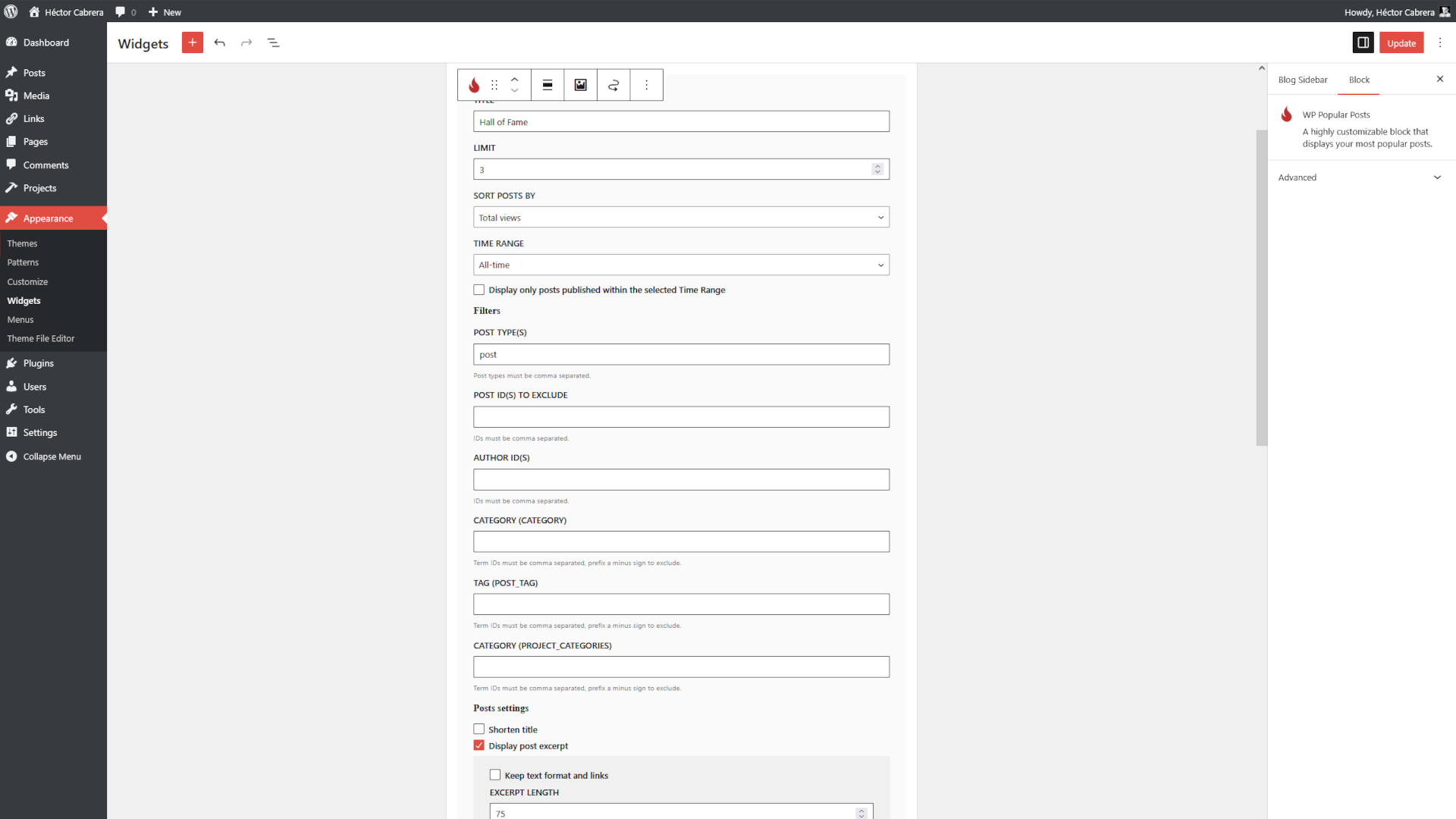
The WP Popular Posts block.

The WP Popular Posts block on theme's sidebar.
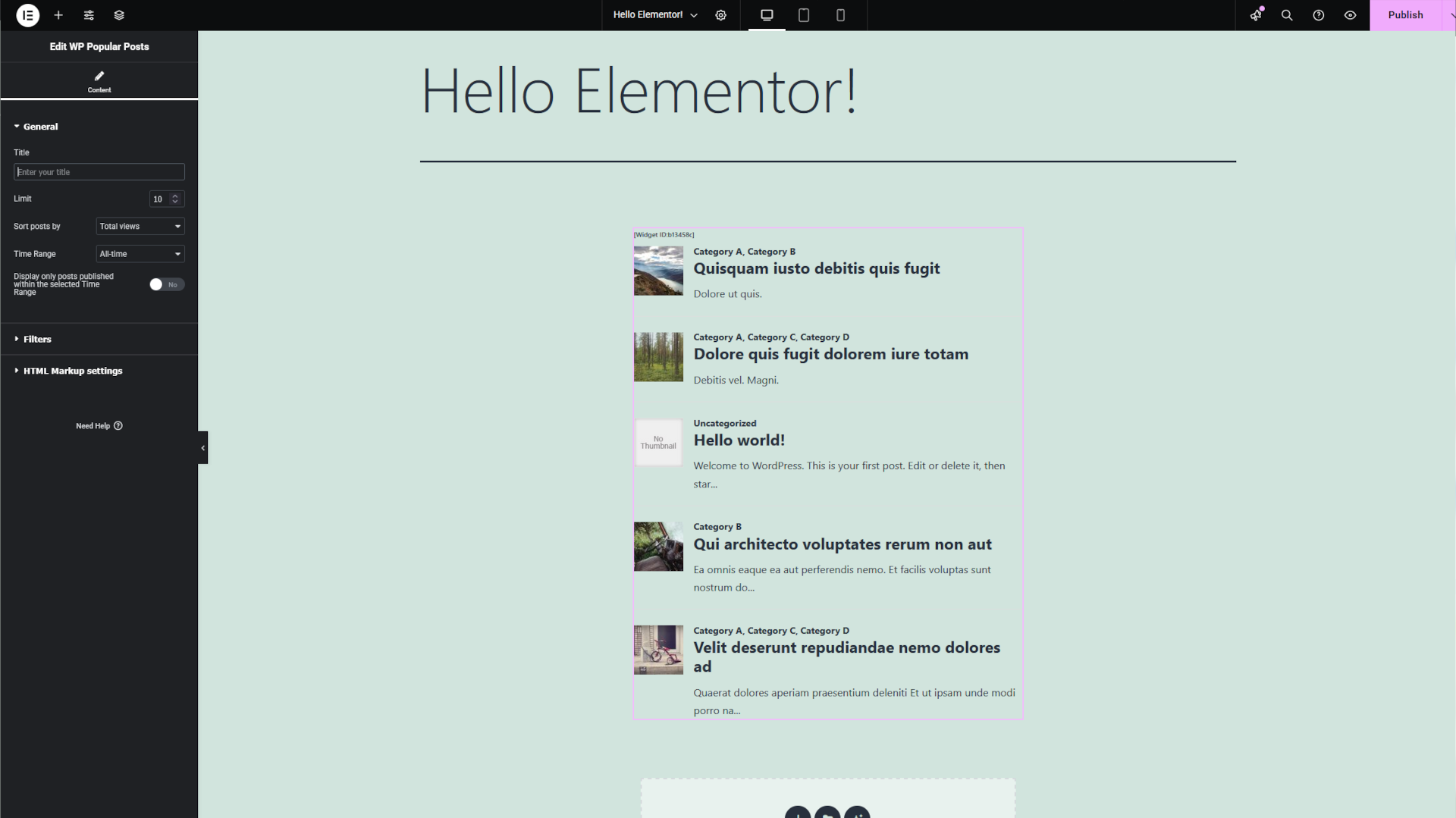
The WP Popular Posts widget for Elementor.
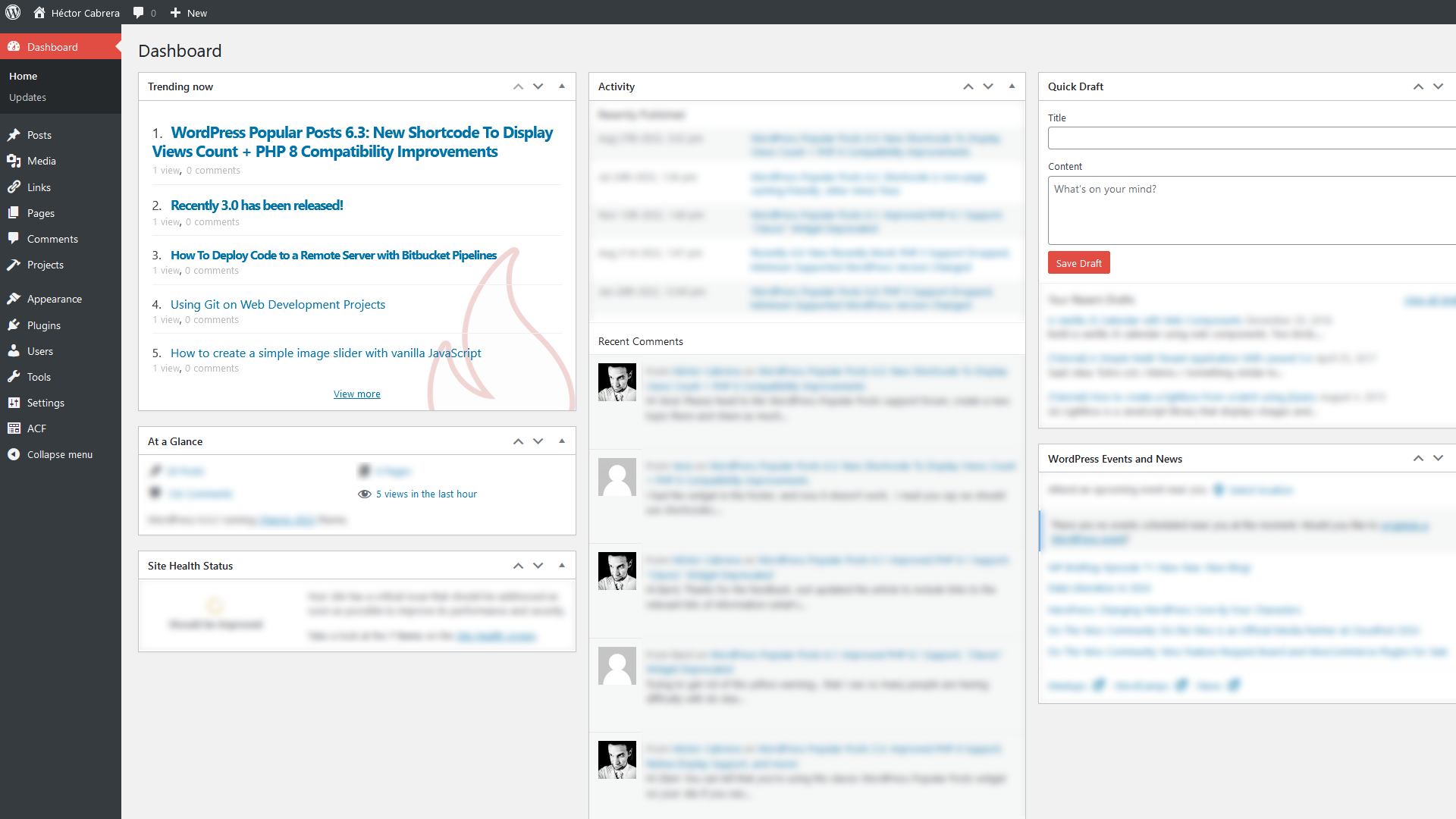
Dashboard widget.
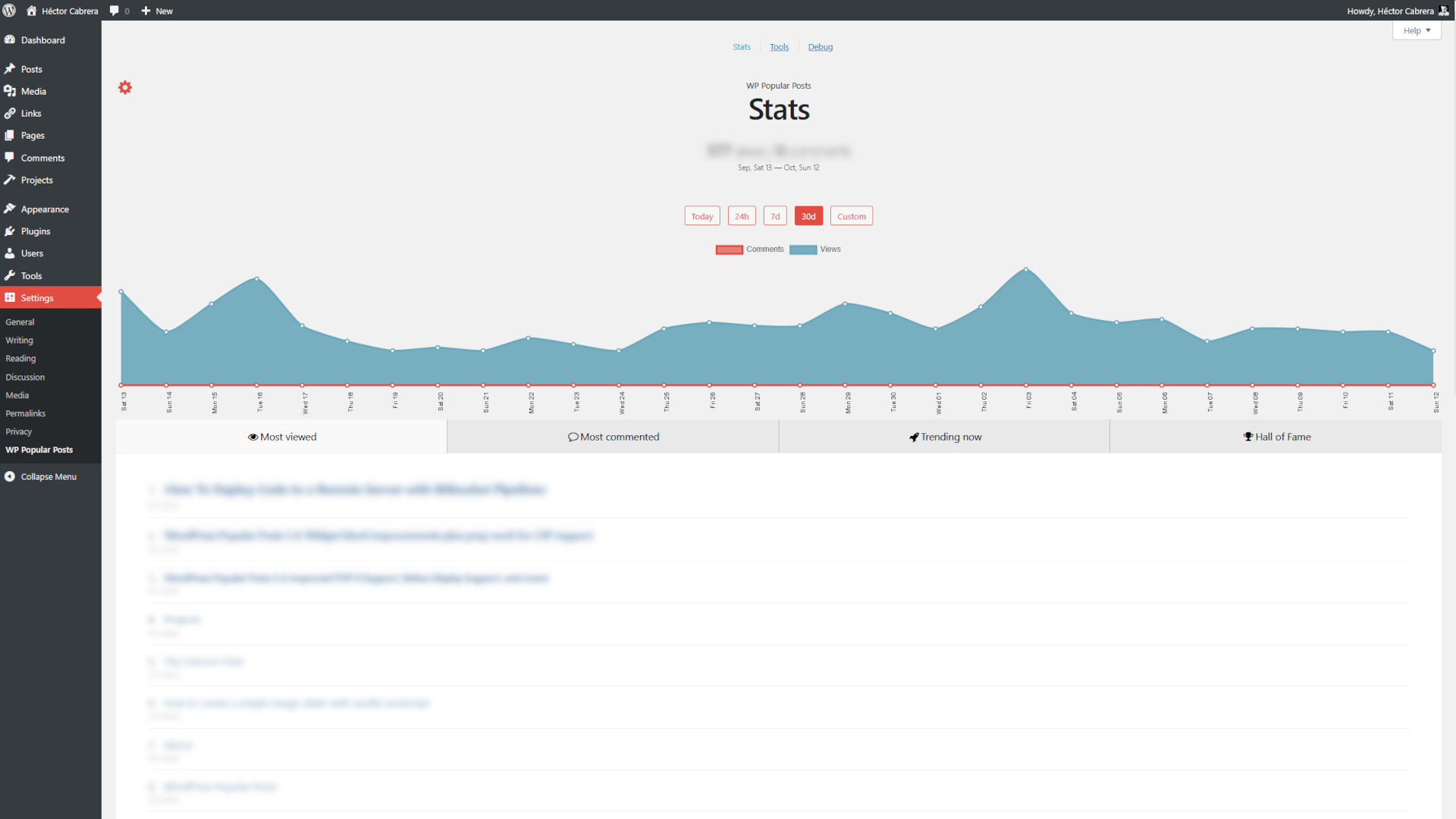
Statistics panel.
Changelog
If you’re updating from a previous version please clear your popular posts thumbnails cache via WP Dashboard > Settings > WP Popular Posts > Tools > Thumbnails > Empty image cache button.
7.3.6
- Improves security around thumbnail generation (props to smile9381!)
- Removes deprecated /v1/popular-posts POST endpoint.
- Minimum required PHP version is now 7.4.
- Minor code improvements.
7.3.5
- Fixes Elementor widget stuck in infinite loading animation.
- Fixes broken database query in get_views() (props to raphaelw!)
- Fixes an issue where config.json files from theme overrides would be ignored (thanks alexg904!)
- Minor styling enhancements.
7.3.4
- New name! See the Rename announcement for more details.
- Minimum required WordPress version is now 6.2.
- Minor code improvements.
7.3.3
- Hotfix: wpp shortcode no longer forces AJAX loading on.
7.3.2
- Compatibility: Fixes a fatal error that can happen when using Polylang.
- Compatibility: Themes should now work with WP-Rocket.
- New notice about Pretty Permalinks being required has been added.
- Fixes shortcode getting stuck on the loading animation in Elementor’s editor.
7.3.1
- Fixes wpp_start/end being striped out if empty (props to ispreview!)
- Fixes posts not loading on the Stats screen for Author users (props to waheed61!)
7.3.0
If you’re using a caching plugin and/or a plugin that minifies JavaScript code it’s highly recommended to clear its cache after installing / updating to this version.
- Adds Elementor support: WordPress Popular Posts now includes a native Elementor widget! See Release notes for more details.
- Adds get_ids() function to facilitate getting the IDs of your popular posts.
- Admin section usability improvements.
- The “Empty cache” and “Clear all data” buttons have been removed from the Admin section.
- Improves compatibility with PHP 8.4 (thanks ispreview for the heads-up!)
- Minimum required PHP version is now 7.3.
- Minor code changes & improvements.