

SNY Auto Featured Image
Automatically set a default featured image for posts, pages, or custom post types when none is assigned.
Plugin info
Maintenance & Compatibility
Maintenance score
Stale • Last updated 195 days ago • 9 reviews
Is SNY Auto Featured Image abandoned?
Likely maintained (last update 195 days ago).
Compatibility
Similar & Alternatives
Explore plugins with similar tags, and compare key metrics like downloads, ratings, updates, support, and WP/PHP compatibility.
Description
Are you tired of manually configuring a default featured image each time you publish a page, post, or custom post type? Do you desire a default featured image to automatically serve as a thumbnail whenever you publish or update your post/page?
Look no further!
This plugin provides a convenient solution to set a default thumbnail image effortlessly for all your posts, pages, or custom post types. Select or upload any image from your media library with ease.
Access the settings via the WordPress Dashboard under Settings => “SNY Auto Featured Image” (admin menu).
Quick Setup:
- Choose/upload an image from the media library.
- Specify categories.
- Define the post types.
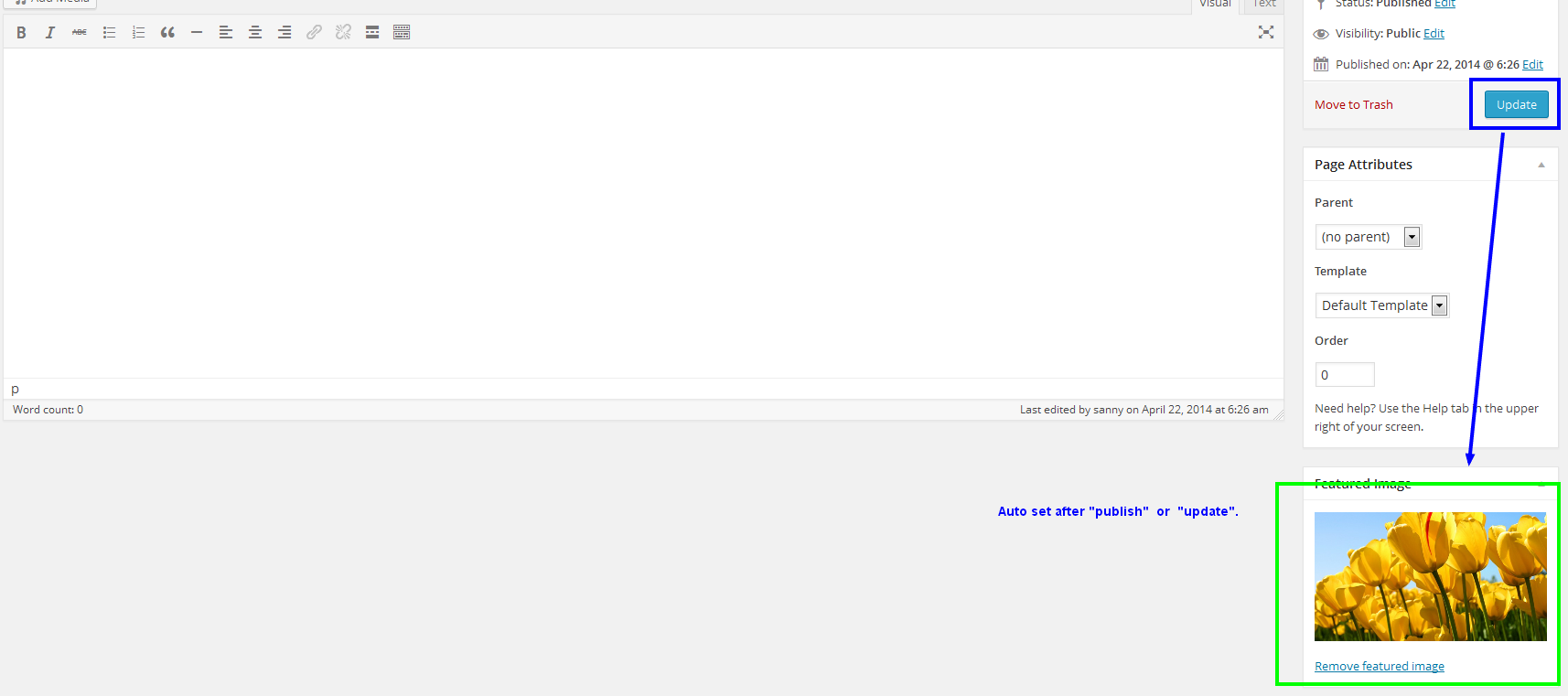
Please note that this plugin automatically assigns a thumbnail when a post is published or modified, but only if the post lacks a featured image.
Installation
- Upload the SNY Auto Featured Image folder to the /wp-content/plugins/ directory.
- Activate the plugin using the ‘Plugins’ menu in your WordPress admin panel.
- Set the default image through your WordPress admin panel in Settings => “SNY Auto Featured Image”.
Frequently Asked Questions
Yes, it will work for all the post types you have configured from the plugin settings. The featured image will automatically get assigned if a post is being published or updated and is configured from the backend.
Yes, you can.
No, currently there is no such feature available, but you can hire experts from our team or request a completely custom plugin as per your needs.
Review feed
Screenshots

Settings page for "SNY Auto Featured Image".
Choose an image for the default thumbnail.
Changelog
2.0.1
- Fixed readme issues (short description, tags).
- Updated assets and icons.
- Stable tag updated.
2.0
- Compatibility extended up to version 6.4.2.
- Code refactoring for improved efficiency.
- Addressed minor bug fixes.
1.5
- Compatible up to 6.2.3.
- Minor bug fix.
1.5
- Compatible up to 4.9.5.
- Minor bug fix.
1.4
- Compatible up to 4.5.1.
- Fix media popup selector.
1.3
- Bug Fix: WHITE blank screen when choosing an image for the featured image from the plugin panel.
1.2
- Bug Fix: Featured Image Return To Default When making Changes to Content.
Support Topic
1.1
- Restrict to specific categories.
- Allow categories for all post types or for POST only.
- Menu moved under ‘Settings’.
1.0
- First release.