

WP Change Email Sender
Easily change WordPress default mail sender name and email address
Plugin info
Maintenance & Compatibility
Maintenance score
Possibly abandoned • Last updated 545 days ago • 6 reviews
Is WP Change Email Sender abandoned?
Possibly abandoned (last update 545 days ago).
Compatibility
Similar & Alternatives
Explore plugins with similar tags, and compare key metrics like downloads, ratings, updates, support, and WP/PHP compatibility.
Description
This plugin enable you to change mail sender name and email address from WordPress default mail sender name and email.
After install go to Settings->General.
Plugin Features
- Change WordPress default mail sender name.
- Change WordPress default mail sender email address.
Installation
FOR STANDARD INSTALLATION:
Installing this plugin is very easy just like any other WordPress plugin. Please follow these instructions:
1. In your WordPress admin panel, go to Plugins > New Plugin, search for “WP Change Email Sender” and click on “Install Now”
2. Alternatively, download the plugin and upload the wp-change-email-sender.zip to your plugins directory, which usually is /wp-content/plugins/.
3. Activate the plugin from plugins page.
To change default mail sender name and email address go to Settings->General or this plugin settings link from plugins page beside deactive link.
Frequently Asked Questions
Go to general settings page from WP admin panel left sidebar menu: Settings->General.
Yes, you can change only mail sender name and email individually.
Review feed
Perfect
Screenshots
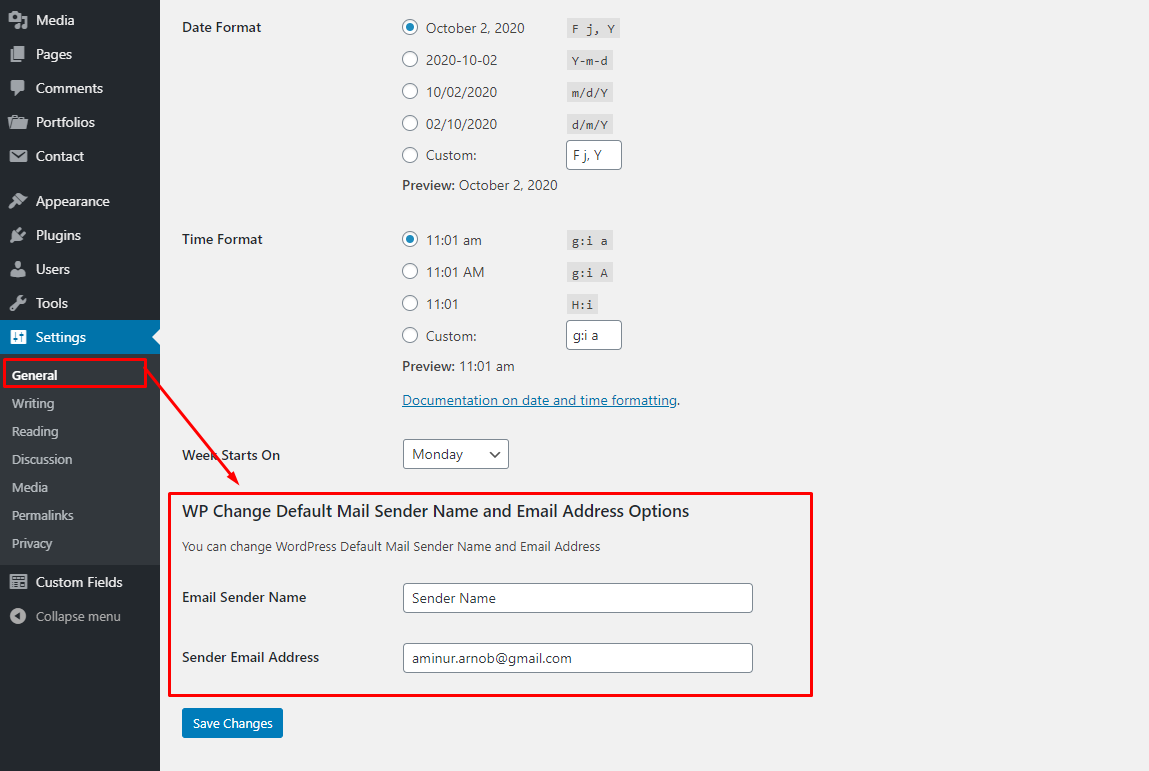
Plugin Options
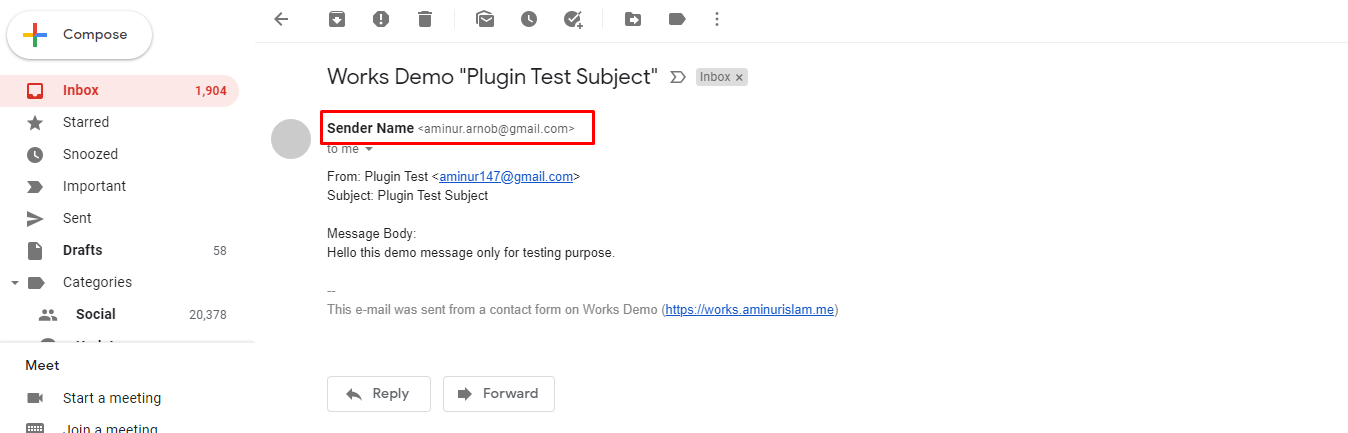
Mail Example
Changelog
3.0
- Few security update.
- Checked with latest version of WordPress.