

Plugin info
Maintenance & Compatibility
Maintenance score
Possibly abandoned • Last updated 2385 days ago
Is WP Chimp abandoned?
Possibly abandoned (last update 2385 days ago).
Compatibility
Similar & Alternatives
Explore plugins with similar tags, and compare key metrics like downloads, ratings, updates, support, and WP/PHP compatibility.
Description
WP Chimp provides the ability to add a MailChimp subscription form to your post and page content and in the Widget area. The plugin also registers a custom Gutenberg Block allowing you to add and preview the subscription form immediately within the WordPress content editor.
This plugin focuses on simplicity, user experience, and speed. We ensure to provide seamless integration to MailChimp services, ease of use with an interface that complies with WordPress design guidelines, and that it would work at scale.
Non-affiliation Disclaimer
MailChimp is a registered trademark of The Rocket Science Group. The name “MailChimp” used in this plugin is for identification and reference purposes only and does not imply any association with the trademark holder of their product brand, or any of its subsidiaries or its affiliates.
From within WordPress (Recommended)
- Visit Plugins > Add New
- Search for “WP Chimp” (without the quote, of course)
- Click the Install Now button of WP Chimp on the search result
- Activate it from the Plugins page.
Manual Upload:
- Download the plugin
.zippackcage from WordPress.org. - Visit Plugins > Add New
- Click Upload Plugin
- Click Choose File, and select the plugin
.zippackage you have just downloaded. - Click Install Now.
- Activate it from the Plugins page.
FTP Upload:
If none of the above works, though this is going to be less convenient, you can install the plugin through FTP (File Transfer Protocol). To do so, you will need an FTP software installed on your computer, such as:
Then, connect to the FTP/SFTP server using the credentials given by your hosting provider.
- Download the plugin
.zippackcage from WordPress.org. - Unzip the archive and upload the
wp-chimpfolder into the plugin directory at/wp-content/plugins/. - Activate it from the Plugins page.
Installation
Frequently Asked Questions
None, at the moment. Please ask 🙂
Review feed
Screenshots
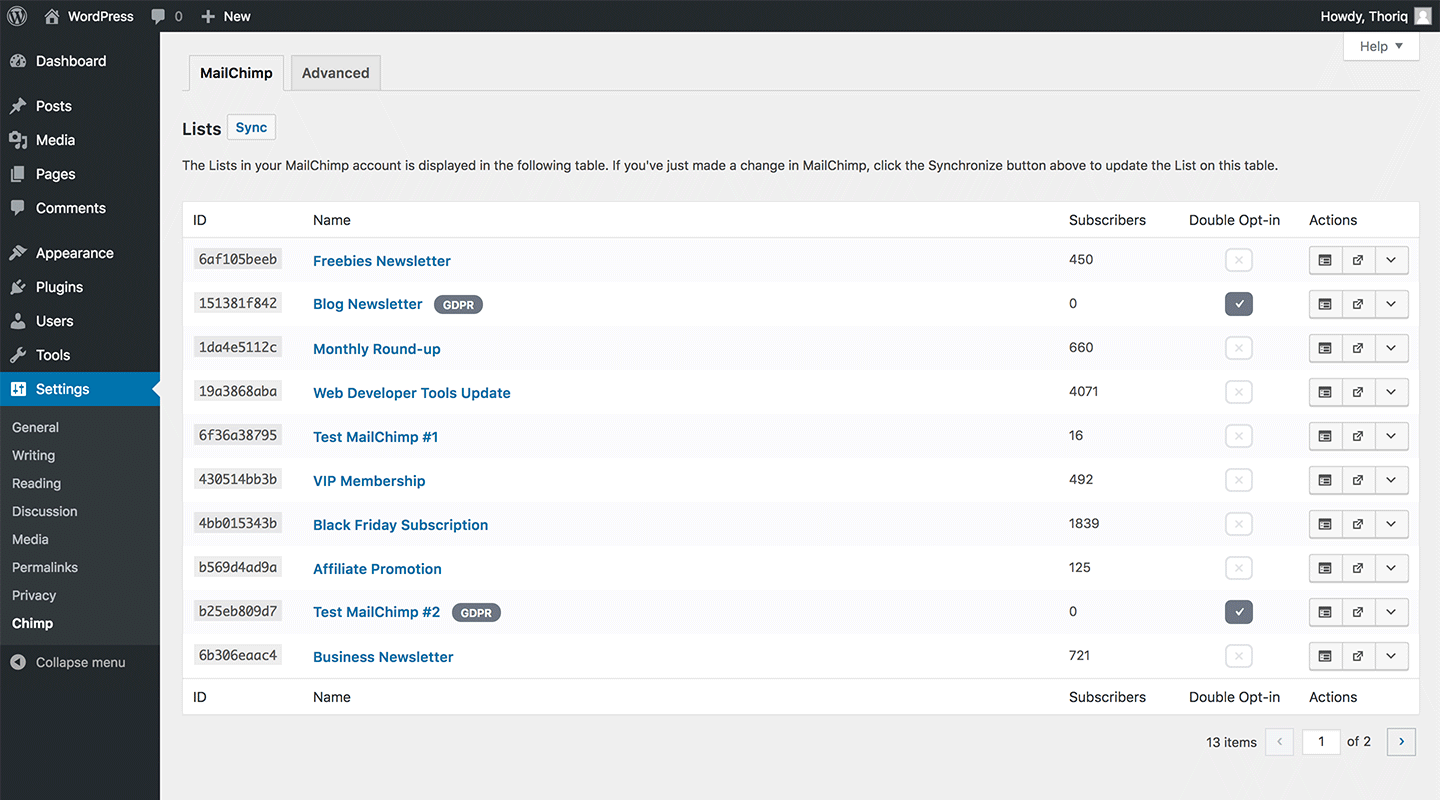
The plugin Setting page

The MailChimp list with the details

The subscription form setting

The subscription form Gutenberg block

The subscription form Gutenberg block rendered on the front-end

The subscription form editor on the Widget

The subscription form rendered on the Widget area
Changelog
0.7.4
- Fixed: Fatal error due to missing files.
0.7.3
- Added: Improvement to the “Subscription Form” reliability.
- Fixed: Conditional logic to render the GDPR checkbox field.
0.7.2
- Fixed: Incorrect version numbering in some files.
0.7.1
- Fixed: The input pagination of the table in the Settings page.
- Fixed: The POT file generator to include all the files and parse the translateable strings properly.
0.7.0
- Changed: The Settings screen UI with built-in React Component in Gutenberg.
- Added: The button to copy the shortcode in the Settings screen (#53).
- Added: Basic GDPR field in the subscription form (#52).
- Added: Template tag function to render the subscription form (#48).