

WP Colorbox
View image, video (YouTube, Vimeo), page, inline HTML, custom content in lightbox. Add jQuery Colorbox lightbox effect to your WordPress site.
Plugin info
Maintenance & Compatibility
Maintenance score
Stale • Last updated 229 days ago • 23 reviews
Is WP Colorbox abandoned?
Likely maintained (last update 229 days ago).
Compatibility
Developers
Similar & Alternatives
Explore plugins with similar tags, and compare key metrics like downloads, ratings, updates, support, and WP/PHP compatibility.
Description
WP Colorbox plugin is a simple lightbox tool for WordPress. It allows users to pop up content in lightbox using the popular jQuery ColorBox library. They can also view the larger version of a particular media file without leaving the page.
Features
- Beautiful lightbox popup style
- Flexiblity of creating your own lightbox link
- Pop up custom/HTML content in lightbox
- Trigger lightbox from either a text/image link
- Add lightbox to a YouTube or Vimeo video link
- Enable lightbox functionality on your site which supports modern browsers
- Use a simple shortcode to pop up a media file in lightbox
- Apply lightbox effect on images inserted into WordPress post/page
- Open external page in lightbox using iframe
- Responsive lightbox popup which works on mobile devices. Also it fits perfectly on smaller screens.
How to Use WP Colorbox
Pop up image in lightbox
Create a new post/page and use the following shortcode to create a text/image link which will trigger lightbox once clicked:
[wp_colorbox_media url="https://example.com/wp-content/uploads/images/overlay.jpg" type="image" hyperlink="click here to pop up image"]
here, url is the link to the media file that you wish to open in lightbox and hyperlink is the anchor text/image.
[wp_colorbox_media url="https://example.com/wp-content/uploads/images/overlay.jpg" type="image" hyperlink="http://example.com/wp-content/uploads/images/thumb.jpg"]
Pop up YouTube video in lightbox
[wp_colorbox_media url="https://www.youtube.com/embed/nmp3Ra3Yj24" type="youtube" hyperlink="click here to pop up youtube video"]
Pop up Vimeo video in lightbox
[wp_colorbox_media url="https://www.youtube.com/embed/1284237" type="vimeo" hyperlink="click here to pop up vimeo video"]
Specify an Alternate Text for an Image
[wp_colorbox_media url="https://example.com/wp-content/uploads/images/overlay.jpg" title="overlay image" type="image" hyperlink="http://example.com/wp-content/uploads/images/thumb.jpg" alt="Thumbnail image description"]
Apply Custom CSS
You can specify your own CSS class in the shortcode to customize a text/image link.
[wp_colorbox_media url="https://www.youtube.com/embed/nmp3Ra3Yj24" type="youtube" hyperlink="click here to pop up youtube video" class="custom_class"]
Multiple CSS classes can be separated with a space. For example:
[wp_colorbox_media url="https://www.youtube.com/embed/nmp3Ra3Yj24" type="youtube" hyperlink="click here to pop up youtube video" class="custom_class custom_class2"]
For detailed documentation please visit the WordPress Colorbox plugin page
Installation
- Go to the Add New plugins screen in your WordPress Dashboard
- Click the upload tab
- Browse for the plugin file (wp-colorbox.zip) on your computer
- Click “Install Now” and then hit the activate button
Frequently Asked Questions
Yes.
Yes.
Yes.
Yes.
Yes.
Yes.
Yes.
Review feed
Missing in-plugin documentation
Screenshots
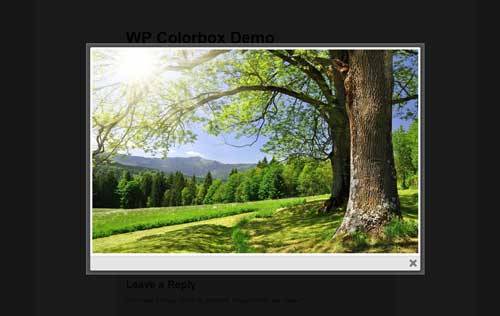
Image popup in lightbox
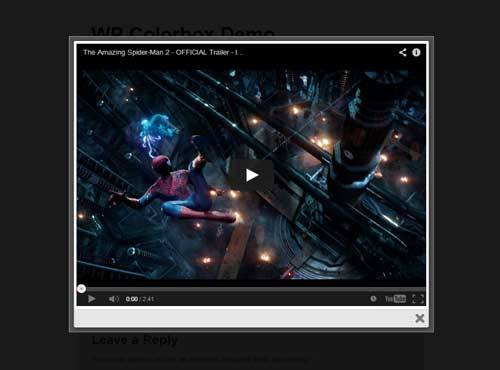
YouTube video popup in lightbox

Vimeo video popup in lightbox
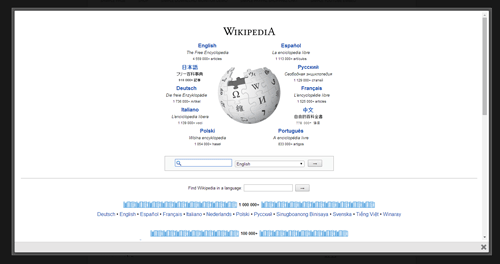
External page popup in lightbox
Changelog
1.1.6
- Removed title option.
1.1.5
- Made some security related improvements in the plugin.
1.1.4
- Removed some unused files.
1.1.3
- Made some security related improvements in the plugin.
1.1.2
- Updated Colorbox to the latest version (1.6.4).
1.1.1
- Compatible with WordPress 4.8
- Updated all the permalinks
1.1.0
- Disabled scrolling option for YouTube and Vimeo videos.
1.0.9
- Alt (alternate text) attribute can now be specified in the shortcode for a thumbnail image.
1.0.8
- Added translation option so the plugin can take advantage of language packs
- WP Colorbox is now compatible with WordPress 4.4
1.0.7
- WP Colorbox is now compatible with WordPress 4.3
1.0.6
- Added a new shortcode parameter to apply custom CSS classes on a text/image link
1.0.5
- Added a new shortcode parameter to show the title of a media in lightbox
1.0.4
- colorbox shortcodes can now be embedded in a text widget
1.0.3
- Lightbox now opens full-sized images
1.0.2
- Lightbox window is now responsive
1.0.1
- WP Colorbox is now compatible with WordPress 3.9
1.0
- First commit