

Easy Reading Progress Bar
A simple, lightweight, and highly compatible reading progress bar for your WordPress posts.
Plugin info
Maintenance & Compatibility
Maintenance score
Stale • Last updated 221 days ago
Is Easy Reading Progress Bar abandoned?
Likely maintained (last update 221 days ago).
Compatibility
Similar & Alternatives
Explore plugins with similar tags, and compare key metrics like downloads, ratings, updates, support, and WP/PHP compatibility.
Description
Easy Reading Progress Bar adds a sleek, customizable progress bar to your single post pages, providing readers with a visual indicator of their progress as they scroll through an article. It’s designed to be feather-light, incredibly fast, and compatible with the vast majority of WordPress themes, including modern Block Themes and popular classic themes.
Key Features:
- Extremely Lightweight: No extra CSS or JavaScript files loaded. All code is inlined and optimized for performance.
- Highly Compatible: Works seamlessly with many themes.
- Customizable: Easily change the progress bar’s color and position (top or bottom of the page) from a simple settings page.
- Dependency-Free: The frontend script does not rely on jQuery, ensuring it won’t conflict with other plugins or slow down your site.
- Developer Friendly: Includes a filter (
erpb_bar_height) to programmatically change the bar’s height.
This plugin was created with ❤️ by Mushlih Almubarak from Indonesia.
Installation
Installing the plugin is simple!
From your WordPress Dashboard:
- Navigate to ‘Plugins’ > ‘Add New’.
- Search for ‘Easy Reading Progress Bar’.
- Click ‘Install Now’ and then ‘Activate’.
- Go to ‘Settings’ > ‘Reading Progress Bar’ to customize the options. That’s it!
Manual Installation:
- Download the plugin zip file from WordPress.org.
- Navigate to ‘Plugins’ > ‘Add New’ in your WordPress dashboard.
- Click ‘Upload Plugin’ and select the zip file you downloaded.
- Activate the plugin.
- Go to ‘Settings’ > ‘Reading Progress Bar’ to customize.
Frequently Asked Questions
Absolutely not. Performance is a core feature. The plugin only loads its tiny, optimized code on single post pages and does not enqueue any extra CSS or JS files, keeping your site fast.
Yes, most likely! The plugin was built for high compatibility. It intelligently detects the main content area in classic and modern block themes, and a wide range of other theme structures.
Yes. While there is no setting for it in the settings page to keep things simple, developers can use a WordPress filter to change the height. The default is 7px.
Example code to add to your theme’s functions.php file to change the height to 10px:
add_filter( ‘erpb_bar_height’, function() { return ’10’; } );
Review feed
Screenshots
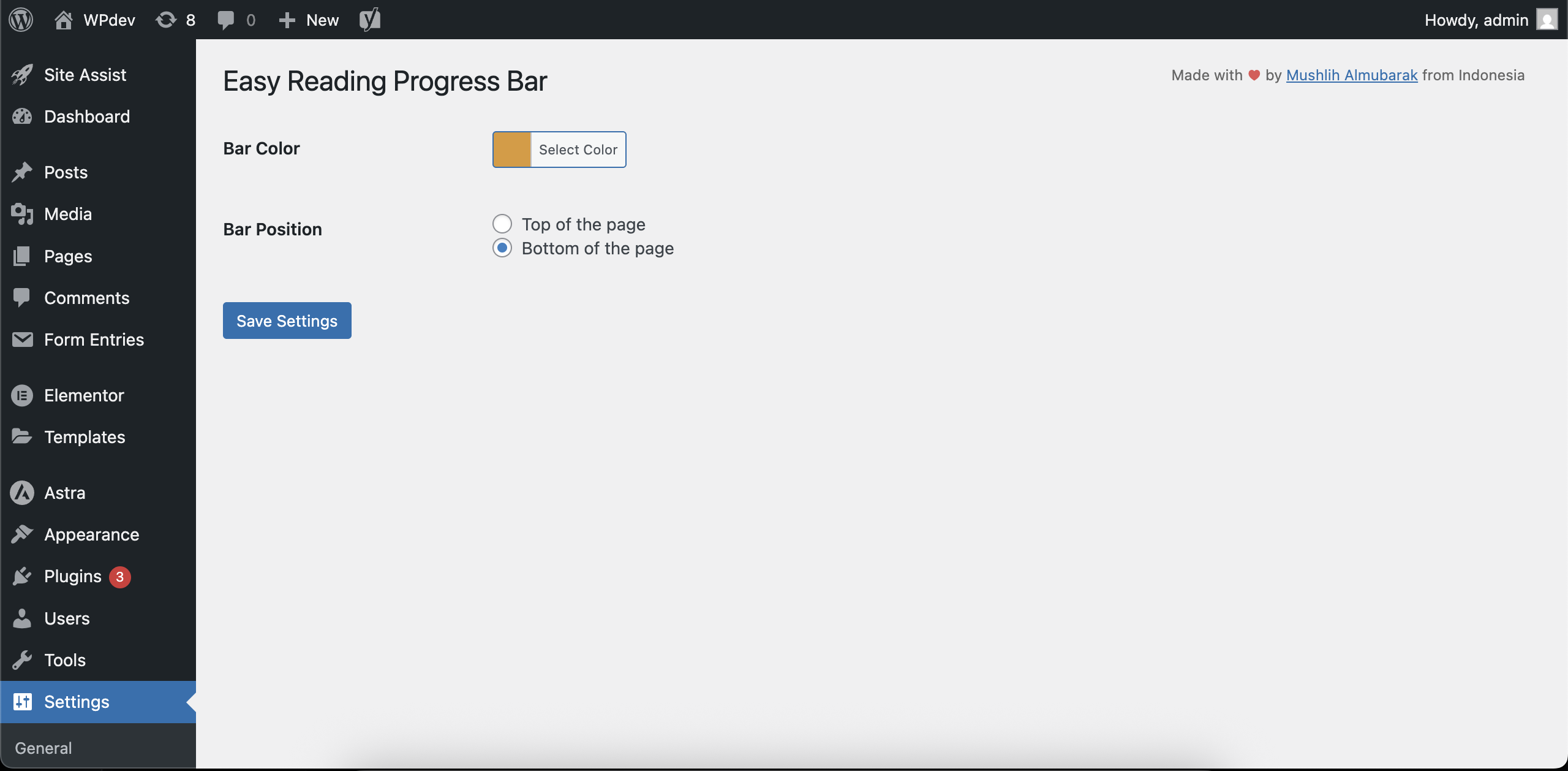
Plugin settings page
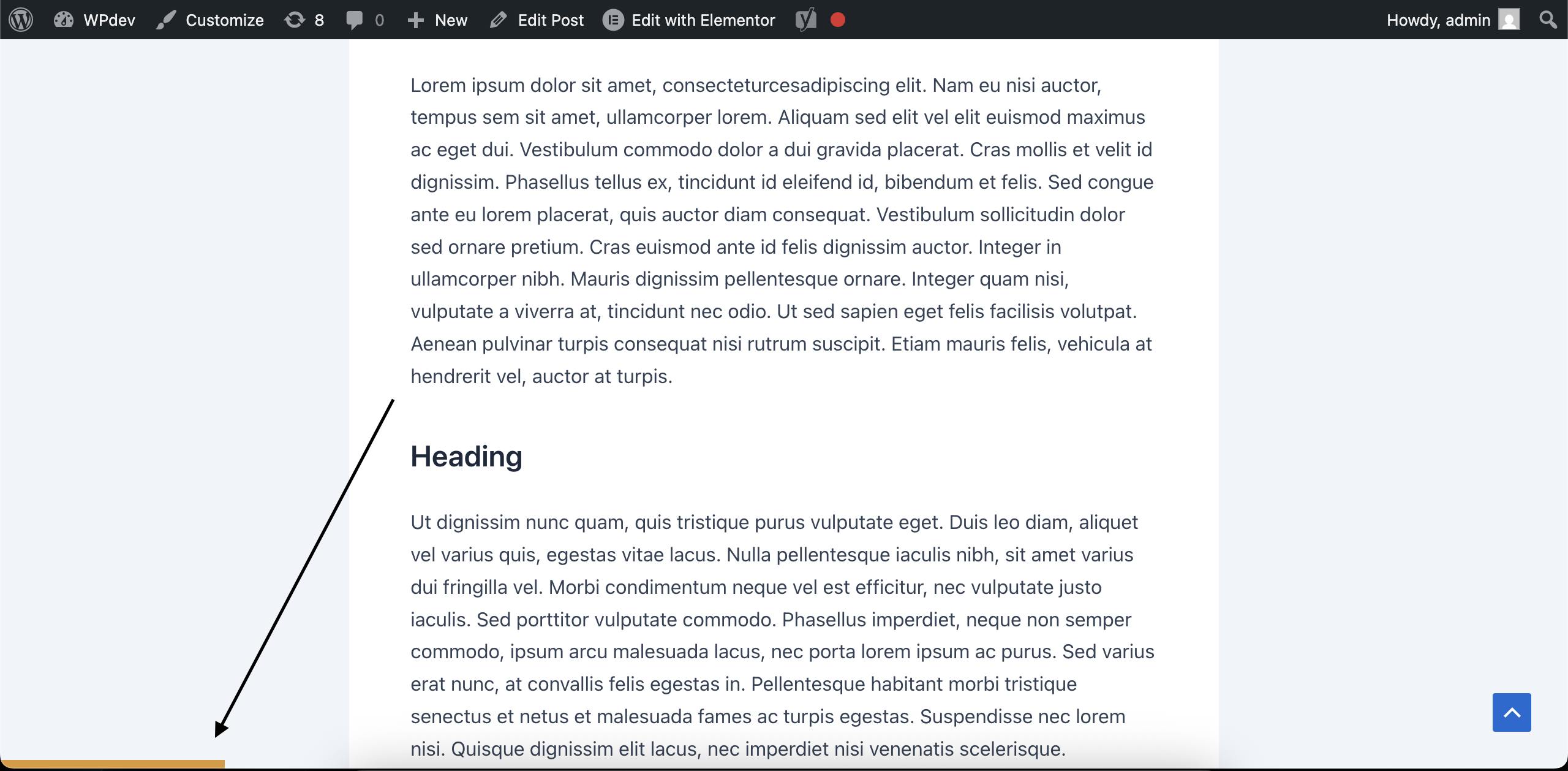
A reading progress bar appears at the bottom of the page as the user scrolls down the page.
Changelog
1.0.0
- Initial public release.
- Features an easy, simple, lightweight, dependency-free reading progress bar for single posts.
- Includes a settings page to customize bar color and position (top or bottom).
- Designed for high compatibility with modern block themes and popular classic themes.