

Stripe Payment Forms by WP Full Pay – Accept Credit Card Payments, Donations & Subscriptions
🚀 Create Stripe payment forms for WordPress. Accept credit cards, Apple Pay, donations, subscriptions & more. Easy setup, no coding needed!
Plugin info
Maintenance & Compatibility
Maintenance score
Maintained • Last updated 121 days ago • 23 reviews
Is Stripe Payment Forms by WP Full Pay – Accept Credit Card Payments, Donations & Subscriptions abandoned?
Likely maintained (last update 121 days ago).
Compatibility
Similar & Alternatives
Explore plugins with similar tags, and compare key metrics like downloads, ratings, updates, support, and WP/PHP compatibility.
Description
🚀 Create Stripe payment forms for WordPress. Accept credit cards, Apple Pay, donations, subscriptions & more. Easy setup, no coding needed!
The Best Stripe Payment Forms and Stripe Payments Plugin available on WordPress
WP Full Pay is the best Stripe payments plugin for WordPress. It makes it simple to set up and publish forms that accept payment from credit cards, Apple Pay, Google Pay, Alipay and many others.
Quickly accept donations, sell individual items, subscriptions or services using our easy to set up and configure tool. It works with an existing Stripe account or allows you to create a new one during set up.
Create various Stripe payment forms
WP Full Pay is the best Stripe payment plugin and donation plugin for WordPress that allows you to create various Stripe payment forms:
- Subscription payment forms
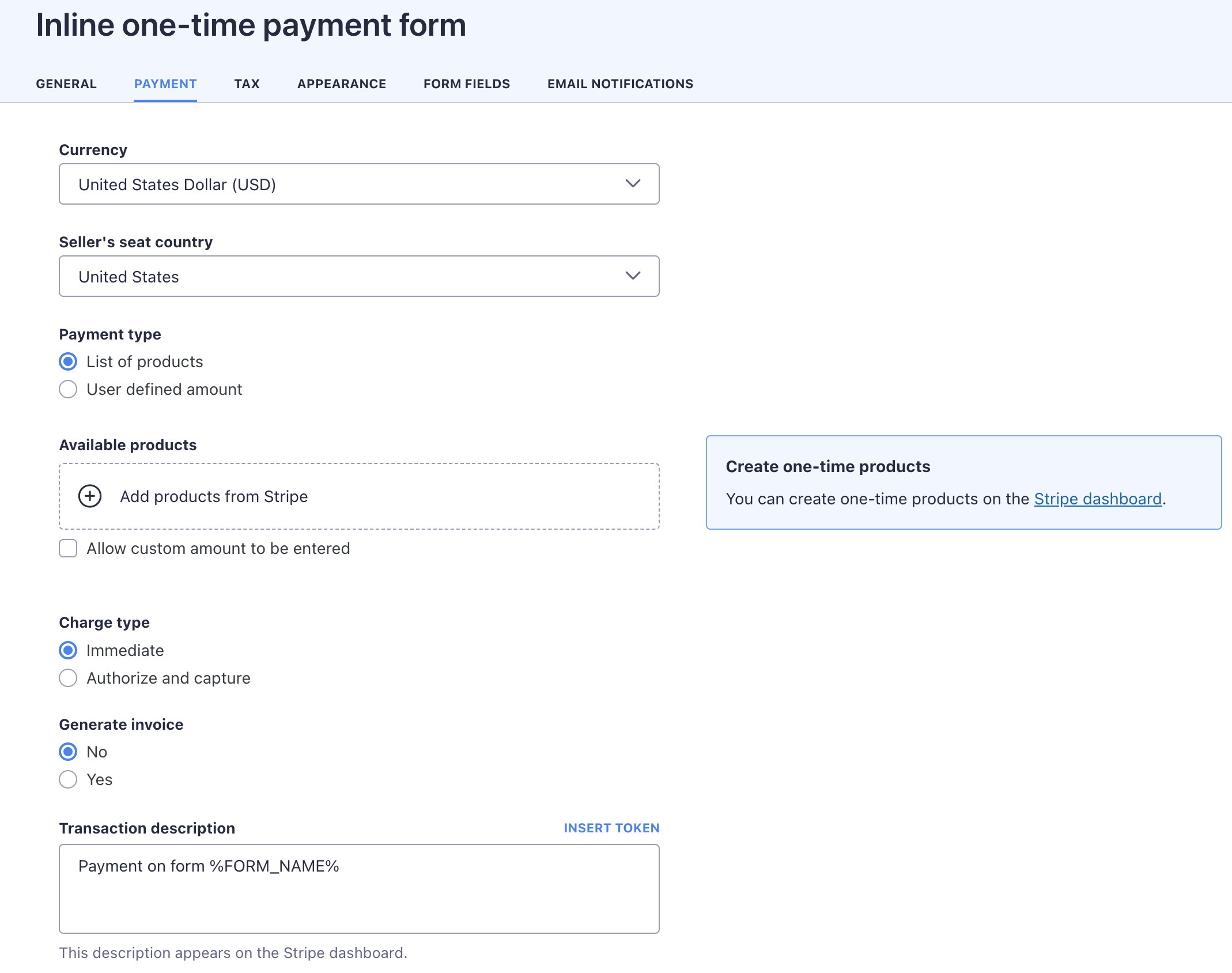
- One-off payment forms
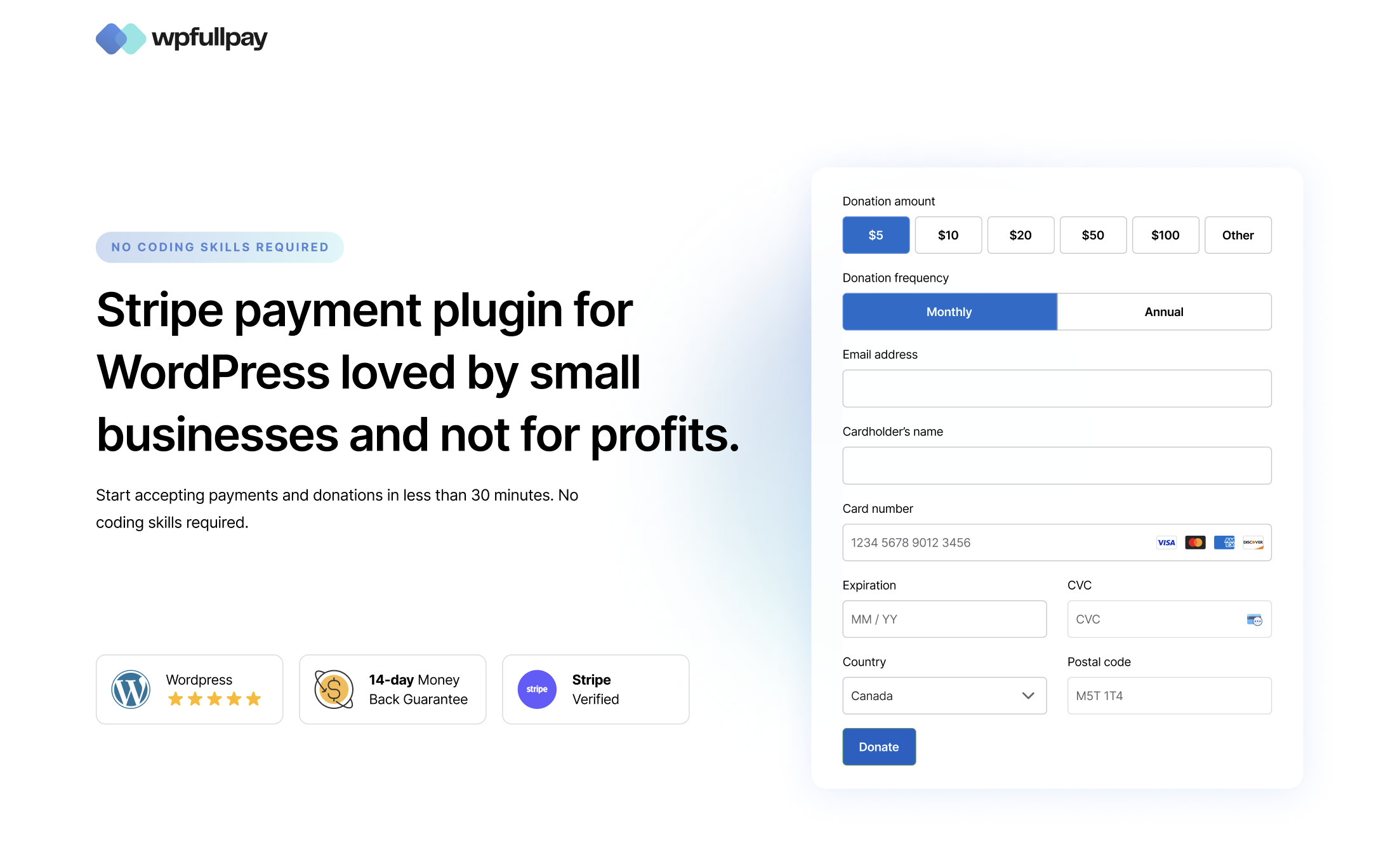
- Donation forms
- Save card for later use
💳 More Built-in Payment Methods Than Any Other Free WordPress Stripe Plugin
WP Full Pay supports more payment methods than any other free WordPress Stripe plugin and accepts over 100 currencies. We support the following payment methods:
- Credit cards: Visa, Mastercard, American Express, Discover, Diners Club, JCB, China UnionPay, Cartes Bancaires, and Meses sin intereses
- Digital Wallets: Alipay, Apple Pay, Cash App Pay, Google Pay, GrabPay, MobilePay, WeChat Pay, Revolut Pay, Amazon Pay, and Stripe Link
- Bank redirects: BLIK, Bancontact, EPS, iDEAL, Przelewy24, TWINT – Sofort and giropay are being deprecated and will not be supported
- Coming soon: Affirm, Klarna, Clearpay, pre-authorized debits, ACH Direct Debit, BECS Direct Debit, and more
🔥 Create Various Stripe Payment Forms
WP Full Pay allows you to create various Stripe payment forms:
- Subscription payment forms – Create recurring billing options with flexible terms
- One-off payment forms – Accept single payments for products or services
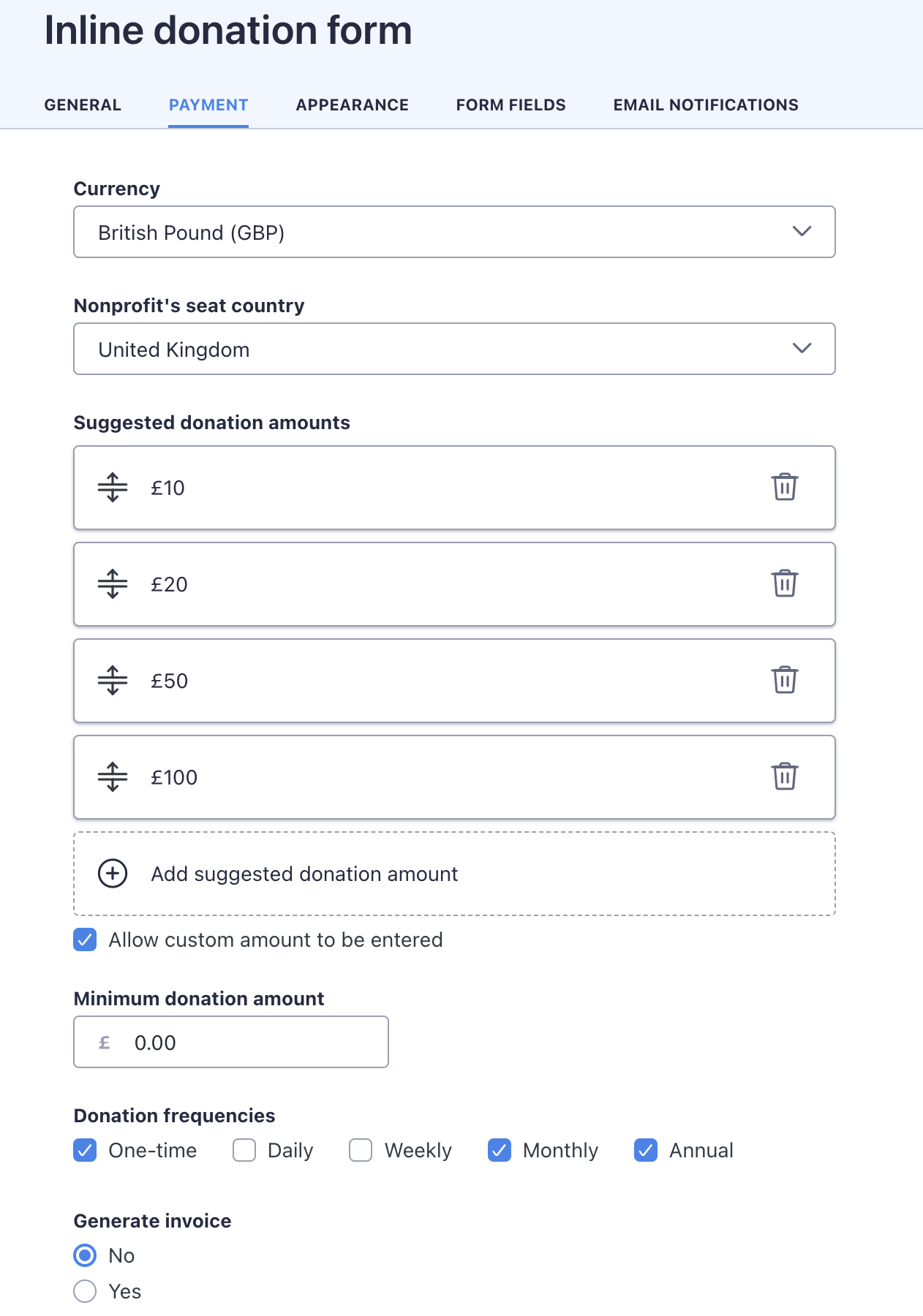
- Donation forms – Collect charitable contributions with optional recurring donations
- Save card for later use – Store payment methods securely for future transactions
💸 Accept Stripe Payments in Different Ways
- Sell recurring services or subscriptions – Collect payments for online services, consulting, and professional services
- Sell one-off products – Get paid for software, tickets, info products, and physical goods
- Accept donations – Build a reliable donor platform for your fundraising efforts
- Settle invoices – Provide an easy way for your customers to pay invoices with a few clicks
- Works with price tables – Add payment buttons to pricing tables for seamless checkout experience
- Save credit cards – Securely (PCI DSS compliant) collect the customer’s payment information so you can charge them later
🎯 Donation & Fundraising Features
- Donation goals – Set fundraising targets and display progress to motivate donors
- Multiple donation options – Offer suggested amounts or allow custom donations
- Recurring donations – Turn one-time donors into regular supporters with subscription options
- Anonymous donations – Give donors the option to remain anonymous
- Coming soon: Donation fee relief – Allow donors to cover payment processing fees
💯 What Our Users Say
“I’m not a developer, I’m just a beginner, but this plugin is very easy to setup (others were too much complicated for me). You can create nice Stripe’s forms easy, fast and responsive. Good!”
– paomanucinleo
🚀 How to Set Up Stripe Payments for WordPress
Configuring Stripe in WordPress with WP Full Pay is easy and doesn’t require coding.
To get started with Stripe payments on your WordPress site using WP Full Pay, follow these steps:
1. Install the plugin on your WordPress site
2. Switch to test mode in WP Full Pay
3. Configure the Stripe API Keys
4. Switch to live mode
Done! You can start creating Stripe payment forms and embed them in your WordPress site.
Before publishing, conduct a Stripe test transaction to ensure everything works smoothly.
Refer to our installation & setup guide for detailed instructions on configuring Stripe in WordPress.
How Do Stripe Payments Work on WordPress?
If you have a Stripe account, you can seamlessly integrate it with your WordPress site using Stripe plugins for WordPress like WP Full Pay. This enables you to add various Stripe products, such as one-time payment forms,
subscription forms, and donation forms. With WP Full Pay, you can easily embed these payment forms into the WordPress pages of your choice, streamlining the payment process for your users.
✨ Key Features
- Higher conversion rates with single-step Stripe payment forms
- No shopping cart or multi-page payment workflow to set up
- Easy embedding – add payment forms to any page or post using shortcodes
- Form shortcode generator – embed forms easily into pages and posts (simple copy’n’paste)
- Form builder – easily configure your payment forms without coding
- Fully customizable forms – select which fields to show, add custom fields, and style with custom CSS
- Setup fees and non-standard intervals – easily build subscription plans with advanced options
- Sell items with flexible pricing – set amount, custom amount, or amount selectable from list
- Easy translation – translate payment forms into your language of choice
- Custom payment emails – send custom emails or use Stripe’s built-in notifications
- Flexible display options – embedded forms or Stripe’s Checkout experience
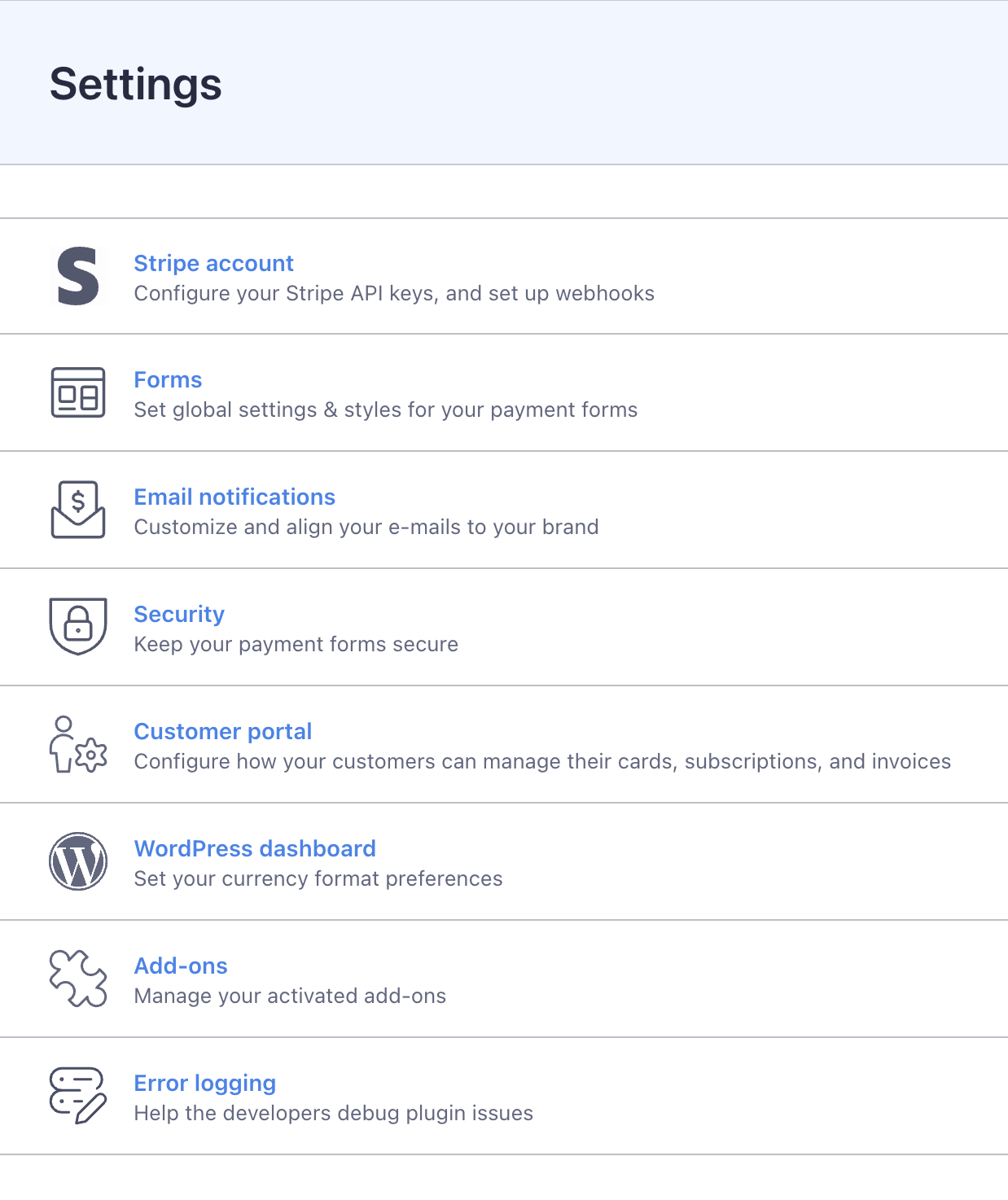
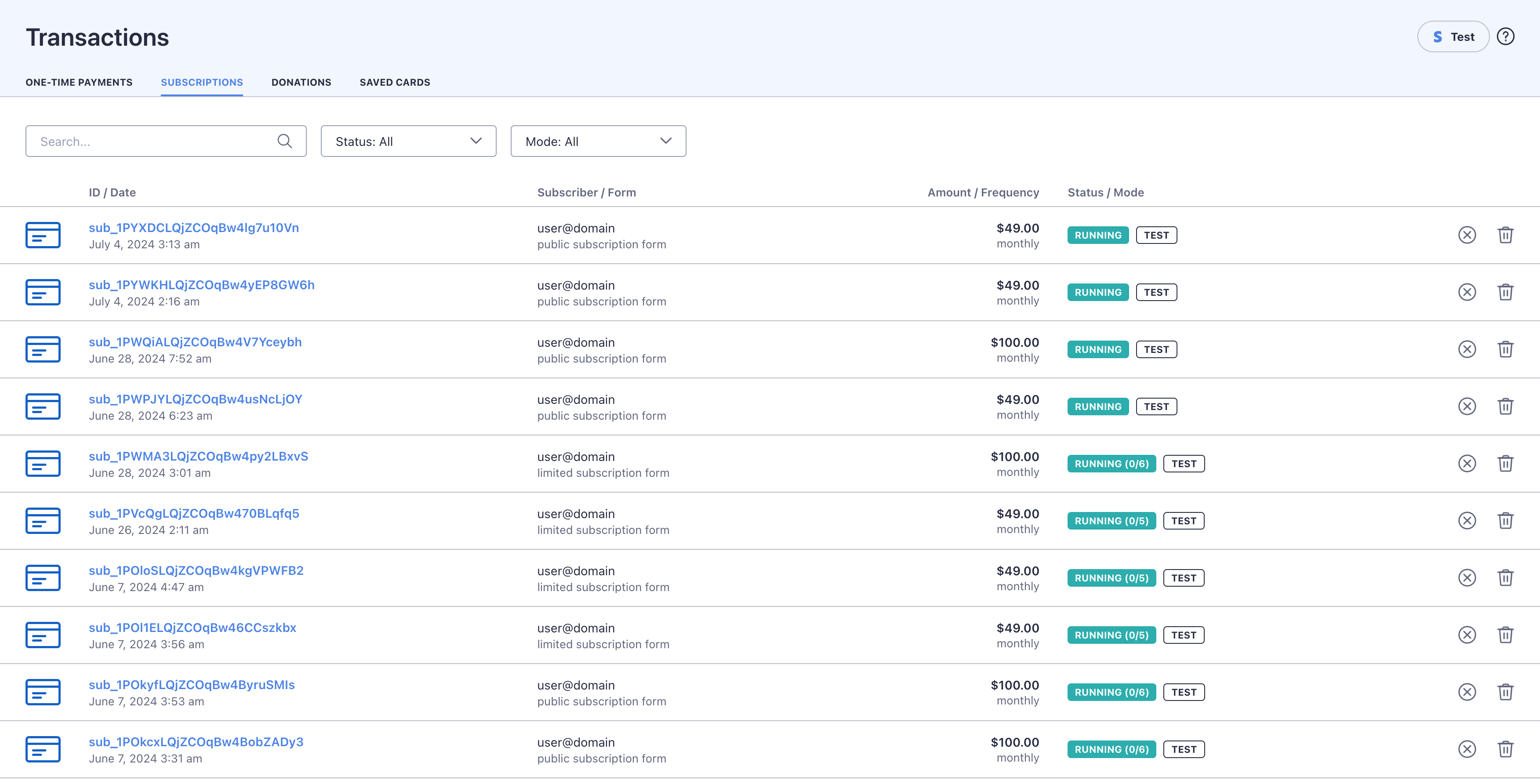
- Easy management – view and manage payments, subscribers, plans, and more
- Automatic updates – the plugin can auto-update to the latest version with one click
- Professional support – fully supported, professionally written and regularly updated software
- Comprehensive documentation available at docs.themeisle.com
- Integrates with WP Full Members – easily build out a membership site with protected content that only subscribed members are allowed to view
👥 Payment Management
- Transaction history – View all transactions in your dashboard
- Customer data – Access customer information and payment details
- Payment tracking – Monitor all payment activity in one place
- Subscription management – Easily manage recurring payments
- Customer portal – Allow subscribers to manage their own subscriptions
🔗 WordPress Integration
- 100% mobile responsive – Works perfectly on all devices
- GDPR friendly – Privacy compliance tools built-in
- Gutenberg block – Easy insertion with our custom block
- Shortcode support – Place forms anywhere with simple shortcodes
- Theme compatibility – Works with popular themes including Astra, Neve, OceanWP, GeneratePress, and Kadence
- Page builder friendly – Compatible with Elementor, Divi, and other popular page builders
🔒 Security Features (Powered by Stripe)
- PCI DSS compliance – Stripe’s payment processing meets the strictest security standards (Level 1 certified)
- SCA-ready – Support for Strong Customer Authentication requirements in Europe
- Smart fraud protection – Benefit from Stripe’s advanced fraud detection and prevention tools (Stripe Radar)
- Secure payment element – Card details are securely transmitted directly to Stripe
- GDPR friendly – Respects user privacy and data protection regulations
- 3D Secure authentication – Additional security for eligible transactions
🌟 Display Options for Your Payment Forms
- Embedded forms – Place payment forms directly on your pages
- Popup modals – Display forms in a modal when clicked
- Stripe Checkout – Option to use Stripe’s hosted checkout page for a streamlined experience
- Customizable buttons – Style payment buttons to match your site’s design
- Responsive design – Forms adjust automatically to any screen size
🔄 Workflow and Automation
- Webhooks – Configure custom notifications for successful transactions
- Automatic receipts – Send payment receipts automatically
- Email notifications – Keep customers and administrators informed
- Custom confirmation messages – Create personalized thank you messages
- Redirect options – Send customers to specific pages after payment
WP Full Pay uses Stripe Connect, the latest platform from Stripe, which greatly increases the security of your data and transactions along with opening up new payment methods for your customers.
Proven over 1000’s of installs, our in-page, prebuilt checkout forms make it easy for customers to buy a product or service right away without dealing with carts or leaving the page. For pricing pages or similar where a button is
preferred to an embedded experience, WP Full Pay allows you to easily define Buy Now buttons for each of the different types of forms.
Our payment flows are optimized for conversion and work across desktop, mobile and tablet devices.
Your data and transactions are secured using the latest technology from Stripe.
There is a 5% fee per-transaction to use WP Full Pay without a license. If you upgrade to a fully supported version of WP Full Pay you’ll pay no added fees and receive one-to-one lightning fast, priority email support from the developers that wrote the plugin.
🔍 Documentation & Support
WP Full Pay offers knowledge base and also invites you to submit a ticket if you need help or encounter any issues.
Installation
- Uninstall any previous version of the plugin (No data will be lost)
- Download this plugin.
- Login to your WordPress admin.
- Click on Plugins in the menu.
- Click the Add New button.
- Click the Upload button.
- Click “Install Now”, then Activate, then head to the new menu item on the left labeled “Full Pay” and “Settings”.
- Make sure you go through the Connect Account flows for both Live and Test modes.
- During the connect flow you can either connect to an existing Stripe account or create a new one
Frequently Asked Questions
No, absolutely not! You can get your first payment form up and running with just a few clicks. However, if you have special requirements, you might want to customize the appearance with CSS styles,
or hire a developer to develop extensions or integrations with other systems.
Yes! You can use all of WP Full Pay for free, including all supported payment methods. The free version includes an application fee instead of a traditional license fee.
We don’t offer a trial version, but we do have a 14 day refund policy when buying a licen, so you can buy with confidence. The license will remove the application fee and give you access to one-to-one lightening fast, priority email support.
Yes, you can upgrade any time, and you’ll just pay the difference in license cost.
When you purchase the plugin, you get a license for 12 months which covers also support (plugin versions v6.0) & updates. The plugin will continue to work on your site, even after your license expires.
If you’d like to ensure uninterrupted access to support & updates, you should renew your license.
Yes, WP Full Pay can be installed on WordPress sites hosted on WordPress.com
Yes, it works on WordPress multisite, and it requires a Business or Agency license.
No, WP Full Pay doesn’t impose any extra transaction fees. However, it’s important to note that users without a valid license incur an additional fee of 5%.
Also, keep in mind that while using WP Full Pay is free of extra charges, Stripe has its own transaction fees as per their standard rates.
Certainly! We are always here to assist you. Support is provided to all users with a valid and active license key for plugin versions v6.0 and above.
To help you get started, we’ve developed a comprehensive range of resources including plugin guides, knowledge base articles, and instructional videos.
Additionally, for more personalized assistance, you’re welcome to submit a ticket through our support helpdesk.
No, WP Full Pay is a standalone plugin, it’s not a WooCommerce add-on. However, it can run alongside WooCommerce just fine.
With WP Full Pay, you can create various types of payment forms, including one-time payments form, subscription forms, donation forms, etc. Here, you can learn more about creating payment forms.
Totally! You can modify various elements like fields, buttons, and labels, and also integrate custom CSS for more advanced styling.
Yes! With version 7.1 and onwards, you can select which payment methods to make available to your customers. Note though that you can only suggest payment methods; Stripe will determine which payment methods are available
to the customer based on their location and other parameters.
There is no maximum amount set by WP Full Pay. However, Stripe may have its own limits depending on your account type and verification status. For high-value transactions, consult Stripe’s documentation.
Absolutely! All payment forms created with WP Full Pay are fully responsive and mobile-optimized. Your customers can make payments from any device – smartphones, tablets, or desktop computers.
Yes, you can create unlimited payment forms with WP Full Pay. Each form can have different settings, payment options, and designs to suit various needs across your website.
Payment forms can be embedded anywhere on your WordPress site using shortcodes or our Gutenberg block. This includes pages, posts, sidebars, footers, or anywhere else you can add content on your site.
The free version of WP Full Pay has a 5% application fee per transaction. If you upgrade to a licensed version, this fee is removed. Stripe’s standard processing fees still apply to all transactions.
Yes, WP Full Pay allows you to add custom fields to your payment forms to collect additional information from customers. This can include anything from product preferences to delivery instructions or any other data you need.
Yes! WP Full Pay supports recurring donations through Stripe’s subscription system. This allows you to convert one-time donors into regular supporters, creating a reliable stream of income for your nonprofit or cause.
Yes, with WP Full Pay you can set fundraising goals and display progress directly on your donation forms. This creates a sense of urgency and encourages donors to contribute to help reach your target.
Yes, WP Full Pay is designed to work with all standard WordPress themes. It has been specifically tested with popular themes including Astra, Neve, OceanWP, GeneratePress, and Kadence, ensuring seamless integration with these widely-used themes.
Absolutely! WP Full Pay uses Stripe’s secure Payment Element to collect card information. Your customers’ sensitive payment data is sent directly to Stripe (PCI Level 1 certified) and never touches your WordPress server. This ensures maximum security and PCI DSS compliance without additional work on your part.
WP Full Pay fully supports Strong Customer Authentication (SCA) requirements for European transactions through Stripe’s implementation. When a payment requires 3D Secure authentication, the customer will be prompted automatically. This ensures your payments remain compliant with regulations like PSD2 in Europe.
Review feed
Screenshots
Changelog
Version 8.3.0 (2025-08-18)
- General Code Improvements
- Updates Stripe to use the latest version of the API