

WP Umbrella: Update Backup Restore & Monitoring
Everything you need to sell WordPress maintenance and manage multiple sites effortlessly: backup, update, uptime monitoring, and security.
Plugin info
Maintenance & Compatibility
Maintenance score
Maintained • Last updated 120 days ago • 61 reviews
Is WP Umbrella: Update Backup Restore & Monitoring abandoned?
Likely maintained (last update 120 days ago).
Compatibility
Similar & Alternatives
Explore plugins with similar tags, and compare key metrics like downloads, ratings, updates, support, and WP/PHP compatibility.
Description
WP Umbrella empowers agencies and WordPress developers to master WordPress maintenance, and manage multiple sites effortlessly. Key features include:
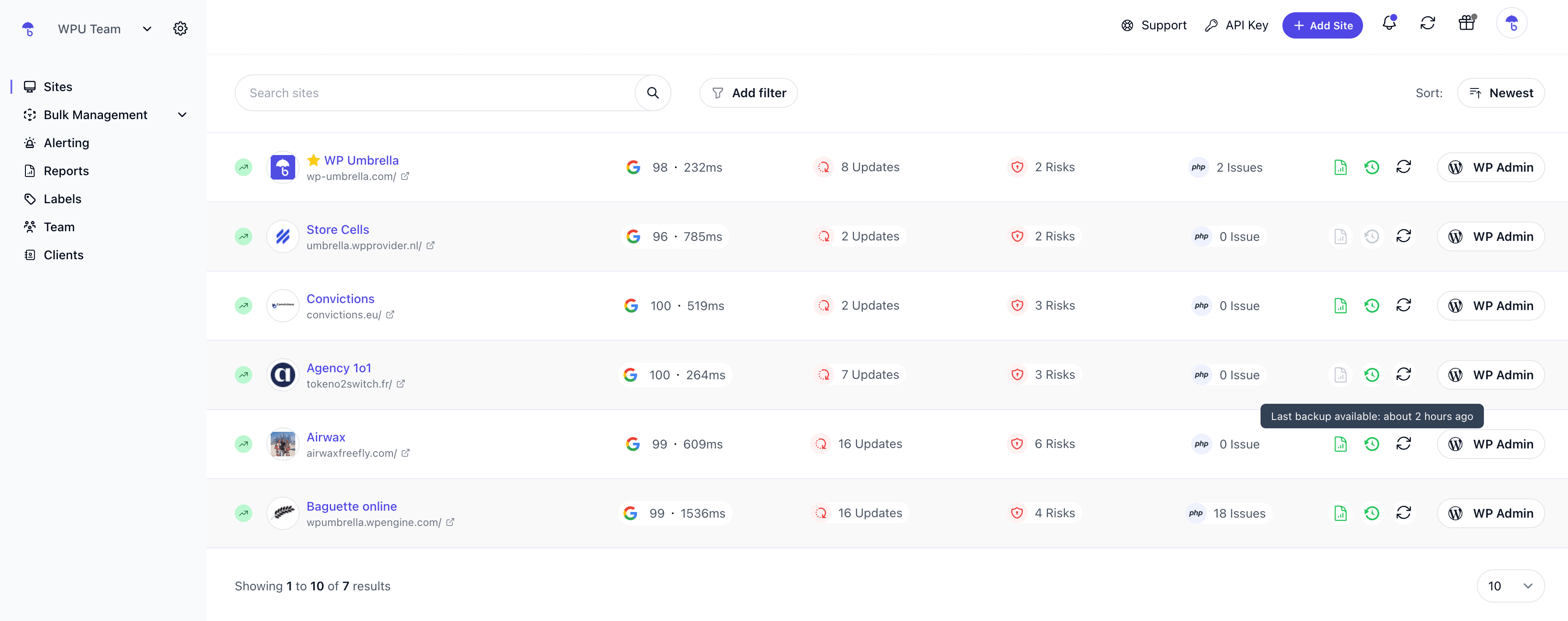
- Dashboard: Monitor, update, and backup all your sites from a single dashboard.
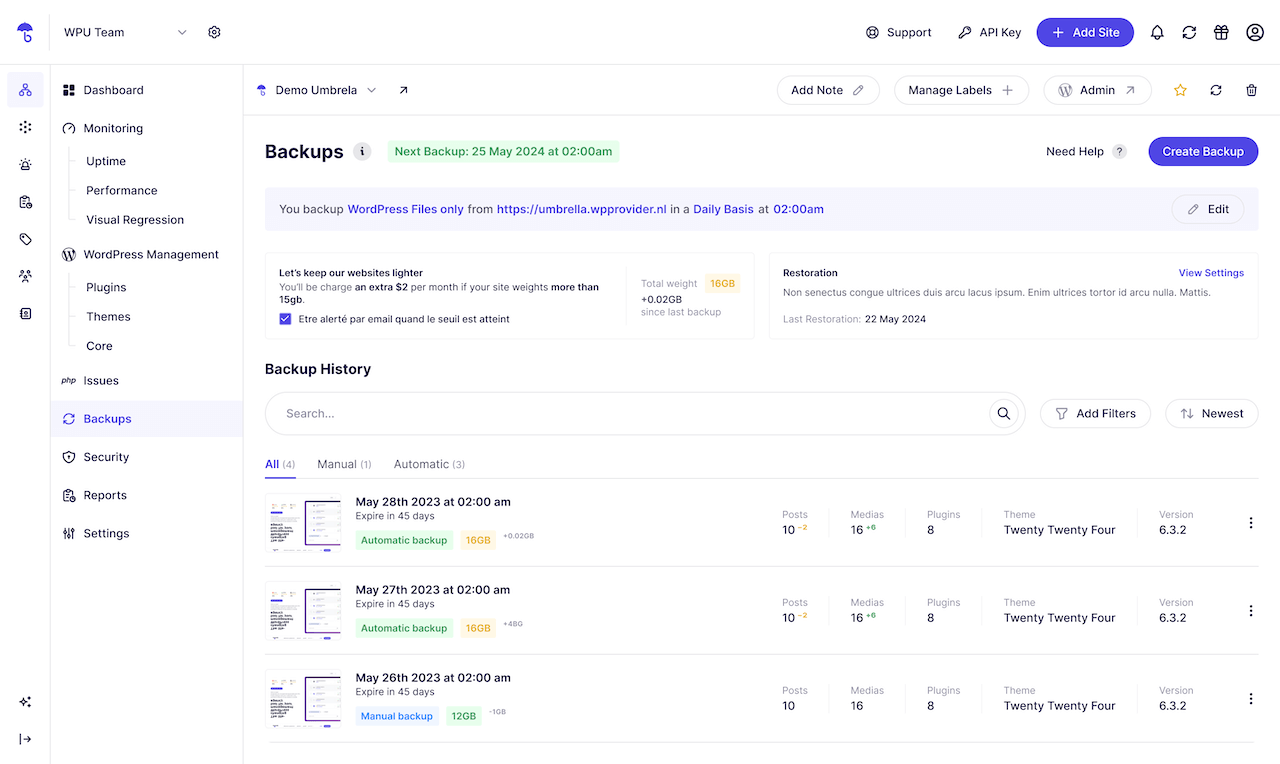
- Automated Cloud Backup: Secured, incremental backup with GDPR compliance, ensuring your data’s safety and easy backup restoration. WP Umbrella provide with GDPR Backup.
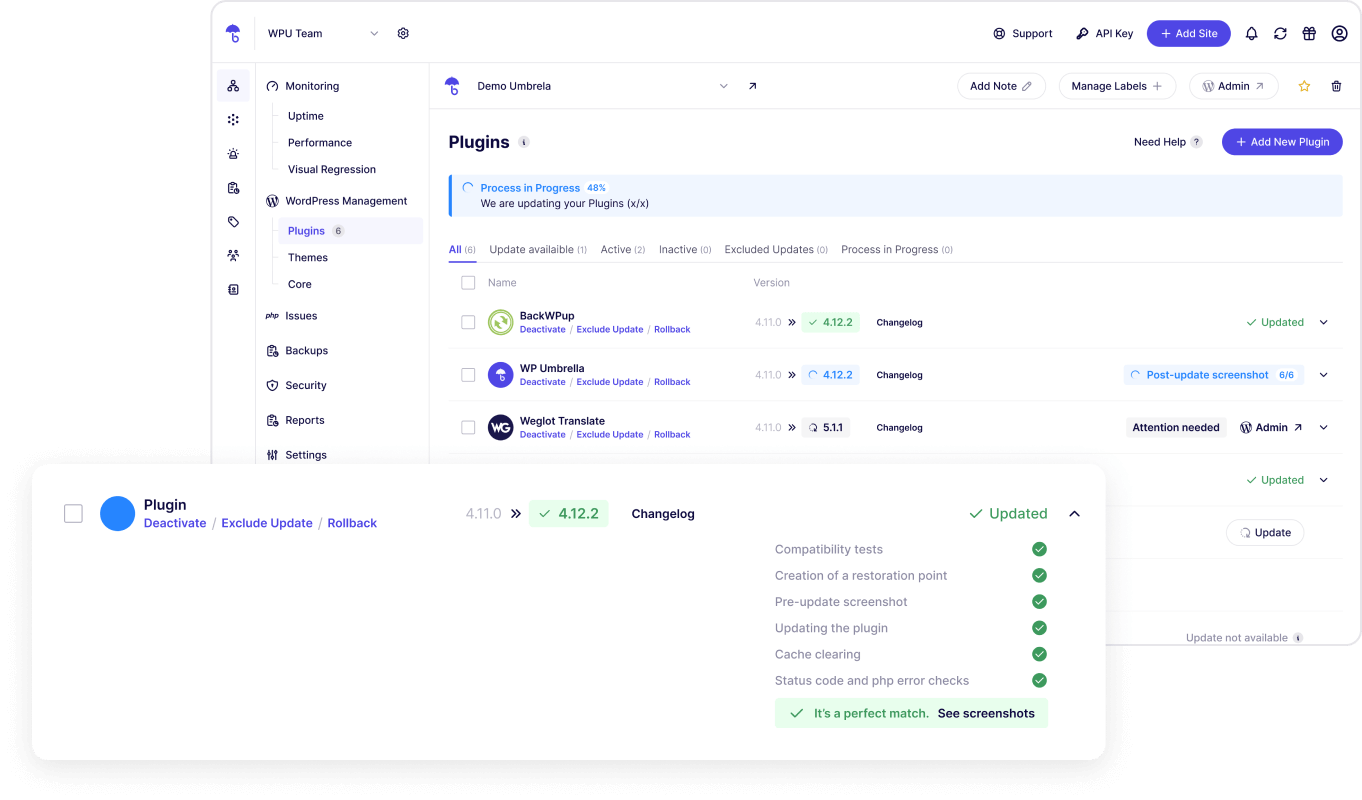
- One-Click Updates: Update core, themes, and plugins, maintaining security and performance. Update Rollback available. Exclude update and ignore updates too.
- Uptime Monitoring: Stay informed with alerts on uptime, downtime, and site performance, including Google Page Speed monitoring.
- Error Tracking: Monitor PHP errors to maintain a safe website.
- Security monitoring: monitor vulnerabilities and security metrics.
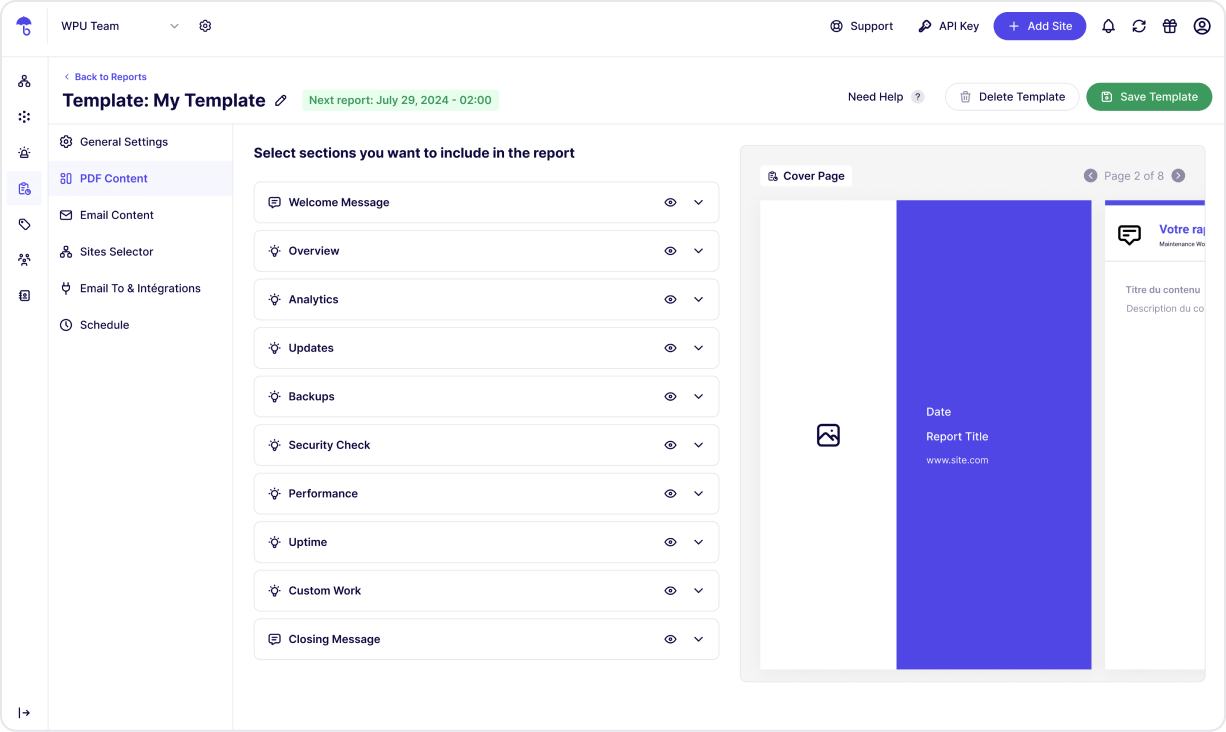
- Reports: automate your reporting on update, GDPR backup, uptime, etc.
WP Umbrella is the best alternative to ManageWP, MainWP, WP Remote, InfiniteWP.
WordPress Management Features
- Multiple Sites Management: manage and log into your WordPress sites with a unified dashboard.
- Update Management: Bulk update plugins, and themes in 1-click. Rollback included.
- Backup and Restoration: automated and scheduled backups. Backup WordPress now!
- Comprehensive Monitoring: From uptime to WordPress errors.
Premium / Freemium
Create an account and enjoy 14 day trial with all features (backup, uptime monitoring, safe update, etc). Then you only have access to our health check.
Installation
Minimum Requirements for WP Umbrella
- WordPress 5.8 or greater
- PHP version 7.4 or greater
Frequently Asked Questions
WP Umbrella is an all-in-one tool for managing multiple WordPress sites. Save time with centralized backup, monitoring, updates, and restoration. Perfect for developers and agencies managing multiple sites.
Routine maintenance keeps WordPress sites secure, updated, and optimized. WP Umbrella makes site management simple with automated backups, uptime monitoring, and bulk updates.
We offer GDPR-compliant backups on Google Cloud servers in Europe. Our GDPR backup system store your backups during 50 days. Our GDPR backups are incremental and the backup encrypted.
WP Umbrella’s update manager lets you update all plugins, themes, and WordPress core across multiple sites in one click. Rollback, Enable or disable automatic updates as needed.
WP Umbrella includes uptime and downtime alerts, performance checks, and Google PageSpeed insights. Get notified instantly for any site issues, allowing quick resolutions. Read our guide about WordPress monitoring! for more info.
We suggest you to read our guide about How to manage multiple WordPress sites easily
Yes, WP Umbrella fully supports Multisite networks, allowing backups, updates, and monitoring across all sites in a network.
WP Umbrella is faster, and more reliable than alternatives like ManageWP, MainWP, and WP Remote. Features include accurate monitoring (no false positives), GDPR backups, and a user-friendly dashboard.
You can report security bugs through the Patchstack Vulnerability Disclosure Program. The Patchstack team helps validate, triage and handle any security vulnerabilities. Report a security vulnerability.
Review feed
Simple & Straightforward
WP Umbrella is a must-have for any webmaster
Surely the best WordPress maintenance plugin
Screenshots


Changelog
2.19.1 (12-04-2025)
- Improved: backup process with integrity check
- Improved: restore communication process
2.19.0 (11-03-2025)
- New: add safe update for themes
- Improved: backup process with infinite symlink detection
- Bugfix: database optimization
2.18.6 (09-03-2025)
- Improved: WordPress subfolder management
- Bugfix: Flywheel issue on backup script
2.18.5 (07-25-2025)
- Bugfix: support Divi cache directory on a backup
- Improved: change to SQL file comment to avoid error on restore
2.18.4 (06-30-2025)
- Bugfix: PHP warning on WP Fastest Cache
2.18.3 (06-27-2025)
- Improved: add LiteSpeed, WP Fatest Cache and WP Super Cache to the cache control
- Improved: get changelog from premium plugins with admin_init hook
2.18.2 (06-19-2025)
- Improved: remove query monitors headers during API request
- Bugfix: PHP warning on directory functions
- Bugfix: Prevent header already sent on backup script
2.18.1 (06-16-2025)
- Improved: backup process with op cache
- Improved: cache control on response
- Bugfix: PHP warning with nginx purger
- New: retrieve changelog from premium plugins
2.18.0 (05-31-2025)
- New: Patchstack integration
- New: clear cache from Nginx purger
- Improved: backup process
- Improved: directory listing with bedrock
- Bugfix: remove sanitize_file_name on backup script to prevent error filename
- Bugfix: internal error on restore script
- Bugfix: check core update
2.17.1 (12-05-2024)
- Security Fix: Unauthenticated Local File Inclusion
2.17.0 (11-27-2024)
- Improved: creation of a checkpoint folder for updates.
- Improved: backup process
- Improved: restore process
- Bugfix: php warning 8.1
2.16.4 (09-27-2024)
- Improved: backup script and remove old file
2.16.3 (09-24-2024)
- Fix: remove duplicate code
2.16.2 (09-24-2024)
- New: retrieve theme updates from your WordPress
- New: retrieve core updates from your WordPress
- Improved: regenerate secret token
- Improved: backup communication
2.16.1 (08-20-2024)
- New: compatibility with Pressable
2.16.0 (08-06-2024)
- Improved: restoration script
- Improved: deactivation of the old backup system for new projects.
- New: add a restore point for safe update
- New: retrieving plugins updates from your WordPress
Full changelog available Here!