

WP Import Export Lite
Complete Import & Export solution for Posts, Pages, Custom Post, Users, Taxonomies, Comments etc.
Plugin info
Maintenance & Compatibility
Maintenance score
Stale • Last updated 241 days ago • Support resolved 67% • 112 reviews
Is WP Import Export Lite abandoned?
Likely maintained (last update 241 days ago).
Compatibility
Developers
Similar & Alternatives
Explore plugins with similar tags, and compare key metrics like downloads, ratings, updates, support, and WP/PHP compatibility.
Description
WordPress Import Export Plugin is an easy, quick and advanced Import & Export site data.
WordPress Import Export gives you ability to export you site data into Multiple file format and you can import those file in any of your site. All type of your Posts, Pages, Custom Post Types, Taxonomies, Comments and Users import/export in just one click. A great way to manage WordPress Site data between multiple sites.
WordPress Import Export Main Features
- Pause, Resume & Stop process for import & export
- Background import & export
- Scheduled import & export ( Premium )
- Powerful Filter available for import & export
- Drag & Drop Field mapping
- 19+ Freemium AddOns for multiple plugin support
- Multiple File Format support for import export
- Import process Log
Pause, Resume & Stop
- import & export can be Pause, Resume & Stop.
- plugin supports Pause and Resume with Background import & export
- you can anytime stop any import & export processing
Background import & export
- import & export processing in background.
- Background import & export can be pause, resume and stop.
- multiple import & export can be process same time.
- simple import & export can be converted to Background import & export
Powerful Filters
- you can filter any data when you export like post id is greater then 50.
- for import, filter available for filtering your uploaded file data
Field Management
- for export, you can rearrange and edit fields in just one click.
- for import,drag and drop field mapping facility available.
Multiple File Format
- multiple file format support for import and export both.
- supports zip archives
- supports format csv, xls, xlsx, json, txt, ods and xml
Schedule import & export ( Premium )
- automatic schedule import export
- schedule import export management
- support with auto background import export
import Process Log
- complete process log available
- step by step import each record log available
19+ Freemium AddOns
- Yoast SEO Import & Export
- ACF, ACF Pro Import & Export
- WPML Import & Export
- Polylang Import & Export
- WooCommerce import & export
- Schedule import & export
- Attribute import & export
- Google Drive Import
- Onedrive Import
- DropBox Import
- FTP/SFTP Import
- Background Import Export
- And much more
WP Import Export Professional Edition
Export Premium Addons
- ACF / ACF Pro Export
- Schedule Export
- WooCommerce Export
- WPML Export
- Attribute export
- Polylang Export
Import Premium Addons
- ACF / ACF Pro Import
- Dropbox File Import
- Upload From FTP/SFTP
- Google Drive File Import
- Microsoft Onedrive Import
- Schedule Import
- WooCommerce Import
- WPML Import
- Attribute Import
- Polylang Import
Upgrade to the Pro edition of WP Import Export
Live Demo
Documentation
Installation
Automatic installation
Automatic installation is the easiest way to install WordPress Import Export plugin.
To do it, log in to your WordPress admin panel and go to : Plugin -> Add New and click on Upload Plugin.
Select the zip file and click on Install Now. After clicking that link, you will be asked if you are sure you want to install the plugin. Click yes and WordPress will automatically complete the installation process
Manual installation
The manual installation involves uploading all the files to your web server through a FTP software.
Unzip the archive, then upload the wp-import-export-lite folder to wp-content/plugins directory.
Finally activate the plugin through your WordPress admin.
Frequently Asked Questions
Review feed
Work as expected
Not working for import
Works well for importing CSVs
Screenshots
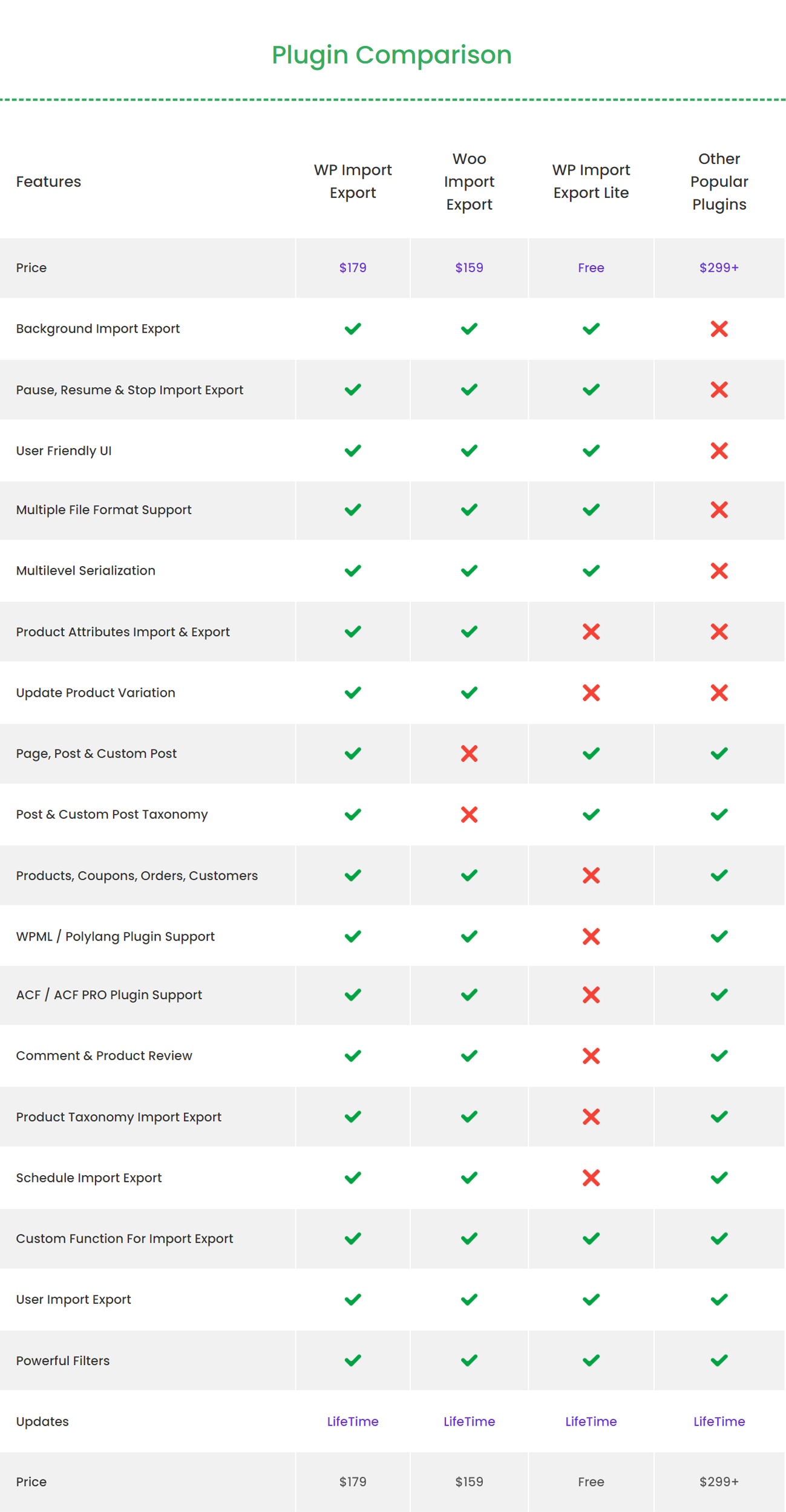
Plugin Comparison
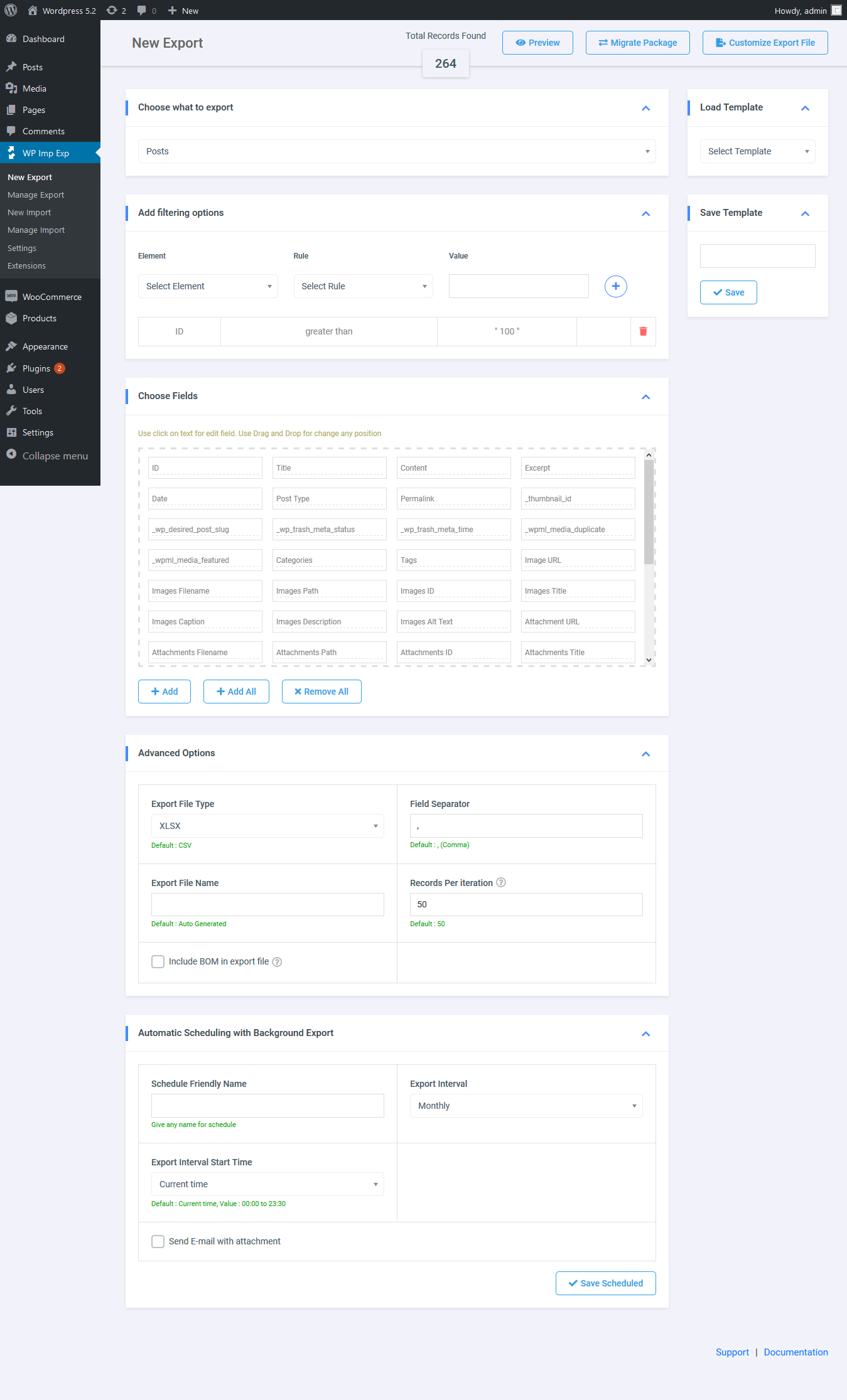
Export
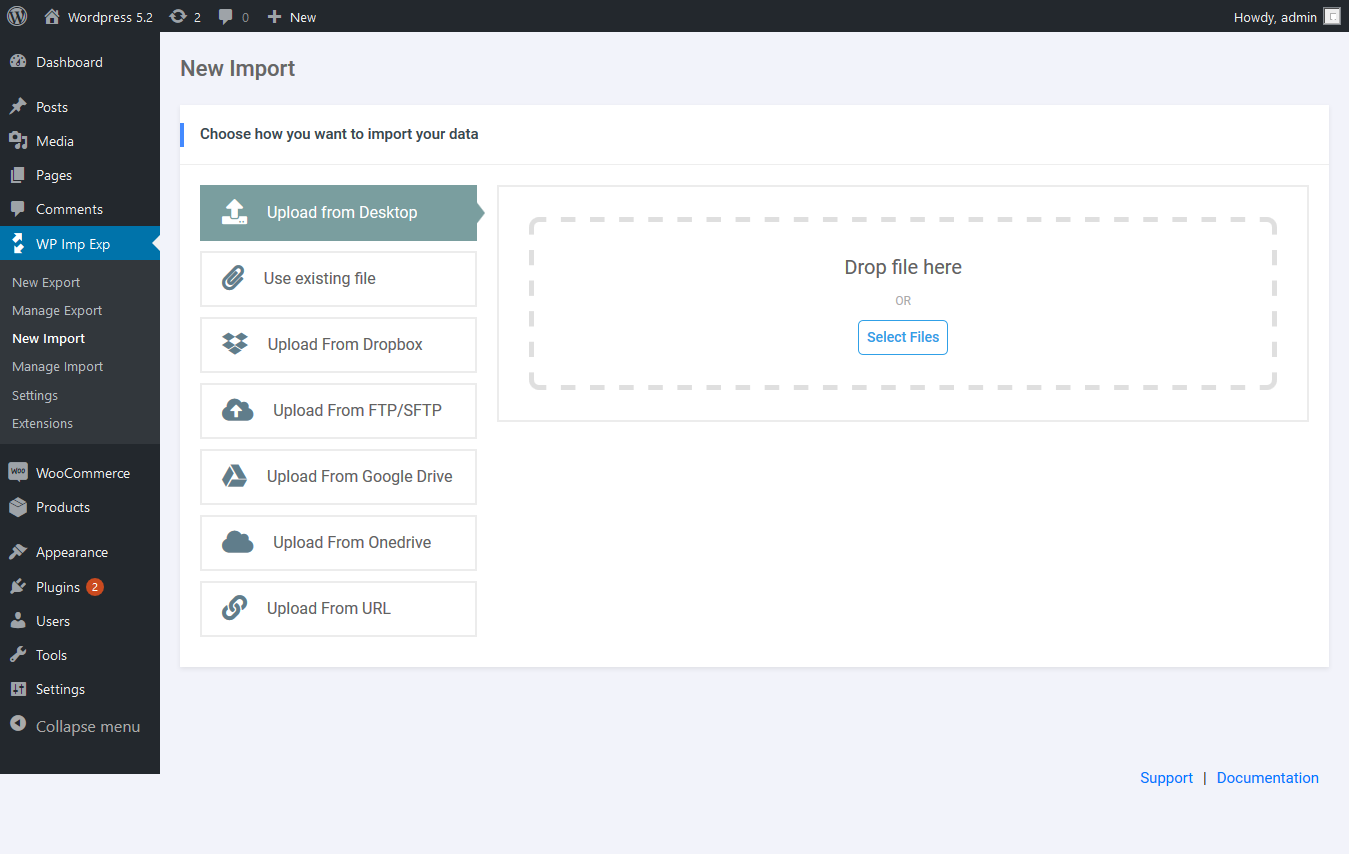
Import
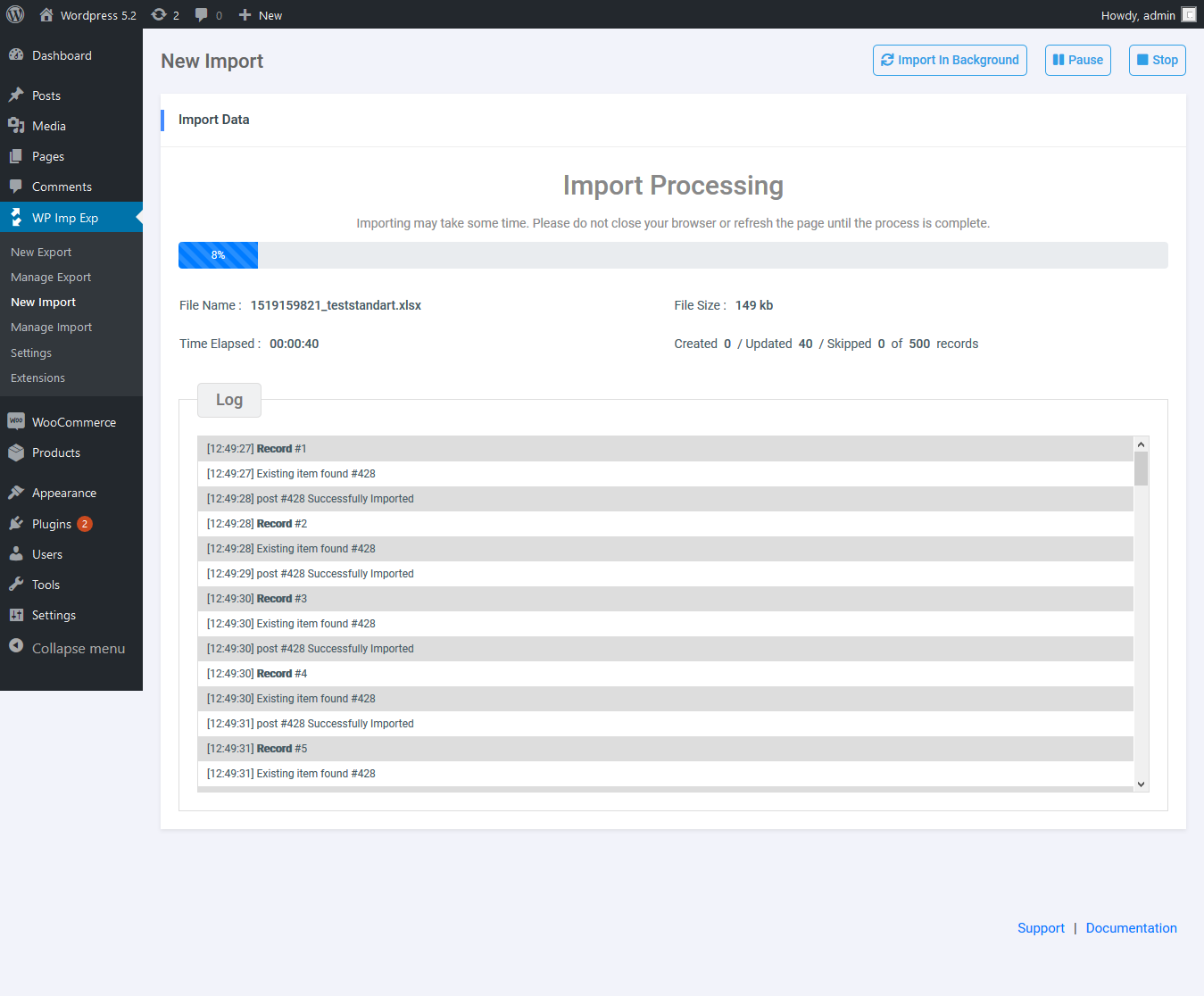
Import Process
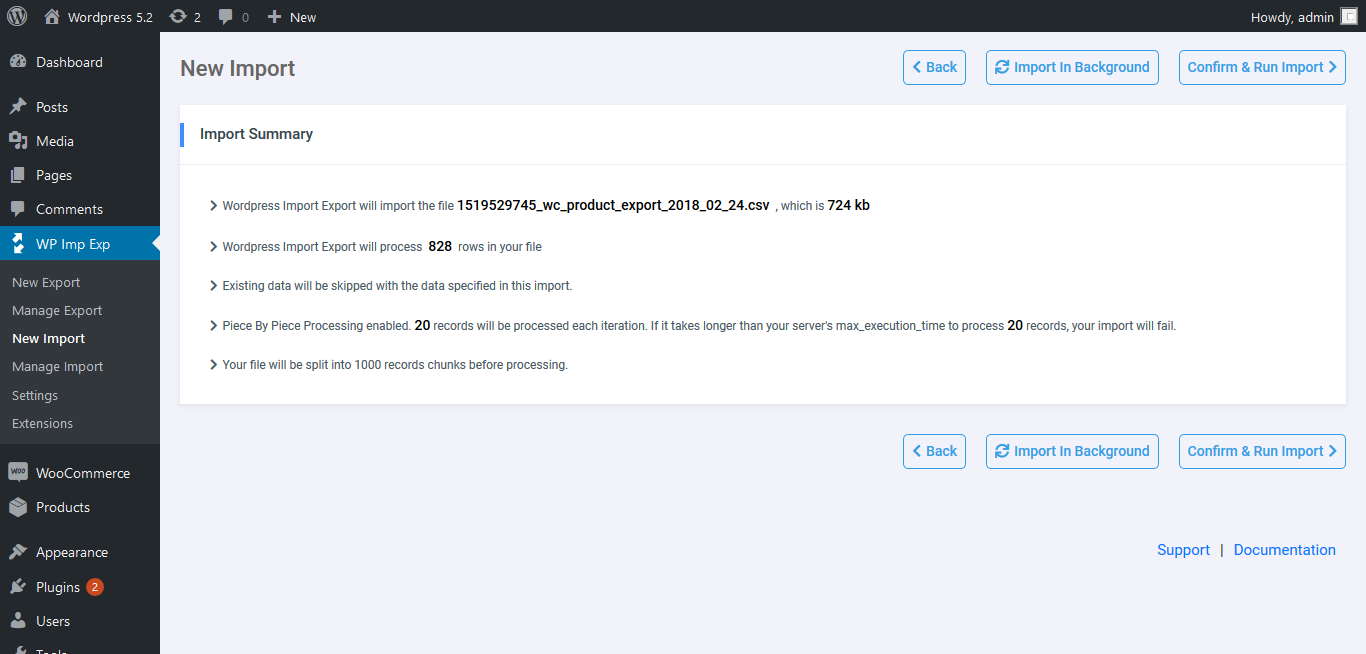
Import Summary
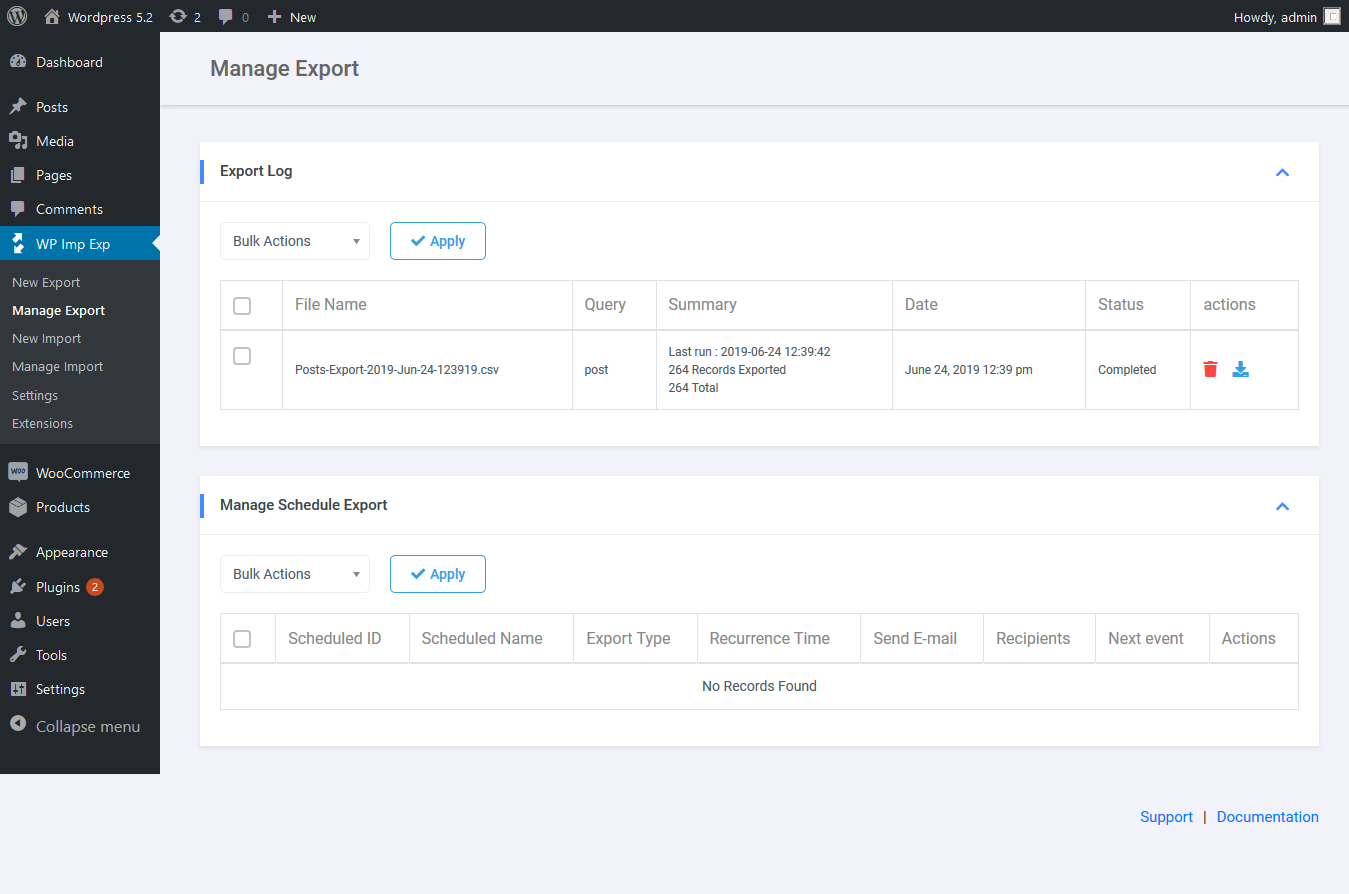
Manage Export
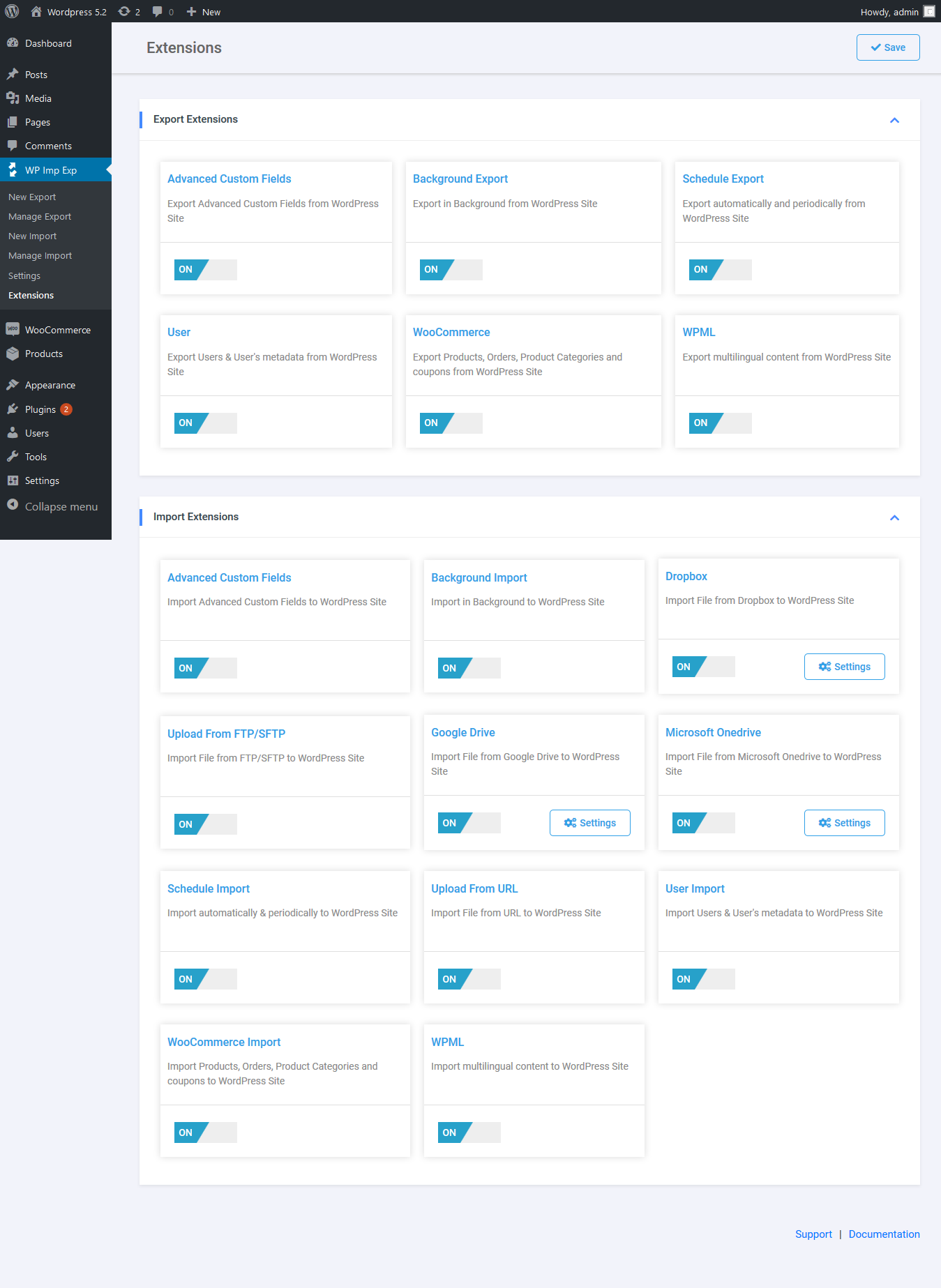
Extension