

WP Last Modified Info
Ultimate Last Modified Plugin for WordPress with Gutenberg support. Use shortcodes to show last modified info on WP 4.7+ sites.
Plugin info
Maintenance & Compatibility
Maintenance score
Maintained • Last updated 145 days ago • Support resolved 0% • 818 reviews
Is WP Last Modified Info abandoned?
Likely maintained (last update 145 days ago).
Compatibility
Developers
Similar & Alternatives
Explore plugins with similar tags, and compare key metrics like downloads, ratings, updates, support, and WP/PHP compatibility.
Description
WP Last Modified Info: the Ultimate Last Modified plugin
Most WordPress themes usually show the date when a post was last published. This is fine for most blogs and static websites. However, WordPress is also used by websites where old articles are regularly updated. This last updated date and time is important information for those publications. The most common example is news websites. They often update old stories to show new developments, add corrections, or media files. If they only added the published date, then their users would miss those updates.
Many popular blogs and websites don’t show any date on their articles. This is a bad practice and you should never remove dates from your blog posts.
So now it is possible to add last modified/updated info on your WordPress posts and pages. Just install and activate this and configuration is very easy.
Like WP Last Modified Info plugin? Consider leaving a 5-star review.
What does this plugin do?
This plugin automatically inserts last modified or updated info on your WordPress posts (including custom post types) and pages. It is possible to use shortcode [lmt-post-modified-info] for a manual insert. This plugin also adds ‘dateModified’ schema markup in WordPress posts automatically and it is used to tell the last modified date & time of a post or a page to various search engines like Google, Bing etc.
- Allows you to display Last modified information in your posts and pages individually.
- Provides you with options to display the last modified/last updated date above or below your posts and pages.
- You can also set date/time formats and the position of the timestamp in WordPress Posts and Pages which can be either before content or after the content.
- Allows you to customize the text which is to be displayed alongside the last modified date (default: Last updated on).
- Inserts ‘dateModified’ schema markup to your WordPress posts automatically.
- Displays last modified info on all post types column and publish meta box in the dashboard with the author name.
- Allows you to sort posts/pages in last updated/modified date-time order.
- Allows you to replace post published date with post modified info.
- Allows you to display last modified info on your post as human-readable format, i.e. Days/weeks/months/years ago.
- Allows you to display last modified info of all posts in the WordPress admin bar.
- Allows you to display last modified author info in posts, pages.
- Allows you to add last modified timestamp in post/page’s custom field.
- Allows you to edit last modified date and time from the post edit screen and quick edit screen as well.
- You can also add template tags to your theme files. Go to the FAQ section for more information.
- Elementor Dynamic Tags support with ‘dateModified’ schema markup.
- Send Email Notification when anyone makes changes to any post of your website.
- Tested with Yoast SEO, Rank Math, All in One SEO Pack, SEOPress, Schema and many other plugins.
- And you can customize all and everything.
Compatibility
- This plugin is fully compatible with WordPress Version 4.7 and beyond and also compatible with any WordPress theme.
- Fully compatible with Yoast SEO, Rank Math, All in One SEO Pack, SEOPress, Schema and other many plugins.
Support
- Community support via the support forums at WordPress.org.
Contribute
- Active development of this plugin is handled on GitHub.
- Feel free to fork the project on GitHub and submit your contributions via pull request.
Installation
- Visit ‘Plugins > Add New’.
- Search for ‘WP Last Modified Info’ and install it.
- Or you can upload the
wp-last-modified-infofolder to the/wp-content/plugins/directory manually. - Activate WP Last Modified Info from your Plugins page.
- After activation go to ‘Settings > WP Last Modified Info’.
- Enable options and save changes.
Frequently Asked Questions
Yes. You can access this from ‘Settings > WP Last Modified Info’.
Go to ‘Settings > WP Last Modified Info’, enable/disable options as per your need and save your changes.
After enabling options in ‘Settings > WP Last Modified Info’, open any page or post and you can see the change.
This plugin hooks into the WordPress content area and displays the last modified information on posts and pages.
Not at all. You can show the revised info by just installing this plugin. Use the Plugin Settings to customize the date/time format according to your need.
Yes, this plugin is compatible with any theme. Also, compatible with Genesis, Divi themes.
Yes, this plugin supports all types of custom posts.
Go to ‘Settings > WP Last Modified Info > Misc. Options > Custom CSS’ and add your custom CSS.
Yes, you can. You can sort posts and pages by ascending or descending order.
This plugin wraps modified info with ‘dateModified’ schema markup which is used to tell the last modified date & time of a web page to various web crawlers (Google, Bing etc.). Test your website with structured data tool.
The plugin makes use of your WordPress Date, Time and Timezone (Dashboard > Settings > General) in the WordPress dashboard. It is also customizable via plugin settings.
Yes, it is fully compatible with multisite.
Yes, you can. Just set your custom text in settings and save your changes.
Yes, you can. In this case, you have to edit your theme’s template files i.e. single.php, page.php etc. And add/replace default published date function with this:
Returns the last modified info:
<?php if ( function_exists( 'get_the_last_modified_info' ) ) {
        get_the_last_modified_info();
    }
?>
Displays/echos the last modified info:
<?php if ( function_exists( 'the_last_modified_info' ) ) {
        the_last_modified_info();
    }
?>
Sometimes you may want to show last modified date only. For that reason, post published date and modified date would be the same and the last modified date will still appear on post/pages even if it’s the same as the published date. In that case, you can set a time difference(ex. 1 day i.e. 24 hours) between post published date and modified date via plugin settings gap option.
Post detailed information about the issue in the support forum and I will work to fix it.
Review feed
Works as expected
Just Works
Indispensible to my work with travel agencies and SEO
Screenshots

Show last modified info on the front end.
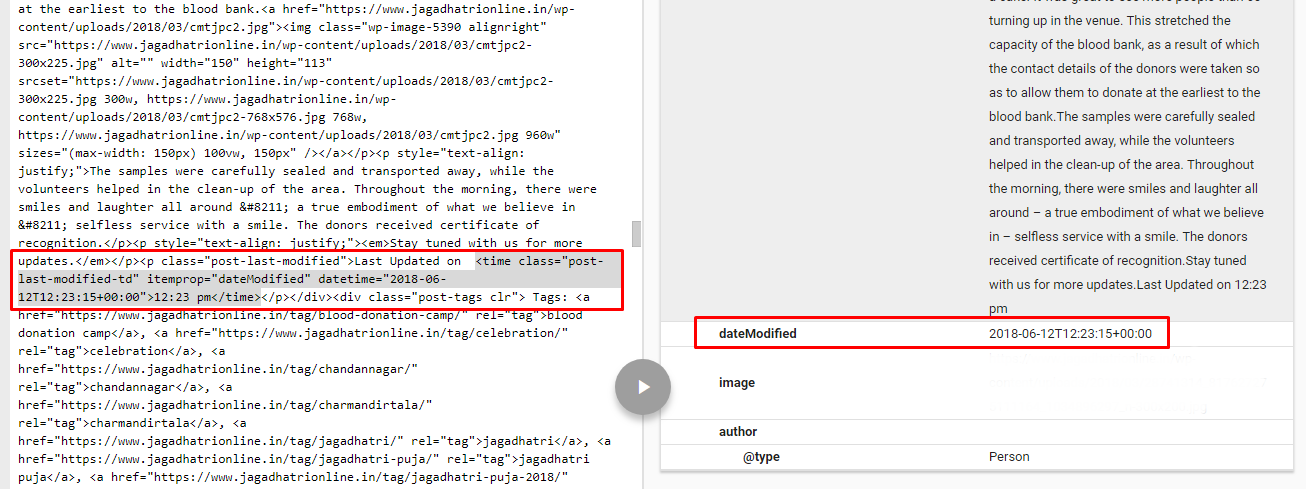
Google Structured data result.
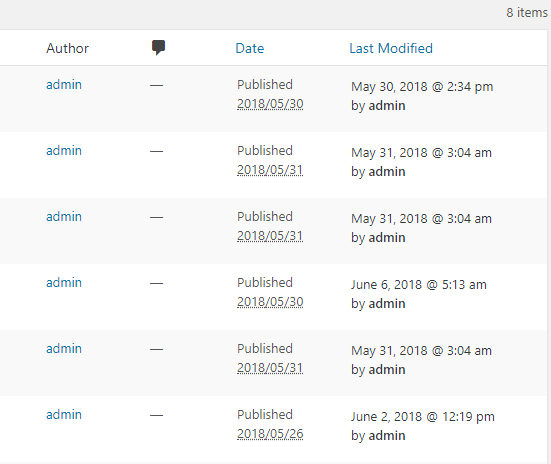
Post / Page / Custom post types admin column: Last Modified column with author name.
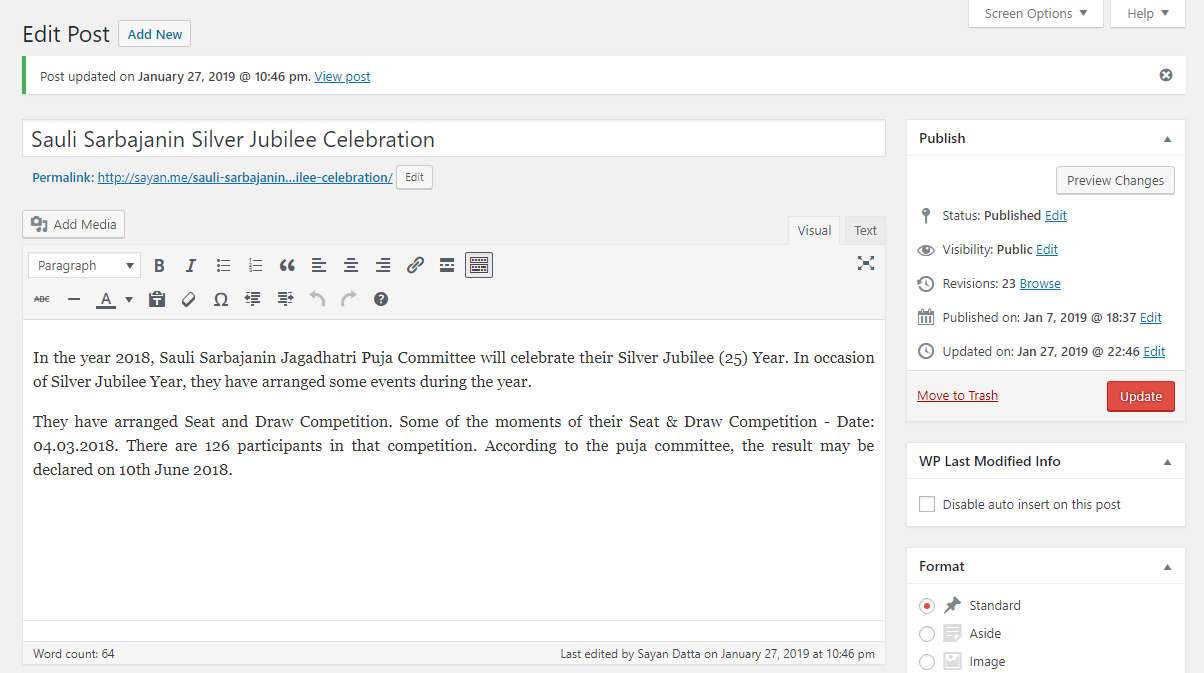
Added last modified/updated info on post/page publish box and in post updated message.
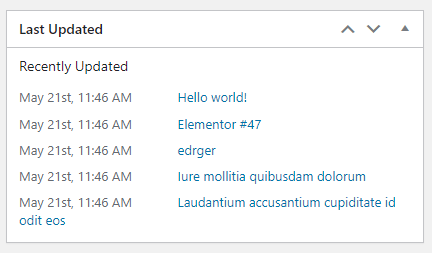
Last modified posts widgets in the dashboard.
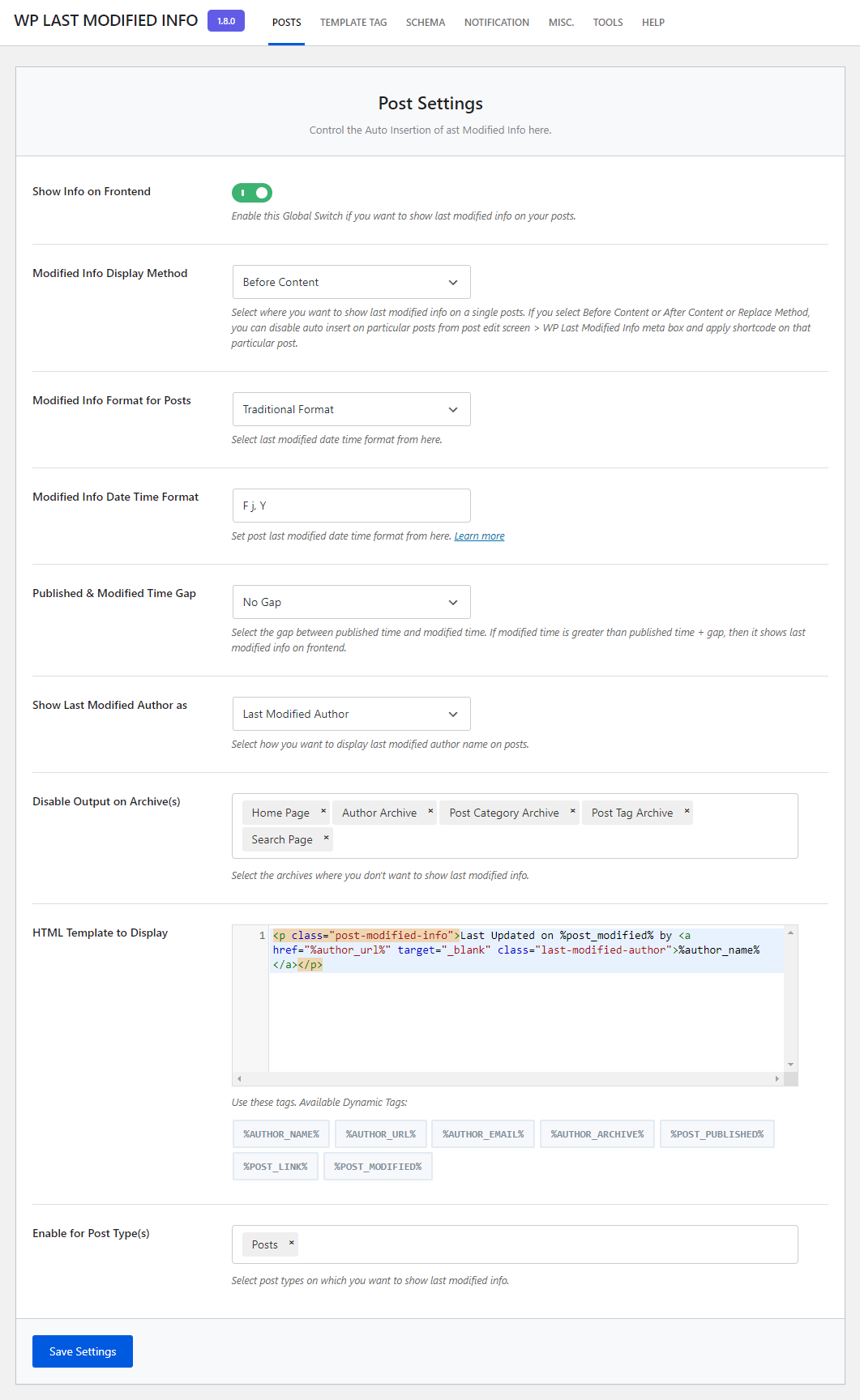
Post Options.

Template Tag Options.
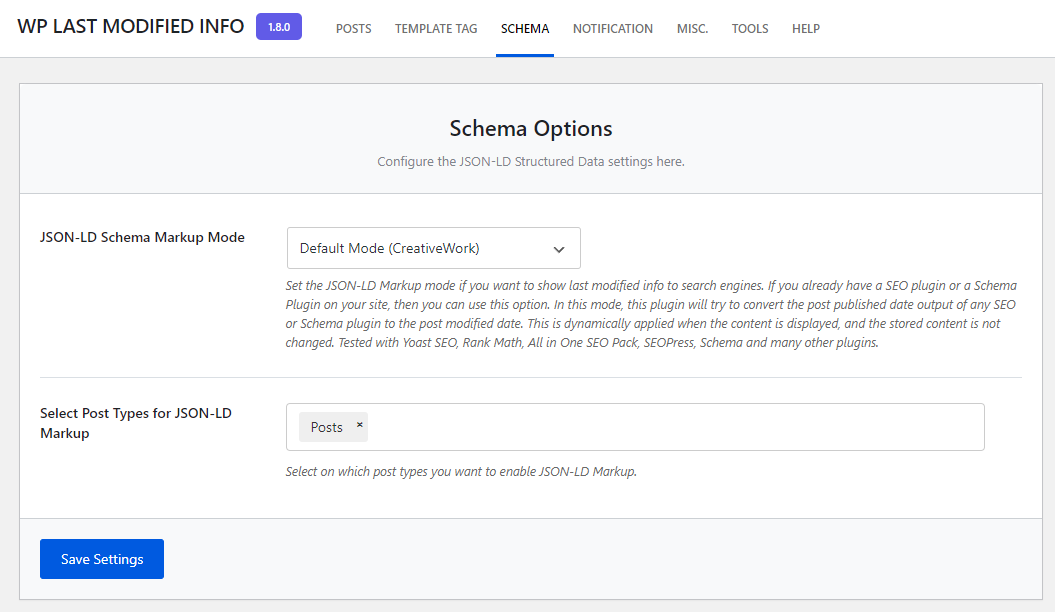
Schema Options
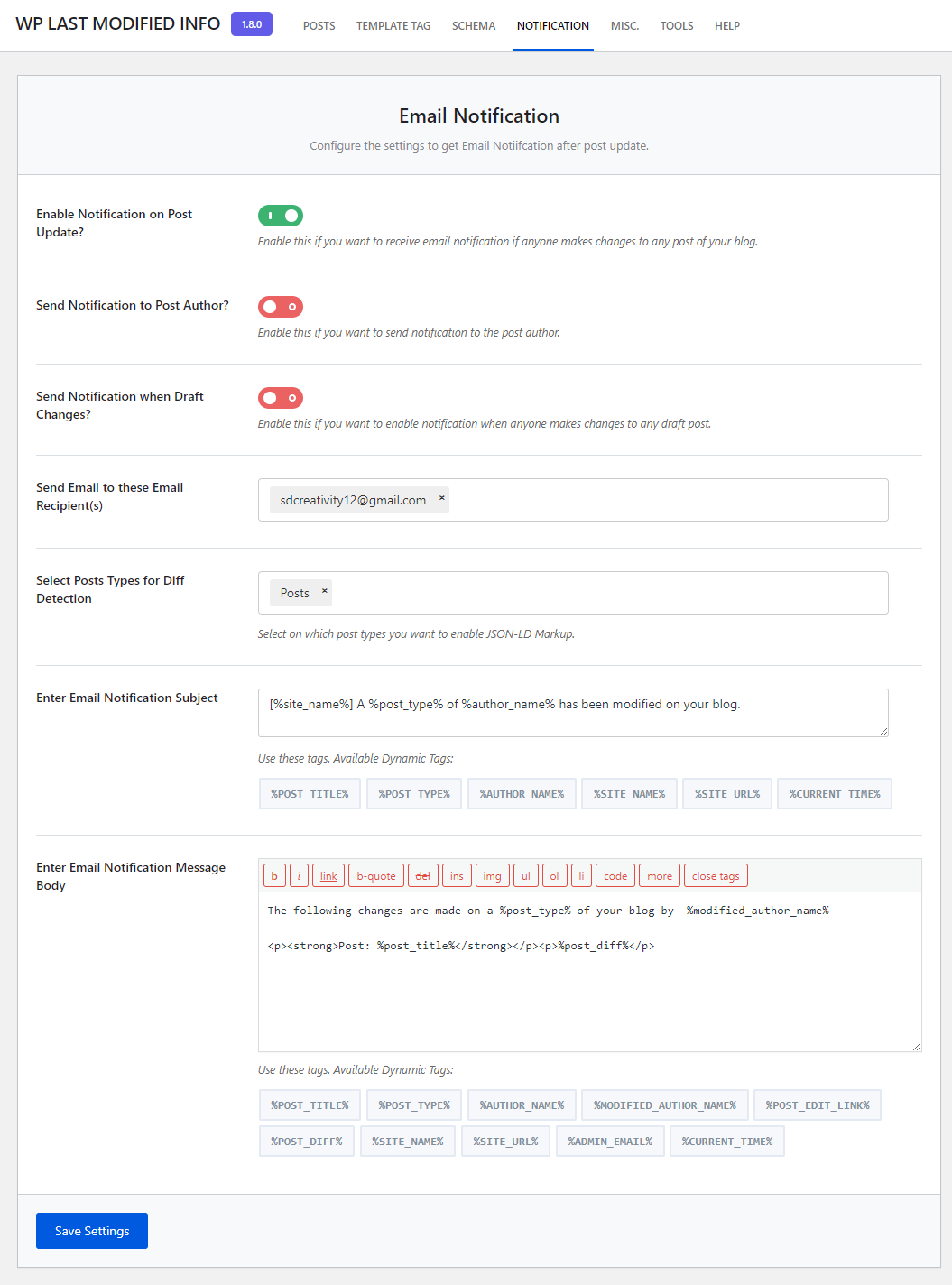
Email Notification.
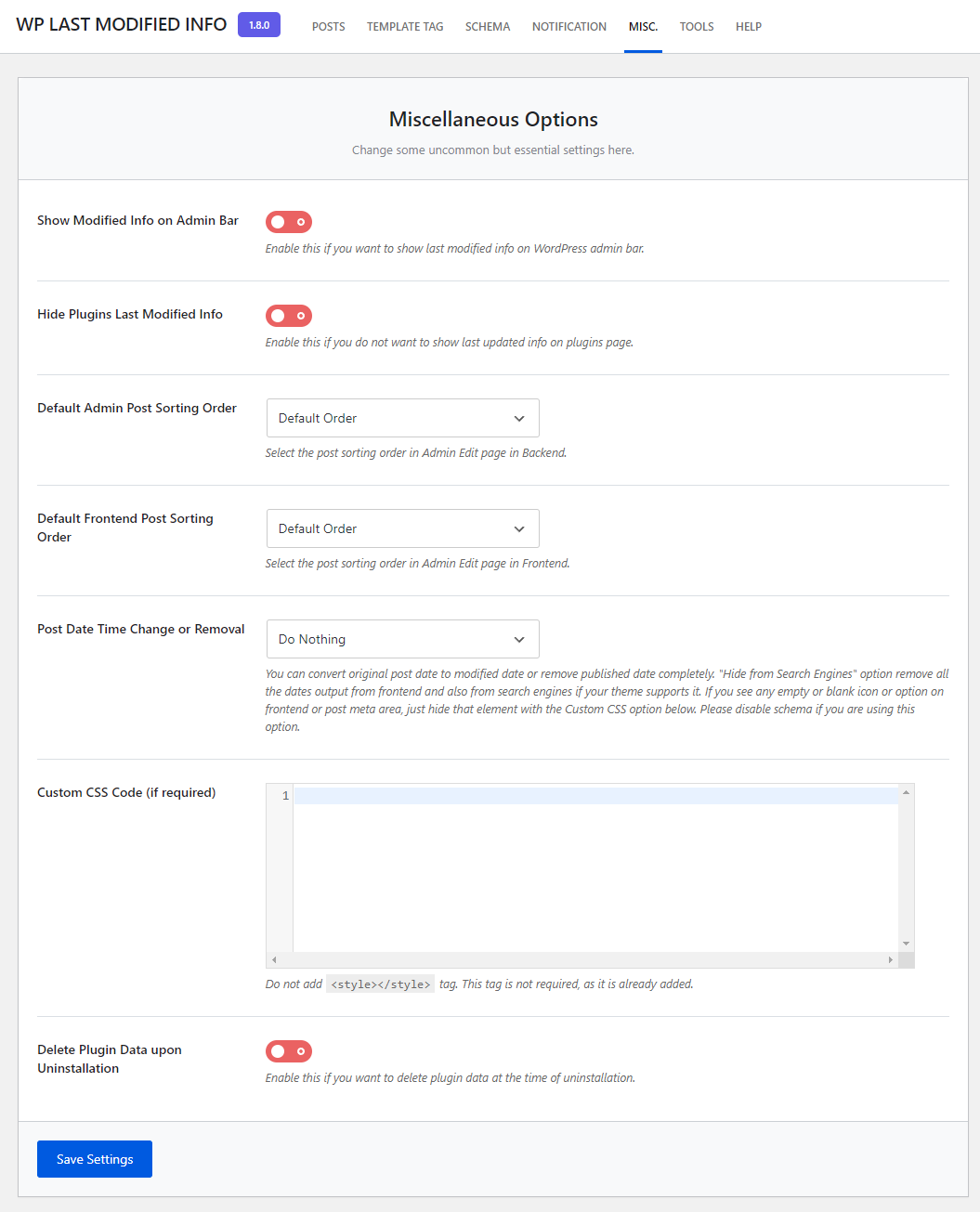
Miscellaneous Options.
Changelog
If you like WP Last Modified Info, please take a moment to give a 5-star rating. It helps to keep development and support going strong. Thank you!
1.9.5
Release Date: November 11, 2025
- Fixed: Arbitrary function input as callback in shortcode’s hide_archive parameter. From now on, only WordPress’s default functions are allowed.
- Fixed: If the modified date is changed and “Lock modified date” is checked at the same time, the modified date was not being set properly and was reverting to the current date.
1.9.4
Release Date: November 9, 2025
- Improved: Added validation in the datetime format for shortcodes.
- Fixed: Error while publishing post.
1.9.3
Release Date: November 6, 2025
- Improved: WooCommerce integration now fully supports High-Performance Order Storage (HPOS) without deprecation notices.
- Improved: Template tags (
get_the_last_modified_info,the_last_modified_info) optimized for better performance and readability. - Improved: Admin-column display now uses proper sanitization and escaping for all user-facing strings.
- Improved: Schema markup generation refactored for better compatibility with Google Rich-Results Test and Bing Validator.
- Improved: Shortcode
[lmt-post-modified-info]processing streamlined; output is now 25 % faster on large pages. - Improved: All PHP functions include comprehensive docblocks and parameter/return type declarations.
- Fixed: Potential undefined-array-key warnings when post-meta is accessed before initialization.
- Fixed: Edge-case where timezone offset could be miscalculated for posts modified during DST transitions.
- Fixed: Removed unused legacy JavaScript variables that caused console warnings in Site Editor.
1.9.2
Release Date: April 28, 2025
- Improved: Last Modified control on Gutenberg editor.
- Improved: Matched Last Modified admin column date format with WordPress’s date column.
- Fixed: Gutenberg Console warnings on Edit page.
- Fixed: _load_textdomain_just_in_time Error.
- Fixed: Array to String conversion Error.
- Fixed compatibility issues with latest WordPress version.
- Compatibility with Rank Math plugin on lock modified date.
- Improved plugin performance and stability.
- Updated composer dependencies to latest versions.
- Code optimization and cleanup.
- Tested with WordPress v6.8.
1.9.1
Release Date: August 9, 2024
- Added changes according to WPCS.
- Tested with WordPress v6.6.
1.9.0
Release Date: March 17, 2024
- Optimize WP Options Auto Loading.
- Updated Composer Libraries.
- Tested with WordPress v6.5.
Other Versions
- View the Changelog file.