

WP Lipsum
WP-Lipsum is a simple plugin for generating dummy text for your WordPress site.
Plugin info
Maintenance & Compatibility
Maintenance score
Possibly abandoned • Last updated 5034 days ago • 1 reviews
Is WP Lipsum abandoned?
Possibly abandoned (last update 5034 days ago).
Compatibility
Similar & Alternatives
Explore plugins with similar tags, and compare key metrics like downloads, ratings, updates, support, and WP/PHP compatibility.
Description
WP-Lipsum includes a collection of template fragments representing lots of common page types, from simple lorem ipsum paragraphs to demos of the WP comment system, and more. It works via a simple shortcode or template tag.
Using the Shortcode
[lipsum]
This outputs the basic content block. You can edit this in wp-lipsum/templates/basic.php.
[lipsum template=aux]
This outputs the auxilary lipsum page, with tables, definition lists, and more. You can edit this in templates/aux.php.
[lipsum repeat=4]
This outputs 4 simple paragphs of lorem ipsum text. You can edit the text in templates/p.php.
[lipsum template=ol repeat=3]
This loads the ordered list template and displays it 3 times.
[lipsum t=ol r=3]
You can also use “t” and “r” as parameter shortcuts.
Lipsum Templates and Fragments
Here are the full pages of lipsum content available:
- Basic Content – “basic”
- Aux Content – “aux”
- Blog Demo – “blog”
- Single Post Demo – “single”
- Headline List – “headline_list”
- Gallery Demo – “gallery”
- Portfolio Demo – “portfolio”
- Long Header Examples – “long_headers”
- Short Content Demo – “short”
- Template Fragments
You can also call these smaller fragments, and use the “repeat” parameter:
- Single Paragraph – “p”
- Unordered List – “ul”
- Ordered List – “ol”
- Definition List – “dl”
- Table Example – “table”
- Blockquote – “blockquote”
- Blog Teaser – “blog_teaser”
- Image (without caption) – “img”
- Image with WP Caption – “caption”
- Code Demo – “code”
- Comments Demo – “comments”
- Gallery Item – “gallery_item”
- List of Headers – “headers”
- Headline Teaser – “headline_teaser”
- Misc Content – “misc”
- Portfolio Item – “portfolio_item”
All lipsum template snippets are located in plugins/wp-lipsum/templates. You can easily add new template files in here, and call them with the “template” attribute.
Templates use Bedrock conventions, including class names (like .table-style and .post-nav), using H1s and H2s only for titles, and other concepts.
Image Dimensions
For the image templates, you can also pass in custom dimensions with the “width”, “height” and “align” parameters (shorcuts w, h and a). This works for the img, caption, portfolio & portfolio_item, and gallery & gallery_item templates.
[lipsum template=img width=300 height=150]

[lipsum t=caption w=300 h=150 a=right]

[lipsum t=gallery w=500 h=220]

[lipsum t=portfolio w=100 h=100]
Align can be set to “left”, “right”, “center” or “none”. These parameters default to 200×200, and alignleft.
Using the Template Tag
You can also call the plugin from your theme code, by using the display_lipsum_template() function:
More Info
View the WP-Lipsum homepage here
WP-Lipsum is a part of the Bedrock mini-framework, more info at bedrocktheme.com
Follow me at dylanized.com and @dylanized
Installation
- Upload the “wp-lipsum” folder to the “/wp-content/plugins/” directory
- Activate the plugin through the ‘Plugins’ menu in WordPress
- Now you can use the shortcodes and the template tag
Frequently Asked Questions
Review feed
Screenshots
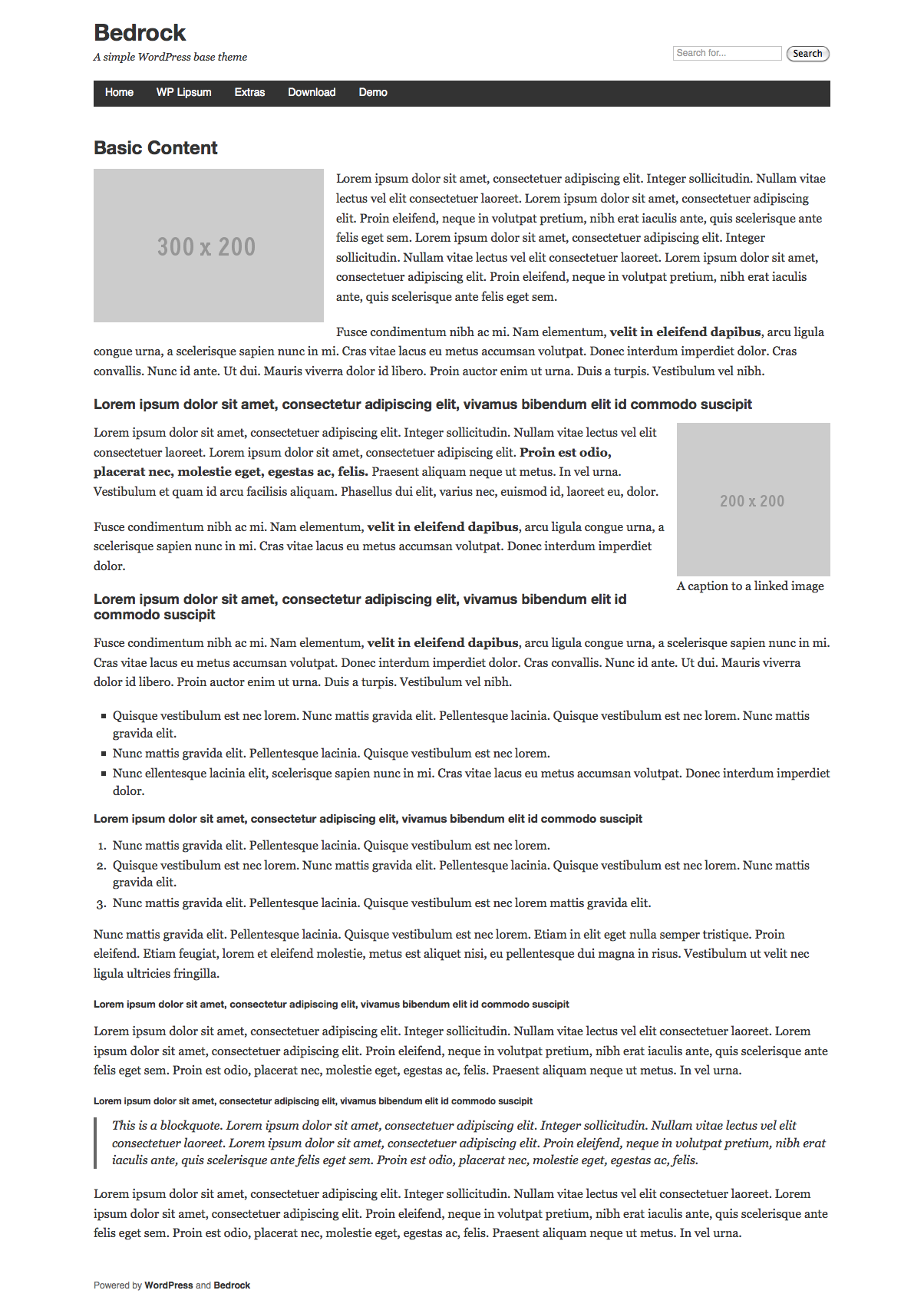
The "basic" template

The "aux" template

The "blog" template
Changelog
1.4
- Added image dimensions and alignment parameters, and the img template
1.3
- Added “t” and “r” shortcuts, submitted to WP Directory
1.2
- Added lots more templates and changed paramters to “template” and “repeat”
1.1
- Fixed a bug
1.0
First version, just had a couple templates