

Logarithmic Pagination
This plugin inserts pagination to your blog, archives and search results based on logarithmic calculation for a more evenly distributed link-juice.
Plugin info
Maintenance & Compatibility
Maintenance score
Possibly abandoned • Last updated 4728 days ago • 1 reviews
Is Logarithmic Pagination abandoned?
Possibly abandoned (last update 4728 days ago).
Compatibility
Similar & Alternatives
Explore plugins with similar tags, and compare key metrics like downloads, ratings, updates, support, and WP/PHP compatibility.
Description
This will give you an advanced pagination to distribute your link-juice more evenly across your paginated paged. It also provides a better choice of navigation to the user to explore and find your content.
You can turn the pagination on/off separately for:
- homepage
- search results
- category archives
- date archives
- tag archives
- author archives
Or implement it directly into your theme using .
You can also choose if you want it to be displayed before and/or after the loop content.
The plugin is currently available in English and German. If you want to help translate it, just write me an email. Help is much appreciated!
For more information visit the plugin website.
Credits
This plugin is based on the idea found in the following (German) article by Nikolas Schmidt-Voigt: Webseitenstruktur und Paginierung für SEO & a
discussion on stackoverflow.
Installation
- Unzip wp-lopa.zip.
- Upload
wp-lopato the/wp-content/plugins/directory - Activate the plugin through the
Pluginsmenu in WordPress - Change Settings on
Settings->Log. Paginationand/or implement template-tag respectively - Remove the original pagination code from the template files. Depending on your themes structure they can be located in files named
loop.php,index.php,archive.php,date.php,search.php,author.phpor others. -
Add some CSS to make it all pretty. To make it easier here is some sample-code:
.assistive-text { display: none; }
.paging-navigation ul {
list-style: none;
}.paging-navigation li {
float: left;
}.paging-navigation .current {
}.paging-navigation .paginate_link {
}.paging-navigation .prev {
}.paging-navigation .next {
}
Here is some sample HTML output:
<nav role="navigation" id="pages_bottom" class="site-navigation paging-navigation">
    <h1 class="assistive-text">Post navigation</h1>
    <ul>
        <li>
            <a href="?paged=2" rel="prev" class="prev">
                <span class="paginate_link">Previous</span>
            </a>
        </li>
        <li>
            <a href="/">
                <span class="paginate_link">1</span>
            </a>
        </li>
        <li>
            <a rel="prev" href="?paged=2">
                <span class="paginate_link">2</span>
            </a>
        </li>
        <li>
            <span class="current">3</span>
        </li>
        <li>
            <a rel="next" href="?paged=4">
                <span class="paginate_link">4</span>
            </a>
        </li>
[...]
        <li>
            <span class="seperator">..</span>
        </li>
        <li>
            <a href="?paged=19">
                <span class="paginate_link">19</span>
            </a>
        </li>
        <li>
            <span class="seperator">...</span>
        </li>
        <li>
            <a href="?paged=35">
                <span class="paginate_link">35</span>
            </a>
        </li>
[...]
        <li>
            <a href="?paged=42">
                <span class="paginate_link">42</span>
            </a>
        </li>
        <li>
            <a href="?paged=4" rel="next" class="next">
                <span class="paginate_link">Next</span>
            </a>
        </li>
    </ul>
</nav>
Frequently Asked Questions
Does the plugin support the use of pretty permalinks?
Yes, it does. It uses internal WordPress functions to generate the links so all changes to your link structure within your WordPress site will be repsected.
I have navigation showing up in the sidebar.
Until i find a better solution you will have to use the template-tag <?php the_wp_lopa('pages_below'); ?> to call the pagination element. Make sure to uncheck the places on the Settings page aswell.
Review feed
Screenshots
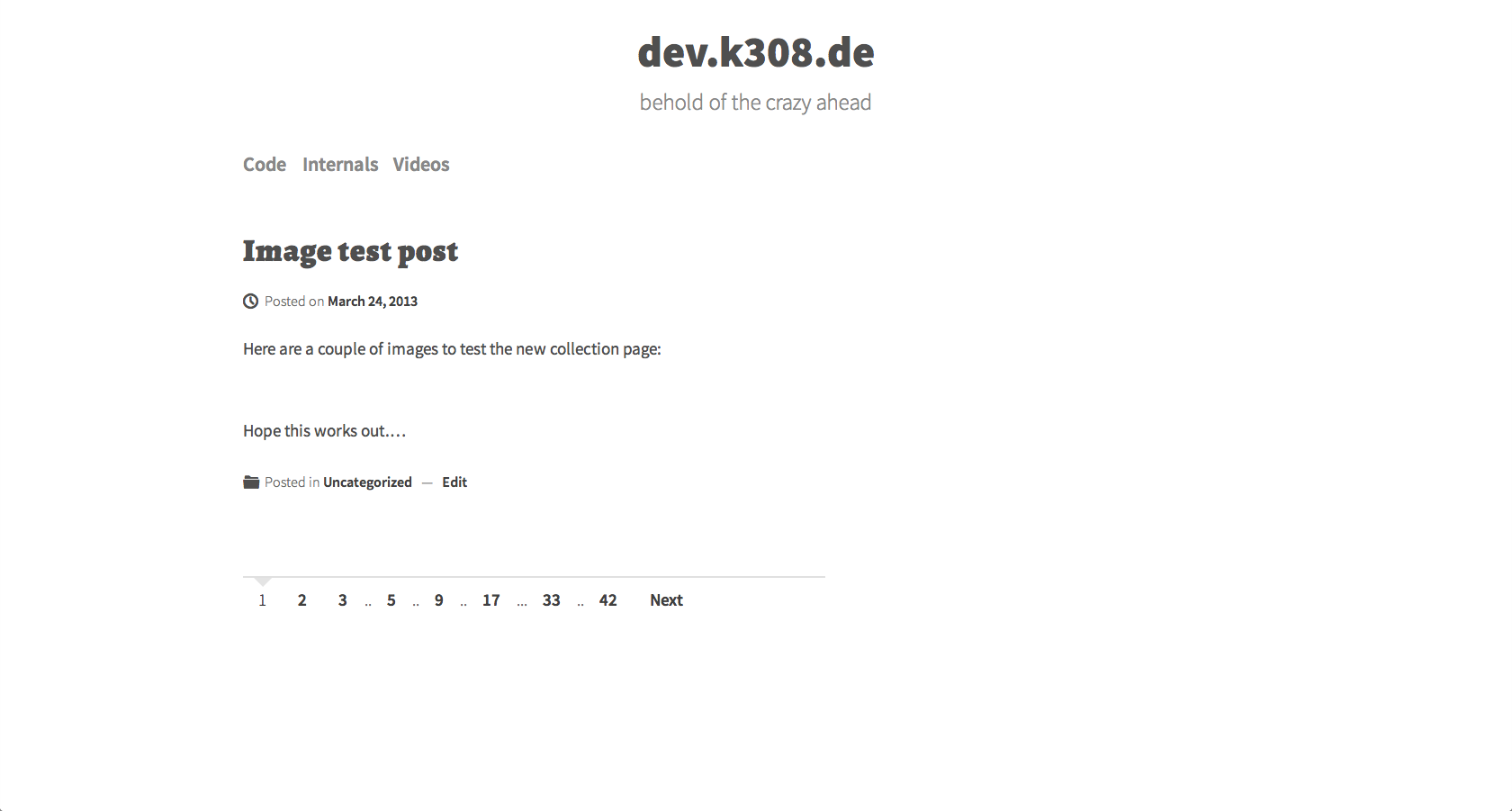
An example of the generated output

This is the Settings page of wp-lopa
Changelog
0.1.3
- Fixed translations
0.1.2
- Added some default css so the pagination starts out looking half way decent.
- Added the option to display pagination on author archives.
0.1.1
- Added template-tag
<?php the_wp_lopa('pages_below'); ?>to use when having confilcts with widgets
0.1
- Initial version