

WP Mail Logging
Log, view, and resend all emails sent from your WordPress site. Great for resolving email sending issues or keeping a copy for auditing.
Plugin info
Maintenance & Compatibility
Maintenance score
Stale • Last updated 205 days ago • Support resolved 100% • 340 reviews
Is WP Mail Logging abandoned?
Likely maintained (last update 205 days ago).
Compatibility
Similar & Alternatives
Explore plugins with similar tags, and compare key metrics like downloads, ratings, updates, support, and WP/PHP compatibility.
Description
WP Mail Logging is the most popular plugin for logging emails sent from your WordPress site. Simply activate it and it will work immediately, no extra configuration is needed.
Are your WordPress emails not being sent or delivered?
Use this plugin to log all outgoing emails from your WordPress site. If there are any errors when sending the email from your site, our email logs will catch that error and display it to you.
This will allow you to debug and fix your email sending issue.
Did a client not receive your email?
Our email logs allow you to resend any email that was sent from your site. No more lost emails!
Do you just want to keep a record of all emails sent from your site?
By default, WordPress and your web host do not log, store or keep track of emails sent from your website.
This plugin will allow you to do just that. Our email logs will store every email that is sent from your WordPress site.
You can search and view a particular email log, inspect its content or attachments, and even resend that email.
What email information is logged?
All emails sent from your WordPress site are logged. And here is the information that is stored:
- Email Subject
- Email Content (HTML or text)
- Email Attachments
- Email Headers (to, from, reply-to, cc, bcc, …)
- Error Message (in case there was an error while attempting to send the email)
- IP Address of originating server (can be enabled in the settings)
- Date and Time of the email
- Receiver (the TO email address)
Why are my logged emails still not delivered to the inbox?
There are a lot of steps that emails have to make in order to be delivered to the recipient’s inbox.
When your WordPress site sends an email, there’s no guarantee it will be delivered.
This is what the email’s journey looks like:
- WordPress creates an email
- WordPress passes the email to your website host and that email gets logged by our plugin
- The host server takes the email and sends it (SMTP or Mail Transfer Agent)
- Recipient server receives or blocks the email
- If the email is accepted, the spam filter decides if it goes to the inbox or the spam folder
- Recipients see the email and might open it.
This plugin does not track delivery after step 2.
If you have deliverability issues, we suggest installing the WP Mail SMTP plugin.
WP Mail SMTP fixes WordPress email deliverability problems, you can choose between 12 email providers (Gmail, Outlook, SendLayer, Mailgun, …) to resolve your email sending issue and it’s super easy to set up. WP Mail SMTP is trusted by more than 3 million websites.
Credits
The plugin was created and launched in 2014 by Christian Zöller.
Installation
- Install WP Mail Logging either via the WordPress.org plugin repository or by uploading the files to your server. (See instructions on how to install a WordPress plugin)
- Activate WP Mail Logging.
Frequently Asked Questions
Yes, it logs all emails sent from your site, including any emails that are created by your plugins or your theme.
This plugin only stores the file path of the attachments and not the attachments file themselves. If the attachment file path does not exist or the file was deleted, then it will not show up in the logs.
Please open a new support thread and provide as much information as possible, without any private information (it is a public forum).
And we will try to help out as soon as possible.
Please open a new support thread and provide as much information as possible, without any private information (it is a public forum).
And we will investigate the issue as soon as possible.
Yes, you can contribute on GitHub.
Review feed
moving from local server to live
Great debugging tool!
Works seamlessly right after activation
Works well
Helps keep my sanity
Screenshots
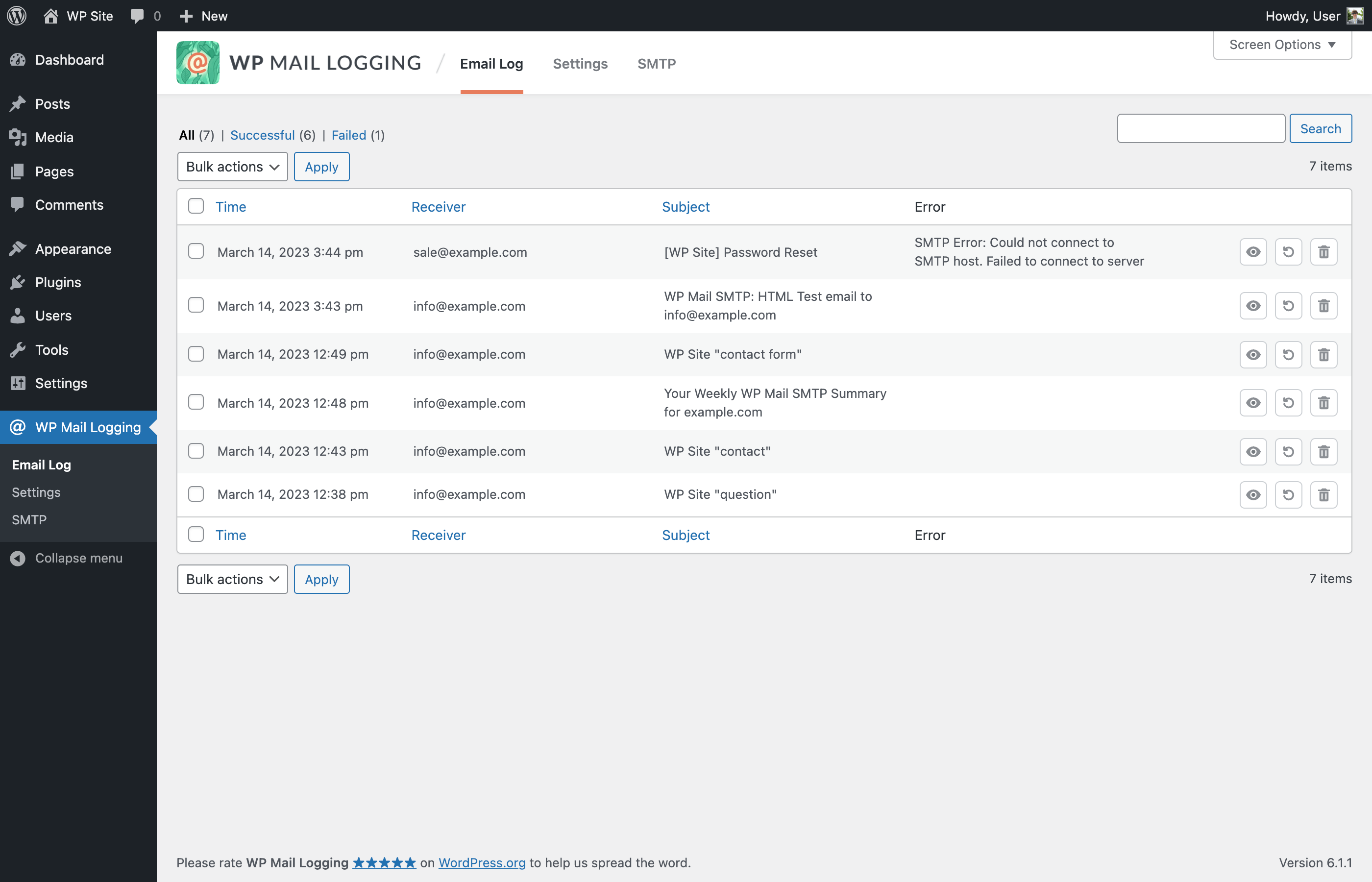
The Email Log
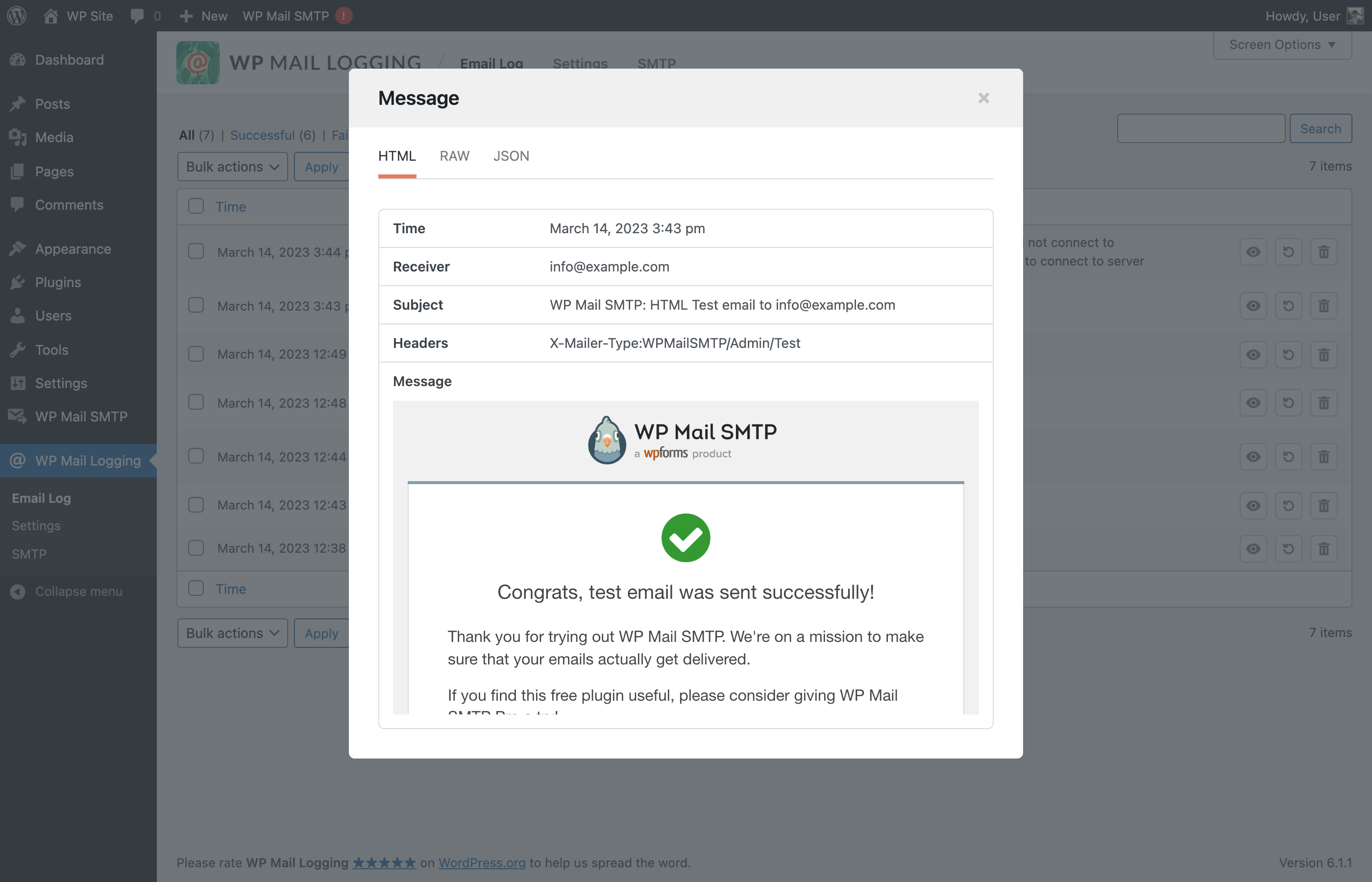
The Detail Email Log View
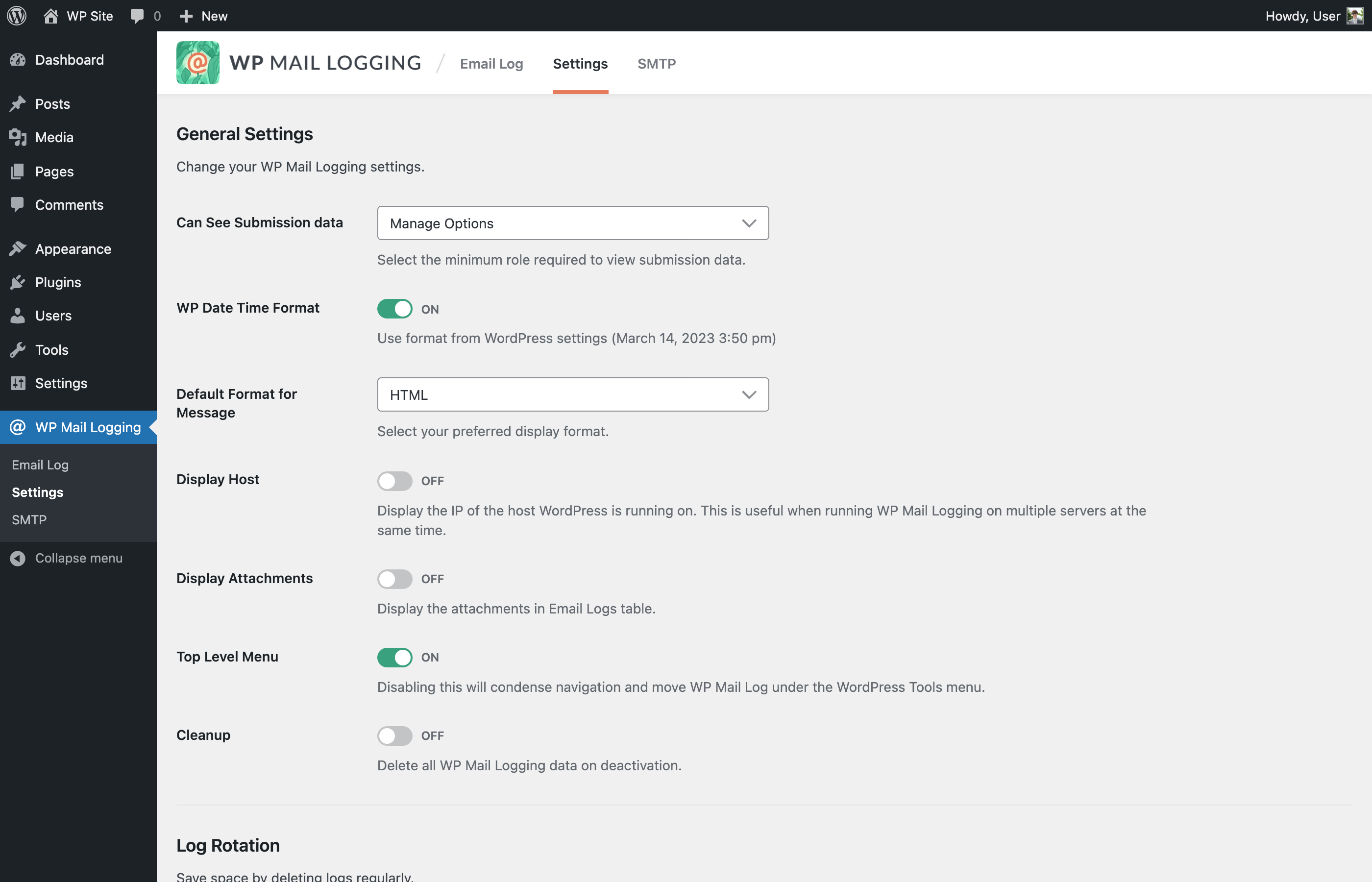
The Settings - part 1
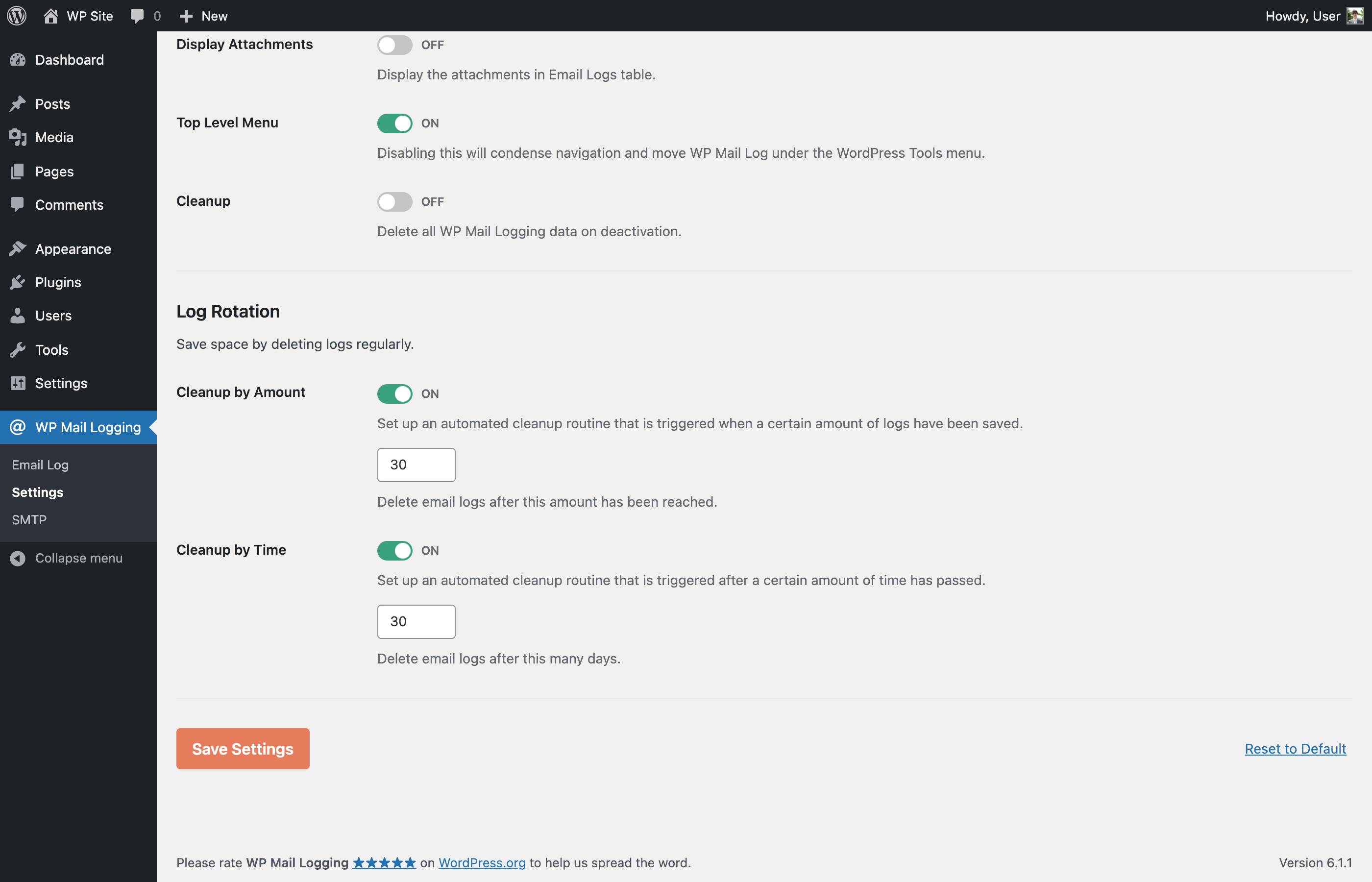
The Settings - part 2
Changelog
1.15.0 – 2025-09-09
Added: Support “Name email@domain.test” format on Receiver.
Added: New filters wp_mail_logging_allowed_html_email_html_preview and wp_mail_logging_allowed_protocols_email_html_preview.
Changed: Description for the option “Can See Submission data”.
Fixed: PHP Warning when JetPack plugin is also activated.
Fixed: Incorrect Headers format in modal row.
Fixed: Long non-breaking message not displaying properly when viewed as Raw.
Fixed: Some attachments are not displayed in the Email Logs table.
Fixed: PHP Warning “Notice: Function _load_textdomain_just_in_time was called incorrectly”.
1.14.0 – 2024-12-26
Fixed: PHP warning notice when another plugin or code snippet passed an associative array to WPML_Plugin::get_mail_headers().
Fixed: PHP warning notice on non-english locale WP configuration.
Fixed: PHP warning notice when another plugin passed a non-array variable to the filter plugin_action_links and wp_kses_allowed_html.
1.13.1 – 2024-10-10
Added: Action hook when saving email logs.
Fixed: Issue with email content type.
1.13.0 – 2024-10-08
Improved: Allow admins to always have access to WP Mail Logging logs.
Improved: Use the wp_mail_content_type filter to determine the email content type when saving the logs.
Fixed: Issue when emails with subjects that are more than 200 characters long are not logged.
Fixed: Make “Delete” and “Rename” in Bulk Actions selection translatable strings.
Fixed: Update Sendinblue string instances to Brevo.
1.12.0 – 2023-06-21
Added: Support UTF-8 encoded subjects.
Added: Search by filter.
Added: New filter hook for mail data before it’s saved.
Improved: Hide unrelated notices in admin plugin pages.
Improved: Use transient to cache certain DB calls.
Improved: Search logs by message optimization.
Fixed: Missing security checks in AJAX dismiss notices feature.
Fixed: MySQL 8 syntax error when sql-mode = ANSI_QUOTES.
Fixed: PHP Deprecated: Constant FILTER_SANITIZE_STRING.
Fixed: Logger breaks if no array passed from wp_mail.
Fixed: Line breaks on plain text email on “HTML” preview.
Fixed: Non-admin users can see and access “Settings” and “SMTP” pages.
Fixed: Escape the subject in logs table and single view.
1.11.2 – 2023-06-14
- Fixed: Email Log JSON preview security.
1.11.1 – 2023-06-08
- Fixed: Email Log HTML preview security.
1.11.0 – 2023-03-15
- Added: the ability to move the menu position in the top-level for easier access.
- Added: the ability to filter email logs.
- Improved: overall UI/UX.
- Removed: Redux Framework.
- Fixed: resend with HTML type email not working all the time due to headers parsing error.
1.10.5 – 2022-12-21
- Fixed: automatic email log deletion via Log Rotation settings.
- Fixed: PHP 8.1 issues.
1.10.4 – 2022-01-31
- Improved: reduced zip archive size.
1.10.3 – 2022-01-31
- Removed: Redux Framework template lib and banner loading. Thanks @kprovance!
1.10.2 – 2021-11-24
- Updated: Redux framework version to 4.3.4.
- Fixed: “disable_demo” PHP error. Thanks @Mike00mike!
- Fixed: changelog date typos. Thanks @Spreeuw!
- Removed: the Redux framework Gutenberg Library blocks. Thanks @Helenel!
1.10.1 – 2021-11-24
- Removed: Redux Framework connection notice. Thanks Jesse!
- Fixed: is_theme PHP error. Thanks @max3322!
1.10.0 – 2021-11-23
- Updated: Redux framework to 4.3.3.
1.9.9 – 2021-09-12
- Updated: support for WordPress 5.8.
1.9.8 – 2021-06-18
- Changed ownership!
1.9.7 – 2020-09-02
- Added: wpml_banner_display filter to hide MailPoet banner;
- Updated: support for WordPress 5.5.
1.9.6 – 2020-05-05
- Removed: contextual help tab.
1.9.5 – 2019-11-07
- Updated: plugin author.
1.9.4 – 2019-11-07
- Fixed: assets files.
1.9.3 – 2019-11-07
- Fixed: typo in readme.
1.9.2 – 2019-11-07
- Added: MailPoet banner;
- Updated: assets;
- Improved: menu position is now under wp-admin > tools.
1.9.1 – 2019-08-20
- MailPoet has claimed ownership. We’re grateful to Christian for all the work committed to this project over the years.
1.9.1, 2019-04-18
- Fix: log-view resources loaded on each page (performance issue)
- Fix: attachment icon is not displayed (e.g. if mime-type is unsupported)
1.0, 2014
- Hello matrix