

Plugin info
Maintenance & Compatibility
Maintenance score
Stale • Last updated 319 days ago • 52 reviews
Is Media Library Categories abandoned?
Likely maintained (last update 319 days ago).
Compatibility
Developers
Similar & Alternatives
Explore plugins with similar tags, and compare key metrics like downloads, ratings, updates, support, and WP/PHP compatibility.
Description
Adds the ability to use categories in the WordPress Media Library. When activated a dropdown of categories will show up in the media library.
You can change / add / remove the category of multiple items at once with bulk actions.
There is even an option to filter on categories when using the gallery shortcode.
Features WordPress Media Library Categories
- add / edit / remove categories from media items
- change the category of multiple items at once with bulk actions
- category options & management in the Media Library
- filter on categories in the media library
- filter on categories in the gallery shortcode
- taxonomy filter
- support for WordPress 4.0 – 6.8
Try Premium version – 100% money back guarantee
WordPress Media Library Categories Premium adds the option to filter on categories when inserting media into a post or page.
Try now – 100% money back guarantee
Installation
For an automatic installation through WordPress:
- Go to the ‘Add New’ plugins screen in your WordPress admin area
- Search for ‘Media Library Categories’
- Click ‘Install Now’ and activate the plugin
- A dropdown of categories will show up in the media library
For a manual installation via FTP:
- Upload the ‘Media Library Categories’ directory to the ‘/wp-content/plugins/’ directory
- Activate the plugin through the ‘Plugins’ screen in your WordPress admin area
- A dropdown of categories will show up in the media library
To upload the plugin through WordPress, instead of FTP:
- Upload the downloaded zip file on the ‘Add New’ plugins screen (see the ‘Upload’ tab) in your WordPress admin area and activate.
- Activate the plugin through the ‘Plugins’ screen in your WordPress admin area
- A dropdown of categories will show up in the media library
Frequently Asked Questions
By default the WordPress Media Library uses the same categories as WordPress does (such as in posts & pages). If you want to use separate categories you can use a custom taxonomy, this can be set under Settings Media (or click on the settings quicklink on the WordPress plugins overview page).
To only show images from one category in the gallery you have to add the ‘category‘ attribute to the [gallery] shortcode.
The value passed to the ‘category‘ attribute can be either the category slug or the term_id, for example with the category slug:
[gallery category="my-category-slug"]
Or with term_id:
[gallery category="14"]
If you use an incorrect slug by default WordPress shows the images that are attached to the page / post that is displayed. If you use an incorrect term_id no images are shown.
Aside from this behavior, the [gallery] shortcode works as it does by default with the built-in shortcode from WordPress (see the WordPress gallery shortcode codex page). If you only want to show attachments uploaded to the page and filtered by category than use the ‘id‘ in combination with the ‘category‘ attribute. For example (the id of the post is 123):
[gallery category="my-category-slug" id="123"]
Or leave id empty for current page / post:
[gallery category="my-category-slug" id=""]
In this example the slug is used, but you could also use the term_id.
This feature is only available in the premium version
Maintaining a plugin and keeping it up to date is hard work. Please support me by making a donation. Thank you.
Please donate here
Review feed
BUG? in editor you always see no items found
Screenshots

Filter by category in the media library. Use bulk actions to add and remove categories of multiple images at once.
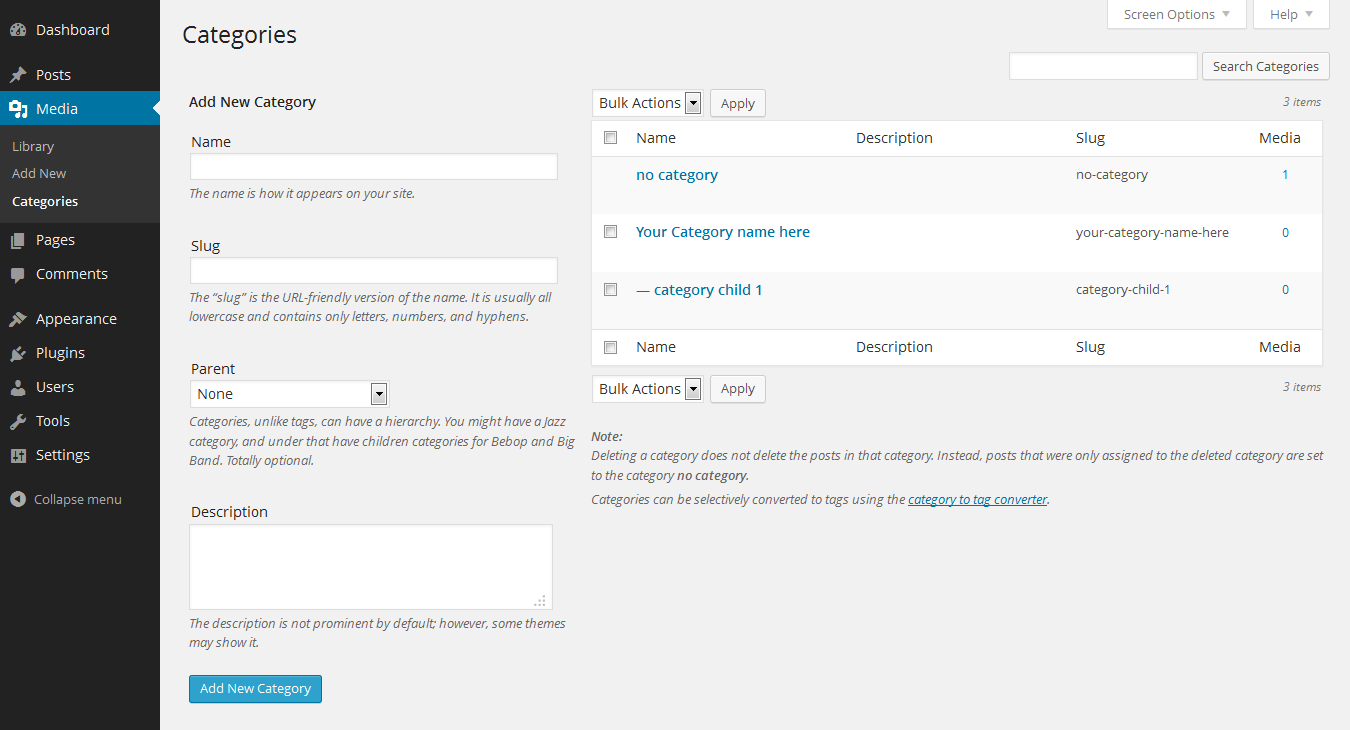
Manage categories in the media library
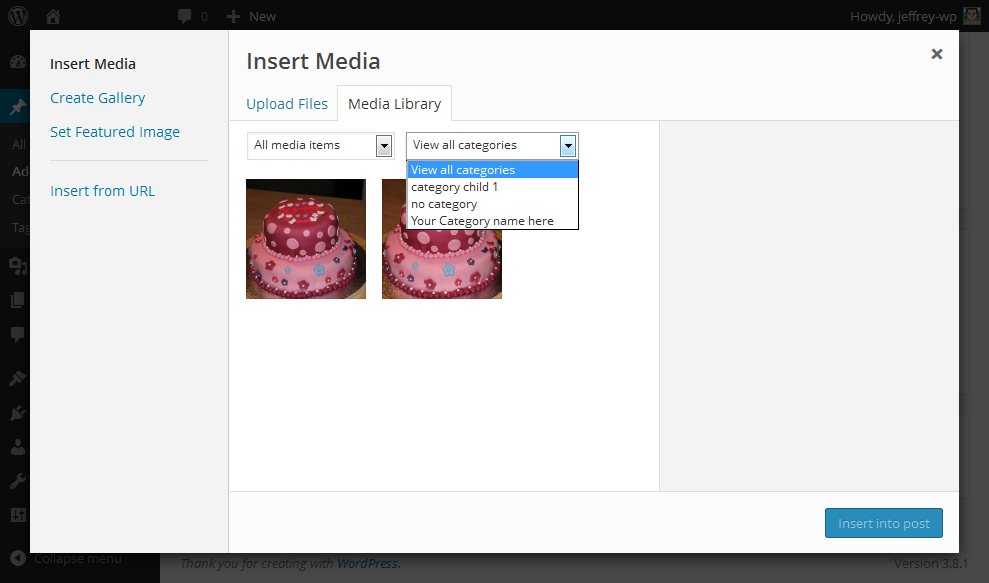
Filter by category when inserting media (premium version)
Changelog
2.0.2
- Update Select2 dependency
2.0.1
- Fix XXS vulnerability
2.0.0
- Add escape function for input field custom taxonomy slug
1.9.9
- Fix ‘jQuery.fn.load() is deprecated’ warning
1.9.8
- Remember selected category in dropdown when filtered
1.9.7
- Add autocomplete search to the category dropdown in Media Library list view (which can be turned on under Settings Media)
- Add usability fix to highlight media library settings section when directly linked
1.9.6
- Fix taxonomy checkbox on media modal (when using custom taxonomy)
1.9.5
- Add autocomplete search to the category dropdown in Media Library grid view (which can be turned on under Settings Media)
- Fix some translation strings
1.9
- Add interface (located under Settings Media) to separate the media categories from the default WordPress categories
1.8
- Indent child categories in checklist media popup
1.7
- Support WordPress 5.0
- Support multiple slugs and id’s in gallery shortcode
- Support WordPress Coding Standards 1.1.0
- Add support for Dark Mode in WordPress