
WP Notification Bars
Create custom notification and alert bar for marketing promotions, alerts, increasing click throughs to other pages and so much more.
Plugin info
Maintenance & Compatibility
Maintenance score
Possibly abandoned • Last updated 1495 days ago • 41 reviews
Is WP Notification Bars abandoned?
Possibly abandoned (last update 1495 days ago).
Compatibility
Developers
Similar & Alternatives
Explore plugins with similar tags, and compare key metrics like downloads, ratings, updates, support, and WP/PHP compatibility.
Description
WP Notification Bars is a custom notification and alert bar plugin for WordPress which is perfect for marketing promotions, alerts, increasing click throughs to other pages and so much more.
Why WP Notification Bars from MyThemeShop:
- Easy to Use
- Lightweight
- Create Unlimited Notification Bars
- Responsive
- Unlimited Colors
- Fixed or Absolute Position
- Add CTA Button
- Add Custom Code
- Control Font Size
- Show on HomePage / Posts / Pages
- Show only to Google Visitors
- Show only to Facebook Visitors
- Translation Ready
- 24/7/365 Support
Support
All support for this plugin is provided through our forums. If you have not registered yet, you can do so here for FREE
https://mythemeshop.com/#signup
If after checking our Free WordPress video tutorials here:
https://mythemeshop.com/wordpress-101/
&
https://community.mythemeshop.com/tutorials/category/2-free-video-tutorials/
If you are still stuck, please feel free to open a new thread, and a member of our support team will be happy to help.
Support link:
https://community.mythemeshop.com/forum/11-free-plugin-support/
Feedback
If you like this plugin, then please leave us a good rating and review.
Consider following us on Google+, Twitter, and Facebook
Installation
This section describes how to install the plugin and get it working.
- Upload the
wp-notification-barfolder to the to the/wp-content/plugins/directory - Activate the plugin through the ‘Plugins’ menu in WordPress
- ‘Notification Bars’ Option will be available in Backend
- Create new Notification and relax!
Frequently Asked Questions
Please disable all plugins and check if backup is working properly. Then you can enable all plugins one by one to find out which plugin is conflicting with WP Rating plugin.
Review feed
Screenshots

General Settings
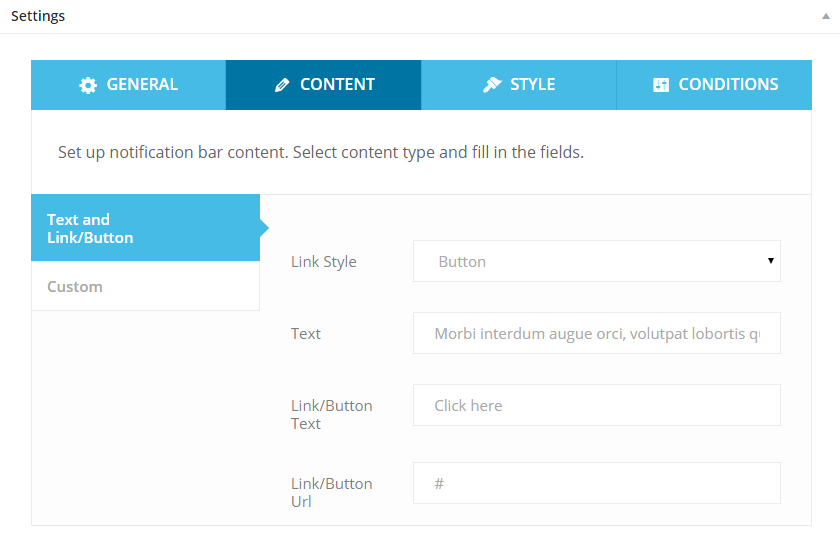
Content Settings
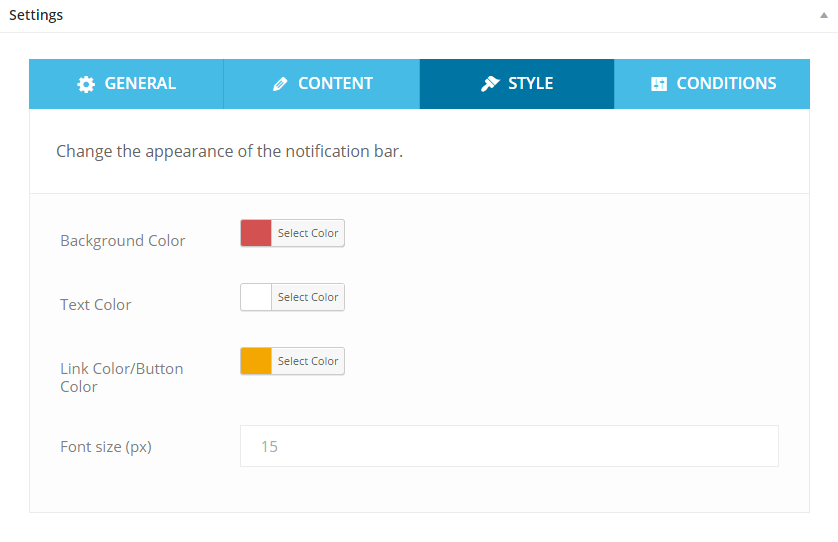
Style Settings
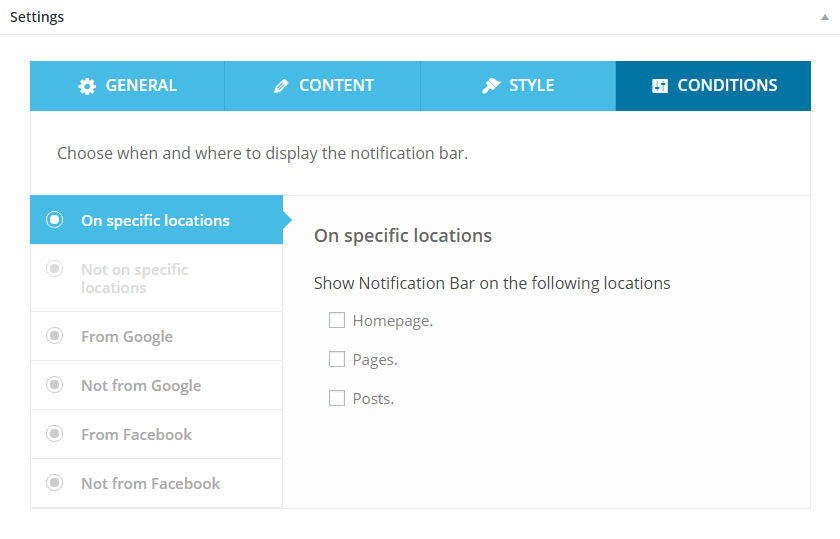
Conditions Settings
Changelog
1.0.12
- Fixed: Post-specific “Select Notification Bar” option not working correctly in some cases
1.0.11
- Security improvements
1.0.9
- Security improvements
1.0.8
- More security improvements
1.0.7
- More security improvements
1.0.6
- Fixed security issues and hardened overall plugin security
- Fixed plugin locale in gettext calls
1.0.5
- Fixed styling issue of number input field
1.0.4
- Updated admin notices
1.0.3
- Changed admin notices
1.0.2
- Minor code improvements
- Checked compatibility with WordPress v4.9.5
1.0.1
- Added ability to choose notification bar on single post and page
- Added “Blog Homepage” location if static front page is chosen in Settings->Reading
- Referrer saved in session
- Allowed html in “Text and Link/Button” content type
1.0
- Official plugin release.